
The best mini ITX CPU cooler in 2026 is a smart pick for people making small computers. In North America, more people use low-profile coolers. Gamers and tech fans want good cooling in small spaces. Small form factor systems have problems with heat, airflow, and performance. Builders need to fix these problems. They use smart fan placement and strong cooling systems.
Cooling Challenge | Description |
|---|---|
Thermal management issues | Small space inside stops air from moving and causes heat. |
Thermal throttling | Bad cooling during heavy use can make the computer slow down. |
Optimized airflow design | Putting fans in the right spots helps get rid of heat. |
High-performance cooling | Small liquid coolers or low-profile coolers help control heat. |
Power-efficient components | Parts that use less power make less heat. |
Supplemental cooling | Quiet fans and speed control help cool without making more noise. |
Key Takeaways
Pick a cooler that fits your case size. Always check how tall the cooler can be so it fits right.
Think about the TDP rating of the cooler. Make sure it matches your CPU so it does not get too hot when you use it a lot.
Find coolers that move air well. Good fan spots help keep things cool in small cases.
Choose a cooler that is quiet and works well. Quiet coolers are great for media centers or quiet computers.
Look for coolers that do not cost too much but still cool well. Many cheap coolers work fine for simple builds.
Best Mini ITX CPU Cooler Picks
Best Overall Air Cooler
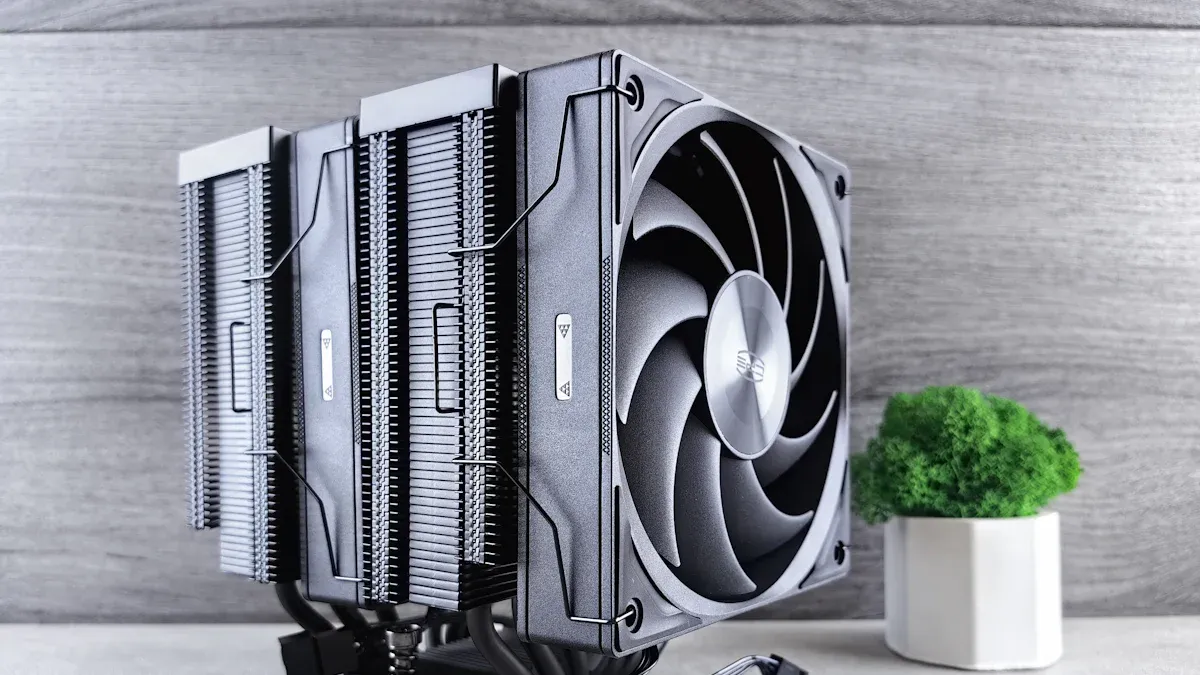
The Thermalright Peerless Assassin 120 SE is the top mini ITX CPU cooler for most people in 2026. It cools well and fits many small cases. Builders like its two-tower shape and good heat pipes. It keeps CPUs cool when gaming or working hard. The Peerless Assassin 120 SE has two 120mm fans that are quiet. People find it easy to install and trust it to cool well. Many reviewers give this cooler high marks for its size, noise, and how well it works.
Tip: Always check your case’s cooler height limit before you buy. The Peerless Assassin 120 SE fits most mini ITX cases, but not all.
Best Budget Cooler
The Hyper H410R RGB is a good choice for people who want to save money. It cools entry-level and mid-range CPUs well. It is small and has a bright RGB fan. People with less money pick the Hyper H410R RGB because it works well and is not expensive. It is easy to put in and fits most mini ITX motherboards. Gamers and students like its style and how well it cools.
Best Liquid Cooler
The Arctic Liquid Freezer III Pro is the best for liquid cooling in small builds. This cooler handles high heat easily. It has a small radiator and a quiet pump. People who overclock or use tough apps see lower CPU temps with this cooler. Liquid coolers like the Arctic Liquid Freezer III Pro move heat out of the case better than air coolers. They are also quieter because their fans do not spin as fast.
Feature | Liquid Coolers (e.g., Arctic Liquid Freezer III Pro) | Air Coolers (e.g., Peerless Assassin 120 SE) |
|---|---|---|
Thermal Performance | Moves heat well, great for overclocking and hard tasks | Good at moving heat, but makes the case warmer |
Noise Levels | Usually quieter because fans spin slower | Can be louder since heat stays in the case |
Installation Complexity | A bit harder to install | Easier to install |
Best Low Profile Cooler
The Thermalright AXP90-X53 is the best mini ITX CPU cooler for very small cases. It is only 53mm tall, so it fits in slim builds. It uses a 92mm fan and four heat pipes to keep CPUs cool. People with tiny cases or HTPCs pick the AXP90-X53 for its short height and strong cooling. Other good low profile coolers are the Noctua NH-L12 (93mm) and SilverStone AR06 (58mm). These coolers fit in cases where taller ones cannot.
Cooler Model | Height (mm) | Price ($) |
|---|---|---|
Thermalright AXP90-X53 | 53 | 49 |
Noctua NH-L12 | 93 | 57 |
SilverStone AR06 | 58 | 40 |
Best Quiet Cooler
The ID-COOLING IS-67-XT is great for people who want a quiet computer. This cooler has a slim 120mm fan and six heat pipes. It keeps noise as low as 28dB, so it is good for quiet rooms or media centers. People who want peace and quiet pick this cooler. The IS-67-XT fits in many mini ITX cases because it is 67mm tall. Another quiet choice is the Thermalright AXP90 X36, which is only 22.4dB.
Cooler Name | Rating | Height | Heat Pipes | Fan Size | Noise | TDP |
|---|---|---|---|---|---|---|
ID-COOLING IS-67-XT | 4.5 | 67mm | 6 | 120x15mm | 28dB | 95W |
Thermalright AXP90 X36 | 4.4 | 36mm | 4 | 92mm | 22.4dB | 65W |
Best RGB Cooler
The Hyper H410R RGB is also the best RGB cooler. People who want color and style in their computers pick this cooler. The RGB lights work with most motherboard software. It makes any mini ITX build look bright and cool. The Hyper H410R RGB still cools well and fits in most cases.
Best sz-xtt Cooler
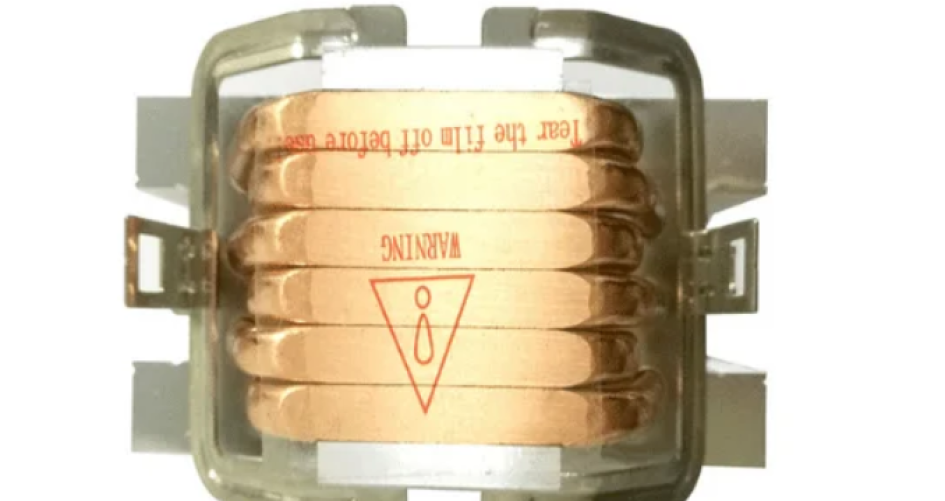
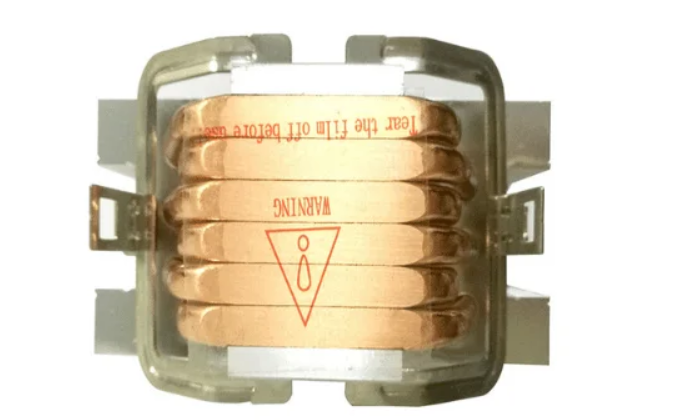
The sz-xtt cooler is special for people who need a small size and strong cooling. It works with many AMD and Intel sockets, like AM4, AM5, LGA1150, LGA1200, and LGA1700. Its small size fits in tight spaces. People who need strong cooling in very small cases pick the sz-xtt cooler because it manages heat well.
Feature | Details |
|---|---|
Supported Sockets | AMD: AM4, AM5; Intel: LGA1150, LGA1151, LGA1155, LGA1156, LGA1200, LGA1700, LGA1851 |
Compact Design | Yes, fits in small spaces |
Thermal Performance | Cools well, great for small cases that need strong cooling |
Note: The sz-xtt cooler works in builds where other coolers do not fit. Always check if it matches your socket before you buy.
Picking the best mini ITX CPU cooler depends on your case size, how much noise you want, and your budget. Each cooler above gives good performance, fits well, and is a good value for small computers.
Comparison Table
Choosing the right cooler for a small form factor system can make a big difference. Builders want to see clear specs before making a decision. The table below shows the most important details for each recommended cooler. It includes TDP, fan size, height, price, and socket compatibility. This helps readers compare options quickly and find the best mini itx cpu cooler for their needs.
Cooler Model | TDP (W) | Fan Size (mm) | Height (mm) | Price ($) | Socket Compatibility |
|---|---|---|---|---|---|
Thermalright Peerless Assassin 120 SE | 155 | 2×120 | 157 | 54 | Intel LGA1700, AMD AM4/AM5 |
Arctic Liquid Freezer III Pro | 220 | 120 | 38 (block) | 89 | Intel LGA1700, AMD AM4/AM5 |
Hyper H410R RGB | 100 | 92 | 136 | 32 | Intel LGA1200, AMD AM4 |
Thermalright AXP90-X53 | 100 | 92 | 53 | 49 | Intel LGA1700, AMD AM4/AM5 |
ID-COOLING IS-67-XT | 95 | 120×15 | 67 | 45 | Intel LGA1700, AMD AM4/AM5 |
sz-xtt | 120 | 92 | 47 | 39 | Intel LGA1700, AMD AM4/AM5 |
Akasa AK-CC6602HP01 | 73 | 15 | 29.92 | 28 | Intel LGA115x |
Akasa AK-CC6610EP01 | 65 | N/A | 26.92 | 25 | Intel LGA115x |
Dynatron A24 | 170 | N/A | 67 | 59 | Intel LGA1700 |
Noctua NH-L9i | 59 | N/A | 37 | 57 | Intel LGA115x, LGA1200 |
Note: Builders should check the height and socket compatibility before buying. Some coolers fit only certain cases or motherboards.
Most coolers in the table support both Intel and AMD sockets.
Low-profile models like the Thermalright AXP90-X53 and Akasa AK-CC6610EP01 fit ultra-compact cases.
High TDP coolers such as the Arctic Liquid Freezer III Pro and Dynatron A24 handle powerful CPUs.
The comparison table gives readers a clear view of each cooler’s strengths. Builders can match their system’s needs with the right specs. This helps them avoid mistakes and get the best cooling for their mini ITX build.
Cooler Reviews
Performance
All the coolers here work well in small computers. The Thermalright Peerless Assassin 120 SE keeps powerful CPUs cool when you play games or do hard work. The Arctic Liquid Freezer III Pro cools overclocked CPUs easily. The Hyper H410R RGB is good for cheaper and mid-range builds. The Thermalright AXP90-X53 fits in very small cases and still cools well. The sz-xtt cooler is great in tight spaces and works with AMD and Intel chips.
Installation
The Peerless Assassin 120 SE is simple to put in because the instructions are clear and the mount is strong. The Arctic Liquid Freezer III Pro takes longer to install since it has a radiator and pump, but most people finish without problems. The Hyper H410R RGB is easy to set up, so beginners like it. The AXP90-X53 fits in small spaces, but you should check if your RAM will fit. The sz-xtt cooler is small, so it goes into tiny cases easily.
Noise
Noise is important in small computers. The Peerless Assassin 120 SE stays quiet, even when working hard. The Arctic Liquid Freezer III Pro is silent because its fans turn slowly. The Hyper H410R RGB can get louder at top speed, but is quiet most of the time. The AXP90-X53 and sz-xtt coolers both keep noise low, so they are good for quiet rooms or media centers.
Pros & Cons
Cooler Model | Pros | Cons |
|---|---|---|
Peerless Assassin 120 SE | Cools well, quiet, easy to install | Tall, may not fit all cases |
Arctic Liquid Freezer III Pro | Great cooling, silent, good for overclocking | Harder to install, costs more |
Hyper H410R RGB | Cheap, has RGB lights, easy to set up | Not for very hot CPUs |
Thermalright AXP90-X53 | Very short, cools well | Only for smaller CPUs |
sz-xtt | Small, cools well, works with many sockets | Not a famous brand, few reviews |
Tip: Always check your case size and what your CPU needs before you pick a mini ITX CPU cooler.
Buying Guide
Clearance & Size
Case clearance decides which cooler fits. Builders must check the height limit of their mini ITX case before buying. For example, the Fractal Design Terra supports coolers from 48 mm to 77 mm, depending on the GPU or CPU used. The Teenage Engineering computer–1 allows up to 120 mm. A table helps compare these limits:
Case | Minimum Cooler Height | Maximum Cooler Height |
|---|---|---|
Fractal Design Terra | 48 mm (with max GPU) | 77 mm (with max CPU) |
Teenage Engineering computer–1 | N/A | 120 mm |
A cooler that is too tall will not fit. Builders should always measure first.
TDP & Cooling
Thermal Design Power (TDP) shows how much heat a cooler can handle. Users should match the cooler’s TDP rating to the CPU’s needs. High TDP coolers, like the Arctic Liquid Freezer III Pro, work best for gaming or heavy tasks. Low TDP coolers fit budget or office builds. Picking the right TDP prevents overheating and keeps the system stable.
RAM/PCIe Fit
Coolers can block RAM or PCIe slots in small builds. Builders should check the cooler’s footprint. For example, the Noctua NH-L9i has a 95×95 mm footprint and fits tall RAM and PCIe cards. A table shows compatibility:
Cooler Model | Footprint (mm) | Compatibility with RAM | Compatibility with PCIe |
|---|---|---|---|
Noctua NH-L9i | 95×95 | Yes (tall modules) | Yes |
Choosing a cooler with a small footprint avoids installation problems.
Fan Quality
Fan quality affects noise and cooling. Good bearings, like fluid dynamic types, last longer and run quieter. Larger fans, such as 140 mm, move more air with less noise. Airflow style matters too. Some fans push air through dense heatsinks, while others move air farther. A table explains key metrics:
Metric | Description |
|---|---|
Bearings | The type of bearings affects noise and longevity; fluid dynamic bearings are preferred for quieter operation. |
Size | Larger fans (e.g., 140mm) generally provide better cooling at similar noise levels compared to smaller fans (e.g., 120mm). |
Airflow Style | Different fans have unique airflow characteristics; some are designed for long-distance air movement, while others excel in pushing air through dense structures. |
Mounting
Easy mounting saves time and stress. The Noctua NH-D12L uses the SecuFirm 2 system, which many users find simple and reliable. Some prefer stand-offs, but most agree this system makes installation smooth. A good mounting system helps builders avoid mistakes and finish their build faster.
Tip: Builders should always check case size, TDP, RAM, and mounting before choosing the best mini itx cpu cooler. Careful planning leads to a cooler, quieter, and more reliable system.
User Recommendations
Gaming Builds
Gamers want strong cooling and good performance. The Thermalright Peerless Assassin 120 SE is great for gaming mini ITX builds. This cooler keeps the CPU cool during tough games. It has two 120mm fans and strong heat pipes. These parts help air move well. Builders like this cooler because it fits most mini ITX cases. It works with CPUs that need high TDP. The Arctic Liquid Freezer III Pro is also good for gamers who want more power. Liquid cooling moves heat away fast and keeps things quiet. Gamers who want both good performance and quiet computers should look at these coolers.
Tip: Gamers need to check their case’s height limit before picking a cooler. Tall coolers may not fit in every mini ITX case.
Silent Workstations
People who build silent workstations want quiet computers and good cooling. They pick CPUs and video cards that do not get too hot. They use power supplies and hard drives made to be quiet. Many reviewers say liquid coolers are best for small builds. Liquid cooling works better than low-profile air coolers and is easy to install. The Arctic Liquid Freezer III Pro cools well and is almost silent. Builders who care about quiet computers should pick this cooler.
Pick parts that stay cool.
Use a quiet power supply and silent hard drives.
Try a liquid cooler for the CPU.
Budget Systems
Builders who want to save money pick coolers that work well and cost less. Some models give good results without costing too much:
ID-COOLING IS-40-XT: 4.5/5 rating, 47mm tall, 92mm PWM fan, low noise.
Thermalright AXP90-X53 White: 53mm tall, $19.39 price, quiet.
ID-COOLING IS-55 Black: 57mm tall, 120mm fan, best under $40.
Thermalright AXP90 X36 Black: 36mm tall, $21.90 price, very quiet.
Builders who use the ID-COOLING IS-55 Black say their CPU stays under 75°C when gaming. This cooler is the best for budget mini ITX systems.
Ultra-Compact Cases
Ultra-compact cases need coolers shorter than 50mm. Builders must check their case specs to make sure the cooler fits. The table below shows what small PC cases need:
Specification | Details |
|---|---|
Maximum CPU Cooler Height | About 50mm / 1.97 in |
Compatible Motherboard | ITX |
Size | 274 x 65 x 210mm |
Coolers like the Thermalright AXP90-X53 and ID-COOLING IS-40-XT fit these cases. Builders who want a small system should pick a cooler that matches their case’s height limit.
Note: Low-profile coolers are best for ultra-compact builds. Always measure your case before buying.
Mini ITX CPU coolers in 2026 keep computers cool in small spaces. Builders need to check the case height before buying a cooler. They should also look at TDP and socket compatibility. New coolers from ASRock and EINAREX have better pumps and heat pipes. Some even have LCD screens that show important info.
ASRock has new AIO liquid coolers with strong pumps and LCD screens.
EINAREX Ventus V300 uses six copper heat pipes and push-pull fans. This helps it handle a lot of heat.
Builders can use trusted websites to compare prices and features:
Resource | Description |
|---|---|
Shows tests and comparisons for mini ITX coolers. | |
Micro Center | Lists prices and what coolers are in stock. |
Best Budget CPU Coolers | Shares cheap coolers and their features for easy picking. |
Readers can write about their builds in the comments. Checking prices often helps people save money. Builders who plan well get cool, quiet, and strong mini ITX computers. 🖥️
FAQ
What is the best way to check if a cooler fits in a mini ITX case?
Measure the case’s CPU cooler height limit. Compare it to the cooler’s height in the specs table. Builders should always check the motherboard and RAM clearance, too. This step prevents buying the wrong cooler.
Can a mini ITX cooler handle gaming or overclocking?
Yes, many mini ITX coolers like the Peerless Assassin 120 SE and Arctic Liquid Freezer III Pro handle gaming and light overclocking. For heavy overclocking, choose a cooler with a high TDP rating. Always match the cooler to the CPU’s needs.
Are liquid coolers better than air coolers for small builds?
Liquid coolers often move heat out of the case faster and run quieter. Air coolers cost less and are easier to install. Builders who want the best cooling and lowest noise should consider liquid coolers for demanding systems.
Do RGB coolers affect performance?
No, RGB lighting does not change cooling performance. RGB coolers like the Hyper H410R RGB add style and color. Builders who want a cool look can pick RGB models without losing cooling power.


