
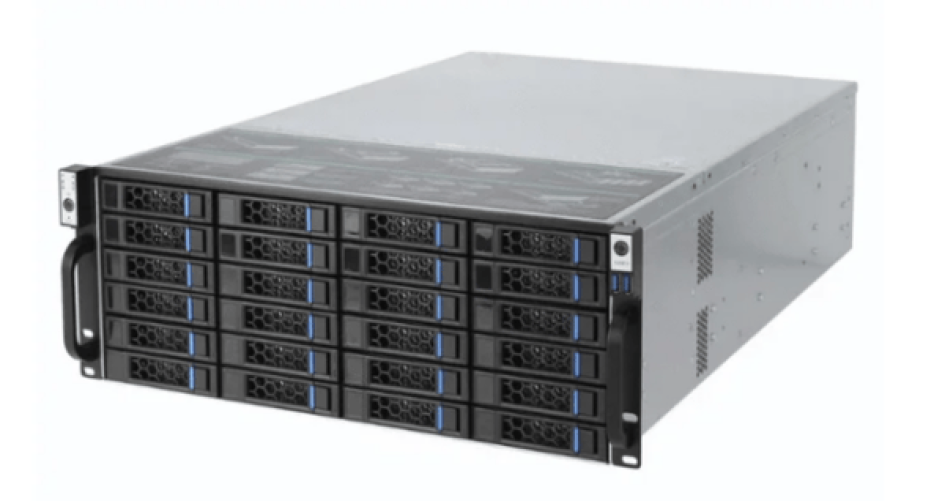
Data centers can pick from many 2u server chassis models. Some examples are sz-xtt, Rosewill, Supermicro, Dell, and HPE. There are 39 different choices. Each chassis gives strong security, good density, steady cooling, and can grow as needed. Many models have lock doors for safety. They also have lots of drive bays and special features for different needs.
Specification | Typical Range | Application Benefit |
|---|---|---|
Height | 2U (3.5″) | Fits many servers in racks |
Width | 19″ | Works with standard racks |
Depth | 24″ – 36″ | Saves space and fits inside well |
Motherboard Support | ATX, E-ATX, Proprietary | Handles two CPUs and lots of memory |
Drive Bays | 5–8 (3.5″ or 2.5″) | Lets you add more storage easily |
PCIe Slots | Up to 4 | Lets you use GPUs, NICs, and accelerators |
Power Supply | Up to 800W, redundant options | Uses power well and keeps working if one fails |
Look at models that keep hardware safe, give lots of storage, and work in tough places.
Key Takeaways
Pick a 2U server chassis that fits 19-inch racks. Make sure it has enough space for your setup.
Find models with lots of drive bays and hot-swappable parts. This makes upgrades simple.
Get chassis with good cooling systems. This stops overheating and keeps performance strong.
Think about power efficiency features like extra power supplies. These help reliability and cut downtime.
Check the build quality and security features. These protect your hardware and data well.
Top 2U Server Chassis Picks
Recommended Models Overview
Data centers need hardware they can trust. The best 2u server chassis come from well-known brands. These brands are sz-xtt, Rosewill, Supermicro, Dell, and HPE. Each brand has special things it does well for different jobs.
To pick the best models, follow these steps:
Make sure the chassis fits a 19-inch rack. It should also match your rack’s depth.
Count the drive bays. Pick a model with enough SATA, SAS, or NVMe bays. Hot-swappable and front-accessible bays make upgrades simple.
Look at the power supply. Redundant, hot-pluggable PSUs with 80 PLUS certification help servers work well.
Check the cooling system. More fans with smart controls keep things cool and quiet.
Make sure the motherboard fits. The chassis should work with EEB, SSI-EEB, or ATX boards.
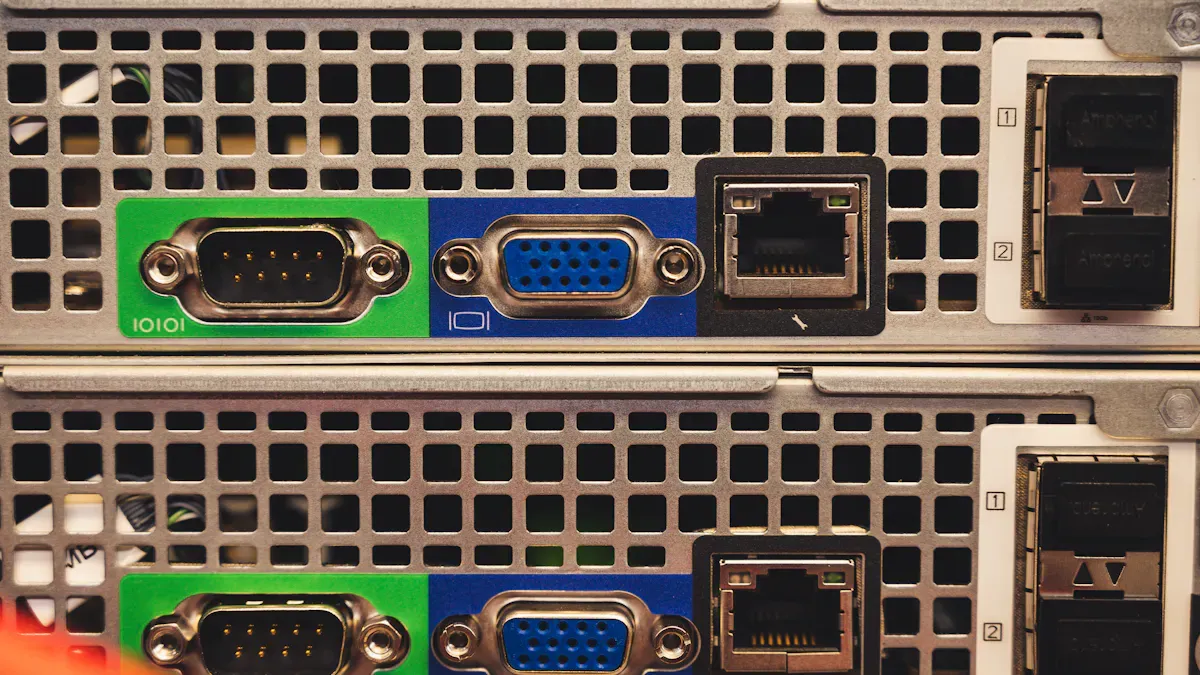
See how many PCIe slots and rear ports there are. More slots and ports give you more choices.
Look at how strong the chassis is. Steel frames and anti-vibration mounts keep parts safe.
Tool-less designs are better. They make fixing and upgrading faster.
Standout Features
Top 2u server chassis have great features. The table below shows what makes them special:
Feature | Description |
|---|---|
Hot-Swappable Capabilities | You can change drives or power supplies without turning off the server. |
Compact Design | These save space and let you fit more servers in a rack. |
Superior Construction | They use strong materials and good cooling to last a long time. |
Versatility | They work with many motherboard sizes and storage types, even hot-swap bays. |
Security Features | Lock doors and security systems keep data and hardware safe. |
These features help data centers work well. They also keep data safe and make upgrades easy. Picking the right 2u server chassis gives good performance and less worry.
Key Features
Cooling & Airflow
Cooling helps servers work well. The 2u server chassis uses special fans to protect parts. Ball bearing fans can last up to 70,000 hours. They work even when it gets hot. Fluid dynamic bearings are quiet and keep out dust. MagLev bearings help servers need less fixing and save money. Many chassis have slots and spots for fans inside. These designs move air well and get rid of heat fast.
Good cooling stops overheating and makes servers last longer. Data centers need these features to keep things running well.
Fan Type | Lifespan (hours) | Advantages |
|---|---|---|
Ball Bearings | 50,000–70,000 | Durable, reliable, ideal for high temps |
Fluid Dynamic Bearings | 60,000+ | Quiet, dust-resistant, long-lasting |
MagLev Bearings | N/A | Low maintenance, reduces downtime |
Expandability
Expandability helps servers grow in the future. The 2u server chassis has more PCIe slots and drive bays than smaller ones. It can hold up to eight PCIe slots for GPUs and network cards. There are many drive bays for easy storage upgrades. Riser cards let you add more cards but keep the chassis small. Bigger fans move more air and help cool strong hardware.
PCIe slots let you use better networking and graphics.
Drive bays give you more space for storage.
Bigger fans cool down busy servers.
Power Efficiency
Power efficiency saves energy and money. Many chassis use 80 PLUS power supplies. Redundant PSUs keep servers on if one stops working. 2U servers are more efficient than 1U servers for big jobs. They stay cooler and make less noise, so costs go down.
Feature | 1U Servers | 2U Servers |
|---|---|---|
Efficiency | Lower | Higher |
Cooling/Noise | Hotter | Cooler |
Expandability | Limited | Greater |
Build Quality
Build quality makes the chassis strong. Good chassis use steel to stay tough and not break. Aluminum ones are light and do not rust. Smooth edges stop cuts. Holes line up so parts fit right. Welds and rivets make it stronger. Panels with holes and special materials help air move better.
Strong builds keep parts safe and help them last longer.
Compatibility
Compatibility means the chassis fits many setups. The 2u server chassis works with E-ATX, ATX, and micro-ATX motherboards. It also fits different power supplies. This lets data centers pick the best parts for their needs.
Standard | Description |
|---|---|
E-ATX | Dual-processor boards, extra PCIe slots |
ATX | Standard size, flexible options |
micro-ATX | Compact builds, space-saving |
Maintenance
Maintenance keeps servers working well. Updating firmware and checking performance stops problems. Good cooling systems lower downtime. Tool-less designs make fixing and upgrading fast and simple.
Update firmware often.
Watch how servers perform.
Check cooling systems.
Easy maintenance saves money and keeps servers working well.
2U Server Chassis Reviews
sz-xtt 101S25 Series
The sz-xtt 101S25 Series is good for safety, space, and easy use. This 2u server chassis can use up to two Intel Xeon processors. It also holds up to 1TB of memory. You can put in up to 12 drives, even NVMe ones. The door locks and the build is strong to keep hardware safe. The tool-less design helps you fix or upgrade it fast. Air moves well inside, and fans are easy to change. This keeps the system cool, even when it works hard.
Feature | Details |
|---|---|
Processor Support | 1-2 Intel Xeon / Custom |
Max Memory | Up to 1TB |
Up to 12 drives, NVMe support | |
Security Features | Lock door, strong build |
Tool-less Design | Yes |
High-Density Support | Yes |
Cooling & Power Efficiency | Efficient airflow, tool-less fans |
The 101S25 Series gives data centers a safe and easy way to grow.
Pros and Cons
Model | Pros | Cons |
|---|---|---|
101S25 | Safe, small, simple to set up | Not much room to add more |
101S25-2 | Good for growing, neat inside | A bit bigger |
101S25-EVOX | Strong, easy to change, safe | Costs more |
Ideal Use Cases
Small or medium data centers that need safe storage.
Places where fast upgrades and fixes are important.
Businesses that want a chassis that is easy to use.
sz-xtt 104 Series
The sz-xtt 104 Series is made for places that need lots of storage. It uses smart airflow to keep parts cool, even with many drives. This series is better than normal 2u server chassis for cooling and drive space. The design helps air move well, which is important for busy data centers.
The sz-xtt 104 Series is best where space and cooling are needed most.
Key Features
Great airflow for setups with lots of drives.
Can hold many drives for big storage needs.
Strong build so it lasts a long time.
Pros
Handles lots of work without problems.
Keeps hardware cool and safe.
Easy to make bigger if you need more space.
Ideal Use Cases
Big data centers that need lots of storage.
Places with little space but need high performance.
Rosewill RSV-Z2700
Rosewill RSV-Z2700 has lots of room for up to four hard drives and one 5.25″ device. It comes with two 80mm fans already inside for cooling. The front has lights to show power, LAN, and HDD status. There are also two USB 3.0 ports for easy use.
Feature | Description |
|---|---|
Spacious Design | Fits up to 4 HDDs and 1 5.25″ device |
Effective Cooling | 2 pre-installed 80mm fans |
Intuitive Front Panel | LED indicators, 2 USB 3.0 ports |
Pros
Easy to set up and use.
Good airflow for simple server jobs.
Front panel lights make it easy to check status.
Cons
Has fewer drive bays than other models.
Cooling is basic compared to top chassis.
Ideal Use Cases
Small businesses or labs that need a simple chassis.
Good for first-time server setups.
Supermicro 2U Rackmount
Supermicro 2U Rackmount chassis are known for strong cooling and lots of drive support. They use advanced cooling to handle heat and many drive setups. These chassis give high performance for tough jobs.
Feature | Description |
|---|---|
Cooling Technology | Advanced cooling for efficient heat management |
Drive Support | Multiple configurations for high-density storage |
Performance | Handles demanding workloads effectively |
Advantages and Disadvantages
Advantages | Disadvantages |
|---|---|
Greater hardware transparency | Limited end-user support unless purchased through authorized partners |
Support for mixed-vendor components | No bundled OS licenses |
Wide availability through distributors | Firmware updates may require manual intervention |
Frequent firmware and BIOS updates | Some motherboards have non-standard mounting holes |
Strong uptime and reliability |
Ideal Use Cases
Companies that need flexible hardware choices.
Data centers with different brands of hardware.
Groups that want servers to work all the time.
Dell EMC PowerEdge
Dell EMC PowerEdge 2U server chassis save space and are good for lots of servers. They can use two Intel Xeon E5-2600 v3/v4 processors. They also hold up to 3TB of DDR4 memory. You can use up to 13x 2.5″ or 8x 3.5″ drives. RAID support lets you protect data and boost speed. The iDRAC8 with Lifecycle Controller lets you manage everything from far away.
Feature | Specification | Benefit |
|---|---|---|
Form Factor | 2U Rack Server | Space-efficient for high-density deployments |
Processors | Dual Intel Xeon E5-2600 v3/v4 | High core count for intensive workloads |
Memory Support | Up to 3TB DDR4 (32 DIMM slots) | Handles large databases and applications |
Storage Options | Up to 13x 2.5″ or 8x 3.5″ drives | Flexible for performance or capacity |
RAID Support | RAID 0, 1, 5, 6, 50, 60 (via PERC) | Enhanced data protection and performance |
Remote Management | iDRAC8 with Lifecycle Controller | Full remote control and automation |
The dashboard is easy to use and shows status fast. You can use IPMI management right away. Lockdown mode helps keep the system safe if you need more security.
Security Features
Secure boot
TPM 2.0
System lockdown to stop unwanted access and firmware changes
Ideal Use Cases
Data centers that need strong security and remote control.
Businesses running apps that use lots of memory.
Groups that want flexible storage and RAID choices.
HPE ProLiant
HPE ProLiant 2U server chassis are great for virtualization, AI, and software storage. They work well for web hosting, ERP, and high-performance computing. These chassis make setting up and fixing servers easy. They are a top pick for places with many users. HPE ProLiant is reliable and saves space for on-site or hybrid IT.
Key Use Cases
Virtualization and AI jobs
Software storage and edge computing
Web hosting for many types of sites
Important apps like ERP and email
High-performance computing for science
Support and Maintenance Comparison
Feature | HPE ProLiant Support | Other Models Support |
|---|---|---|
Cost Savings | 30-40% less than OEM | Varies by vendor |
First-Time Fix Guarantee | Yes | Not guaranteed |
Automated Maintenance | ParkView Automated Support™ | Varies by vendor |
Global Support | 170 languages, 180+ countries serviced | Limited language support |
Customer Portal | Intuitive portal for ticket monitoring | Varies by vendor |
Engineer Availability | 600+ expert engineers globally | Varies by vendor |
Spare Parts Locations | 900+ locations worldwide | Varies by vendor |
Current Customers Supported | 21,500+ | Varies by vendor |
HPE ProLiant gives peace of mind with strong support, lower costs, and easy fixes.
Ideal Use Cases
Companies that need servers they can trust and grow.
Groups with offices around the world.
Businesses that want good support and simple management.
Choosing Your 2U Server Chassis
Assessing Needs
Picking the right chassis means knowing what your data center needs. Every team should do these things: First, figure out what jobs the server will do. Write down all the parts and see how much heat they make. Next, measure the space you have and check if the chassis will fit. Make sure air can move around hot parts so nothing gets too warm. Try doing some repairs or upgrades to see if they are easy. Check if the chassis fits in the rack and if the weight is balanced.
Having a good plan helps you not make mistakes. It also saves time when you set things up.
Infrastructure Compatibility
Teams need to see if the chassis works with what they already have. The table below shows what to check:
Compatibility Factor | Description |
|---|---|
Power Supply Compatibility | Fits the server’s power needs. |
Motherboard Form Factor | Matches the size of the server’s motherboard. |
Storage Options | Has enough space for drives. |
Cooling Capabilities | Works with fans and liquid cooling. |
Expansion Slots | Lets you add more parts later. |
Cable Management | Keeps cables neat so air can flow. |
Scalability
A good 2u server chassis lets your business get bigger. The table below shows how teams can plan ahead:
Scalability Option | Description |
|---|---|
Multiple PCIe slots | 3–7 slots for GPUs, NICs, or accelerators. |
Flexible drive bay configurations | High-capacity HDD arrays or high-speed NVMe/SAS SSD setups. |
Front-accessible expansion bays | Add USB 3.2, TPM modules, or management ports easily. |
Modular backplanes | Support for SAS and SATA devices with expanders. |
Internal space for M.2 adapters | Add more connectivity as needed. |
Budget
How much money you have will change what you pick. Teams should look at all choices and watch out for extra costs:
Chassis Type | Description | Budget Impact |
|---|---|---|
Entry-level chassis | Good for light jobs, less room to grow. | Lower cost, but less value over time. |
Premium models | Strong build, better airflow, more room to expand. | Higher cost, but better return on investment. |
Total cost of ownership | Includes power savings, easy upgrades, and maintenance. | Shows true long-term value. |
Hidden costs | Rails, power supplies, or fans may cost extra. | Can raise the total price if not checked before buying. |
Vendor Support
Vendor support helps your system last longer. Teams should look for good help and ways to upgrade.
Aspect | Description |
|---|---|
Vendor Ecosystem | Choose cases from brands with enterprise support, updates, and guarantees. |
Good vendor support makes fixing and upgrading easier.
Strong support means your system will work longer.
For the best results, teams should ask for a custom quote. A special solution will fit what you need.
Comparison Table
Specs & Features Overview
Picking the right 2U server chassis can really help a data center. Each model is good at different things like speed, growing bigger, and keeping things safe. The table below shows how the top models are different:
Model | Chassis Size | Expansion Bays | PCIe Slots | Memory Capacity | CPU Support | Security Features | Ideal Use Case |
|---|---|---|---|---|---|---|---|
sz-xtt 101S25 Series | 2U | Up to 12 | Up to 4 | Up to 1TB | Dual Intel Xeon / Custom | Lock door, strong build | Growing data centers |
sz-xtt 104 Series | 2U | High-density | Up to 4 | High | Dual Intel Xeon / Custom | Reinforced chassis | High-density storage |
Rosewill RSV-Z2700 | 2U | 4 + 1 (5.25″) | 2 | Standard | ATX, E-ATX | Basic | Small business, labs |
Supermicro 2U | 2U | Multiple | Up to 8 | High | Dual Intel Xeon / AMD EPYC | Advanced options | Enterprise, mixed hardware |
Dell EMC PowerEdge | 2U | Up to 13 | Up to 8 | Up to 3TB (R750: 8TB) | Dual Intel Xeon Silver/Gold/Platinum | Secure boot, TPM, lock | High-performance, secure |
HPE ProLiant | 2U | Flexible | Up to 8 | High | Dual Intel Xeon / AMD EPYC | Integrated management | Virtualization, global teams |
A 2U server chassis saves space and works well. It fits in racks most people use. It holds more parts than 1U models. It also keeps everything cool. This makes it a smart pick for small businesses and IT teams that want to grow.
The 2U server chassis is great because you can use it for many things. Teams can add more drives, memory, or PCIe cards when they need to. Some models, like Dell EMC PowerEdge R750, can use up to 8TB of memory and strong CPUs. This is good for hard jobs. The sz-xtt 101S25 Series is safe and easy to upgrade. The Supermicro 2U works well for places with different hardware.
Each chassis has something special. Some are best for lots of storage. Others are good for remote control or strong safety. Data centers can pick what fits their needs and grow when they want.
If you get features like tool-less design, hot-swappable bays, and better cooling, your chassis will last longer. The right 2U server chassis helps with today’s work and lets you get bigger later.
Tip: Look at the specs that matter most to your team. Think about how much you can add, how safe it is, and what tools you get. The best choice will help your data center for a long time.
Data centers do well with top 2U server chassis like sz-xtt, Dell EMC PowerEdge, Supermicro, Rosewill, and HPE ProLiant. These models keep data safe, hold lots of drives, and cool parts well. Teams should pick a chassis that fits what they need for the best results.
Check out all the 2U server chassis choices.
Ask for a special price that fits your needs.
Talk to a vendor or look at the product list to find the right chassis for your data center.
FAQ
What makes a 2U server chassis ideal for data centers?
A 2U server chassis is good for data centers because it saves space and keeps things cool. It fits in racks that most data centers use. You can put in many drives. It is easy to upgrade and works well for a long time.
How does a lockable door improve server security?
A lockable door stops people who should not touch the hardware. It keeps important data and parts safe. Data centers use this to make sure their systems are protected.
Can teams upgrade storage easily in a 2U chassis?
Yes. Most 2U server chassis let you swap drives while the server is still on. Teams can add or change drives fast. This means upgrades are quick and easy.
Why should businesses consider redundant power supplies?
Redundant power supplies help servers stay on if one stops working. This lowers the chance of downtime and keeps important data safe. Businesses feel better knowing their servers are more reliable.
How do teams choose the right 2U server chassis?
Teams should write down what they need. They should check if the chassis works with their parts and think about growing later. It helps to compare models and ask vendors for advice. The right chassis will help now and in the future.


