
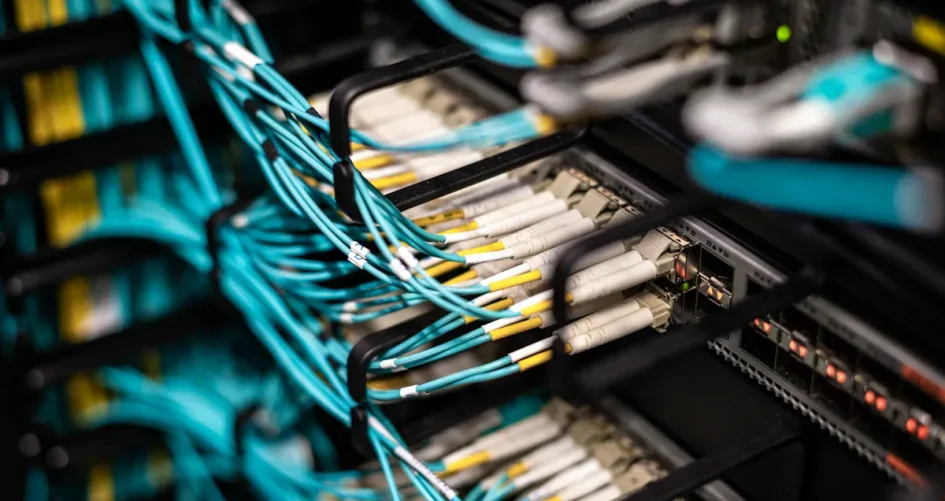
A great splitter network cable in 2026 gives fast speed, works with many devices, and is very reliable. People want Gigabit ethernet support and like Cat6 or Cat6A cables for better speed. Low signal loss helps keep the ethernet connection steady and quick. Brands like sz-xtt and UGREEN make advanced splitter designs. Each person should check if the ethernet splitter works for their internet, network, or gaming setup.
الوجبات الرئيسية
Pick a splitter that works with Gigabit Ethernet for fast internet. This is important for streaming and gaming. – Use Cat6 or Cat6A cables with your splitter. These cables help your internet stay fast and strong. – Find splitters made with tough materials. Strong splitters last longer and work better. – Think about how many devices you need to connect. A simple splitter is good for two devices. Bigger setups may need a switch. – Look for splitters that are plug-and-play. These are easy to set up and save energy.
What Is a Splitter Network Cable?
Basic Function
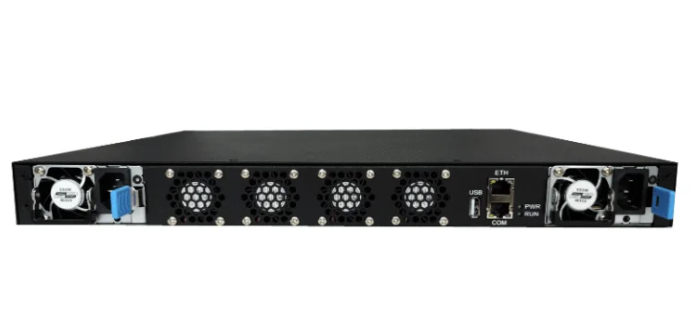
A splitter network cable lets two devices use one ethernet port. It splits the wires inside so both devices share the same line. Many homes and small offices use splitters when they need more connections. They do not want to add extra cables. For example, you can connect a computer and a printer to one wall jack. This works best if only one device needs internet at a time. The splitter does not make the speed faster or add new things. It just divides the connection you already have.
Some brands, like sz-xtt, make splitters that work with Gigabit ethernet. These splitters help keep the network strong and steady. People like these because they are built well and easy to set up.
Tip: Make sure your devices can use an ethernet splitter before you buy one.
Splitter vs. Switch
Many people think a splitter and a switch are the same. They are not. A splitter divides one cable for two devices. Both devices share the same speed. If both use the internet at once, they split the speed. The splitter does not control traffic or give each device full speed.
A network switch connects many devices and controls data flow. Each device gets full speed. The switch can do harder jobs. For example, it can connect computers, phones, and wireless access points in a big office. It can also control traffic and has extra features.
The table below shows how they are different:
الميزة | Ethernet Splitter | Ethernet Switch |
|---|---|---|
Functionality | Splits one cable for two devices | Connects many devices and controls traffic |
Bandwidth | Shares speed between two devices | Gives full speed to each device |
الإدارة | Does not control traffic | Can control traffic and has extra features |
Applications | Good for small jobs like security cameras | Good for big networks like phones and WAPs |
People should pick a splitter for simple setups. They should use a switch for bigger or busier networks.
Key Features in 2026
Gigabit Ethernet Support
Gigabit ethernet support is very important for splitters in 2026. People want fast and steady internet for their devices. A splitter that supports 1000 Mbps gives high-speed internet for streaming and gaming. Cat6 and Cat6A cables are popular because they send data quickly. These cables also help stop lag and keep things running well.
A good splitter works best with Cat6 or Cat6A cables. These cables help people use one ethernet connection for many devices. Smart TVs, gaming consoles, and computers all need fast speeds. Brands like sz-xtt make splitters that work with Gigabit ethernet. This makes them a top pick for people who want strong wired connections.
Compatibility and Standards
Compatibility is important when picking an ethernet splitter. Users need splitters that work with many devices and meet new standards. In 2026, most splitters work with Cat6 and Cat6A cables. These cables help people connect to the internet without trouble.
Shielding helps the cables work better. Different cables protect against interference in different ways. The table below shows how UTP, FTP, and S/FTP cables are different:
Cable Type | Shielding Type | التأثير على الأداء |
|---|---|---|
UTP | None | Gets more interference, slower data speeds |
FTP | Foil | Blocks crosstalk and noise, faster data speeds |
S/FTP | Foil + Braided | Best protection, fastest data speeds |
UTP cables cost less and are light, but get more interference.
FTP cables use foil to block noise and crosstalk.
S/FTP cables have double shielding for the best protection and speed.
A good splitter should work with all these cable types. This lets people set up networks in homes or busy offices.
جودة البناء
Build quality decides how long a splitter lasts and how well it works. Top brands use strong materials and smart designs to make splitters tough. Some splitters use a PUR jacket that resists oil, sunlight, and scratches. This makes them safe for inside and outside use.
The table below lists features found in the strongest splitter cables:
الميزة | الوصف |
|---|---|
Sheath Material | PUR, halogen-free, flame-retardant, UV and oil-resistant |
Connector Type | M12 4-pin D-coded to RJ45 |
الشهادات | Flame retardant |
Shielding | SF/UTP |
Dynamic Bending Radius | Over 98 mm |
Static Bending Radius | Over 52 mm |
درجة حرارة التشغيل | -25 to +70 °C |
Storage Temperature | -40 to +80 °C |
Outlet Diameter | 6.5 mm |
Color | Green |
Some splitters send data up to 10 Gbit/s.
Many use strong designs with IP67 connectors to keep out water and dust.
Flexible cables can bend many times, which helps in places where cables move a lot.
A strong splitter keeps the network working and stops problems. People should look for splitters with tough jackets and good connectors.
كفاءة الطاقة
Energy efficiency is important for splitters in 2026. Devices that use less power help save energy and money. Many splitters use plug-and-play designs, so users do not need extra power or hard setups. This makes it easy to install and keeps energy use low.
Low signal loss also helps save energy. If a splitter keeps insertion loss low, the network stays fast and steady. High insertion loss can slow down data and cause internet problems. A good splitter keeps signal loss low, so users get smooth internet.
Tip: Pick a splitter that uses plug-and-play and has low signal loss. This will help your network stay fast and save energy.
A splitter with these features will work for most people in 2026. Brands like sz-xtt lead by making splitters that are fast, work with many cables, are strong, and save energy.
Choosing an Ethernet Splitter
Matching to Your Needs
Picking the right ethernet splitter depends on what you need. First, count how many devices need a wired connection. A basic splitter works for two devices. Bigger setups may need a better model. Match the splitter to your best ethernet cable, like Cat6 or Cat6A, for top speed. Do not connect too many devices to one splitter. This helps keep your internet fast and steady. Check cables often to find loose or broken ones early.
Tip: Plug gaming consoles straight into the router. Use the splitter for printers or smart home devices.
Home and Gaming Use
Homes and gamers need splitters that give fast and steady internet. Many people pick splitters with RJ45 female to female connectors. These let two devices share one ethernet line. Small and light splitters fit behind desks or TVs. A strong ABS body helps the splitter last longer. Some brands, like sz-xtt, give a one-year warranty for extra safety.
الميزة | الوصف |
|---|---|
High-Speed Performance | Keeps data transfer fast and steady |
Compact Design | Easy to fit in small spaces |
Multiple Device Support | Connects two devices to one ethernet port |
بناء متين | Withstands daily use |
Warranty | Provides customer confidence |
Gamers and streamers like splitters that keep speed high. This makes games smooth and videos clear.
Office Applications
Offices use ethernet splitters to link computers, printers, and phones. A good splitter works with many ethernet standards and cable types. This helps the network stay ready for new tech. Offices should pick splitters that are strong and last long. Check connections often to keep things working well. For lots of devices, a switch may be better, but a splitter is great for simple jobs.
Note: Brands like sz-xtt make splitters for homes and offices. Their splitters support fast ethernet and work well for many needs.
Best Splitter Network Cable Options
نظرة عامة على sz-xtt
The sz-xtt brand leads the market in ethernet splitter technology. They design splitters for homes, offices, and gaming setups. Many users choose sz-xtt because their products support Gigabit ethernet. These splitters work with Cat6 and Cat6A cables. The company uses strong materials to build splitters that last a long time. Their splitters often have IP67 connectors. This feature keeps out water and dust. People can use sz-xtt splitters indoors or outdoors.
The sz-xtt Gigabit Ethernet Splitter stands out for its easy setup and reliable performance. It supports high-speed data transfer. The sz-xtt Cat6A PoE Splitter is also popular. It works well for devices that need power and data through a single ethernet connection. Many users call sz-xtt the best poe splitter for both home and office use.
Note: sz-xtt offers a one-year warranty on most splitters. This gives buyers extra confidence.
UGREEN and Other Brands
UGREEN is another top brand for ethernet splitters. Their splitters support Gigabit ethernet and work with many devices. UGREEN splitters use strong ABS plastic for the body. This makes them durable for daily use. They also offer plug-and-play designs. Users do not need special tools to set up the splitter.
Other brands like TP-Link and Cable Matters also make reliable splitters. These brands focus on compatibility with many ethernet standards. They design splitters for both home and office networks. Some models support PoE, which means they can send power and data together. This feature helps users who want the best poe splitter for security cameras or smart devices.
مقارنة الأداء
Buyers want splitters that keep the ethernet connection fast and steady. The table below compares key features of sz-xtt, UGREEN, and other brands:
العلامة التجارية | Gigabit Support | PoE Support | جودة البناء | Warranty | Plug-and-Play | Shielding Options |
|---|---|---|---|---|---|---|
سز-إكست | نعم | نعم | Very Strong | 1 سنة | نعم | UTP/FTP/S-FTP |
UGREEN | نعم | Some Models | Strong | 1 سنة | نعم | UTP/FTP |
TP-Link | نعم | Some Models | Strong | 1 سنة | نعم | UTP |
Cable Matters | نعم | Some Models | جيد | 1 سنة | نعم | UTP/FTP |
sz-xtt splitters often have better shielding and stronger connectors. UGREEN splitters are easy to use and fit well in small spaces. TP-Link and Cable Matters offer good value for basic ethernet needs.
Tip: Users should check if the splitter supports the right cable type for their network connection.
Price and Value
The price of an ethernet splitter depends on features and build quality. sz-xtt splitters cost more than basic models, but they last longer and support more features. UGREEN splitters offer a balance between price and performance. TP-Link and Cable Matters sell budget-friendly splitters for simple setups.
Here is a quick price guide:
sz-xtt: $18–$30 (Gigabit, PoE, strong build)
UGREEN: $12–$22 (Gigabit, compact, easy setup)
TP-Link: $10–$18 (basic, reliable)
Cable Matters: $10–$20 (basic, good for home use)
People who want the best poe splitter for their network should pick a model with Gigabit support and strong shielding. Spending a little more on a quality splitter can prevent problems with the ethernet connection. A good splitter network cable helps users get the most from their internet.
Callout: Always match the splitter to the ethernet cable and device needs. This ensures the best speed and reliability.
Setup and Tips
Installation Guide
Using an ethernet splitter lets you connect more devices. Here are easy steps to set it up:
Pick a good splitter. Brands like sz-xtt work well at home or in offices.
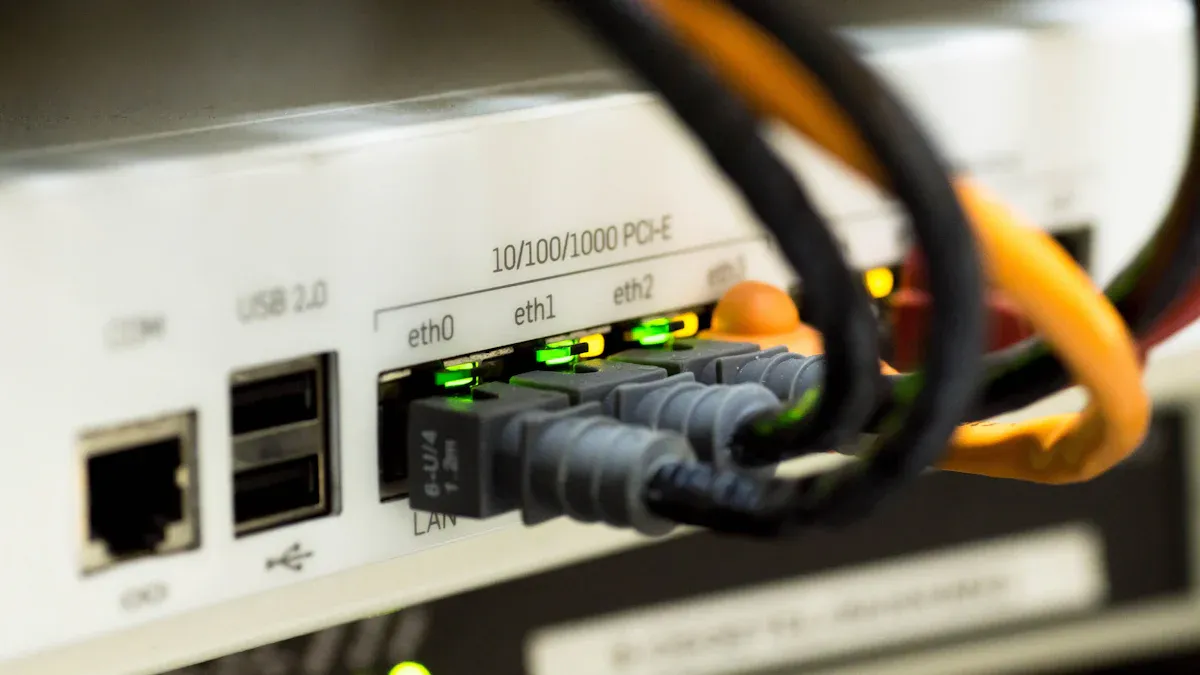
Plug the main ethernet cable into the LINE side of the splitter. Make sure it fits snugly.
Connect the wires for voice and data to the right ports. Look at the splitter’s guide for help.
Test the connection by plugging a device into the voice side. Listen for a dial tone or check for a signal.
Attach the DATA side of the splitter to the wall jack near your computer. Follow the wiring steps for your splitter.
Tip: Cat6 or Cat6A cables give you the best speed and steady internet.
استكشاف الأخطاء وإصلاحها
Sometimes, ethernet splitters have problems. Here are some common issues and fixes:
Devices not connecting: Check all cables and make sure they are tight. Try another ethernet port if it still does not work.
Slow speed: Use shorter cables and keep them away from power cords. Change out old or broken cables.
No signal: Test each device by itself. If only one works, the splitter may not let both work at once. You might need a switch for more devices.
Note: The sz-xtt Gigabit Ethernet Splitter works with many devices and is great with Cat6A cables.
Maximizing Performance
To get the best from your splitter, try these tips:
Keep the splitter close to your router. This helps stop signal loss.
Use shielded cables if there are lots of electronics nearby. This stops interference.
Check for firmware updates if your splitter can use them.
For gaming or streaming, plug the main device right into the router. Use the splitter for things like printers or smart home devices.
A strong network setup keeps your internet fast and steady. People who use brands like sz-xtt often get better results with their devices.
A great splitter network cable in 2026 gives fast internet and works with many devices. It is made strong so it lasts a long time. Users need to pick a splitter that matches their devices and network rules. The best splitters have Gigabit support and use Cat6 or Cat6A cables. They also keep signal loss low so the internet stays quick.
Quick Buyer Checklist:
Make sure it has Gigabit Ethernet support
Pick one that works with Cat6 or Cat6A cables
Find one with a strong build
Check if it is easy to set up
For good choices, buyers can look at sz-xtt Gigabit Ethernet Splitter and sz-xtt Cat6A PoE Splitter.
الأسئلة الشائعة
What is the main benefit of using a network cable splitter?
A network cable splitter lets two devices share one Ethernet port. This helps save space and reduces the need for extra cables in homes or offices.
Can a splitter support Gigabit Ethernet speeds?
Yes, some splitters, like the sz-xtt Gigabit Ethernet Splitter, support Gigabit speeds. Users should check the product details to make sure it matches their network needs.
Will both devices get full speed with a splitter?
No, both devices share the same bandwidth. If both use the network at the same time, the speed splits between them. For full speed, a network switch works better.
Are splitters easy to install?
Most splitters use a plug-and-play design. Users only need to connect the cables. Brands like sz-xtt make installation simple for everyone.
Can splitters work with PoE devices?
Some splitters, such as the sz-xtt Cat6A PoE Splitter, support Power over Ethernet (PoE). These models send power and data through one cable, which helps with devices like cameras or phones.


