
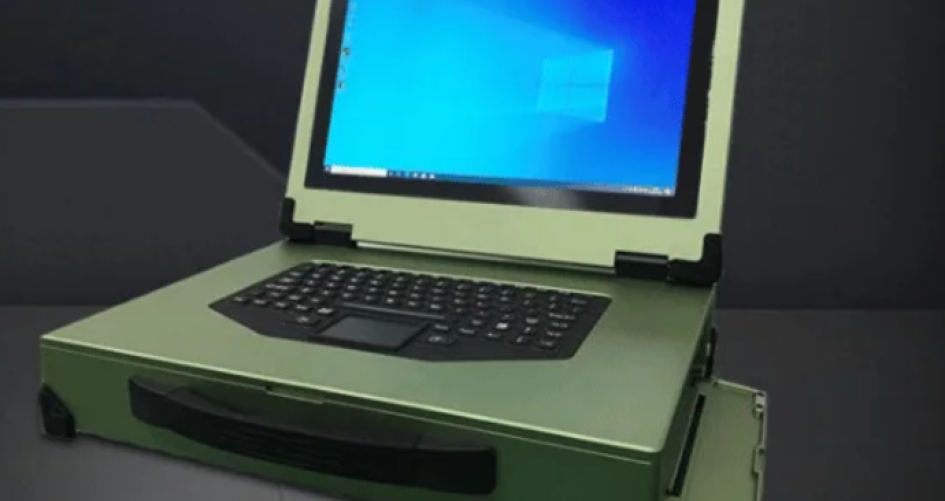
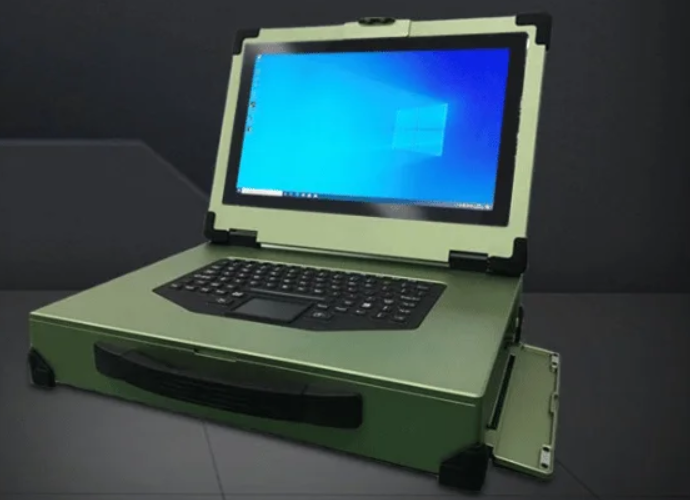
Maintaining rugged laptop computers is crucial, even for the most durable models. Proper care ensures they last longer and perform optimally. Research indicates that practices such as updating software, performing disk cleanups, conducting antivirus checks, and cleaning vents or fans can significantly extend the lifespan of rugged laptop computers. The table below illustrates how these maintenance steps contribute to the long-term functionality of rugged laptop computers:
Maintenance Practice | Impact on Lifespan |
|---|---|
Regular software updates | Keeps the laptop safe and stable, so it lasts longer. |
Disk cleanup | Keeps storage working well, so it works longer. |
Antivirus checks | Stops viruses that can hurt the laptop. |
Cleaning vents and fans (every 6-12 months) | Stops overheating, so parts last longer. |
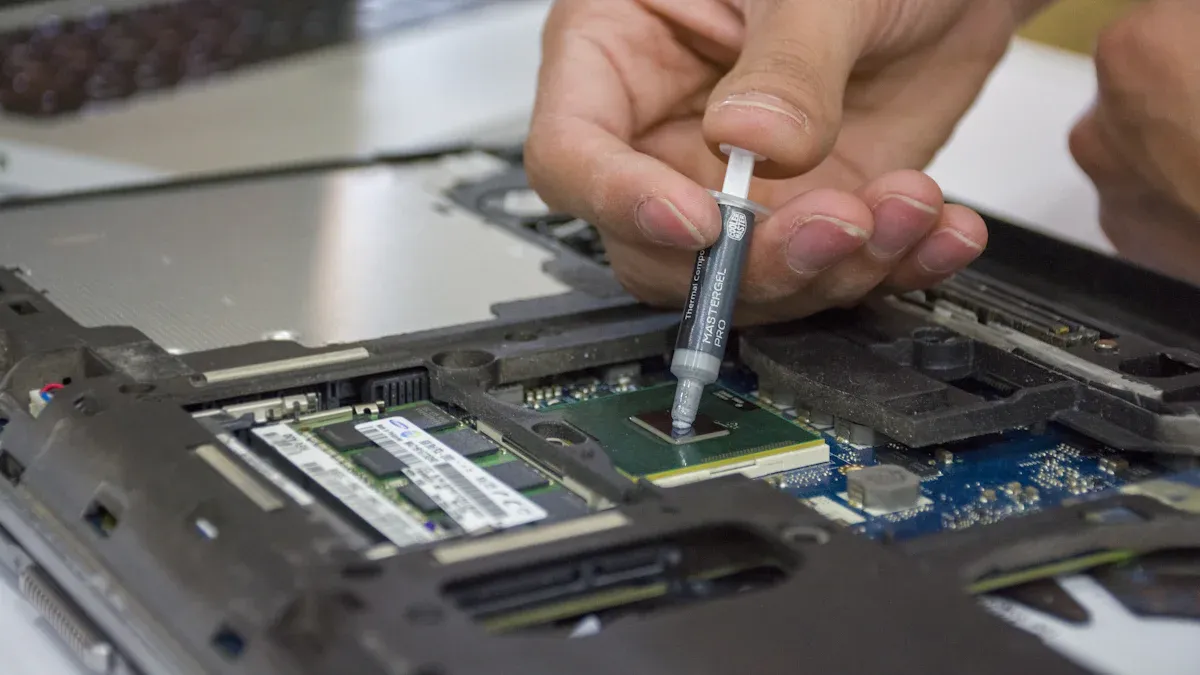
Reapplying thermal paste (every 3-4 years) | Keeps the laptop working well for more years. |
Keeping laptop cool | Lowers heat inside, so the laptop lasts much longer. |
Brands like Rugged Computer offer a wide range of rugged laptop computers designed for challenging environments. Individuals who select the right rugged laptop computer and maintain it diligently will maximize their investment and have reliable technology they can depend on anywhere.
الوجبات الرئيسية
Update software often. This helps your rugged laptop stay safe. It also helps it work well.
Do disk cleanups. This keeps storage working right. It helps your laptop last longer.
Clean vents and fans every 6 to 12 months. This stops your laptop from getting too hot. It helps it work its best.
Keep your laptop in a cool, dry spot. This protects it from very hot or cold places. It also keeps it safe from damage.
Use a protective case. Carry your laptop with care. This stops it from getting broken when you move it.
Why Maintain Rugged Laptop Computers
Limits of Rugged Design
Rugged laptop computers are very tough, but they are not unbreakable. Makers build them to handle drops, bumps, and bad weather. Still, no laptop can survive every danger without some care. Things like dust, water, and hot or cold air can hurt the laptop over time. If people think their rugged laptop cannot break, it might not last as long. Rugged Computer uses strong parts and tight seals in their laptops. But you still need to take care of them. Wiping the outside and keeping ports dry helps the laptop stay strong. Simple things like putting the laptop in a safe spot and not dropping it help keep it working well.
Long-Term Reliability
Taking care of rugged laptop computers helps them work well for many years. People who follow a care plan have fewer problems. Some good steps are:
Keep seals and ports clean and dry.
Run checks and update firmware often.
Store the laptop right and keep it away from heat or cold.
Use only the right batteries, chargers, and docks.
Follow the maker’s plan for cleaning filters, fans, and cases.
Use a surge protector and keep the laptop safe from lightning.
Doing these things keeps the laptop tough and helps it last longer. Rugged Computer says to check rugged laptop computers often to make sure everything works right.
الوفورات في التكاليف
Taking care of rugged laptop computers saves money in the long run. Fixing or replacing them costs more than simple care. A laptop that gets good care lasts longer, so you do not need to buy new ones often. People and businesses want their laptops to work well anywhere. Regular care keeps their money safe. Rugged Computer’s laptops are strong, but they still need care. People who look after their laptops get good use and spend less money over time.
Daily Habits for Taking Care of Your Laptop

Cleaning and Sanitizing
Cleaning your rugged laptop often helps it work well. Makers say to wear disposable latex gloves before you clean. Turn off the laptop and unplug all cables first. Close all port covers and doors so no cleaner gets inside. Use a mix of 70% isopropyl alcohol and 30% water for cleaning. Wipe the laptop with a clean cloth, not paper towels. Be careful around screw holes, strips, and places you touch a lot. Do not spray liquid right on the display, vents, or keyboard. Use a dry cloth or cleaning wipes for those spots. Wait until everything is dry before turning the laptop back on. Wash your hands after you take off the gloves. These steps get rid of dust and fine dust. They help keep your rugged laptop safe for daily use.
Avoiding Spills and Contaminants
You need to keep your laptop away from spills and dirt. Rugged laptops can handle water and dust, but good habits matter. Do not eat or drink near your laptop. Put the laptop on a hard, flat surface to stop accidents. Keep port covers closed when you are not using them. If you spill something, turn off the laptop and clean it fast. These habits keep your rugged laptop safe from harm and help it work well.
Tip: Always look for dust around ports and covers before you use your laptop outside.
Temperature and Ventilation
Rugged laptops can work in very hot or cold places. Still, you should check the temperature around your laptop. Most top brands like Getac, Panasonic, and Dell work between -29°C to 63°C (-20°F to 145°F). Keeping your laptop in this range stops it from getting too hot or too cold. Do not leave your laptop in the sun or near heaters. Good airflow is important. Put your laptop on a hard, flat surface so air can move around the vents. This habit helps your rugged laptop stay cool and last longer.
العلامة التجارية | الطراز | Operating Temperature Range (°C) | Operating Temperature Range (°F) |
|---|---|---|---|
Getac | Various models | -29 to 63 | -20 to 145 |
Panasonic | Toughbook | -20 to 60 | -4 to 140 |
ديل | Rugged line | -29 to 63 | -20 to 145 |
Taking care of your laptop every day gets it ready for anything. Rugged Computer and sz-xtt make أجهزة كمبيوتر محمولة متينة for tough jobs. Cleaning, stopping spills, and watching the temperature help you get the most from your rugged laptop.
Protection and Environmental Care
Protecting Your Rugged Laptop Outdoors
You need to know your surroundings to protect your laptop. أجهزة كمبيوتر محمولة متينة use strong materials like magnesium alloy and carbon fiber. These help stop damage from drops and bumps. Reinforced hinges and bumpers help absorb shocks. When you use your laptop outside, you face dust, water, and sunlight. Sealed ports and spill-resistant keyboards keep out dirt and water. These features help block things that can hurt your laptop. Outdoor-readable displays let you see the screen in bright sun. Long-lasting batteries help you work far from power. Always close port covers and use a protective case. These habits give your laptop extra safety. Rugged Computer and other brands make laptops for outdoor use. Still, you should not take risks you do not need to.
Avoiding Extreme Conditions
Very hot or cold weather can be hard on laptops. Rugged laptops work in temperatures from -29°C to 63°C. Heated storage drive compartments keep your data safe in the cold. Cold-resistant chassis materials stop the laptop from cracking. Special batteries work well even when it is cold. Cold-rated LCD panels stay clear and easy to use. Heat-resistant materials and cooling systems protect inside parts. These features help your laptop in tough weather. You should not leave your laptop in the sun or freezing air. Keeping your laptop in the right temperature helps it work well and stay safe.
Weatherproof Features
Rugged laptops in 2026 have better weatherproof and water-resistant features. Internal gaskets and weatherproof barriers seal the laptop tightly. These features keep out dust and water. The table below lists common protection features:
الميزة | الوصف |
|---|---|
Sealed Ports | Protect against moisture and debris, ensuring functionality in harsh conditions. |
Reinforced Frames | Enhance durability and resistance to physical impacts. |
تصنيفات IP | Indicate the level of protection against dust and water ingress. |
Corrosion-Resistant Casings | Prevent damage from environmental factors, extending the laptop’s lifespan. |
Wide Temperature Tolerance | Allows operation in extreme temperatures, ensuring reliability. |
Sunlight-Readable Screens | Enable visibility in bright conditions, crucial for outdoor use. |
MIL-STD-810H Compliance | Ensures resistance to shocks, vibrations, and rapid environmental changes. |
Protective Covers | Shield ports and expansion slots from environmental hazards. |
Internal Gaskets | Provide additional sealing against moisture and debris. |
Weatherproof Barriers | Enhance overall protection against harsh weather conditions. |
Rugged Computer models use these features to keep laptops safe in any place. Protection is very important for people who work outside or in hard places. Laptops with these features help people stay safe and get their work done.
Safe Usage and Handling
Handling and Transport
People use rugged laptops in tough places. They need to be careful when moving them. Carry the laptop by its base, not the screen. This keeps the hinges safe. Always close the lid before you move the laptop. Use the original box with foam or padding for best protection. Wrap the laptop in anti-static bubble wrap or foam for extra safety. Double-walled boxes make shipping stronger. Many people use keyboard covers, screen protectors, and custom-fit cases. These help stop scratches and bumps.
Tip: Back up your files before you move your rugged laptop.
Preventing Overload
أجهزة كمبيوتر محمولة متينة can do hard jobs. But do not put heavy things on top. This can hurt the screen or inside parts. Keep food and drinks away to stop spills. Do not put the laptop on wobbly surfaces. Insurance and warranties give extra help if accidents happen. Safe habits keep your rugged laptop working for a long time.
Software Safety
Security is very important for rugged laptops. Install good antivirus software and keep it updated. Update your system and apps often to fix problems. Use strong passwords and multi-factor authentication for more safety. Back up your data to safe places like external drives or the cloud. Firewalls and intrusion detection systems block network threats. Sandboxing and zero trust models give even more protection for important data. These steps keep rugged laptops safe anywhere.
Note: Careful use and strong security keep rugged laptops ready for anything.
Regular Maintenance for Rugged Laptop Computers
Doing regular maintenance helps rugged laptops work well anywhere. If people follow a routine, they can stop problems like overheating. This helps the laptop last for many years. In this section, you will learn how to clean screens and ports, update software and firmware, and check for damage.
Cleaning Screens and Ports
Dirt and dust can pile up on rugged laptops, mostly near screens and ports. Cleaning these spots keeps the laptop working and stops it from getting too hot. People should use a damp cloth to wipe the case and screen. Do not use chemical cleaners because they can hurt the screen. Make sure the laptop is dry before turning it back on. For ports, use a soft brush or compressed air to get rid of dust. This keeps the airflow good and stops dust from blocking the ports.
Tip: Clean screens and ports every week if you use your laptop outside or in dusty places.
Software and Firmware Updates
Software and firmware updates help keep rugged laptops safe and running well. Updates fix bugs and protect against new security problems. People should check for updates at least once a month. Many rugged laptops have tools that make updating simple. Firmware updates can help the battery last longer and add new things. Updates also help stop overheating by making sure the laptop uses power and cooling the right way. Always back up your important files before updating so you do not lose anything.
Inspecting for Damage
Checking your laptop for damage helps you find problems early. Look for cracks, loose screws, or worn seals on your rugged laptop. Check the hinges and bumpers to keep the laptop safe when you move it. If you see dents or broken parts, the laptop may not keep out water or dust as well. Also, check the battery for swelling or leaks. Fixing small problems early stops them from getting worse.
Note: If you find serious damage, contact the maker or an approved service center.
Using Cooling Pads for Heavy-Duty Tasks
Heavy-duty jobs can make rugged laptops get hot fast. A laptop cooling pad helps keep the laptop cool. Cooling pads help the CPU and GPU work better. They also help the laptop last longer by lowering heat on important parts. A cooling pad makes the laptop nicer to use, especially on your lap. Good airflow from a cooling pad stops overheating and keeps the laptop safe during long work.
Cooling pads help the laptop work faster during hard jobs.
They protect the laptop from getting too hot and breaking.
Users feel better because the laptop stays cool.
Callout: If you need extra protection and gear, brands like sz-xtt have rugged laptop bags and cooling pads for tough places.
Doing regular cleaning, updating, and checking helps rugged laptops get ready for anything. These steps help stop overheating and make the laptop last longer.
Rugged Laptop Bags and Accessory Care
Cleaning Rugged Laptop Bags
Taking care of your rugged laptop bag helps it last longer. It also keeps your laptop safe. These bags get dirty from dust and stains every day. First, use a soft, dry microfiber cloth to brush off loose dirt. If your bag is leather, put a little leather cleaner on a damp cloth. Gently rub the leather in small circles. For stains, dab the spot with cleaner. Let the bag dry by itself. Do not use a hairdryer or put it in the sun. When the bag is dry, use leather conditioner so it does not crack. Buff the bag with a dry cloth to make it look nice. Store your rugged laptop bag in a cool, dry place. It is best to keep it in a dust bag or wrap it in cotton. These steps help your rugged laptop bag stay strong. They also protect the padding and padded compartments.
Caring for Peripherals
Peripherals like mice, keyboards, and chargers need care too. Wipe them with a soft cloth to get rid of dust. Keep cables neat and put them in padded spots inside the bag. Rugged laptop bags from Rugged Computer and sz-xtt have extra pockets and padding. This keeps your things safe. Make sure each item fits tight so it does not get damaged when you move. Bags with strong zippers and tough handles give more protection.
Replacing Worn Accessories
Sometimes, rugged laptop bags and accessories wear out. Look for straps that are frayed, zippers that are broken, or padding that is thin. Change these parts fast to keep your things safe. Brands like sz-xtt sell new straps and accessories for rugged laptop bags. Pick bags made with strong materials and thick padding. This helps you avoid buying new bags often. Rugged Computer and sz-xtt both make rugged laptop bags and accessories that last a long time. To learn more about rugged laptop bags and accessories, visit the sz-xtt official website.
Tip: Check your rugged laptop bag often and take care of it. This keeps your laptop and accessories safe wherever you go.
When to Seek Professional Help
Recognizing Serious Issues
Sometimes, rugged laptop computers have problems that need experts. Users should look for these signs:
The laptop crashes a lot or runs very slow. This might mean the hard drive is failing or the software is broken. Old hardware can also cause trouble.
Scratches, dents, or cracked screens are bad. These can make the laptop not work right.
Hardware or software may not work together. Old parts or programs might not fit with new ones.
If you see any of these problems, stop using the laptop. Call a professional for help. Acting fast can stop bigger problems and keep your data safe.
Authorized Service Centers
Authorized service centers have people trained to fix rugged laptops. They use the right tools and real parts. Rugged Computer says to use only authorized centers for repairs. This keeps your laptop safe and working well. Keep records of all repairs and ask for a report. If you use sz-xtt rugged accessories, the sz-xtt official website shows service choices and support.
Tip: Authorized service centers help keep your warranty good and make sure repairs are done right.
الضمان والدعم
Rugged laptop computers usually have strong warranty and support plans. These plans help users save money and avoid long waits. The table below shows common features for 2026:
الميزة | الوصف |
|---|---|
Replacement Service | You get a working laptop in 24 hours if yours breaks. |
Repair Process | Broken laptops are sent for repair with a shipping label. |
Warranty Services | Full coverage with extra options and worldwide help. |
Customer Support | Help is available all day, every day from trained staff in the U.S. |
Additional Options | Extra warranties help lower repair costs and waiting time. |
Many brands, like Rugged Computer, offer regular and extra warranties. These plans often cover accidents and let you replace your laptop. Users should check their warranty and ask support if they have questions. Good support helps users get back to work fast and keeps laptops working well.
Taking care of rugged laptop computers helps them work well for a long time. Here are some important tips:
Be gentle and use a strong case.
Make sure to update software often.
Use cooling pads to keep the laptop cool.
Save your files by backing up your data.
Clean your laptop and store it the right way.
If you care for your rugged laptop, it will last longer than regular laptops. You will also spend less money on new ones. Rugged Computer and سز-إكست make strong laptops and give good help for all kinds of jobs.
الأسئلة الشائعة
How often should users clean their rugged laptop?
Users should clean their rugged laptop at least once a week. Regular cleaning removes dust and dirt. This helps the laptop work better and last longer. Always use a soft cloth and avoid harsh chemicals.
What is the best way to store a rugged laptop when not in use?
Store the rugged laptop in a cool, dry place. Use a padded bag for extra protection. Brands like sz-xtt offer rugged laptop bags that keep devices safe from bumps and dust.
Can rugged laptops handle rain or water spills?
Most rugged laptops have weatherproof features. They resist rain and small spills. Users should close all port covers before using the laptop outdoors. Quick action after a spill helps prevent damage.
Why are software updates important for rugged laptops?
Software updates fix bugs and improve security. They help the laptop run smoothly. Users should check for updates every month. This keeps the device safe from new threats.
What makes sz-xtt a good choice for rugged laptop accessories?
sz-xtt designs strong bags and accessories for tough jobs. Their products protect laptops from drops and dust. Learn more about their rugged accessories on the official website.


