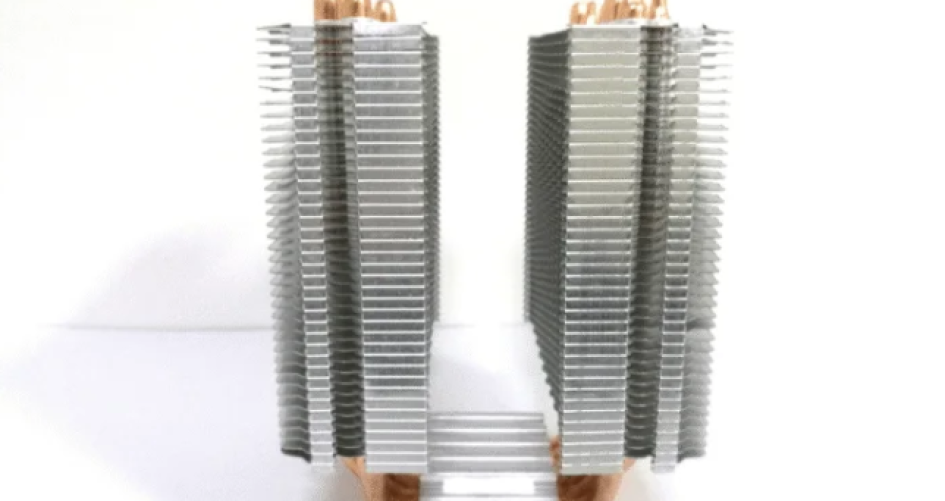
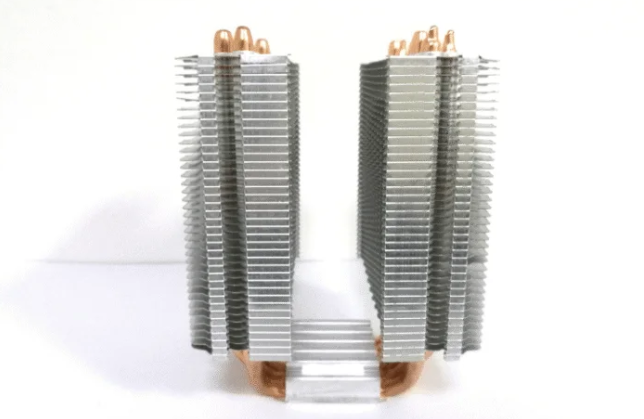
Selecting the best cpu cooler is not only about cooling. A quiet cooler makes your workspace more comfortable. Users should check their CPU socket type. They also need to know their cooling needs. Make sure there is enough space for the cooler. Cooling power, noise, and fan control are important. XTT gives top solutions for these needs.
Key Takeaways
Pick a CPU cooler that matches your CPU socket type. This helps it work well and fit right. – Find coolers with noise levels from 15 to 30 dBA. This will help your computer stay quiet. – Think about how big your computer case is. Measure the space you have before you buy a cooler.
Why Low Noise Matters
User Comfort and Productivity
A quiet place to work helps people focus better. When people use computers for a long time, noise from coolers can bother them. Research shows loud CPU coolers can make it hard to pay attention in offices and gaming rooms. Too much noise makes it tough to think and can make games or work less fun. If there is always noise, people may feel more stressed and get less done. Picking the best cpu cooler with low noise can make work and play nicer.
Tip: A quieter system can help users feel less tired after long sessions at the computer.
Sources of Cooler Noise
Many things make CPU coolers noisy. The way the cooler is built and its moving parts matter a lot. Fan speed and type, like axial or centrifugal fans, change how loud the system is. Sometimes, how a cooler is put in can make extra noise from air moving wrong or from turbulence. If a fan does not spin at the right speed, it can get even louder. When fan blades move through air, they often make more sound. Knowing these things helps people choose a cooler that keeps their system quiet.
Compatibility and Fit
CPU Socket and Motherboard Support
When picking a CPU cooler, check the socket type first. Every CPU has its own socket. The cooler must fit that socket. LGA and PGA are the most common types. LGA sockets have pins on the motherboard. PGA sockets have pins on the CPU. Intel CPUs use LGA sockets like LGA 1700 and LGA 1200. AMD CPUs use PGA sockets. Look at the table to see the differences:
Socket Type | Description | Advantages | Disadvantages | Primary Uses |
|---|---|---|---|---|
LGA (Land Grid Array) | Pins are on the motherboard; CPU has flat contact pads. | Less chance of bent pins, better heat transfer, more pins fit. | If pins break, the motherboard must be replaced, repairs cost more. | Intel processors (LGA 1700, LGA 1200, LGA 1151), high-performance computers. |
PGA (Pin Grid Array) | Pins are on the CPU; insert into holes in the motherboard. | If pins break, only the CPU needs to be replaced. | Pins can bend easily, so handle with care. | Mostly used with AMD processors. |
The XTT series coolers work with many socket types. This helps users find a cooler that fits their computer.
Case Size and Clearance
The size of your computer case decides which cooler fits inside. Check the cooler’s height and width before buying. If the cooler is too tall, it can block the side panel. Some coolers may also touch RAM modules. The table below shows important things to check:
Factor | Description |
|---|---|
Shows the biggest cooler size that fits in the case. | |
Clearance Limitations | Tells how tall the cooler can be, so it does not block the side panel or RAM. |
Airflow Considerations | Makes sure the cooler does not block air from reaching other parts, so cooling works well. |
A cooler that fits well keeps the computer quiet and cool. XTT coolers come in many sizes. Users can pick one that fits their case and keeps noise low.
Tip: Measure the space inside your case before buying a cooler. This helps you avoid problems when installing it.
Air vs. Liquid Cooling
Air Cooler Noise Factors
Air coolers have fans that blow air over metal fins. This helps cool the CPU but can make noise. Most air coolers are between 35 and 40 dBA. The noise comes from the fan blades spinning fast, especially when the computer works hard. Bigger fans are better because they move more air at slower speeds. This keeps things quieter.
Many things change how loud an air cooler is:
Fans made for low noise make less sound.
Fan blades shaped for smooth airflow cut down on wind noise.
Materials that soak up sound help block extra noise.
Some air coolers also make higher-pitched sounds. Barriers and silencers can help, but they might make cooling weaker. Low hums are harder to stop and travel farther. People can pick coolers with special shapes to lower these sounds.
Tip: Pick an air cooler with a big, slow fan for less noise.
Liquid Cooler Noise Factors
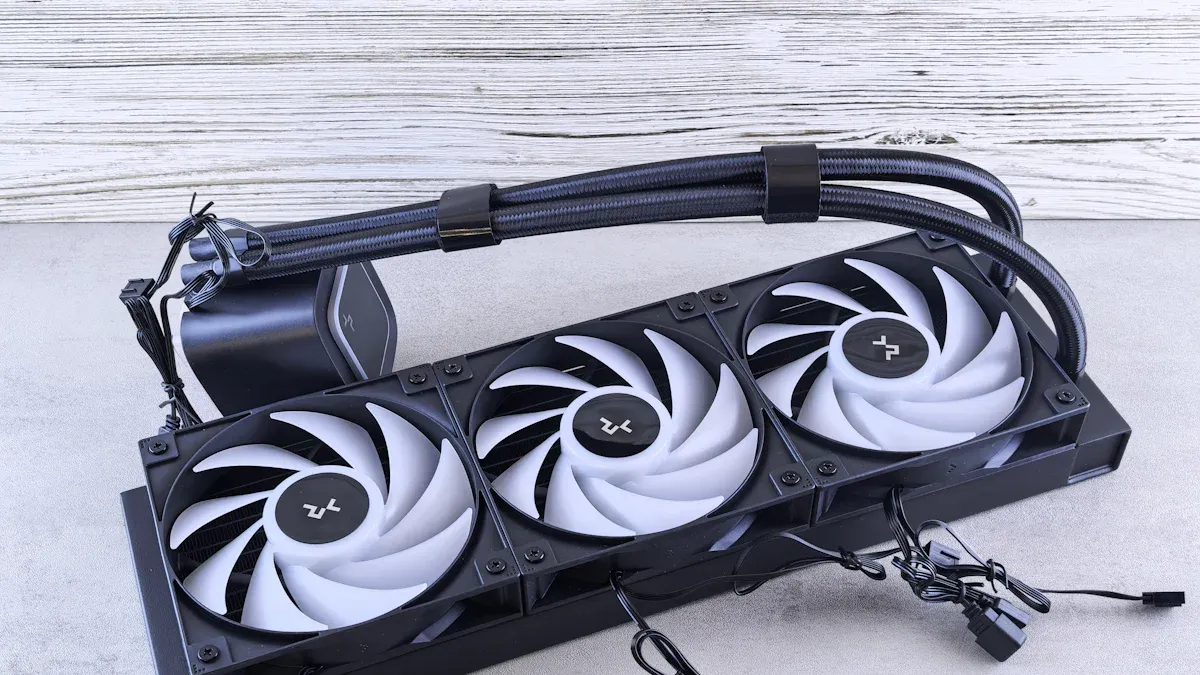
Liquid coolers use a pump and fans on a radiator to move heat away. These coolers are usually quieter, between 30 and 35 dBA. The pump can make a soft hum. The radiator fans might make a gentle whine, but these sounds are not as loud as air cooler fans.
Cooling Type | Noise Level (dBA) |
|---|---|
Air Coolers | 35–40 |
Liquid Coolers | 30–35 |
Liquid coolers are about 5–10 dBA quieter than air coolers when working hard. This is because they have smoother airflow and fewer moving parts. Pumps with good covers and slow fans help keep things quiet. If you want a quiet computer, liquid cooling is a good choice.
Note: Both air and liquid coolers can be quiet if you pick models with special noise-reducing features.
How to Choose the Best CPU Cooler for Low Noise
Selecting the best cpu cooler for a quiet system involves more than just picking a product off the shelf. Users should look at noise ratings, airflow, and how the cooler fits with their computer. They can also make changes in the BIOS to help reduce noise even more.
Noise Ratings and Certifications
Noise ratings help users compare coolers. Most manufacturers list noise levels in decibels (dBA). This number shows how loud the cooler sounds to the human ear. The decibel scale is logarithmic. A cooler rated at 20 dBA is ten times louder than one at 10 dBA. When several parts make noise, the total sound adds up, but not in a simple way. The total noise is the sum of all sources, adjusted using special math.
Some coolers have certifications from trusted groups. Cybenetics is one group that tests and certifies noise levels. They use careful methods to measure sound and give clear rankings. Cybenetics has over twenty years of experience. Their rankings help users know if a cooler is loud or silent.
Aspect | Description |
|---|---|
Certification Body | Cybenetics, a Cyprus-based company specializing in PSU testing for efficiency and noise levels. |
Testing Methodology | Noise output is calculated by averaging measurements, converting dB to sound pressure units (Pa), and back to dB for clarity. |
Reliability | Cybenetics is noted for its accuracy and has over two decades of experience in high-quality testing. |
Noise Level Rankings | Categorizes PSUs into 7 noise level rankings from loud to silent, providing a clear understanding of noise output. |
Tip: Always check the manufacturer’s spec sheet for dBA ratings. Look for third-party certifications for extra trust.
Fan Curves and BIOS Tweaks
Users can make their computers quieter by changing fan settings in the BIOS or UEFI. Adjusting the fan curve lets the fan spin slower when the CPU is cool and speed up only when needed. This keeps noise low during normal use.
Here are the steps to adjust fan curves for less noise:
Restart the computer and enter the BIOS or UEFI by pressing the key shown during startup (often Delete or F2).
Find the menu for fan settings. It may be called ‘Smart Fan’, ‘Monitor’, ‘PC Health Status’, or ‘Hardware Monitor’.
Choose a preset like Silent, or make a custom curve. Set the fan to run slow when the CPU is cool. Make sure the fan does not stop if it is needed for cooling.
Save the changes and restart. Watch the CPU temperature for 10–15 minutes. If it gets too hot, go back and adjust the settings.
Note: Never set the CPU fan to 0 RPM if the cooler needs it to keep the CPU safe.
Practical Steps for Evaluating Noise and Airflow
To find the best cpu cooler, users should check both noise and airflow. The ideal noise level for a CPU cooler is between 15 and 30 dBA. This range is very quiet and hard to notice. Users can check the manufacturer’s website or product sheet for this number. Some people use a dBA meter to measure noise at home.
Airflow is measured in cubic feet per minute (CFM). Higher CFM means more air moves through the cooler, which helps keep the CPU cool. Users should balance airflow and noise. A cooler with high airflow and low noise is a good choice.
Specification | What to Look For | Why It Matters |
|---|---|---|
Noise Level | 15–30 dBA | Quiet operation |
Airflow | 40–70 CFM (typical range) | Good cooling performance |
Certification | Cybenetics or similar | Trusted noise measurements |
Callout: Users can measure noise with a dBA meter or check for third-party reviews that use acoustic test chambers.
Matching Cooler Type to CPU and Space
The best cpu cooler for one person may not fit another’s needs. Users should match the cooler type to their CPU and the space inside their case. Large air coolers need more room. Liquid coolers need space for a radiator. Always check the size and socket support before buying.
Tip: Measure the space in the case and check the CPU socket type before choosing a cooler.
By following these steps, users can find a cooler that keeps their system quiet and cool. They can enjoy better comfort and focus, whether they work or play.
Key Features for Quiet Operation
Fan Size and Speed
Fan size and speed play a big role in how much noise a CPU cooler makes. Larger fans can move more air at slower speeds. This means they produce less noise and the sound is lower in pitch. Smaller fans often spin faster to keep up, which creates a high-pitched sound that many people find annoying. When a cooler uses a large fan, it can stay quiet even when the computer works hard. The design and quality of the fan motor also affect how much noise the cooler makes.
Larger fans run at lower RPMs and stay quieter.
Smaller fans spin faster and sound higher-pitched.
Good fan design and motors help reduce noise.
Bearing Types and Noise-Reduction Tech
The type of bearing inside a fan changes how much noise it makes and how long it lasts. Fluid dynamic bearings (FDBs) are the quietest. They use a special fluid to keep noise low. Ball bearings make a bit more noise at first but stay steady over time. Sleeve bearings start out quiet but get louder as they wear out. FDBs can last for many years, making them a smart choice for those who want a quiet system.
FDBs offer the quietest and longest-lasting performance.
Ball bearings stay consistent but are a little louder.
Sleeve bearings cost less but get noisy as they age.
PWM Control
PWM control helps fans run at the right speed for the job. With PWM, the fan can slow down when the computer is not working hard. This keeps noise low during light tasks. Unlike fans that always run at the same speed, PWM fans change speed based on how hot the CPU gets. This feature helps keep the system quiet in places like offices or home theaters.
PWM lets fans slow down when less cooling is needed.
Fans with PWM adjust speed based on temperature.
This control helps create a quieter environment.
Choosing the best cpu cooler means looking for these features. They help keep computers cool and quiet at the same time.
Balancing Performance and Budget
Cooling Needs vs. Noise
When picking a CPU cooler, think about cooling and noise. Some coolers keep the CPU very cool but are loud. Others are quiet but may not cool as much when working hard. People should think about what they need and where they use their computer.
Quiet coolers make work or shared spaces nicer.
Loud coolers can bother people during long use.
Some places need very quiet coolers, like offices.
Gamers at home might be okay with a little more noise.
The dB rating shows how loud a cooler is.
Everyone likes different noise levels. Reading reviews and trying coolers helps find what works best.
The kind of work you do changes which cooler is best. The table below shows how coolers act when working hard:
Cooler Type | Cooling Method | Noise Output Characteristics |
|---|---|---|
Air Coolers | Fans and heatpipes | Can get loud when working hard because fans spin faster. |
Liquid Coolers | Water and radiators | Usually quieter than air coolers, even when busy, because they move heat well. |
Low-profile Coolers | Compact design | May get noisy when stressed because they cannot cool as much. |
Tip: Pick a cooler that matches your usual work and how much noise you can handle.
Price and Value
Quiet CPU coolers come in many prices. Most cost between $0.25 and $183.99. Expensive coolers often cool better and are quieter. Some cheaper coolers, like the Thermalright Peerless Assassin 120, work well and stay quiet for about $41.
To get the best deal, look for coolers with good airflow, strong heatpipes, and quiet fans. The table below lists some coolers that are quiet and a good value:
Cooler Name | Key Features | Noise Level | Price Point |
|---|---|---|---|
Arctic Freezer 36 | Good airflow, smart heatpipe design, very quiet fans | Low | Budget |
Scythe Mugen 6 | Steady cooling, smooth airflow, low noise | Low | Mid-range |
Thermalright Peerless Assassin 120 SE | Two towers, moves heat well, easy to clean | Minimal noise | Budget |
Note: Try to match your budget with what you need most, like quietness, cooling, and how long it will last.
XTT CPU Coolers Overview
XTT Features and Benefits
The XTT CPU cooler series is known for being well-made and smartly designed. The brand sz-xtt has many coolers, from XTT-01 to XTT-16. Each one uses strong materials to keep your CPU cool and safe. You can find both air coolers and AIO liquid coolers in this group. These coolers work great for office computers, gaming, and workstations.
Key features are:
Fans are made to be quiet and not bother you.
Some models have RGB lights you can change. These lights can match your motherboard’s colors.
They use smart thermal management to keep CPUs cool, even when working hard.
The airflow design helps the cooler work better and keeps things comfortable.
XTT coolers come with strong mounting kits. These kits fit many CPU sockets, so putting them in is easy for everyone. The coolers are small enough to fit in tight spaces. They do not block RAM or other parts.
Note: XTT gives clear instructions and all the tools you need to set up the cooler.
Choosing the Right XTT Model
The XTT line has something for everyone. XTT-01 is good for simple computers. XTT-16 is best for powerful systems. Every cooler uses smart thermal management to move heat away from the CPU. You can pick a cooler based on what you do, like gaming, editing videos, or just using your computer every day.
XTT-01: Great for office work.
XTT-08: Good for gaming and creative jobs.
XTT-16: Best for hard jobs and overclocking.
All XTT coolers have quiet fans and strong airflow. This makes them a great pick if you want a cooler that is quiet and works well. XTT also has helpful support and gives fast quotes in 24 hours if you tell them what you need.
To pick the best cpu cooler, people should look at how loud it is. They need to make sure the cooler fits their CPU and case. It is important to set the fan speed so the computer stays quiet. People should think about how much cooling they need and how much money they want to spend. Picking the right features for how they use their computer helps a lot. XTT has coolers that are quiet and work well for all kinds of computers.
FAQ
What makes a CPU cooler quiet?
A quiet CPU cooler has big fans. It uses fluid dynamic bearings. PWM control helps the fan change speed. The sz-xtt series uses these features to stay quiet.
How does sz-xtt ensure compatibility with different CPUs?
The sz-xtt coolers work with many CPU sockets. They come with mounting kits for Intel and AMD processors.
See sz-xtt CPU coolers for more information.
Can users install sz-xtt coolers easily?
People say installing these coolers is easy. The coolers have clear instructions and all the tools you need.
Tip: Check the size of your case before you put in any cooler.