
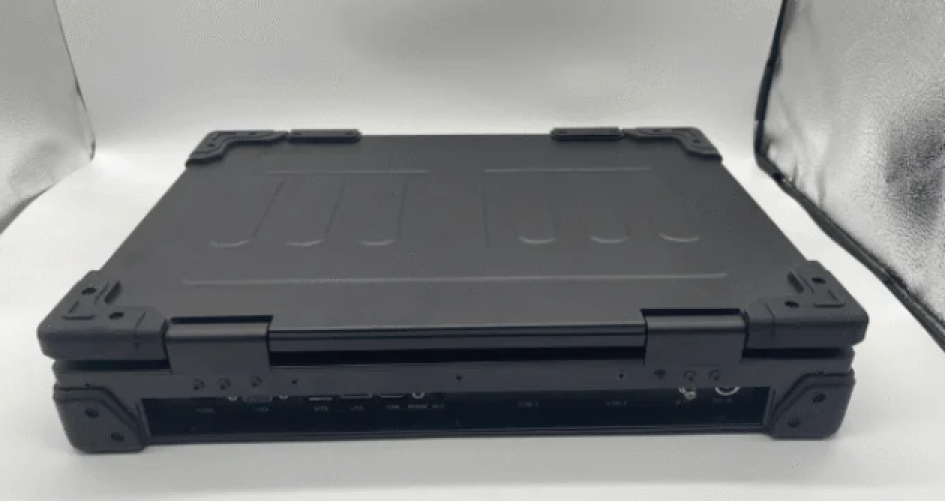
Many jobs have challenging conditions that require reliable technology. Rugged mobile computers enable workers to perform their tasks efficiently in demanding environments. These rugged mobile computers are built to operate continuously, no matter the situation. The sz-xtt brand is recognized as a trusted company, offering a wide range of rugged mobile computers designed for durability and high performance. Workers can select rugged mobile computers that best suit their specific job requirements and customize features to meet their needs.
Explore the rugged mobile computers collection from sz-xtt to find the perfect solution for your industry challenges.
Key Takeaways
Rugged mobile computers help workers in hard places. They are strong against dust, water, and very hot or cold weather.
When picking a rugged computer, think about battery life. Also, check the screen and how it connects to other devices. Make sure it fits your job.
Find devices with military-grade durability ratings like MIL-STD-810G. This shows they can handle tough places.
Choose security features like encrypted storage and secure boot. These keep important data safe in jobs like healthcare and logistics.
Talk to experts and ask for product demos. This helps you pick the best rugged mobile computer for your team. It will help your team work better.
Why Rugged Mobile Computers Are Essential

Industry Demands and Harsh Environments
Many jobs are hard and messy. People in construction, logistics, and field services work in places with dust and moisture. Sometimes, it gets very hot or cold. Workers need mobile computers that can take hits and drops. Some jobs even have explosion risks. Rugged mobile computers keep working when regular devices break.
Moisture protection keeps devices safe from rain or spills.
Dust resistance stops damage at construction sites or warehouses.
Shock and fall protection helps teams avoid losing time.
Extreme temperature protection lets devices work in hot or cold places.
Explosion protection keeps workers safe in dangerous areas.
Rugged cases stop damage from rough use.
Sz-xtt makes mobile computers for these tough jobs. They have models like the 101PAD-A and 156JG. These devices are strong and work well. Teams can use them in logistics or field work to stay productive.
Key Advantages Over Standard Devices
Mobile computers help workers get information anywhere. Rugged models give extra benefits that regular devices do not. They last longer and cost less to fix. They also keep data safe. Teams use these devices to finish work without stopping.
Rugged mobile computers from sz-xtt work well in tough places. Workers can pick models like the 156PAC or BOX6800PE. These help field teams do their jobs faster and better.
Mobile computers have good battery life and strong connections. They are easy to use. Rugged devices protect important data and keep things secure. With the right mobile computers, teams can handle hard jobs and stay connected.
Key Factors in Choosing Rugged Mobile Computers
Picking the right mobile computers means thinking about many things. Every industry has its own needs and challenges. These important points help you choose the best rugged computer for your team.
Environmental Durability and MIL-STD Ratings
Durability is very important for rugged computers. These devices must handle drops, vibration, moisture, and dust. Some models, like the 101PAD-A Rugged Computer, meet military standards called MIL-STD-810G. This rating means the device passed tests for altitude, temperature, shock, rain, humidity, fungus, salt fog, sand, dust, vibration, and drops.
Test Method | Description |
|---|---|
MIL-STD-810G Method 500.5 | Altitude test |
MIL-STD-810G Method 501.5 | Low Temperature test |
MIL-STD-810G Method 502.5 | High Temperature test |
MIL-STD-810G Method 503.5 | Temperature Shock test |
MIL-STD-810G Method 506.5 | Rain test |
MIL-STD-810G Method 507.5 | Humidity test |
MIL-STD-810G Method 508.6 | Fungus test |
MIL-STD-810G Method 509.5 | Salt Fog test |
MIL-STD-810G Method 510.5 | Sand and Dust test |
MIL-STD-810G Method 514.6 | Vibration test |
MIL-STD-810G Method 516.6 | Shock & Drop test |
Teams working outside or in factories should look for these certifications. The 156JG Rugged Computer and 156PAC Rugged Computer give strong protection in tough places.
Performance and Processing Power
Performance is important for teams with big files or hard software. Different mobile computers have different processors and memory. For jobs with lots of data, a rugged computer should have at least an Intel Atom Z510P 1.1GHz processor, 1GB RAM, and 8GB storage. The 156JG Rugged Computer works well for hard tasks. The 156PLA-III Rugged Computer gives good speed and reliability.
Battery Life for Field Work
Field teams need computers that last all day. Battery life changes by model and how you use it. Some devices, like the 101PAD-A Rugged Computer, have extra battery options. A main battery may last about 5 hours. With an external battery, it can last over 10 hours. Teams far from chargers should pick models with long battery life or batteries you can swap.
Display and Usability
Display and usability help teams work in bright sun or at night. Good features include anti-glare screens, high brightness, and touch monitors that are easy to read in strong light. Anti-reflective coatings and high light transmission make screens clear and protect them. The 156PLA-DL Rugged Computer has a bright screen that is easy to read outside.
Connectivity and Expansion
Mobile computers must connect to networks and other devices. Important options are Wi-Fi for local access, Bluetooth for connecting things, and cellular for remote communication. The 173PAC-MC Rugged Computer supports many types of connections. This is great for logistics and field service teams.
Connectivity Type | Importance |
|---|---|
Wi-Fi | Local network access and data transfer |
Bluetooth | Connects peripherals and short-range communication |
Cellular | Remote access and communication in the field |
Security and Data Protection
Security and data protection keep important information safe. Rugged mobile computers often have encrypted storage, secure boot, and user authentication. The BOX6800PE Rugged Computer gives advanced security for industries with private data.
Form Factor and Portability
Form factor and portability make it easier for teams to carry and use computers. Lightweight and small designs, like the D156FC Rugged Computer, help reduce tiredness during long hours. Many models have built-in add-ons like RFID or barcode scanners. These help field teams finish tasks faster. Devices with IP65 ratings and drop resistance also make users feel confident in tough places.
Feature | Description |
|---|---|
Integrated Add-ons | RFID and barcode scanners for extra functionality |
High Mobility | Lightweight and compact for easy transport |
Drop Resistance | Withstands drops, increasing reliability |
IP65 Rating | Protection against dust and water |
Accessories and Customization
Accessories and customization let teams change mobile computers for their jobs. Popular choices are pre-installed operating systems, memory upgrades, industrial keyboards, mounting solutions, and connector covers. The 156PAC Rugged Computer and 156PLA-DL Rugged Computer offer flexible setups for different industry needs.
Accessory/Customization Option | Description |
|---|---|
Operating Systems | Pre-installed for various applications |
Memory Add-ons | Upgrades for better performance |
Industrial Keyboards | For data entry in harsh environments |
Mounting Solutions | Rugged, shock-resistant options for installations |
Connector Covers | Protects connectors in tough settings |
Identification Systems | Improves workflow accuracy and data management |
Support, Warranty, and Brand Reputation
Support and warranty are important for the life of a rugged computer. Some brands give service agreements for repairs, parts, and damage for years. Sz-xtt is known for quality and good customer support. Picking a trusted brand means your team gets help when needed and keeps computers working well.
Tip: Always check support and warranty details before buying. Good support helps teams stay productive and cuts downtime.
By thinking about these key factors, teams can pick rugged mobile computers that give the right mix of durability, performance, and usability for their industry.
Rugged Computer Models for Industry Needs
Construction and Engineering
Construction sites are messy and rough. Workers need mobile computers that can handle dust and moisture. These devices must survive drops and bumps. The 101PAD-A Rugged Computer is easy to carry and strong. Field technicians and inspectors use it every day. The 156JG Rugged Computer has fast processing power. It helps teams keep track of inventory and project data. Rugged tablets like the 156PAC Rugged Computer make order picking quick. They also help teams talk in real time.
Military and Defense
Military jobs need computers with strong security. These devices must have MIL-STD certifications. The 156PLA-III Rugged Computer and 173PAC-MC Rugged Computer are tough and reliable. They work well in extreme places. Defense teams use them to keep data safe.
Field Services and Utilities
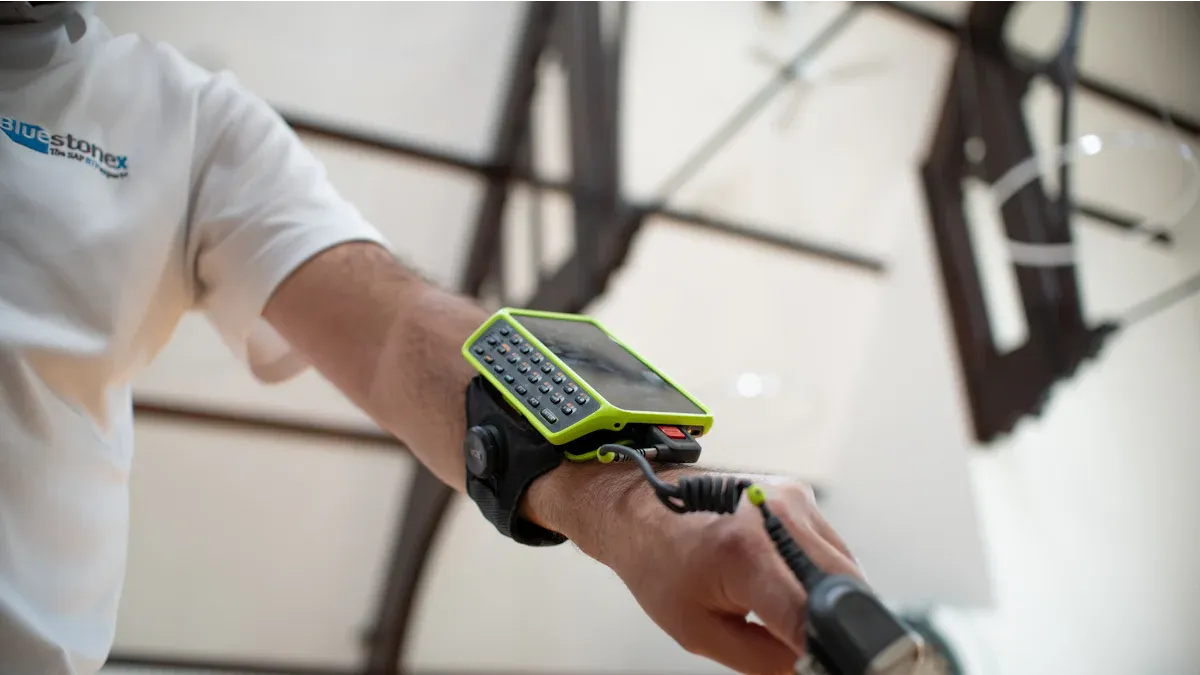
Field teams want computers that are tough and scan fast. The D156FC Rugged Computer is light and simple to carry. It fits field services and utilities. Teams can enter data quickly and stay connected. Scanning is fast, and using it feels like a smartphone. This is great for field technicians and inspectors.
Tip: Rugged mobile computers help field teams work well in tough places.
Transportation and Logistics
Warehouse workers and logistics teams need mobile computers. These devices help with order picking and inventory tasks. The BOX6800PE Rugged Computer has strong security and good connections. The 156PAC Rugged Computer scans barcodes and gives updates fast. This makes work easier and more accurate.
Healthcare and Medical
Hospitals and clinics need computers that are safe and clean. The 156PLA-DL Rugged Computer has surfaces that fight germs. It is sealed to keep out dirt and water. Medical teams use these computers for patient data. Devices run all the time and are easy to use with touch screens. They meet medical rules and are simple to install.
Requirement | Solution Feature |
|---|---|
Hygiene / Cleaning | Sealed, antimicrobial surface, IP65/67 certification |
Patient safety | Isolated ports, medical approval IEC/EN 60601 |
Usability | Touch interfaces, compact installation |
Retail and Hospitality
Stores and hotels need computers for stock and helping customers. The 101PAD-A Rugged Computer is easy to carry and gives fast data. The 156PAC Rugged Computer scans barcodes and can be changed to fit needs. Teams use these to give better service and manage inventory.
Agriculture and Outdoor Work
Farms and outdoor jobs are hard on equipment. The 156JG Rugged Computer and D156FC Rugged Computer resist chemicals and bad weather. These computers connect well to IoT systems. They have batteries you can change for long use in the field.
Devices survive pesticides and fuel spills.
Equipment works off-road and stays reliable after breaks.
Solutions are tough and easy to move for hard jobs.
Specialized Applications
Some industries need special rugged computers. The BOX6800PE Rugged Computer is secure and small. Teams in research, manufacturing, and logistics use these for custom tasks. They help keep data safe and manage workflows.
How to Select the Right Rugged Computer
Assess Your Environment and Tasks
Picking a rugged computer starts with knowing your work area. Teams should look for dust, humidity, chemicals, and hot or cold places. Logistics jobs may need devices with high IP ratings and tough features. Workers must decide if they need a resistive touchscreen for gloves or rough conditions. Compact rugged tablets fit in small spaces. Power and connectivity options, like PoE and industrial I/O, help with setup and networks.
Look for dust, moisture, and chemicals in your workplace.
Figure out what performance you need for your tasks.
Choose a touchscreen that works with gloves or is sensitive.
Check if you have enough space and pick small models.
Think about power and connections for easy installation.
Prioritize Features and Specifications
Teams should pick features that match their daily jobs.
Environmental conditions: Rugged mobile computers must handle hot, cold, and wet places. Certifications like MIL-STD-810 and IP ratings show they are tough.
Performance requirements: The right mobile computers should have enough power for fieldwork.
Display and usability: Screens must be easy to see in bright light and work with gloves.
Battery life and power options: Long battery life and batteries you can swap keep devices running.
Security and data protection: Encryption and remote wipe keep important information safe.
Compare Models and Brands
Comparing models helps teams find the best rugged computer.
Criteria | Description |
|---|---|
Durability Standards | Some brands focus on professional standards, others on outdoor use. |
Battery Capacity | Needed for long use in tough places. |
Connectivity Options | Important for different work settings. |
Operating System Updates | Keeps devices up-to-date and secure. |
Specific Functionalities | Features made for each job help teams work better. |
Sz-xtt has many rugged computer models, like 101PAD-A, 156JG, and BOX6800PE. These devices meet industry standards and work well.
Consult Experts and Request Demos
Industry experts help teams pick the right rugged computer.
Experts look at your needs and suggest devices for logistics jobs. Testing lets teams try hardware before buying. Recommendations include scanning speed, comfort, and toughness.
Teams can ask sz-xtt for advice and product demos. This makes sure the rugged computer fits the team’s work and keeps data safe.
Picking the right mobile computers helps teams do their jobs well in hard places. When you choose rugged features for each job, devices last longer and keep data safe. Teams should write down what they need before buying mobile computers. Looking at sz-xtt’s rugged mobile computers gives lots of choices for all kinds of work. The table below explains why buying good rugged mobile computers is smart for the future:
Benefit | Description |
|---|---|
Durability | Devices break less and workers lose less time, so teams can count on them. |
Increased Productivity | Good devices let workers do their jobs without worrying about problems. |
Cost-Effectiveness | You pay more at first, but you save money because you do not need to fix or replace devices as much. |
Enhanced Security | Strong security keeps important data safe, which is needed for many jobs. |
FAQ
What makes a rugged mobile computer different from a regular tablet?
Rugged mobile computers have strong cases and tough screens. They also have sealed ports to keep out water and dust. These features protect them from drops and spills. Devices like the 101PAD-A Rugged Computer from sz-xtt work well in rough places.
How does a team choose the right rugged computer for fieldwork?
A team should check where they work and what features they need. Battery life is important for outdoor jobs. Models like the 156JG Rugged Computer give strong performance outside.
Can rugged computers connect to wireless networks?
Yes. Many rugged computers, like the 173PAC-MC Rugged Computer, support Wi-Fi, Bluetooth, and cellular. These options help workers stay connected anywhere.
Are rugged computers easy to clean and maintain?
Rugged computers from sz-xtt have sealed surfaces. Users can wipe them with simple cleaners. The 156PLA-DL Rugged Computer is easy to keep clean in medical or food places.
Where can buyers find more information about sz-xtt rugged computers?
Buyers can go to the sz-xtt official website to see all rugged computer models and get more product details.


