
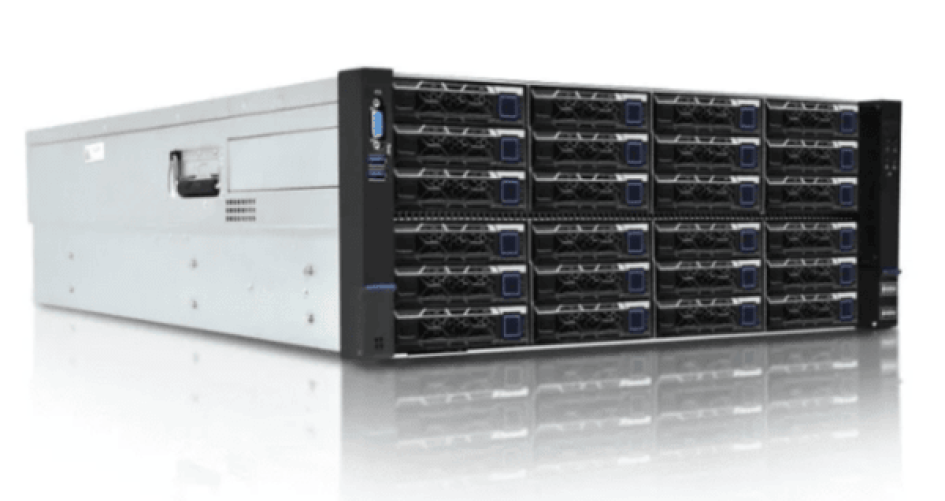
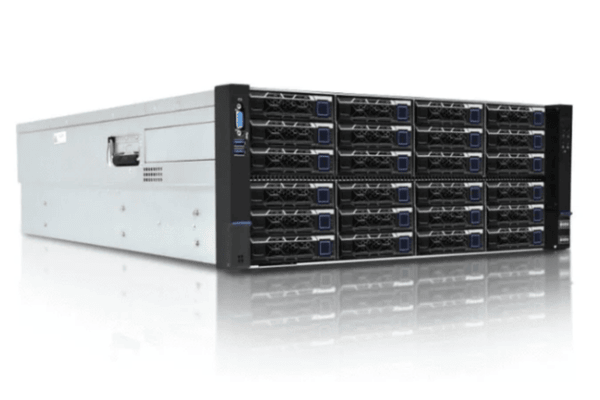
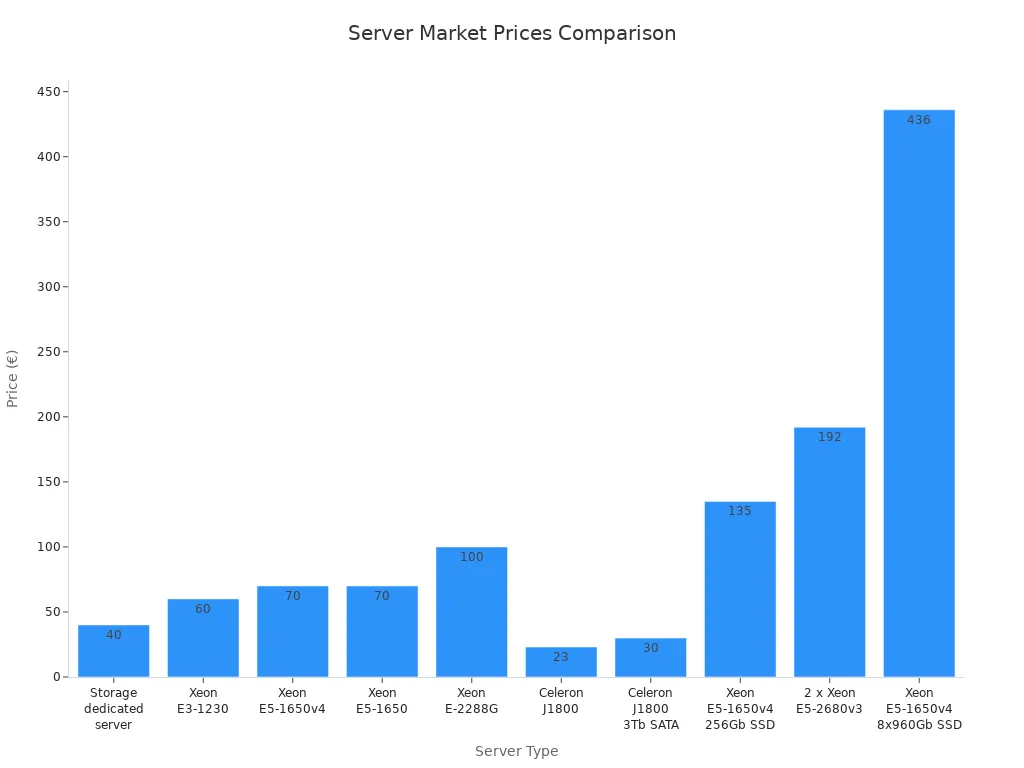
The best choices for big data on a budget are the sz-xtt TS555V2 for best value, Hetzner Storage Server for the most space, and Hostkey Storage Server for strong reliability. Each server has great features. A single server can hold up to 264TB. They also have up to 12 LFF bays. Hardware RAID and 10GBps uplink options make these servers special. The price chart below helps users pick the right dedicated storage server for their needs.
Key Takeaways
Pick the sz-xtt TS555V2 if you want the best deal. It gives you 264TB of storage and a fast 10Gbps uplink. The price is only $149 each month.
Look at the Hetzner Storage Server for the most space at a low price. It has up to 240TB for $169 each month. This is a good option if you have a lot of data.
Go with the Hostkey Storage Server if you need something very reliable. It can hold 264TB and has hot-swappable drives. It also has 24/7 monitoring for $159 each month.
Think about your data needs before picking a server. Knowing how much data you have and will get helps you choose the right one.
Plan for upgrades in the future. Pick a server that lets you add more storage and faster network speed as your data grows.
Storage Server Comparison
Specs Overview
This table shows the main specs for each dedicated storage server. It helps readers see differences quickly.
Server | Storage Bays | Max Capacity | RAID Support | Network Uplink | Drive Types |
|---|---|---|---|---|---|
sz-xtt TS555V2 | 12 LFF | 264TB | Yes | 10Gbps | SATA, SSD, NVMe |
Hetzner Storage Server | 8-12 LFF | 240TB | Yes | 1-10Gbps | SATA, SSD |
Hostkey Storage Server | 12 LFF | 264TB | Yes | 10Gbps | SATA, SSD, NVMe |
Tip: LFF stands for “Large Form Factor.” These bays fit big drives for storing lots of data.
Price Comparison
Each server has a different price. Here is a simple list:
sz-xtt TS555V2: Starts at $149/month for basic setup. It gives the best value per TB.
Hetzner Storage Server: Starts at $169/month. It is known for lots of storage at a low price.
Hostkey Storage Server: Starts at $159/month. It balances price and reliability.
Hetzner has the lowest price for high capacity. sz-xtt TS555V2 is good for value and flexibility. Hostkey is in the middle, offering strong uptime and support.
Key Features
Each server has special features:
sz-xtt TS555V2:
Up to 12 LFF slots for lots of storage.
You can use SATA, SSD, or NVMe drives.
Advanced RAID keeps data safe.
10Gbps uplink moves data fast.
It is cost-effective for big data.
Hetzner Storage Server:
Offers up to 240TB of storage.
Has flexible network speeds.
Good for users who want lots of space at a low price.
Hostkey Storage Server:
Supports up to 264TB with hot swapping.
You can add disks without stopping the server.
Pricing per gigabyte is competitive.
Reliable uptime is good for business.
These features help users choose the right dedicated storage server. Some people want the most space. Others need speed or reliability.
Dedicated Storage Server Reviews
sz-xtt TS555V2 Review
sz-xtt is trusted for reliable storage. Many businesses use sz-xtt for big data. The company offers value and easy features. The TS555V2 dedicated storage server is a top choice. It balances price and performance.
Price
The TS555V2 costs $149 each month. Users get lots of storage for this price.
Storage Capacity
TS555V2 has 12 LFF bays. It can hold up to 264TB. Users pick SATA, SSD, or NVMe drives. This makes it easy to fit their needs.
Performance
The 10Gbps uplink moves data fast. Advanced RAID keeps data safe and helps speed.
Reliability
sz-xtt servers work well and are easy to set up. Users like the quick setup and helpful support.
Pros
Good value for the price
Many drive choices (SATA, SSD, NVMe)
Fast 10Gbps uplink
Advanced RAID keeps data safe
Easy to add more storage
Cons
Only sold by sz-xtt’s official channels
Note: For more info, visit the sz-xtt TS555V2 product page or read related blog posts.
Hetzner Storage Server Review
Hetzner is popular for affordable storage. Many people pick Hetzner for lots of space at a low price.
Price
Hetzner Storage Server costs $169 per month. It is one of the cheapest for big storage.
Storage Capacity
Users get up to 240TB with 8 to 12 LFF bays. This is enough for most big data jobs.
Performance
Network speeds go from 1Gbps to 10Gbps. The server has RAID to protect data.
Reliability
Hetzner is known for strong uptime and steady work. Some users say support is slow, especially in emergencies or outside Europe.
Pros
Low monthly cost
Big storage space
Reliable uptime and performance
Flexible network speeds
Good for users needing lots of space
Cons
Support can be slow or limited
Setup may be hard for beginners
Data centers mostly in Europe
Users like Hetzner for its price and reliability. Some wish support was better during urgent times.
Quick Look: Hetzner User Feedback
Advantages | Disadvantages |
|---|---|
Affordability | Limited Customer Support |
High Performance | Complex Setup for Beginners |
Scalability | Data Center Locations |
Reliability | No Managed Hosting Options |
Global Reach | Customization Limitations |
Transparency | Potential Over-Provisioning |
Environmental Focus | VAT for Non-EU Customers |
Hostkey Storage Server Review
Hostkey is known for reliable and flexible storage. Many businesses choose Hostkey for strong uptime and extra features.
Price
Hostkey Storage Server costs $159 per month. This price is between sz-xtt and Hetzner.
Storage Capacity
Hostkey holds up to 264TB with 12 LFF bays. Users can add or swap drives without stopping the server.
Performance
Hostkey gives a 1-10Gbps uplink for fast data. The server has basic DDoS protection and 24/7 monitoring.
Reliability
Hostkey offers automated backups and snapshot support. Users can grow storage or bandwidth without downtime.
Pros
Hot-swappable drives for easy upgrades
Fast network speeds (up to 10Gbps)
DDoS protection and 24/7 monitoring
Automated and manual backups
Easy to scale storage or bandwidth
Cons
Starting price is a bit higher than sz-xtt
Some extra features may cost more
Hostkey at a Glance
Feature | Description |
|---|---|
High-capacity storage | Up to 264TB with pioneer drive options |
High traffic limits | 10TB/month included; unlimited traffic available |
Network performance | 1-10Gbps uplink for fast, stable connections |
DDoS protection | Basic mitigation to keep services running |
24/7 monitoring | Constant checks for quick problem detection |
Backups | Automated/manual options to prevent data loss |
Snapshot support | Quick rollback and recovery |
Scalability | Upgrade storage or bandwidth without downtime |
Tip: Hostkey’s extra features help businesses feel safe and grow easily.
Price and Capacity Breakdown
Entry-Level Options
Entry-level dedicated storage servers help businesses start small. They do not cost too much money. These servers have enough space for most jobs. They also keep data safe from loss. Many companies pick entry-level models because they are cheap. They still work well and give good performance.
HOSTKEY’s entry-level storage lets users get to their data easily. They keep information safe and protected.
Prices are low. Businesses can choose a plan that fits their needs. They do not have to pay for things they do not want.
Entry-level servers let users pick different drives. They can use SATA or SSD drives for more speed or space.
These servers are good for startups, small teams, or anyone who needs simple storage.
Server | Starting Price | Max Capacity | Best For |
|---|---|---|---|
sz-xtt TS555V2 | $149/month | 264TB | Value seekers |
Hetzner Storage Server | $169/month | 240TB | Space on a budget |
Hostkey Storage Server | $159/month | 264TB | Reliable uptime |
Tip: Entry-level servers can be upgraded later. Users can add more drives or make the network faster as they need more space.
High-Capacity Choices
High-capacity dedicated storage servers are made for big jobs. They can handle lots of data, backups, and hard projects. Companies with many files or fast-growing data pick these servers.
Some dedicated storage servers can hold up to 800TB in one node. This means users can store a lot of data without more hardware.
High-density setups let many big HDDs work together. This makes the server faster and saves room.
Flexible drive setups let businesses use special drives. They get the most storage and keep the server small.
High-capacity servers are good for big companies, labs, and media groups that need lots of space.
Server | Max Capacity | Drive Options | Ideal For |
|---|---|---|---|
sz-xtt TS555V2 | 264TB | SATA, SSD, NVMe | Growing businesses |
Hostkey Storage Server | 264TB | SATA, SSD, NVMe | High-demand workloads |
Hetzner Storage Server | 240TB | SATA, SSD | Large file storage |
Note: High-capacity servers help users grow fast. They keep data easy to get and safe, even when storage needs go up.
Performance and Reliability
Uptime and Support
Picking a dedicated storage server means uptime and support are important. People want their data ready all the time. They also want help if something breaks. Hostkey Storage Server has 99.982% uptime each year. This means users almost never lose access.
Support choices matter a lot. Some companies reply fast and fix things quickly. Others let you get help by chat, email, or phone. Here’s a quick look at support for each provider:
Provider | Support Options | Customer Satisfaction Rating |
|---|---|---|
HOSTKEY | 24/7 technical support | 4.3 out of 5 |
Quick component replacement | 4.8 out of 5 | |
First response within 15 minutes | 4.0 out of 5 |
Hostkey lets users pick custom setups and change things as needed. They can even use up to 36 LFF slots for more storage. Many people like how fast Hostkey helps and how easy it is to upgrade.
Tip: Good support and high uptime help businesses avoid problems that cost money.
Data Transfer Speed
Fast data transfer helps big data projects work well. All three servers—sz-xtt TS555V2, Hetzner, and Hostkey—can go up to 10Gbps. Some setups even allow up to 100G direct connect. This means users can move huge files fast.
High speeds help in many ways:
100Gbps connections move lots of data with no wait.
Teams can use real-time analytics and decide faster.
Fast transfers stop backups or syncs from slowing down.
Dedicated servers give users their own resources. No one else can slow them down. High-speed SSDs or NVMe drives make things even quicker. For big data, this setup keeps everything running fast.
Note: Fast data transfer and strong uptime make these servers a smart choice for anyone with lots of data.
Choosing a Dedicated Storage Server
Assessing Data Needs
Every business should first know how much data they have. They also need to guess how much more data they will get. Picking a dedicated storage server means thinking about now and the future. Here is an easy way to plan:
Find out how much data you have today.
Guess how much new data you will get each month.
Multiply that by 24 or 36 for two or three years.
People should check what types of files they use most. Some need fast access for big files. Others want lots of space for saving backups. The right dedicated storage server depends on storage type, speed, and how many people use it.
Tip: Knowing your storage needs helps you not buy too much or too little. This saves money and makes sure your server works well.
Budget and Scalability
Budget is very important when picking a dedicated storage server. Companies should plan for more data in the future. The server should be able to grow with the business. Here is a table with some good tips:
Best Practice | Description |
|---|---|
Schedule Capacity Increases | Plan upgrades before busy times to be ready. |
Monitor and Alert | Use tools to see spikes and act fast. |
Scale Down Promptly | Cut back after busy times to save money. |
A dedicated storage server should let you upgrade CPU, RAM, and storage easily. Providers like sz-xtt, Hetzner, and Hostkey have plans that can grow. Users can add more resources as their business gets bigger. You can also upgrade network speed from 10Gbps to 50Gbps if needed.
Ease of Use
A dedicated storage server should be easy to set up and use. Fast setup means less waiting. Servers like sz-xtt TS555V2, Hetzner, and Hostkey work with popular big data tools. They let you manage things from far away, swap drives, and get help any time. These features help users fix problems fast and keep data safe.
Feature | Benefit |
|---|---|
Fast Deployment | Quick access to big data tools |
Seamless Integration | Works with common big data programs |
24/7 Monitoring and Support | Keeps everything running well |
Picking the right dedicated storage server makes big data jobs easier. It saves time, money, and worry. People should choose servers that match their needs, budget, and plans to grow.
Every dedicated storage server is good for something special. sz-xtt TS555V2 is a smart pick for new companies. Hetzner is best if you need lots of space but have less money. Hostkey is great for businesses that want strong uptime and easy upgrades. People should look at how much data they have, their budget, and if they plan to grow. It is important to find a server that is cheap, fast, and works well for a long time:
Factor | Impact on Long-term Value |
|---|---|
Hidden Fees | Extra costs can make the server more expensive. |
Performance | Good hardware keeps things running fast and smooth. |
Support | Helpful support keeps your data safe and your work going. |
Scalability | Easy upgrades help save money when you need more space. |
What should you do next? You can ask vendors for prices or read what other users say. Making a smart choice now can stop you from needing a costly upgrade later.
FAQ
What is a dedicated storage server?
A dedicated storage server is a computer that stores large amounts of data for one user or company. It keeps files safe and easy to access. People use it for backups, big projects, or sharing files with a team.
How do I choose the right storage server?
People should look at how much data they have, how fast they need to access it, and their budget. They can compare features like drive types, network speed, and support. Picking the right server helps save money and time.
Can I upgrade my storage server later?
Yes! Most providers let users add more drives or increase network speed. Some servers even allow upgrades without turning them off. This makes it easy to grow as data needs change.
Is my data safe on these servers?
Providers use RAID, backups, and security tools to keep data safe. Many offer 24/7 monitoring and support. Users should also set strong passwords and check for backup options.


