
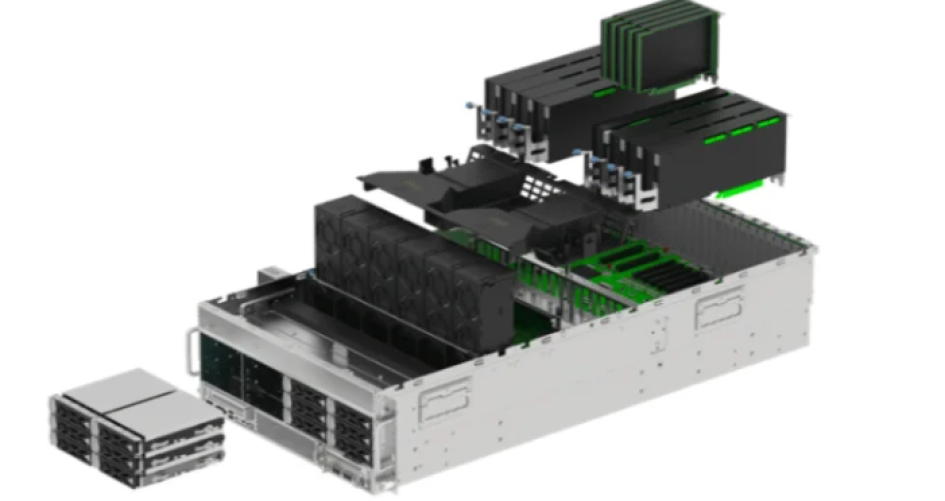
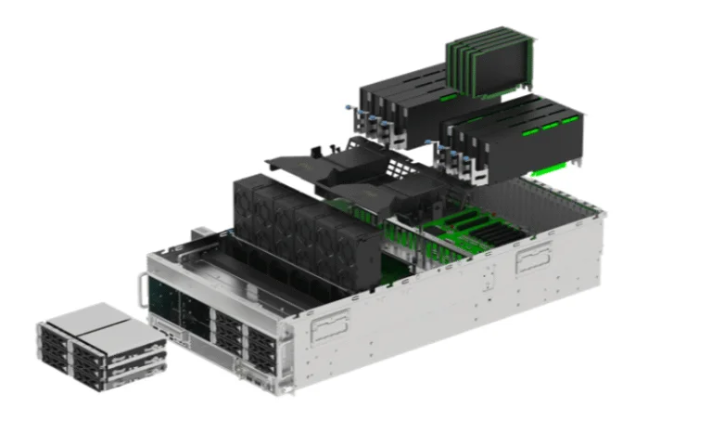
Choosing the right bastidores para servidores ai means knowing what your equipment needs. Each rack should match the hardware and how you use it for ai tasks. Smart choices help systems work well and stop expensive problems. Well-known brands like sz-xtt give options that help with strong performance and trust.
Careful planning makes sure the rack works now and later.
Principales conclusiones
Make a list of all your AI hardware. This helps you know what you need now and later.
Piensa en power and connections. AI hardware uses more power than regular servers. Check if your building can handle it.
Pick a rack that is the right size and can hold enough weight. Make sure it can keep your equipment safe. It should also let you add more later.
Use good cooling methods. Air needs to move well. New cooling ways like liquid cooling help AI systems work better.
Choose racks that have security features. Doors that lock and tools that watch the environment keep your hardware safe from harm or theft.
Assess AI Equipment Needs
Hardware Inventory
A team should first make a list of all their hardware. This means writing down what they have now and what they will need later for ai projects. This helps them know what the ai server racks must hold. They should list servers, GPUs, and network gear. Each item needs its own space, power, and cooling. Training jobs use lots of strong GPUs and need more memory and storage. Inference jobs use fewer GPUs and less memory.
Tip: Make a list of every server, GPU, and switch for the rack. This helps stop problems when you set up the rack.
The table below shows what hardware is needed for ai jobs:
Tarea | Se necesita GPU | CPU necesaria | Memoria necesaria | Rendimiento |
|---|---|---|---|---|
Formación | 8+ tarjetas de gama alta | Muchos núcleos | Muy alta | Velocidad máxima |
Inferencia | 1-4 tarjetas o CPU | Menos núcleos | Moderado | Respuesta rápida |
For training, a server might need 32 or more cores, 4–8 NVIDIA H100 GPUs, 768GB RAM, and 8TB NVMe SSD storage. Inference jobs might use 16 cores, one NVIDIA B200 GPU, 256GB RAM, and 4TB storage.
Power and Connectivity
Power and network planning are very important for ai server racks. AI hardware uses much more power than normal servers. For example, an AI processor can use 700 to 1200 watts. A normal CPU uses only 150 to 200 watts. A full rack with ai hardware might need up to 80,000 watts. Teams must check if their building can give this much power.
The table below shows a sample power use for a rack:
Componente | Consumo de energía |
|---|---|
Each Server | 500 watts |
Number of Servers | 20 |
Total Server Power | 10 kW |
Additional Devices | 1 kW |
Potencia de refrigeración | 2 kW |
Total Power | 13 kW |
Network speed is also important. Training jobs may need 100Gbps or more to move big data fast. Inference jobs often use 25Gbps. Teams should pick racks with enough network ports for their ai jobs.
Server Rack Choice: Size and Weight
Rack Dimensions
Elegir el adecuado bastidor de servidor starts with knowing the usual sizes. Most AI data centers use racks that are 42U tall. This means they are about 73.5 inches high. These racks can hold up to 42 servers. They work well for lots of hardware in one place. Some places use 48U racks if they need more room. The width is usually 19 inches. This fits most servers. The depth can be between 27 and 42 inches. This lets teams fit different equipment and cables.
Dimension Type | Measurement | Descripción |
|---|---|---|
Altura | 42U | Gives 73.5 inches of space for equipment. |
Width | 19 pulgadas | Fits most hardware setups. |
Profundidad | 27-42 inches | Lets you use shallow or deep equipment. |
The rack you pick depends on the room’s height and cooling needs. It also depends on how much you want to grow later. Teams should measure their space first. They should also check how much equipment they will add. Bigger racks make it easier to upgrade.
Tip: Always check the rack size before you buy new servers or GPUs.
Weight Limits
How much weight a rack can hold is very important. High-density GPU servers can weigh more than 100 lbs each. Racks must be strong to keep everything safe. Some racks, like the Eaton Heavy-Duty SmartRack, can hold up to 5,000 lbs. Experts say racks should hold at least 3,000 lbs to stay steady.
Rack Model | Weight Capacity | Notas |
|---|---|---|
Eaton Heavy-Duty SmartRack | 5,000 lbs | Good for AI servers with lots of hardware. |
High-density GPU servers can weigh over 100 lbs each.
Racks should hold at least 3,000 lbs to be safe.
It is smart to pick a rack that holds 10% to 15% more than you need.
Teams should always plan for extra weight when picking a rack. This keeps the rack safe and ready for upgrades later.
Cooling for AI Server Racks
Airflow Design
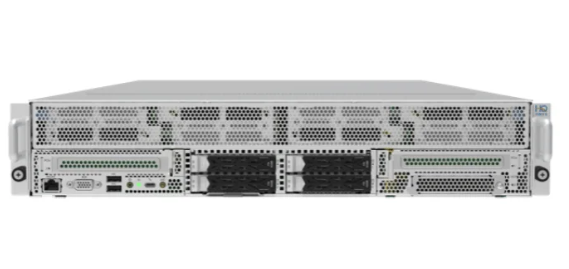
Airflow design is very important for keeping AI work running well. High-density GPU systems can get very hot, sometimes over 30kW in one rack. If teams do not control airflow and cooling, hot air can build up fast. This can make hardware slow down or even break. Good airflow keeps the temperature steady and helps computers work better. Teams use different ways to control airflow. They put blanking panels in empty spaces to guide cool air. Hot aisle and cold aisle systems keep warm and cool air apart. This stops hot air from mixing with cool air. It protects equipment and helps it work faster.
Tip: Always make sure airflow paths are open. Blocked vents or messy cables can stop cooling and make overheating more likely.
Soluciones de refrigeración
Cooling solutions for AI server racks have changed a lot lately. Many data centers now use new cooling methods for hot GPU systems. Liquid cooling is getting popular because it works much better than air cooling. Liquid cooling can remove heat 3,000 times better than air. Direct-to-chip cooling cools the hottest parts of the hardware. This is a smart way to help high-performance computers.
Some teams use rear door heat exchangers. These go on the back of the rack and cool the air before it leaves the room. They are easy to add to setups you already have. Immersion cooling is another way. It covers servers in a special fluid that pulls heat away fast. This lets teams use more powerful systems in small spaces.
Método de refrigeración | Descripción | Efficiency Comparison |
|---|---|---|
Refrigeración directa por líquido | Sends liquid through cold plates on hot parts. | Works better than air cooling. |
Refrigeración por inmersión | Puts servers in special fluid for top cooling. | Moves heat away best. |
Intercambiadores de calor de la puerta trasera | Goes on racks to cool air before it leaves. | Easy to add to old setups. |
Liquid cooling lets racks hold more and saves energy. It also makes less noise than air cooling. But, it costs more to set up and needs careful care. Air cooling is easier and cheaper at first, but may not be enough for AI work.
Installation and Accessibility
Rack Features
Modern AI server racks have features that make setup easy. Tool-less designs let workers add or take out parts fast. You do not need special tools for these racks. Modular racks can change as your needs grow. Adjustable mounting depth helps fit big AI hardware. This stops problems when setting up. Cable management keeps wires neat and helps air move better.
The table below shows features that help save time:
Característica | Descripción |
|---|---|
Toolless Accessories | Rails and trays snap in, saving time and making racks flexible. |
Adjustable Mounting Depth | Lets racks fit big AI servers without trouble. |
Cable Management Support | Organizers keep cables neat and help cooling. |
Teams use cable trays and channels to keep things tidy. Color-coded cables help you find systems fast. This makes fixing problems easier. Tool-free mounts let you change things quickly and keep them safe. Big PDUs give enough power for AI hardware. Extra power supplies keep things working if power goes out. Real-time power checks help teams watch energy use and save money.
Tip: Good labels and neat cables make work safer and easier to fix.
Maintenance Access
Easy access is important for fixing AI racks. Workers need to reach parts fast without moving other things. Modular racks and wide aisles help teams fix equipment with less risk. Robots can check racks and warn staff about problems early.
Clear paths and flexible cables help workers fix things faster. Color-coded PDUs and neat cables stop mistakes. Good access means upgrades and repairs happen quickly. This keeps work running well.
Note: Teams should plan for enough space around racks for safe and easy service.
Cable Management in AI Racks
Routing Features
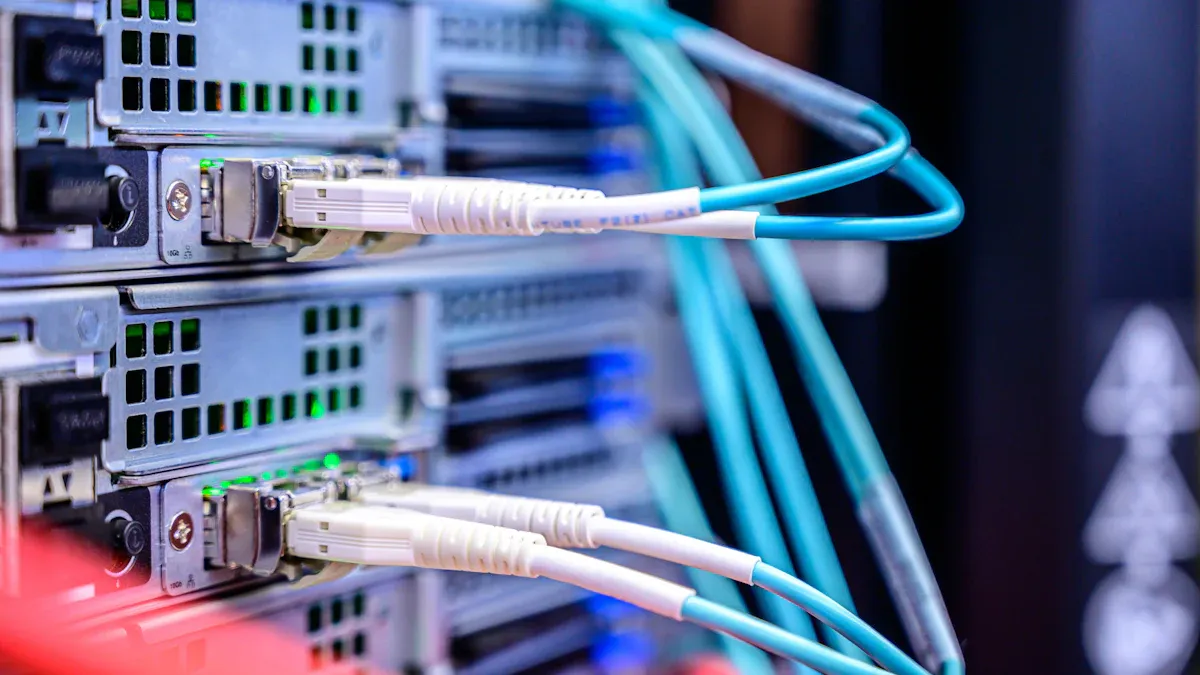
AI server racks need good cable routing. This helps keep things cool and easy to fix. Adjustable rails let teams fit cables in tight spots. Cable management arms hold wires in place. This stops wires from pulling on the hardware. Airflow management keeps air moving and stops hot spots. Smart PDUs give power to all devices. They also let you check power from far away. Environmental monitors show the temperature and airflow right now. Clear labels on cables and gear help workers find things fast.
Característica | Descripción |
|---|---|
Neat routing cuts down mess and helps air move. | |
Power Distribution and Management | Smart PDUs and busbars give lots of power safely. |
Refrigeración y flujo de aire | Good cooling, like liquid cooling, handles heat well. |
Weight Consideration | Strong racks can hold heavy GPUs and cooling gear. |
Leak Prevention and Management | Trays and sensors help catch and stop leaks. |
Rack Maintenance and Servicing | Quick-disconnect parts make liquid cooling fixes easy. |
Tip: Good cable routing helps air move and makes fixing things faster.
Best Practices
Neat cabling helps AI racks work better and last longer. Teams use the same rack layout to keep air moving and ports easy to reach. A “fiber-first” plan uses fiber cables that bend without breaking for busy jobs. Labels and colors make it easy to spot cables and connections. Cutting cables to the right length stops them from blocking air. Cable management arms keep cables bent the right way and make upgrades simple.
Use the same rack layout for better air and easy ports.
Pick bendy fiber cables for busy setups.
Label and color all cables to find them fast.
Cut cables to the right size to keep air moving.
Add cable arms to protect wires and make changes easy.
Beneficio | Descripción |
|---|---|
Improved Airflow and Cooling | Neat cables help air move and keep things cool. |
Mantenimiento simplificado | Organized cables make it easy to find and fix things. |
Enhanced Performance | Less mess means fewer problems with signals. |
Reducción del tiempo de inactividad | Good cabling means fewer mistakes and less downtime. |
Neat cabling helps cooling, makes racks work better, and keeps them fast.
Physical Security and Protection
Locking Systems
AI server racks must have good security to keep hardware safe. Many racks have doors that lock in the front and back. These doors can use keys or number codes to open. Some racks have electronic locks for extra safety. These locks can use badges or smart cards. This makes it harder for people without permission to get in. Some racks have special parts that show if someone tried to open them. Teams can put cameras on racks to watch who comes near. If someone tries to open a rack without permission, alerts tell the staff right away.
Elemento de seguridad | Descripción |
|---|---|
Lockable front and rear doors | Lets you control who can open the rack |
Electronic locking mechanisms | Uses badges or cards for better security |
Tamper-evident hardware | Shows if someone tried to get in without permission |
Surveillance camera mounts | Lets you watch and record who goes near the rack |
Rack intrusion alerts | Sends warnings if someone tries to open the rack |
Teams often pick electronic locks for their server racks. Smart cards and fingerprint systems help control who gets in. When these work with cameras, it is easier to watch and record who enters. All these features help keep AI racks safe from harm.
Tip: Pick racks with more than one kind of security to keep data and hardware safe.
Environmental Monitoring
Environmental monitoring helps keep AI racks from getting damaged. Sensors inside the rack check things like heat, wetness, and air flow. These sensors send live updates to workers. If it gets too hot or water leaks, the system sends a warning. Early alerts help teams fix problems before things break. This keeps AI hardware working well and stops long breaks.
Sensors check if AI racks are healthy.
Live data helps stop heat or water damage.
Warnings tell workers about high heat or leaks.
Seismic ratings help racks stay safe during earthquakes.
Teams use these tools to keep AI hardware safe. Good sensors and alerts are a big part of rack security.
Note: Checking sensor data often helps keep racks safe and working well.
Plan for AI Growth
Scalable Rack Designs
Teams that want to grow later should pick racks that can change. Scalable racks let you add more servers, GPUs, and storage as you need them. Customizable ai racks make upgrades and changes easy. Open ecosystem support means you can use different CPU and GPU types. This makes racks work with many kinds of hardware. Custom racks help with special needs for each project.
The table below lists features that help racks grow and last:
Característica | Descripción |
|---|---|
Open ecosystem support | Works with many CPU and GPU types, so you can pick what fits your setup. |
Flexibility and customization | Uses Enterprise SONiC Distribution for easy connections and tough jobs. |
Simplified upgrades | Open-standards design lets racks use new parts for a long time. |
Future-readiness | Built to change, so racks can grow with new AI needs. |
Proactive management features | Has leak sensors and better tracking to keep racks safe. |
Adaptive fabric management | SmartFabric Manager helps racks change as clusters get bigger. |
Teams should pick racks that are easy to upgrade and have smart safety tools. These features make it simple and safe to add more later. Adaptive fabric management lets clusters get bigger without big changes.
Tip: If you plan for growth now, you will save time and money later.
Brand Considerations (sz-xtt)
It is important to pick racks that are strong and last a long time. Sz-xtt is known for high-performance server motherboards like the 11DPI-N and 12DAI-N6. These work well in tough places and can grow with your needs. Sz-xtt uses less energy and has fast connections compared to other brands. Other good brands are Supermicro, ASUS, ASRock, and Gigabyte. Sz-xtt makes products for AI jobs and future growth.
Sz-xtt has server motherboards made for speed and strength.
Sz-xtt products save energy and connect fast.
Sz-xtt focuses on AI jobs and growing needs.
Teams should check if brands are reliable and give good help. Picking racks from trusted brands helps you do well for a long time. Customizable ai racks from sz-xtt let teams grow and change as needed.
Note: Good brands and racks that can grow help teams get ready for the future.
Picking the best AI server rack means thinking about what your equipment needs, how you will set it up, and how to fix problems. The table below shows important things to look at:
Factor | Descripción |
|---|---|
Equipment Needs | Check the size and weight to keep racks steady. |
Installation and Accessibility | Cooling and easy access help racks work better. |
Addressing Challenges | Racks help with space, energy, and keeping things safe. |
If teams follow expert advice, they can make AI work faster and use less energy:
The right hardware and setup give better results.
Good connections help with tough AI jobs.
Every part helps the system work its best.
Teams should look at what they need now and think about the future. Trusted brands like sz-xtt give strong and safe choices. Use these ideas to build a good AI setup.
PREGUNTAS FRECUENTES
What is the best way to measure server rack cabinets capacity for AI workloads?
Teams should count every server, high-performance gpu, and it equipment first. They need to check how much power, cooling, and weight the rack can handle. It is smart to plan for extra space so you can add more later.
How do cabinets help with cooling high-performance gpus and servers?
Cabinets with good airflow keep high-performance gpus and servers cool. Doors with holes and built-in fans help air move through the rack. Liquid cooling systems in cabinets can handle more heat and keep it equipment safe.
Why does capacity matter when adding more servers or gpu to a rack?
Capacity tells you how many servers and gpu the rack can hold safely. Teams must check the weight and power limits of the cabinet. Enough space stops overheating and helps all it equipment work well.
What features make cabinets easier to maintain and upgrade?
Tool-less rails, shelves you can move, and clear cable paths help teams work faster. Cabinets with wide doors and smart designs make it easy to reach servers and it equipment. These features help teams upgrade and fix things quickly.
How can teams protect servers and it equipment inside cabinets?
Locking doors, electronic locks, and sensors keep servers and it equipment safe. Cabinets with strong frames and earthquake ratings protect against accidents. Early warnings help teams fix problems before they get worse.


