
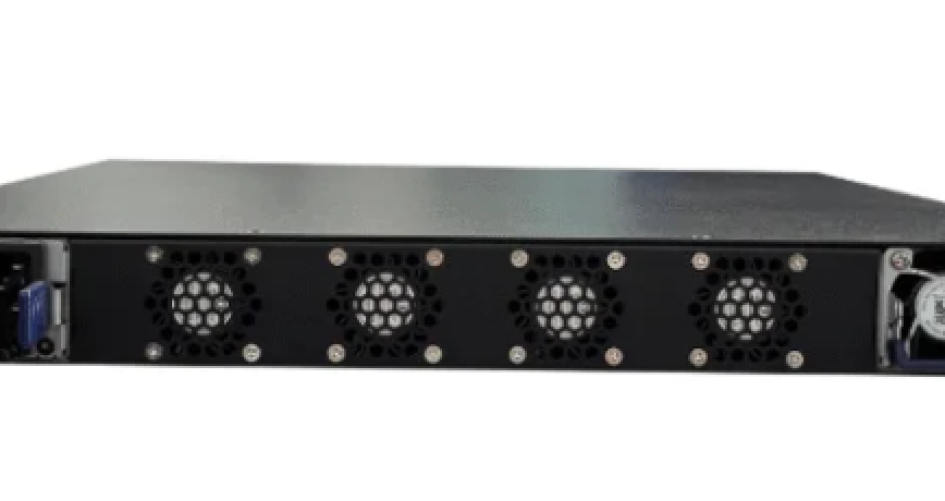
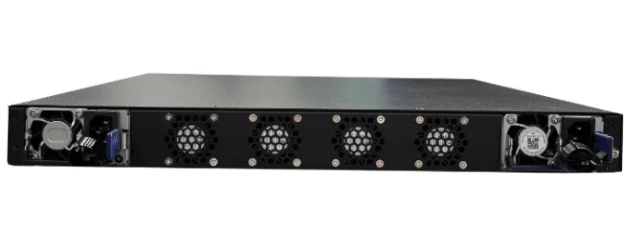
Choosing the right splitter for network in 2026 can be hard. Many people wonder what makes a good splitter. Here are five tips you should know. First, know what you need. Second, check if it works with your devices. Third, make sure it is fast. Fourth, try to make setup easy. Fifth, balance cost and quality. Lots of users like the 200-48X and 200-48X6C models from sz-xtt. These models give steady network performance.
Principales conclusiones
Find out what your network needs. Count how many devices you have. Think about what each device does online. This helps you pick the best splitter for your home or office.
Make sure the splitter fits your devices. Check if it works with what you use now and what you might use later. Look for gigabit support to keep your internet fast.
Pick splitters that are simple to set up. Make sure they have easy instructions. This saves time and keeps you from getting upset during setup.
Identify your networking needs
Assess bandwidth and device count
You need to know what your network needs. Think about how many devices you want to connect. Also, consider what you will do online. Some people watch videos. Others play games. Many use their network for work. The number of devices is important. More devices need splitters with more ports. If you have too many devices, your network can get crowded. In cities, a 1:16 or 1:32 split works well. Big apartment buildings use a 1:32 split. Houses in suburbs use a 1:8 or 1:16 split. Farms or country homes need a 1:2 or 1:4 split for good connections.
Here are important things to think about when picking a splitter:
Factor | Descripción |
|---|---|
Port Configuration | Pick the right number of ports for now and later. |
Speed Compatibility | Make sure the splitter matches your network speed, like Gigabit or 10 Gigabit. |
Quality and Durability | Choose strong splitters for good performance and long life. |
Facilidad de uso | Find models that are easy to set up and use. |
Power over Ethernet (PoE) | See if the splitter works with PoE devices so you do not need extra power adapters. |
Define home or office use cases
Networking needs are different at home and at work. Homes usually connect computers, TVs, and smart devices. Offices connect cash registers, computers, and other important devices. Both homes and offices want Wi-Fi 6, mesh networks, security, and energy savings. People want fast connections for games and AR/VR. They also want parental controls and ways to block bad content.
Setting | Caso práctico | Descripción |
|---|---|---|
Inicio | Simple connectivity | Ethernet switch splitters connect a few devices, like computers and TVs. |
Office | Solución rentable | Small offices use splitters for essential devices without complex setups. |
The 200-48X and 200-48X6C splitters from sz-xtt work in homes and offices. They help people get good network connections and are easy to install.
Check splitter for network compatibility
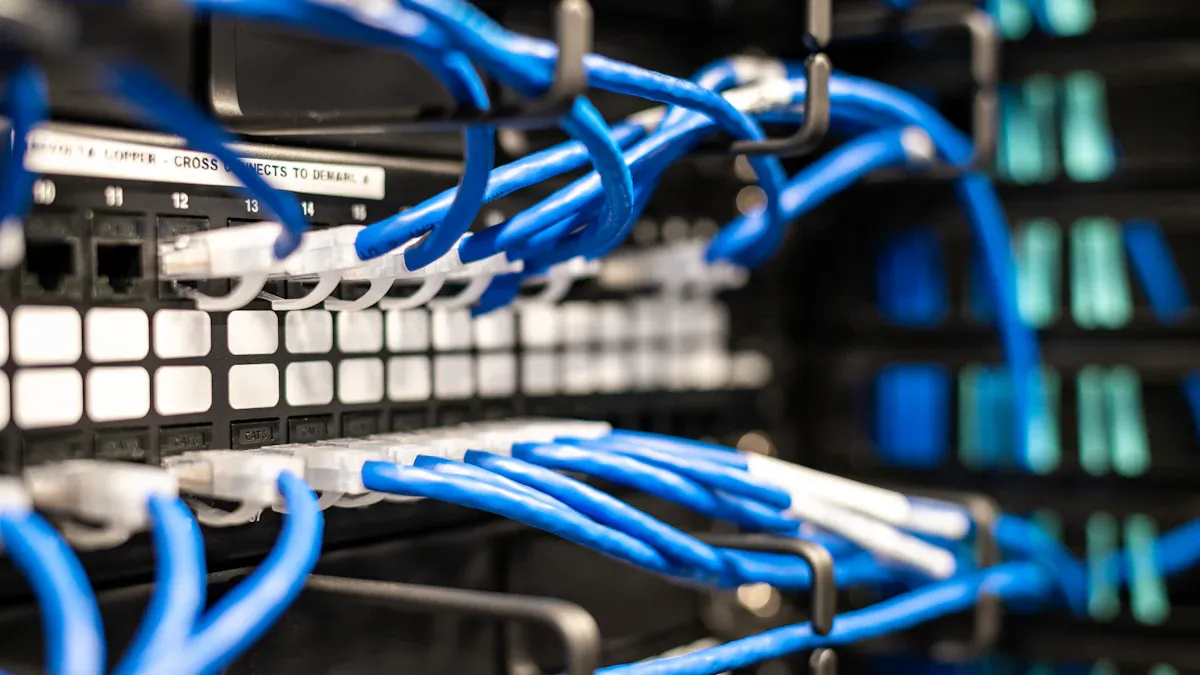
Picking the right splitter means you must check if it works with your network now and later. Some people have trouble because their splitter only works with 10/100 Mbps networks. Devices like smart TVs, game consoles, and computers need gigabit support to work well. Switches usually handle these devices, but some splitters cannot. The sz-xtt brand makes splitters that work with gigabit ethernet. They also support Cat6 and Cat6A cables. Their 200-48X y 200-48X6C models work in homes, offices, and gaming rooms.
Match port types and standards
You should check port types and standards before you buy a splitter. Here are some key things to remember:
Passive ethernet splitter is good for simple setups with slow speed and short cables.
Active ethernet splitter uses electronics to make signals stronger for longer cables and better performance.
poe splitter splits power and data, so devices far from outlets can get power.
The number of connections, device needs, speed, bandwidth, and cable length all matter for compatibility.
Cat5e, Cat6, and Cat6a cables are popular for ethernet.
Aspecto de la compatibilidad | Network Splitters | Switches |
|---|---|---|
Only works with 10/100 Mbps networks | Works with all new devices | |
Performance with Modern Devices | Not good with gigabit or faster devices | Supports smart TVs, game consoles, and computers |
Protocol Support | Limitado | Supports many protocols and high speeds |
Consider poe splitter and ethernet splitter options
poe splitter and ethernet splitter do different jobs. poe splitter splits power and data from a poe cable. This lets devices like IP cameras and VoIP phones get both through one cable. ethernet splitter lets several devices share one ethernet connection. poe splitter is best for devices that need special power, especially when outlets are far away. ethernet splitter is good for homes and offices with few ports and simple power needs. The sz-xtt splitters work with gigabit ethernet and poe. This makes them fit many devices and power needs. Their IP67 connectors keep water and dust out, so you can use them inside or outside.
Tip: Always check if the splitter works with your devices and power needs before you buy. This helps you avoid problems and keeps your network working well.
Focus on speed and performance

Choose gigabit or high-speed splitters
People want fast internet for things like streaming and gaming. They also need it for work. To get this, they need a splitter that can handle gigabit speeds. Most passive ethernet splitters are not fast enough. These splitters usually only let you use 100Mbps. This is because they use just two wire pairs. A normal Cat 5e cable can go up to 1Gbps. But if you use the wrong splitter, your speed will drop. Gigabit PoE splitters move data faster and work with new devices. The 200-48X and 200-48X6C from sz-xtt give high speed connections. They can support up to 10Gbps. These models help stop lag and keep your network smooth. You can learn more about these products on the sitio web de sz-xtt.
Tip: Always check if the splitter works with gigabit ethernet before you buy. This helps your network stay strong for all your devices.
Minimize signal loss and interference
Signal loss and interference can slow your internet or drop your connection. Ethernet splitters do not make signals stronger. When you split bandwidth, your network can get slower. Bad cables or splitters can make the signal weak. If your splitter is not made for high speeds, it can cause problems. The 200-48X and 200-48X6C splitters use good materials and smart features. This keeps your connection steady. They also support Power Over Ethernet. This lets you power things like cameras and makes setup simple. New splitters with hybrid and high-density designs help networks work better and grow.
Design Feature | Contribution to Performance |
|---|---|
High Speed (up to 10 Gbps) | Lets you move data fast and helps with streaming and games. |
Compatibility with Various Devices | Makes it easy to use old and new Ethernet devices. |
Fiabilidad | Keeps your connection steady and stops dropped connections. |
Power Over Ethernet (PoE) | Powers things like cameras through Ethernet and makes setup easy. |
Advanced Management Features | Lets you control and watch your network easily. |
People who want strong ethernet should pick splitters that are tough and work well. This helps them avoid trouble and keeps their network fast.
Simplify installation and management
Look for easy setup and clear instructions
People want a splitter that is quick to install. They want it to work right away. No one likes spending hours reading instructions. Fixing cables can be frustrating. Easy setup is important for homes and offices. Many people pick methods that save time. These methods help reduce mistakes. Here are some common ways to install ethernet splitters:
Method | Descripción |
|---|---|
Using a Hub | Plug the main cable into the hub. Connect devices to the other ports. |
Using a Switch | Connect devices to share data. Setup is fast and simple. |
Using an Adapter | Add connections for devices without ethernet ports. It works as a quick solution. |
Using a Router/Modem | Connect one cable to the router. Use the other ports for more devices. |
Using Ethernet Share Cable | Connect between a device and server. It gives extra connections but fewer ports than a splitter. |
To set up an ethernet splitter, use two splitters for smooth communication. First, connect the cable from the wall to the input port of the first splitter. Next, plug two ethernet cables into the output ports. Connect these cables to your devices. Use a second splitter to combine the cables back into one. Then connect to a switch or router.
The sz-xtt brand makes splitters that are easy to install. Their 200-48X y 200-48X6C models have clear instructions. They work well with poe and ethernet setups.
Tip: Pick splitters with simple guides and clear labels. This helps everyone set up their network without stress, even beginners.
Evaluate active vs. passive splitters
Active and passive splitters are not the same. People should know which one is best for them. Active splitters use electronics to make signals stronger. They work with long cables and support poe for devices like cameras and phones. Passive splitters do not boost signals. They are best for short cables and basic ethernet setups.
Tipo | Ventajas | Desventajas |
|---|---|---|
Divisor FBT | Cheap, simple, flexible, good for short distances | More signal loss, depends on wavelength |
Divisor PLC | Low signal loss, works with many wavelengths, reliable, steady temperature | Costs more, bigger size, setup is harder |
Active splitters are good for offices with many poe devices. Passive splitters are better for homes with simple ethernet needs. The sz-xtt splitters, including the 200-48X y 200-48X6C, offer both types. They make setup easy and support poe for flexible networks.
Note: Always check if your splitter supports poe and ethernet before you buy. This makes sure your devices work well and your network stays strong.
Balance durability and value
Check build quality and warranty
When picking a network splitter, check if it is strong. Good materials help the splitter last longer. This is important where there are many poe devices. Sz-xtt uses high standards for their products. They test each splitter in different ways. They hit it, shake it, and change its temperature fast. They also test it in wet and dry places. They put the splitter in water and in harsh environments. These tests show if the splitter works outside or in tough spots. The GR-1209 and GR-1221 standards help keep the splitter reliable. Sz-xtt gives a one-year warranty for most splitters. This makes buyers feel safe with their poe network.
Testing Procedure | Descripción |
|---|---|
Impact Testing | Checks if the splitter can handle being hit. |
Vibration Testing | Sees if it works when shaken. |
Thermal Shock | Tests how it reacts to quick temperature changes. |
High/Low Temperature Storage | Makes sure it works in very hot or cold places, wet or dry. |
Temperature Cycling | Shows what happens when the temperature changes again and again. |
Corrosive Environment Testing | Checks if it stays strong when exposed to harsh chemicals. |
Water Immersion | Tests if it works after being in water for seven days. |
GR-1209 and GR-1221 Standards | Makes sure the splitter works well in tough conditions. |
Sz-xtt’s 200-48X y 200-48X6C splitters are known for being tough and having a good warranty. People say these models work well with poe and last a long time.
Compare price and features
People want to save money but also want good features. They should pick splitters with low insertion loss. This keeps poe signals strong. Uniformity is important because it keeps poe power steady for all devices. Split ratio helps balance cost and performance. Sz-xtt splitters give up to 10 Gbps speed. They use strong materials and are easy to install. Reviews say the 200-48X and 200-48X6C give steady connections and are a good deal for poe users.
Característica | 200-48X | 200-48X6C |
|---|---|---|
Velocidad | Up to 10 Gbps | Up to 10 Gbps |
Calidad de fabricación | Strong materials | Strong materials |
Fiabilidad | Steady connections, few problems | Steady connections, few problems |
Instalación | Fácil de instalar | Fácil de instalar |
Valor | Good features for the price | Good features for the price |
Buyers should look at the warranty, build quality, and brand reputation. Sz-xtt is known for poe support and reliable splitters. They can check the sz-xtt website for more information and product choices.
Here’s a quick checklist for picking the right splitter:
Check signal loss and compatibility.
Review build quality and warranty.
Plan for future expansion.
Choose easy installation.
Compare features and price.
Sz-xtt’s 200-48X and 200-48X6C splitter models help users build strong, reliable networks. Visit sz-xtt’s website for more details.
PREGUNTAS FRECUENTES
¿Qué hace un divisor de red?
A network splitter lets many devices share one network cable. Sz-xtt makes splitters that work for homes and offices. See 200-48X for details.
Can I use a splitter for gaming or streaming?
Yes, they can. Sz-xtt’s 200-48X6C supports fast speeds. It helps keep games and videos smooth.
How do I pick the right sz-xtt splitter?
Check your device count and speed needs. Sz-xtt offers 200-48X for most setups and 200-48X6C for bigger networks.


