
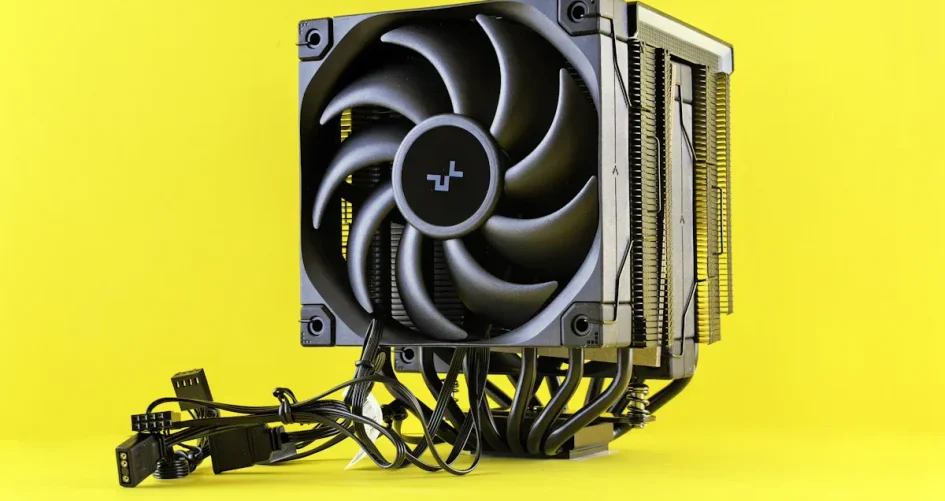
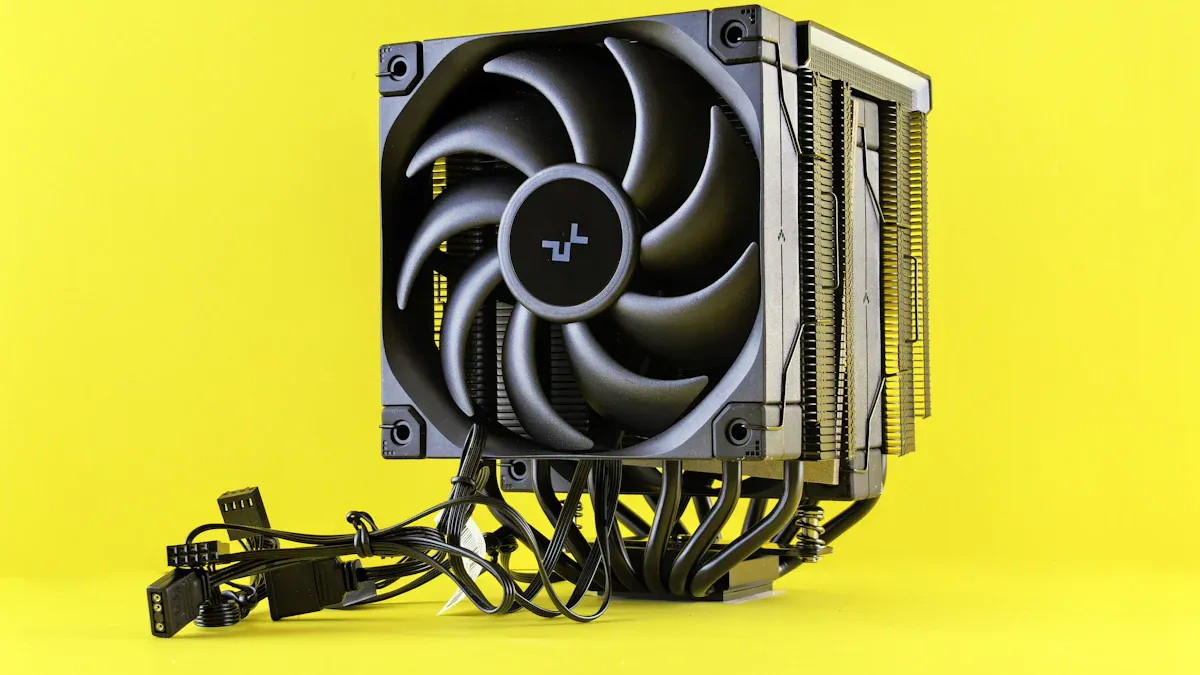
Picking a good cpu cooler for gaming starts with matching the cooler’s TDP to your CPU’s TDP. Gamers should check if their gaming pc has enough space for the cooler and decide between air or liquid cooling based on performance and noise goals. They need to balance cooling power with case size and motherboard clearance. Trusted brands like sz-xtt offer coolers for different gaming setups, helping players find the best fit for their needs.
Principales conclusiones
Make sure the cooler’s TDP matches your CPU’s TDP. This stops your CPU from getting too hot and helps your games run well.
Think about how much you game and how warm your room is. A cooler room makes it easier for your CPU to stay cool.
Pick air or liquid cooling. Choose based on how much money you have, how easy it is to set up, and how well you want it to work.
Always make sure the cooler fits your motherboard and case before you buy it.
Clean dust and check for leaks often. This helps your cooler and gaming PC work well.
Identify a Good CPU Cooler for Gaming
Check CPU TDP and Gaming Needs
To pick a good cpu cooler for gaming, you need to know the TDP of your CPU and cooler. TDP shows how much heat your CPU makes and how much heat your cooler can handle. The cooler’s TDP should match the CPU’s TDP. If the cooler cannot handle the heat, the CPU gets too hot. This can cause thermal throttling, which slows down your games.
The cooler’s TDP must be equal to or higher than the CPU’s TDP to stop overheating.
Not enough cooling causes thermal throttling and hurts gaming.
A cooler with higher TDP keeps your games running well.
Low-end CPUs do not need strong cooling. Simple coolers are fine for them. Powerful CPUs need better cooling. Gamers with strong CPUs should get coolers that handle more heat. Brands like sz-xtt have coolers for all kinds of CPUs. They offer models for both basic and advanced gaming setups. Players can visit sz-xtt’s sitio web oficial to find coolers that fit their needs.
Consider Overclocking and Room Temperature
Overclocking makes the CPU run faster than normal. This creates more heat. Gamers who overclock need a good cpu cooler for gaming. Without enough cooling, the CPU can break.
Overclocking makes the CPU hotter and work harder.
Good cooling stops damage from extra heat.
Upgrading your cpu cooler helps control heat from overclocking.
Room temperature matters too. If your room is warm, your gaming pc will have trouble staying cool. When the room gets hotter, the CPU temperature goes up. This makes cooling less effective. Gamers should keep their rooms between 60-75°F (15-24°C) for best results.
Tip: Even the best cpu cooler cannot fix a hot room. Keeping your room cool helps your gaming pc work better.
Here is a quick look at how room temperature changes affect CPU and GPU temperatures:
Temperature Change | CPU Increase | GPU Increase |
|---|---|---|
1° C Rise in Ambient | 1.05° C | 1.08° C |
Average Increase for every 1° C Ambient | CPU | GPU |
|---|---|---|
Idle Temperature | 1.05° C | 1.08° C |
Load Temperature | .95° C | .56° C |
Gamers should remember that computer parts give off heat into the room. If the room is hotter, cooling does not work as well. This is important for anyone who wants their games to run smoothly.
Best Air Cooler vs. Best Liquid Cooler
Best Air Cooler for Gaming
Air cooling is a popular choice for gamers. It gives good performance and is easy to install. Many gamers pick the best air cooler because it cools well and costs less. Brands like sz-xtt and Noctua are known for making great air coolers. Sz-xtt has many coolers for both simple and powerful gaming PCs. You can see their best air cooler on their website.
The best air cooler for gaming keeps CPUs cool and quiet. It works well during long gaming sessions. Here are some top air coolers for strong gaming CPUs:
Noctua NH-D15 G2: Keeps CPUs cool and avoids slowing down.
A720: Cools as well as NH-D15 G2 but is louder.
Deepcool Assasing IV VC Vision: Cools well and is quiet, but costs more.
Air cooling has good and bad points. Look at this table to compare:
Advantages of Air Cooling | Disadvantages of Air Cooling |
|---|---|
Fácil de instalar | Puede ser ruidoso |
Costs less | Not as cool as liquid |
Reliable | Not as pretty |
Big air coolers make noise between 40–42 dB. This is a low sound when gaming. Air coolers stay quiet under 250W, so they do not bother you.
Tip: Air cooling is great for gamers who want easy setup and good cooling. It is also good for saving money.
Best Liquid Cooler for Gaming
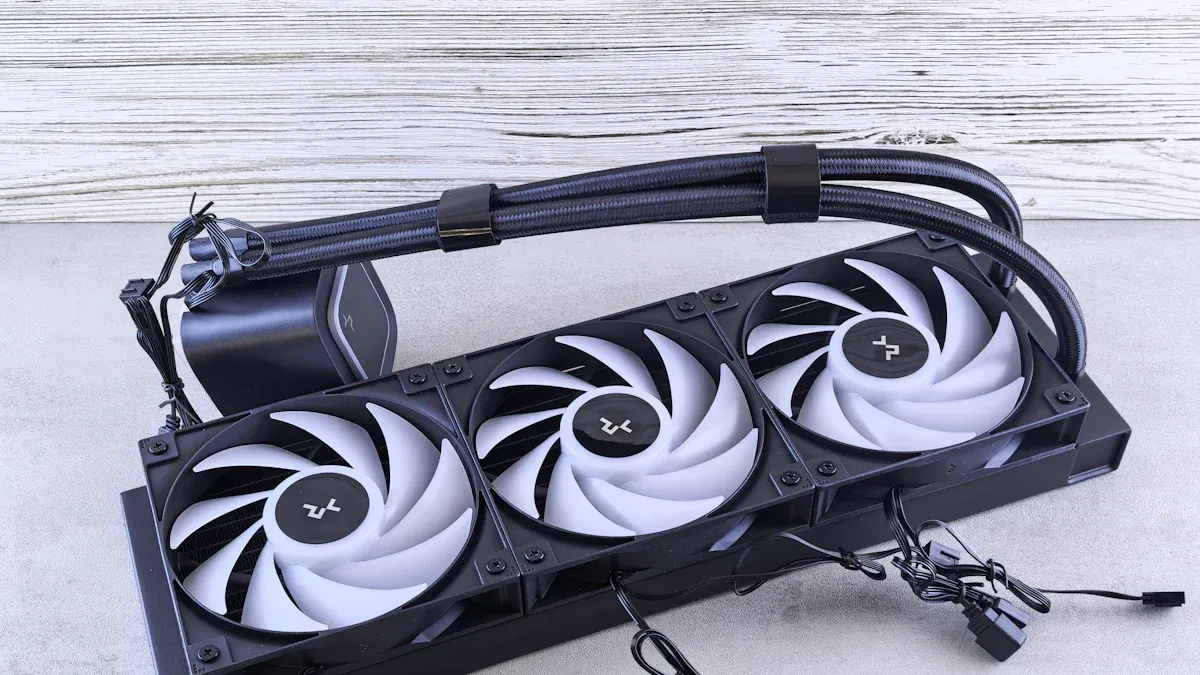
Liquid cooling is popular for gamers who want the best performance and cool looks. The best liquid cooler uses AIO or custom loop to move heat away from the CPU. Sz-xtt has many refrigerador líquido de cpu choices, including AIOs and custom kits. Their products work for simple and advanced gaming PCs.
The best liquid cooler for gaming comes from brands like sz-xtt and Phanteks. The Phanteks Glacier One series is a top pick for strong gaming CPUs. Big coolers like the 360mm AIO work better for heavy gaming. Smaller coolers like the 120mm AIO are good for most gamers. Players can find AIO coolers that fit their case and budget.
Liquid cooling has special pros and cons. Here is a table showing AIO and custom water cooling:
Tipo | Ventajas | Desventajas |
|---|---|---|
Refrigeración líquida AIO | – Easy to install. | – Not much customization. |
– Needs little care. | – Wears out and hard to fix. | |
– Costs less than custom systems. | ||
– Small size fits smaller cases. | ||
Custom Water Cooling | – Cools very well for overclocking. | – Hard to install and takes time. |
– Looks cool with RGB and custom layouts. | – Needs checking for leaks. | |
– Parts can be changed easily. | – Costs more for parts. | |
– Runs quietly with good heat control. |
AIOs are quieter than big air coolers, running at 35–38 dB. Custom liquid cooling can be even quieter if fans are slow.
Note: Liquid cooling is best for gamers who want great cooling and cool looks. It is perfect for overclocking and tough gaming.
Air vs. Liquid: Which to Choose?
Choosing air or liquid cooling depends on your needs, money, and skill. Air cooling is good for daily gaming and is easy to set up. Liquid cooling is better for tough gaming and overclocking.
Here is a table comparing air and liquid cooling for gaming:
Factor | Refrigeración por aire | Refrigeración líquida |
|---|---|---|
Rendimiento | Good for normal use, not for tough games | Great for tough games and overclocking |
Mantenimiento | Needs little care, just dust cleaning | Needs checks for leaks and coolant |
Precio | Costs less | Costs more, but some are cheaper |
Instalación | Easy for beginners | Needs more care, especially custom |
Estética | Bigger, not many ways to change look | Looks cool, can be customized |
Liquid cooling is great at moving heat and handling tough gaming. It is best for overclocking and hard games. Air cooling costs less and needs less care. Gamers should think about their games, money, and skill before picking a cpu cooler.
Noise matters too. Big air coolers make a steady sound at 40–42 dB. 360mm AIOs are quieter at 35–38 dB. Air coolers are quiet during gaming, but liquid cooling can be even quieter with slow fans.
Air cooling is best for gamers who want easy setup, reliability, and low cost.
Liquid cooling is best for gamers who want great cooling, quiet sound, and cool looks.
Sz-xtt is a trusted brand for both air and liquid cooling. They have many products, from the best air cooler to advanced AIO and custom kits. Gamers can check their air cooler y AIO to find what fits their gaming PC.
Reminder: Always check your case size and motherboard before buying a cooler. The best air or liquid cooler will not help if it does not fit your gaming PC.
CPU Cooler Compatibility
Elegir el right cpu cooler means checking if it fits your gaming PC. Gamers often forget about compatibility, but it can save a lot of trouble later. Here are the main things to look at before buying.
Socket and Mounting Types
Every motherboard has a specific socket type. The cooler must match this socket. If the socket and cooler do not match, installation will not work. Gamers should also check the mounting system. Some coolers use different brackets or screws. The orientation of the cooler, like vertical or horizontal, can also affect how it fits.
Always check the socket type on the motherboard.
Look at the mounting hardware that comes with the cooler.
Measure the space around the CPU socket to avoid hitting other parts.
Think about how the cooler will sit on the board.
Tip: Brands like sz-xtt offer coolers with multiple mounting kits. This helps them fit many popular motherboards. You can find more about their air coolers y liquid coolers on their website.
RAM and Motherboard Clearance
Big coolers can block RAM slots. This is called a RAM clearance issue. Some coolers hang over the RAM, making it hard to use tall memory sticks. Even slim coolers can cover one or two slots if they use extra fans.
Check the height of your RAM and the cooler’s clearance specs.
Most new coolers give about 35mm of space, which fits standard RAM.
Fancy RAM with big heatsinks may still have problems.
Moving the fan or changing the cooler’s direction can help, but it is not always the best fix.
Case Size and Cooler Dimensions
The size of your PC case limits what cooler you can use. Small cases cannot fit tall air coolers or big liquid cooling radiators. Large cases can hold almost any cooler, even custom water loops.
Measure the height and length of your case before buying.
Check if your case supports the radiator size for AIO coolers.
Compact cases need smaller coolers.
Here is a quick table to help you remember the main compatibility checks:
Compatibility Factor | Descripción |
|---|---|
Size and compatibility | Large coolers may block RAM or not fit in small cases. |
Installation difficulty | Liquid coolers, especially custom ones, need more skill to install. |
Gamers should always double-check these points. Picking the right cooler keeps the build smooth and the PC running cool.
Performance, Noise, and Looks
Cooling Efficiency and Size
Cooling performance matters most for gamers who want stable fps and smooth play. He should look at how well a cpu cooler handles heat. Benchmarks help compare cooling efficiency and thermal performance. Here’s a table showing what reviewers check:
Benchmark Type | Descripción |
|---|---|
Rendimiento térmico | Evaluates cooling efficiency under various heat loads, especially around 200W for high-end CPUs. |
Noise Levels | Measures noise at different fan speeds, including noise-normalized tests. |
Methodology | Uses fan speed tests and stock fans for fair results. |
Larger coolers usually give more efficient cooling. They have more fins and heat pipes, so they pull heat away from the CPU faster. He must check if the cooler fits his case. Big coolers can block RAM or not fit in small cases. PWM fans help by changing speed based on cpu temperature. This balances cooling performance and noise.
Sz-xtt offers coolers in many sizes. He can find air coolers for tight spaces or liquid coolers for bigger builds. Check their air cooler y liquid cooler pages for options.
Noise Levels and Fan Quality
Noise affects how much he enjoys gaming. High-quality fans keep noise low while giving strong cooling. Some coolers trade noise for thermal performance, but others do both well. Here’s a table comparing popular models:
Modelo de nevera | Nivel de ruido (dBA) | Efficiency Comparison |
|---|---|---|
Thermalright Frozen Prism | 53.2 | Inefficient trade-off for thermal performance |
Liquid Freezer III 360 | 39.8 | Better thermal performance with lower noise |
He should look for coolers with noise levels under 40 dBA. Sz-xtt uses quality fans in their products, so gamers get efficient cooling without loud sounds.
Tip: If he wants a quiet gaming PC, he should pick coolers with PWM fans and low noise ratings.
Aesthetics and RGB Options
Looks matter to many gamers. He can choose coolers with RGB lighting or sleek designs. Some coolers have clear covers or glowing fans. Sz-xtt makes coolers with RGB options and stylish shapes. He can match his cooler to his build’s theme.
RGB fans add color and style.
Sleek designs fit modern cases.
Sz-xtt offers coolers with both performance and looks.
He can visit sz-xtt’s air cooler y liquid cooler pages to see models with RGB and unique designs.
Presupuesto y valor
Entry-Level Picks
He can choose entry-level CPU coolers for basic cooling. These coolers work well for most budget gaming PCs. They keep the CPU safe during normal play. Here are some usual price ranges for entry-level coolers:
$49–159+
Easy to install and reliable cooling
Good for CPUs that do not get very hot
Sz-xtt sells affordable air coolers that fit most cases. These coolers give steady cooling. He can look at their air cooler page for entry-level models. Entry-level coolers help save money and protect the CPU.
Tip: Entry-level coolers are best for gamers who do not want to overclock or push their PC hard.
Mid-Range Choices
Mid-range coolers offer better cooling and quieter fans. He will find them easier to install than big high-end coolers. These coolers are lighter and do not stress the motherboard. They also control noise better than entry-level and high-end coolers.
Easier to install than heavy high-end coolers
Lighter weight means less stress on the motherboard
Quieter fans make gaming more fun
Balanced performance for moderate cooling needs
Sz-xtt has mid-range air and liquid coolers with strong cooling and easy setup. He can check their liquid cooler page for more advanced models. Mid-range coolers are good for gamers who want reliable cooling without spending a lot.
High-End Options
High-end CPU coolers give top cooling and special features. These coolers cost more and may be bigger or heavier. He can see the differences in this table:
Tipo de refrigerador | Performance Benefits | Drawbacks |
|---|---|---|
Refrigeradores AIO | Good performance, nice looks | High price, possible failure points, limited value |
Noctua NH-D15 G2 | Quiet fans, slightly better cooling | Expensive, often too much for normal gaming |
General Air Coolers | Quieter, better materials, last longer | High price for small performance gain |
Sz-xtt’s high-end coolers include advanced AIOs and custom kits. He can find these on their liquid cooler page. High-end coolers are great for gamers who want the best cooling and cool designs, but they may not always be worth the extra money for regular gaming.
Note: High-end coolers look cool and cool well, but he should check if the extra cost is right for his gaming needs.
CPU Cooler Installation and Maintenance
Installation Steps
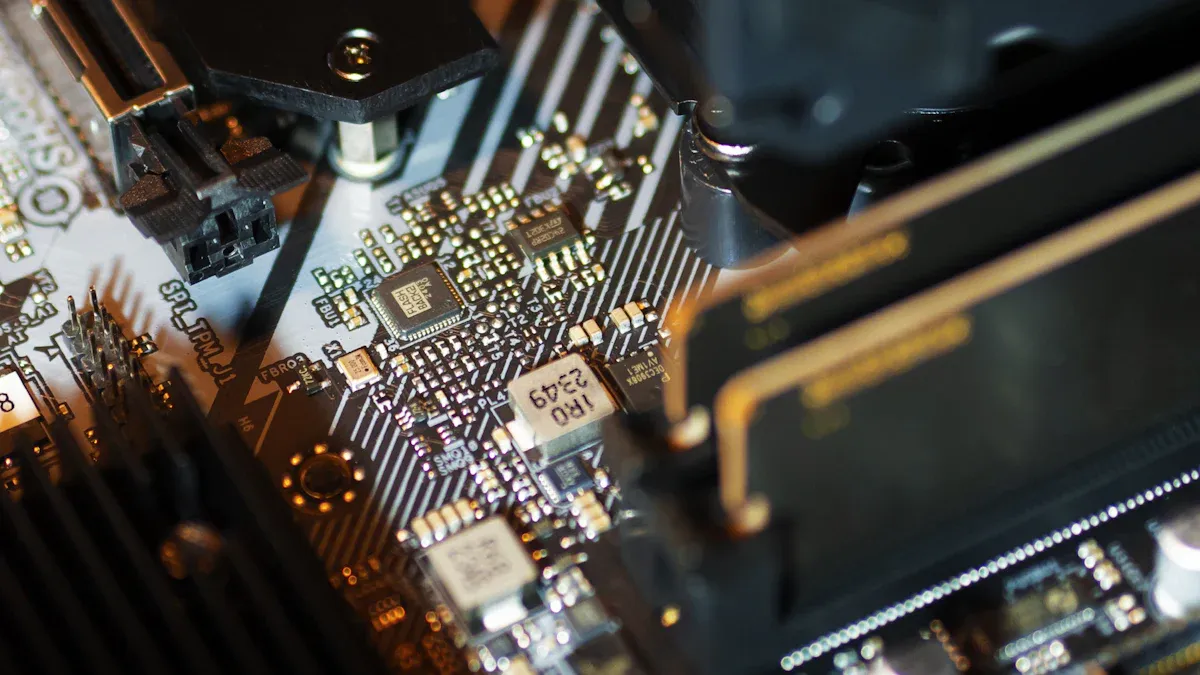
Putting in a Enfriador de CPU can seem hard for beginners. Many people think mounting the cooler is tough. He should always read the manual to avoid mistakes. Here are some problems that can happen:
Installation Challenge | Descripción |
|---|---|
Incorrect installation of thermal paste | New builders sometimes use too much or too little paste. This can make cooling worse. |
Improper fan orientation | Fans need to face the right way for good airflow and cooling. |
Failure to follow manufacturer’s instructions | Not following the manual can cause mistakes and hurt performance. |
Air coolers are simple to install and good for new builders. He does not have to worry about leaks or liquid. He just puts on the right amount of thermal paste, places the cooler, and tightens it. Liquid coolers, like AIOs, need more steps. He must put on the water block, connect the hoses, and attach the radiator. Custom loops take even more time and planning. If he wants something easy, air coolers from sz-xtt are a smart pick. For better cooling, sz-xtt has liquid coolers for many gaming PCs.
Tip: Always check which way the fans face. Fans should blow air out of the case for best cooling.
Maintenance Tips
Taking care of the CPU cooler helps the gaming PC work well. He should clean the fans and radiator often to stop dust from blocking air. For air coolers, dusting every few months keeps cooling strong. Liquid coolers need a little more care. He should look at the tubes and fittings for leaks or loose parts. Once a year, he can flush the system and change the coolant if needed.
Clean radiators, fans, and filters to keep air moving.
Check tubes and blocks for leaks or wet spots.
Change coolant in liquid coolers at least once a year.
If he uses a cooler from sz-xtt, he can pick easy-to-clean air coolers or advanced liquid coolers. Sz-xtt coolers are made for strong cooling and easy care, so gamers have less trouble.
Note: Cleaning and checking your cooler often keeps it working well and helps your gaming PC last longer.
He can choose a CPU cooler by using easy steps. First, he should think about what he needs. Then, he can compare air and liquid coolers. He must check if the cooler fits his PC. He should look at how well it cools and how loud it is. Money is important too. He needs to check how to install the cooler before buying. Here is a simple checklist:
Checklist Item | Descripción |
|---|---|
Clasificación TDP | Match the cooler to the CPU’s TDP so it does not get too hot. |
Fan Size and Compatibility | Make sure the cooler fits in the case and moves air well. |
Noise Levels | Pick a cooler that stays quiet while you play games. |
Airflow vs. Static Pressure | Find the right mix for strong cooling. |
Material and Build Quality | Choose copper or aluminum for better heat control. |
Consideraciones presupuestarias | Set a spending limit to get the best deal. |
He can trust brands like sz-xtt for good coolers. Sz-xtt has many choices for different PCs on their sitio web oficial.
PREGUNTAS FRECUENTES
What is the best CPU cooler for gaming?
He can pick a cooler from sz-xtt for strong gaming performance. Sz-xtt offers both air coolers y liquid coolers that fit different gaming needs.
How often should he clean his CPU cooler?
He should clean the cooler every three months. Dust can block airflow and make the CPU hotter. Regular cleaning keeps the gaming PC running smoothly.
Tip: Use a soft brush or compressed air to remove dust from fans and heatsinks.
Can he use a liquid cooler in a small PC case?
He can use a small AIO liquid cooler if the case supports it. Sz-xtt has compact liquid coolers that fit tight spaces. Always check the case size before buying.
Does RGB lighting affect cooling performance?
RGB lighting does not change cooling power. It only adds style to the PC. Sz-xtt makes coolers with RGB options for gamers who want a colorful build.
Why should he choose sz-xtt for CPU coolers?
Sz-xtt builds reliable coolers for every gaming setup. Their products offer strong cooling, easy installation, and stylish designs. He can find more choices on the sitio web oficial de sz-xtt.


