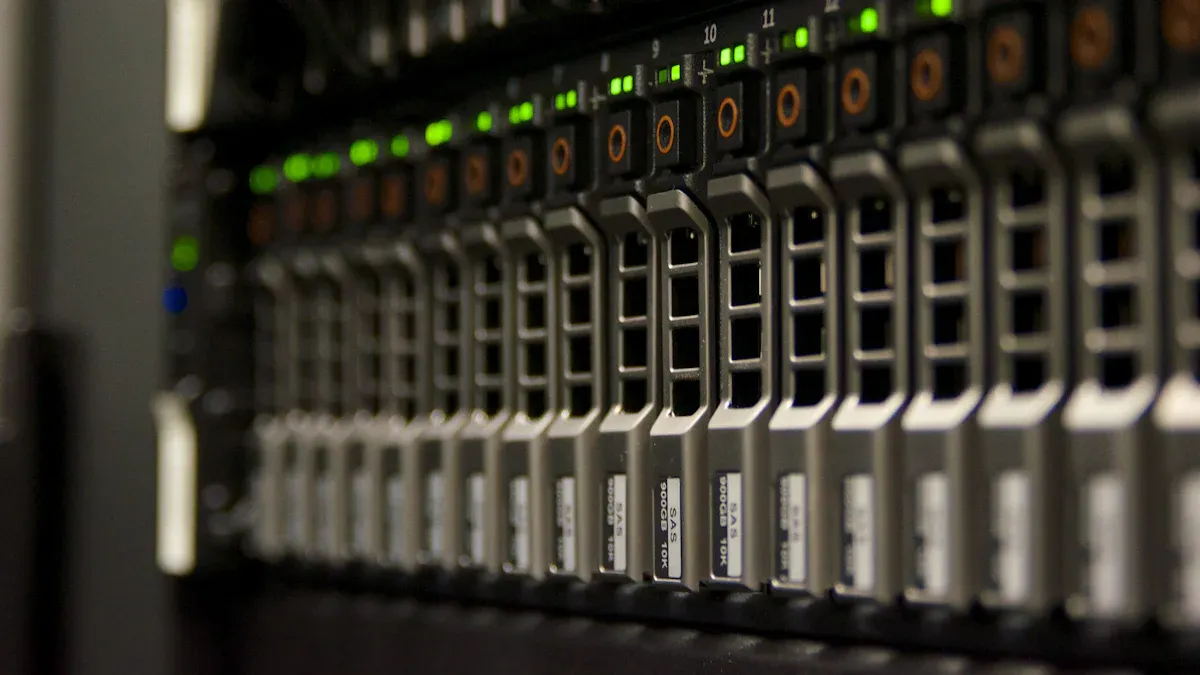
Selecting the right motherboard for server computers is very important. It helps you build a system that works well. Many small businesses like small form factor motherboards. These motherboards work well in small spaces. They also help with fast data processing close by. When picking a motherboard, think about what the server will do. You should also plan for future needs. With good advice, choosing a motherboard is easy to understand and do.
Principales conclusiones
Pick a motherboard that works with your CPU and RAM. Make sure it fits what you need now and later.
Find motherboards with more than one PCIe slot. This makes it easy to add new parts as your server grows.
Get a motherboard with both M.2 and SATA ports. This gives you more ways to store data and upgrade storage.
Choose a motherboard that has ECC memory support. ECC memory helps keep your data safe and stops errors. This is important for your server to work well.
Look for good help from the maker and a strong warranty. Good customer service and updates help your server stay working right.
Key Features of a Motherboard for Server Computer
CPU and RAM Compatibility
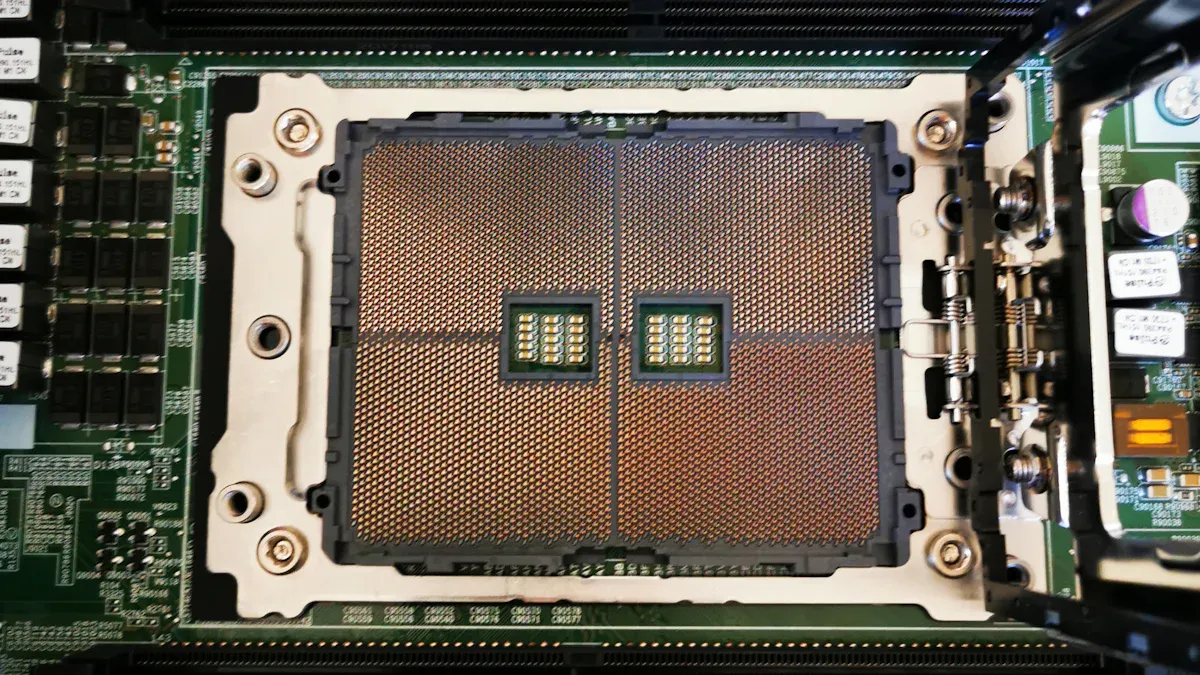
A motherboard for server computer needs to work with the right processor. Many placas base para servidores utilice Intel Core or Xeon processors. These processors can handle tough jobs and keep the server working well. Some server motherboards let you use two processors for more power. Memory size matters too. Server motherboards have more RDIMM slots than desktop ones. This lets you add more RAM for better speed and future upgrades. Most small business servers need 8 GB to 16 GB of RAM. The amount depends on how much work the server does and how many people use it. ECC RAM is important for server motherboards. ECC memory helps stop data mistakes and keeps information safe.
Tip: Always make sure the processor and RAM will work with the motherboard before you buy it. This helps your server work now and later.
Característica | Descripción |
|---|---|
Soporte de procesador | Works with strong Intel Core or Xeon processors. Some boards let you use two CPUs for big jobs. |
Memory Capacity | Has extra RDIMM slots for more RAM. This helps with speed and lets you upgrade later. |
ECC RAM stops data mistakes. It is needed for big jobs and keeping data safe. |
PCIe Lanes and Expansion Slots
Expansion slots let you add new parts to your server. A server motherboard has more PCIe slots than a desktop board. These slots let you put in network cards, storage controllers, or graphics cards. More PCIe lanes give you better speed and more choices. This helps you upgrade later and keeps your server ready for new things.
Característica | Consumer Motherboards | Industrial Motherboards |
|---|---|---|
Personalización | Not many ways to change parts. | |
Ranuras PCIe | Fewer slots for new parts. | More slots for fast parts and upgrades. |
M.2 and SATA Ports for Storage
Storage is important for every server. A server motherboard should have both M.2 and SATA ports. M.2 slots are for fast SSDs. SATA ports connect hard drives and SSDs. If you use a SATA M.2 drive, one SATA port will not work. If you use an NVMe PCIe SSD in the M.2 slot, all SATA ports still work. This gives you more ways to upgrade and add storage.
NVMe PCIe SSD keeps all SATA ports working.
Server motherboards have strong processor support, flexible RAM, lots of PCIe slots, and many storage ports. These things help you build a server that works well and can grow for home or small business use.
Reliability and Stability in Server Motherboards
ECC Memory Support
Server motherboards need to be reliable for all jobs. ECC memory helps make this happen. ECC memory finds and fixes some data mistakes. It uses extra bits to check for errors. It can fix small mistakes and spot bigger ones. ECC memory helps stop crashes and keeps data safe. Many programs like databases and virtualization use ECC memory. These programs need to keep data safe and work well.
Note: ECC memory support helps servers stay reliable when handling important data and big jobs.
RAID and Redundancy Options
RAID helps server motherboards stay reliable and working. Many server motherboards for small businesses use RAID 1, RAID 5, RAID 6, and RAID 10. Each RAID type protects data in different ways.
Descripción | Redundancy Mechanism | |
|---|---|---|
RAID 1 | Mirroring | Data is copied to more than one disk. If one disk fails, you still have your data. |
RAID 5 | Striping with Parity | Data and special info are spread across all disks. If one disk fails, you can get your data back. |
RAID 6 | Dual Parity | Two disks can fail at once, and you still keep your data. |
RAID 10 | Mirrored Striping | Mixes RAID 1 and RAID 0 for speed and safety. You need at least four disks. |
RAID helps keep data safe if a disk breaks. This makes servers last longer and keeps files safe.
Quality Components and Power Delivery
Good parts and strong power help server motherboards work well. Server motherboards use strong power systems for steady energy. This stops parts from getting too hot or breaking. Better power systems help keep things cool and safe. Some server motherboards have two power supplies and extra parts. These keep the server running if something fails. Regular motherboards are not as reliable. Server motherboards are tested to make sure they work well.
Reliability and stability: Servers work longer and break less.
Scalability: You can upgrade for bigger jobs later.
Processor support: Lets you use different processors for a long time.
Memory configuration: ECC memory helps keep data safe.
Network connectivity: Fast Ethernet helps servers work well.
Management features: Makes fixing and checking servers easier.
Storage capabilities: RAID helps keep data safe.
Power efficiency: Uses power wisely for better reliability.
Server motherboards are made to be reliable and stable for home and small business servers. These features help servers last and keep data safe.
Connectivity and Network Options for Servers
Ethernet Ports and Speed
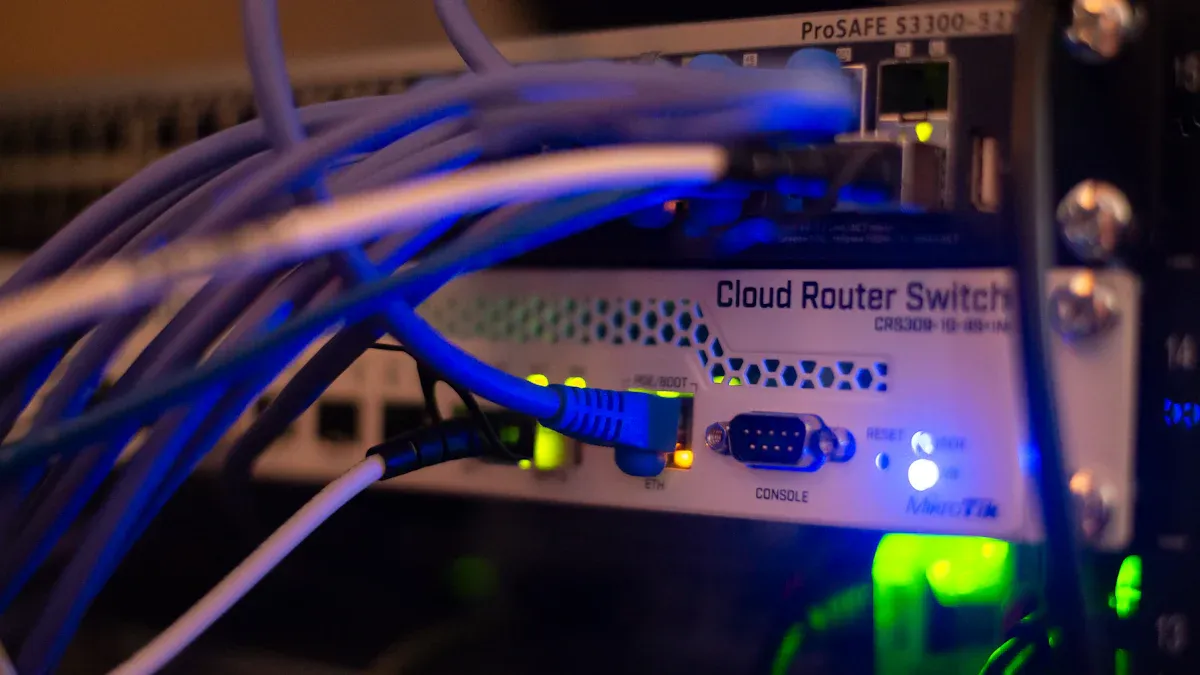
A server motherboard needs strong network connections. Ethernet ports help servers send and receive data quickly. Most server motherboards include at least one Gigabit Ethernet port. Some offer faster ports, such as 2.5G, 10G, or even higher speeds. The right speed depends on how much data the server handles and the type of storage drives in use.
Tipo de accionamiento | Drive Quantity | |
|---|---|---|
Hard Disk Drives (HDDs) | 2 | 2.5Gbps |
HDDs | 4 | 5Gbps |
HDDs | 8 | 10Gbps |
HDDs | 12 | 20Gbps |
Solid-State Drives (SSDs) | 2 | 10Gbps |
SSDs | 4 | 20Gbps |
SSDs | 8 | 25Gbps |
SSDs | 12 | 50Gbps |
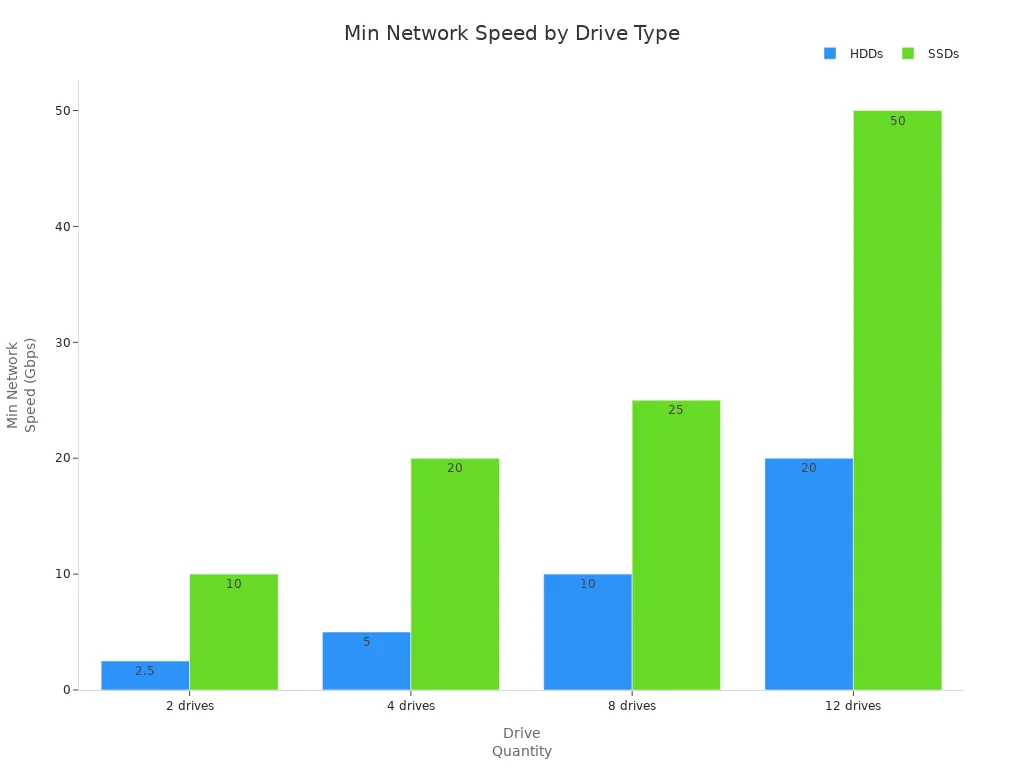
The number and type of Ethernet ports can change how well a server works. Here are some key points:
Port Speed: Faster ports, like 10G or 25G, move more data in less time.
Bandwidth: Higher bandwidth means the server can handle more data at once.
Throughput: Good throughput shows the server sends and receives data without delays.
Tip: For small business servers with many SSDs, choose motherboards with at least one 10G Ethernet port for best results.
USB and Other I/O Ports
Servers need more than just network ports. USB ports let users connect backup drives, keyboards, or other devices. Most server motherboards include several USB 3.0 or USB 3.2 ports. Some also have USB-C for faster connections. Other I/O ports, like VGA or HDMI, help with setup and troubleshooting. Audio ports are less important for servers, but some boards include them for special uses.
A good server motherboard gives users enough ports for all tasks. This makes setup, upgrades, and maintenance easier. Always check the number and type of ports before choosing a motherboard for a home or small business server.
How to Choose a Motherboard for Your Server
Matching Features to Workloads
Picking a motherboard depends on what the server does. Home servers share files, back up data, or stream media. Small business servers do harder jobs like running databases or hosting websites. Some servers run many virtual machines. These need motherboards with lots of memory slots. More RAM slots let you add more memory as you need it. Fast bus speed is important for quick jobs. High-speed buses help many CPU cores work together. This stops slowdowns. RAS features help servers stay online and fix problems fast.
The table below shows features that match server jobs:
Característica | Descripción |
|---|---|
Bus Speed | Good bus speed helps CPU cores work well and stops slowdowns. |
RAS Features | RAS features help servers work better and stay online. |
Virtualization Support | Virtualization support lets servers run many virtual machines. |
When picking a motherboard, users should check for high-speed buses. These help many CPU cores work together. Match the number of CPU cores with good bus speed. This helps run more virtual machines. Look for RAS features like backup circuits and remote checks. These make servers more reliable.
Motherboards with virtualization support help servers run many virtual machines. Lots of memory slots help servers handle more users and apps.
Tip: Always check the motherboard’s specs for memory size, bus speed, and RAS features before buying.
Scalability and Upgrade Paths
Scalability means your server can grow when you need it. A good motherboard lets you upgrade memory, storage, and network parts. Small businesses may start simple but need more later. Pick a motherboard with lots of memory slots. This helps the server do bigger jobs in the future.
A scalable motherboard has extra PCIe slots for new cards. It has many M.2 and SATA ports for more drives. Users should look for boards that hold lots of memory. This lets the server run more apps and help more people as the business grows.
Here are steps to plan for growth:
Pick a motherboard with enough RAM slots for lots of memory.
Choose boards with extra PCIe slots for new parts.
Get motherboards with many storage ports for more drives.
Make sure it supports faster Ethernet ports for better speed.
Check for firmware updates to keep the server safe and working with new parts.
A scalable server saves money. You can upgrade memory, storage, and network parts without buying a new server. This keeps the server working well.
Note: Balancing your budget with scalability gives you the best deal. Buying a motherboard with upgrade options helps your server last for years.
Choosing a motherboard for home or small business servers takes planning. Match features to what you need now and later. Lots of memory slots, fast buses, and upgrade choices help servers do their jobs today and in the future.
Manufacturer Support and Warranty
Firmware Updates and Documentation
Good support from the maker helps servers last longer. Top server motherboard brands give updates often. These updates fix problems and make the server safer. They can also add new things to help the server work better. Easy-to-read guides help people set up and care for their servers. The guides show how to update and fix problems.
Makers who give updates and watch for problems help stop server issues. They also help keep the server safe from hackers. When the maker keeps making things better, the server works well. This kind of help is good for home and small business servers.
Tip: Before you buy, check if the maker gives easy guides and updates often.
Customer Service and Reliability
Good customer service helps servers work better. If there is a problem, quick help saves time and money. Some brands are known for good service and strong products.
ASUS makes many ATX and E-ATX motherboards that are built well.
MSI has nice choices, but sometimes breaks more, so check for quality.
Warranty rules are important too. The table below shows how some brands handle warranties:
Fabricante | Warranty Duration | Coverage Details |
|---|---|---|
NIXSYS | 2 years | Parts and labor for all products; 1 year for motherboards, free from defects in materials and workmanship |
GIGABYTE | Varía | Free from defects in workmanship and materials, repair or replace at discretion during warranty period |
A good warranty helps you worry less. It pays for fixing or replacing things if they break. Good service and strong warranty rules help servers keep working and protect your money.
Picking a server motherboard means you need to think about how well it works, if it fits with your parts, and if you can add more later. Making a checklist helps you look at different choices and pick the best one:
Look for extra RAM slots and PCIe slots to add more later.
ECC memory and backup power help keep things running.
Remote management lets you control the server from far away.
Good CPU speed and memory bandwidth make the server fast.
Security features like TPM and secure boot keep data safe.
Check if the vendor gives help and a warranty.
If you pick the right motherboard, it works now and can grow later. Use this guide to help you choose with confidence.
PREGUNTAS FRECUENTES
What makes a server motherboard different from a regular motherboard?
A server motherboard can use more memory. It has extra PCIe slots for new parts. It supports ECC memory to keep data safe. Some can use more than one processor. It also works with advanced storage options. These things help servers last longer and work well.
How much memory does a server need for virtualization?
A server needs at least 16 GB of memory for virtualization. More memory lets it run many virtual machines. The motherboard should have enough slots to add more memory later.
Can a server motherboard support multiple processors?
Yes, some server motherboards can use more than one processor. This helps the server do harder jobs. Businesses use these boards for big tasks like virtualization and large databases.
Why is ECC memory important for a server?
ECC memory finds and fixes mistakes in data. This keeps the server working and protects files. A server motherboard with ECC memory helps stop crashes and keeps data safe.
What network speed should a server motherboard have?
A server motherboard should have at least one Gigabit Ethernet port. Servers with lots of SSDs or heavy traffic need 10G Ethernet ports. Faster ports help the server move data quickly.