
Selecting the right UPS solutions means understanding how uninterruptible power supply serves server rooms and data centers. These environments vary in size, complexity, and their operational needs. For instance, a server room may accommodate a few dozen servers, while a data center can house thousands. The table below illustrates these differences:
Aspecto | Server Room | Centro de datos |
|---|---|---|
Scale | Fits several dozen servers | Accommodates thousands of servers |
Dedicated Systems | Shares systems with a building | Dedicated power, HVAC, security |
Ubicación | Inside an existing facility | Can be built anywhere |
Accesibilidad | Easy access for personnel | Harder to access, often remote |
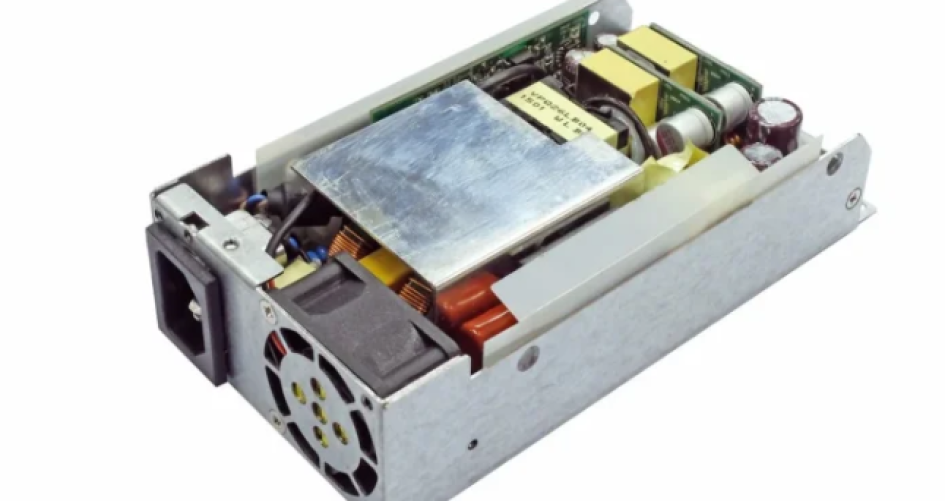
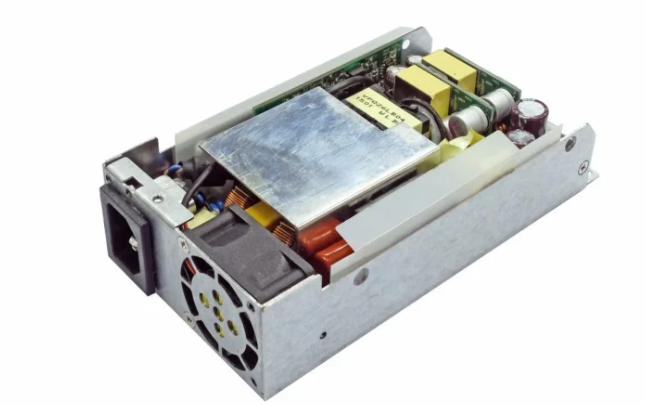
UPS solutions must be tailored to the environment because uninterruptible power supply serves specific needs in each scenario. Solutions for a server room focus on smaller loads, while data centers require UPS solutions that can manage larger data volumes and provide additional backup. Efficiency is crucial for both settings. Uninterruptible power supply serves organizations by safeguarding critical data. They achieve this through accurate load calculations, site surveys, and utilizing reliable server power supplies like the 1U H1U, 2U L2U, or 1200AB-16 S. Choosing the right solution for each environment ensures that uninterruptible power supply serves every requirement, from data protection to maintaining continuous operations.
Principales conclusiones
Learn how server rooms and data centers are not the same. Server rooms are small and need simple UPS solutions. Data centers are big and need more advanced systems.
Pick the right UPS for your power needs. Add up all the equipment to find the total load. Check how long you need the UPS to work during outages. Make sure the UPS can handle everything.
Think about efficiency when you pick a UPS. Efficient UPS models use less energy and cost less money. They help keep things working well.
Plan for growth in the future. Choose UPS systems that can grow bigger as you need more power. This helps your system stay reliable for a long time.
Keep UPS systems in good shape by checking them often. Regular checks help you find problems early. This makes sure backup power is ready when you need it.
UPS Basics and Key Functions
What Is a UPS?
A UPS is short for uninterruptible power supply. This device stops computers and servers from losing power. If the main power goes out, a UPS gives backup power. It keeps things running for a little while. People use UPS units in server rooms and data centers so they do not lose data. UPS systems also protect sensitive electronics from sudden voltage changes. They act like a shield against power problems.
UPS devices do many important jobs in IT places:
They give short-term power when the power goes out.
They fix voltage spikes or too much voltage.
They help with drops in input voltage.
They lessen voltage sags.
They cut down noise from high frequency transients.
They keep mains frequency steady.
They fix harmonic distortion.
These jobs help keep servers and data safe. UPS units make sure equipment stays online and does not get damaged.
Why UPS Matters for IT
UPS solutions are very important in IT places. Server rooms and data centers need UPS to protect their work. When power fails, UPS systems keep servers working. This stops data loss and keeps services running. UPS units also protect against voltage changes that can hurt equipment.
Uninterruptible power supplies help groups avoid downtime. They keep data moving smoothly. In server rooms, UPS units handle smaller loads. In data centers, UPS systems manage more data and equipment. UPS devices also help IT teams watch and control power. They make sure servers and storage devices stay safe.
UPS solutions help IT managers feel calm. They know their data and equipment are protected. UPS units help keep business running. They support the reliability of IT systems in server rooms and data centers.
Server Room vs. Data Center Needs
Scale and Power Demands
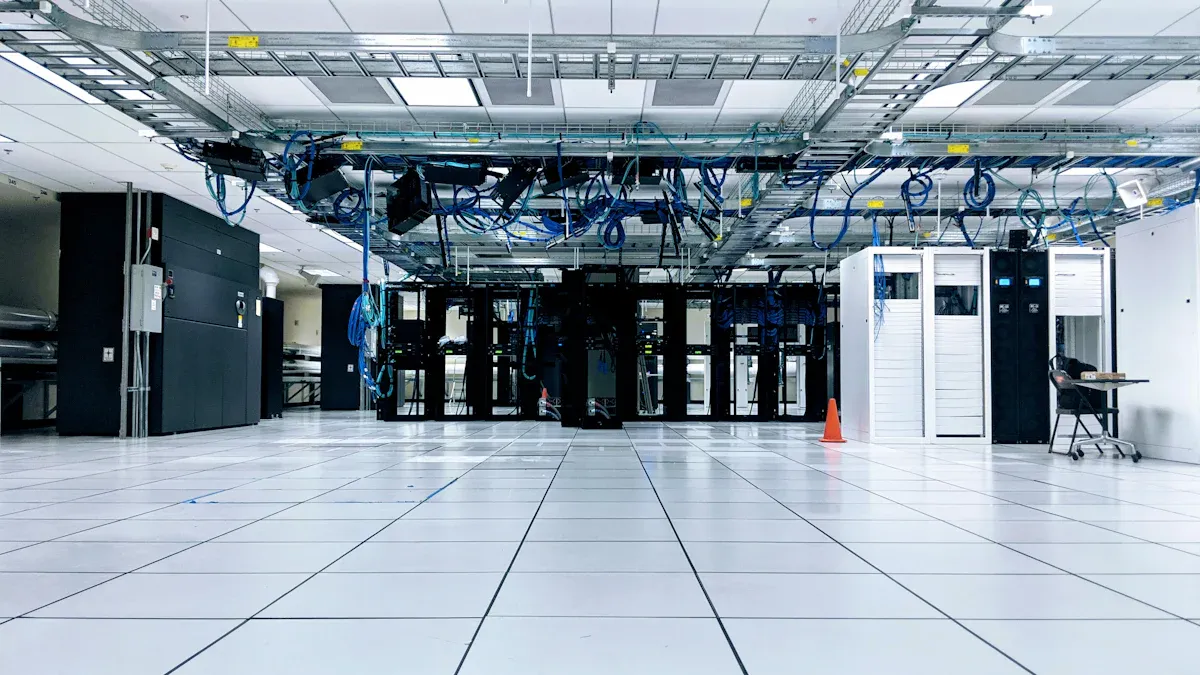
Server rooms and data centers are not the same size. They also need different amounts of power. A server room is small and has only a few servers. It is usually inside an office or building. A data center is much bigger. It can fill a whole building and hold thousands of servers. The power each one uses is very different.
In 2023, data centers used 7.4 gigawatts of power.
Most new data centers need about 40 megawatts.
One big hyperscale data center can use 20 to over 100 megawatts.
A server room might only need a few kilowatts. Because it is smaller, it can use a simple ups system. This will keep the equipment safe. Data centers need much bigger ups solutions. These help protect all the servers and data. The ups in a data center must handle lots of power. It also gives backup to many systems at the same time.
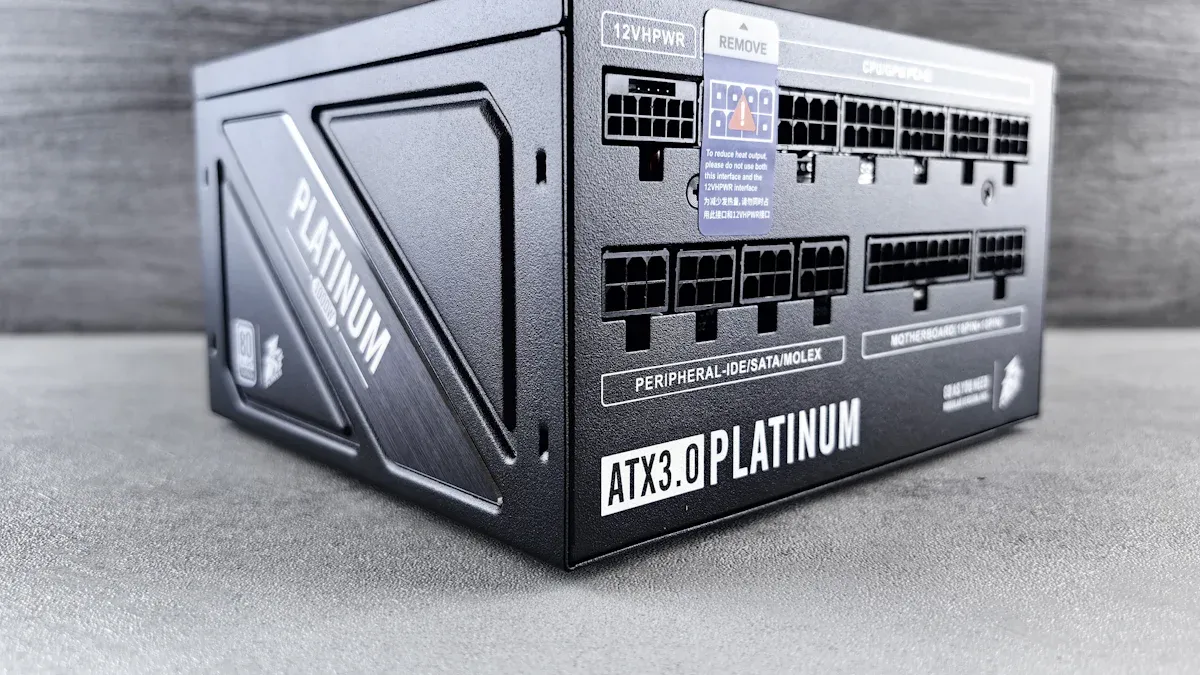
Different server power supplies work for each place. The 1U H1U and 2U L2U are good for server rooms. They give steady power to small setups. The 1200AB-16 S and AC 171G are for bigger jobs. These help data centers run well. The AC 195 is for special needs in large data centers. Each ups must fit the power supply and number of servers.
Management and Monitoring
It is easier to manage a server room than a data center. The table below shows some main differences:
Aspecto | Server Room | Centro de datos |
|---|---|---|
Escalabilidad | Limited, smaller capacity | High, can accommodate thousands of servers |
Cooling Systems | Uses basic HVAC systems | Advanced cooling solutions like liquid cooling |
Seguridad | Basic security measures | Multi-level security with detailed access logs |
Sustainability | Less focus on energy efficiency | Emphasis on sustainable solutions and energy efficiency |
A server room uses simple ups monitoring tools. Staff can check the ups and servers fast. In a data center, ups monitoring is harder. Teams use advanced systems to watch power, cooling, and data. They have to check many ups units and servers at once. This keeps the data center safe and working well.
Distributed UPS Systems
Distributed UPS Overview
Distributed UPS systems put each unit close to the equipment. Every server rack or group gets its own UPS. This setup gives backup power right where it is needed. It helps keep data safe during power problems. Distributed UPS systems often use modular designs. These designs let teams add more units as needed. They can grow up or out with more UPS units. Teams can start small and add more when the server load grows. Smart tools make it easy to check each UPS from far away. Staff can look at each UPS without being in the room. Maintenance is simple because each unit can be fixed alone. The whole system does not need to shut down for repairs.
Característica | Modular UPS Systems | Traditional UPS Systems |
|---|---|---|
Escalabilidad | Vertical and horizontal expansion options available | Full unit replacement required for capacity increase |
Investment Optimization | Start small and scale with load growth | Risk of overprovisioning |
Supervisión | Advanced smart monitoring and remote management | Limited monitoring capabilities |
Mantenimiento | Dynamic reconfiguration and fault tolerance | Requires full shutdown for maintenance |
Application Scenarios | Suitable for hyperscale data centers, telecom networks, and healthcare facilities | Less flexible for diverse applications |
Best Fit for Server Rooms
Distributed UPS systems are best for server rooms. These rooms have fewer servers and less data to protect. Staff can put UPS units near each server rack. This saves space and makes it easy to set up. Teams can add more UPS units if the server room grows. This helps them adjust to new power needs fast. Conventional UPS systems may not be as flexible. Distributed UPS systems also work with managed edge compute systems. These systems put UPS power into the server setup.
Tip: Distributed UPS systems are great for small places. They help when you need to grow fast and fix things easily.
Ventajas e inconvenientes
Distributed UPS systems have many good points. They cost less to set up and install. Teams can move units and change things as needed. More UPS units mean extra backup if one fails. Each unit sits close to the equipment it protects. This saves space in the main area.
Aspecto | Ventajas | Desventajas |
|---|---|---|
Coste | Lower initial investment and installation costs due to plug-and-play setup. | Higher service expenses due to individual monitoring and maintenance of multiple units. |
Fiabilidad | More components can provide redundancy. | Greater likelihood of failure requiring additional monitoring and maintenance. |
Flexibilidad | Easier to relocate and adjust to changing power needs. | Must purchase additional units if capacity is exceeded. |
Space | Requires less centralized space, can be placed near protected equipment. | Each unit needs sufficient space, which can be a challenge in smaller environments. |
There are some downsides too. Teams must check and fix each UPS unit. Service costs can go up because each unit needs care. If the server room gets bigger fast, staff must buy more UPS units. Conventional UPS systems might be better for big spaces. They can use space better and may be more reliable.
Centralized UPS Systems
Centralized UPS Overview
Centralized UPS systems use one or two big units in one place. These units send power to all the server racks from this main spot. Centralized UPS systems are not set up like distributed UPS systems. The table below shows how they are different:
Característica | Centralized UPS | Distributed UPS |
|---|---|---|
Structure | One or two large UPSs in a central location | UPSs mounted directly in or adjacent to server racks |
Power Distribution | Typically uses three-phase power for high density | Can be single-phase or three-phase, closer to servers |
Risk of Power Issues | Greater distance increases risk of interference | Shorter distance reduces risk of faulty wiring |
Centralized UPS systems often use three-phase power. This works well when there are lots of servers. The main UPS unit keeps all the server equipment safe during power problems.
Benefits for Data Centers
Big data centers get many good things from centralized UPS systems. These systems are a strong last line of defense against power loss. They help keep data safe and protect important server equipment. The table below lists some main benefits:
Beneficio | Descripción |
|---|---|
Fiabilidad | Centralized UPS systems provide a last line of defense against power disruptions, ensuring continuous availability and resilience. |
Serviceability | Features like hot-swappable components and easy access for maintenance enhance overall reliability and uptime. |
Remote Monitoring | Enables real-time visibility into system status and performance, allowing proactive management of UPS operations. |
Eficiencia energética | Helps optimize energy usage and minimize wastage, contributing to sustainability goals and cost savings. |
Protection of Equipment | Provides a stable power supply, mitigating risks of power surges and extending the lifespan of sensitive equipment. |
Centralized UPS systems let teams watch power in real time. They can find problems early and fix them before data is lost. These systems also help save energy and lower bills.
Drawbacks in Small Spaces
Centralized UPS systems can be hard to use in small server rooms. There are some problems that make them tough to install and run:
Centralized UPS systems need a second high-voltage network or low-voltage wires, which costs a lot.
More things like switchgear, transformers, and building space are needed for centralized systems.
Long wires to telecom rooms can cost more and waste energy, so bigger wires are needed.
Small server rooms may not have enough space for all this extra stuff. The price to set up a centralized UPS can be high for a small place. Teams should think about these things before picking a centralized UPS for a small server room.
Hybrid and Modular UPS Options
Hybrid UPS Explained
Hybrid UPS systems use both centralized and distributed designs. They keep important data safe by using a big UPS and smaller UPS units for special spots. This way, each area gets the right power backup. For example, hospitals use a big UPS for emergency lights. They use small UPS units for surgery rooms. Retail stores protect cash registers with small UPS units. A big UPS helps with lights and HVAC. Factories use a main UPS for machines. They use other UPS units for clean rooms. Mixing these types gives more choices and better data safety.
Note: Hybrid UPS systems help teams protect all important data without wasting power.
Hybrid UPS designs make it easy to add more UPS units. Teams can put in new UPS units when they need more power. This saves money and makes sure every area is safe.
Modular UPS for Scalability
Modular UPS systems are a smart way to handle changing data needs. These systems let teams add or take away power modules when needed. They can start with a small UPS and make it bigger as the data center grows. Modular UPS designs make upgrades fast and simple. Teams can change modules without turning off the UPS. This keeps data safe and stops downtime.
Some good things about modular UPS for growing are:
Easy to make the UPS bigger for more data.
Live Swap lets you change modules without stopping the UPS.
Uses less energy by turning on only the needed modules.
Cheaper to fix because you just change one module.
You can match the UPS size to what you need now and make it bigger later.
Modular UPS systems help teams match power to how much they grow. They give more choices and keep data safe. When server rooms or data centers change, modular UPS systems make it easy to keep up. Growing is simple, and data stays safe.
How Uninterruptible Power Supply Serve Server Rooms and Data Centers
Matching UPS to Real-World Requirements
Picking the right ups starts with knowing what each place needs. Every server room or data center is different. Some places want backup power for a long time. Others need to support more devices as they grow. UPS runtime tells how long things stay on when power goes out. Sometimes, a few minutes is enough to save work and shut down safely. Other places need hours to keep data moving and services working.
When teams choose ups solutions, they look at important things:
Load capacity and scalability help plan for now and later.
Runtime and battery type decide how long ups keeps things running.
Redundancy and reliability stop problems from hurting everything.
Environmental conditions, like temperature and airflow, affect ups performance.
Monitoring and management tools help teams watch ups and fix issues fast.
Efficiency and expandability matter too. Teams check energy ratings to waste less and save money. Modular ups designs make upgrades easy as data needs grow. These choices help keep data safe and systems online.
Load Calculation and Site Surveys
Site surveys are the first step to pick the right ups. They help teams find out what equipment needs protection and how much power each device uses. Surveys also show how long ups must keep things running during an outage. This makes sure ups can support all important loads in the server room or data center.
To figure out ups load and runtime, teams do these steps:
List all equipment that needs ups protection.
Write down the amps and volts for each device. This info is on the back label or in the manual.
Multiply amps by volts to get VoltAmps (VA). If the device lists watts, divide by the power factor to get VA.
Multiply the VA by the number of devices to get subtotals.
Add all VA subtotals for the total power needed.
Multiply the total by 1.2 to plan for future growth.
To estimate ups runtime, teams use battery rating (in Ah), battery voltage, number of batteries, and battery efficiency. They multiply these numbers together, then divide by the total load in watts. This shows how long ups will last during an outage.
Tip: Always check the wattage on the device’s label or power supply. If not listed, multiply voltage by amperage to find wattage.
Efficient server power supplies help a lot with ups choice and energy use. New ups models reach 92% to 95% efficiency, losing only 5% to 8% of energy. Older models lose more than 10%. Keeping ups load above 50% of its capacity helps keep efficiency high. Modular ups systems let teams add power as data needs grow, keeping the load factor high and energy waste low.
UPS Type | Efficiency Rating | Energy Loss (%) |
|---|---|---|
New Energy-Efficient UPS | 92% – 95% | 5% – 8% |
Older Legacy UPS | < 90% | > 10% |
Elegir el right ups means looking at power needs and the type of server power supplies used. High-quality supplies, like the 1U H1U or 2U L2U, help keep data safe and systems running well. Teams that plan with site surveys and load calculations can trust their ups to protect data and keep things steady.
Key Factors in UPS Selection
Reliability and Redundancy
Reliability is very important when picking a UPS. A reliable UPS keeps data safe if the power goes out. Many groups want extra backup to stop downtime. Redundancy means another unit works if one fails. Hospitals and data centers use N+1 redundancy. This means there is always a spare unit ready. Smart battery checks and temperature sensors help keep things running well. Alerts tell teams about problems before data is lost. Monitoring tools show updates right away. Teams can fix issues fast. Safety rules protect the UPS and other equipment. This lowers the chance of power trouble.
Redundancy stops one failure from causing big problems.
Real-time checks help find faults quickly.
Repairs can happen without stopping power backup.
Efficiency and Cost
Efficiency changes how much energy the UPS uses. It also affects how much money is spent. A UPS that is efficient uses less power and saves money. Teams should look at all costs, not just the price. This includes setup, fixing, and how long the UPS lasts. Cooling can cost 15-25% of the total over ten years. The table below shows how systems compare:
System Type | Efficiency Ratings | Total Cost of Ownership (TCO) Considerations |
|---|---|---|
SST | Higher costs because parts need replacing often | Buying, setup, energy, fixing, and how long it lasts |
MV | Parts last longer but need special care | Cooling, energy use, and fixing needs |
Environmental Compatibility
The environment matters for how well a UPS works. The temperature must stay safe for the UPS and servers. Humidity can cause shocks or hurt equipment. Stable power stops damage from surges and drops. Water sensors help find leaks early. This protects data and power systems from harm.
Keep temperature steady for best UPS work.
Control humidity so equipment does not get damaged.
Use water sensors to stop big power problems.
Brand Considerations: sz-xtt
Picking a good brand like sz-xtt helps keep power safe. sz-xtt makes UPS for server rooms and data centers. Their UPS units have high capacity and use energy well. They also have smart monitoring. Teams can pick UPS models that fit their needs and help them grow. Trusted brands give help with setup and fixing. This makes power management safer and easier.
Centralized vs. Distributed: Comparison
Reliability and Redundancy
Centralized and distributed ups systems keep data safe in different ways. Distributed ups units are placed near the equipment. If one unit stops working, the others still work. This setup helps protect data even if something fails. It gives strong fault tolerance. Centralized ups systems use backup modules for safety. If the main system fails, all connected devices can lose power. This is risky, so teams need extra backup plans. The table below shows how each system handles reliability and redundancy:
UPS Type | Reliability and Redundancy Description |
|---|---|
Decentralized UPS | Provides high redundancy; if one unit fails, others continue to protect their loads, ensuring high fault tolerance. |
Centralized UPS | Achieves redundancy through backup modules, but a failure in the main system can affect all connected loads, posing risks. |
Instalación y mantenimiento
There are big differences when teams install and take care of ups systems. Centralized ups units are good for small or medium setups. Large systems need experts and more planning. Distributed ups units are easier and cheaper to put in. Centralized ups need more care and cost more to maintain. Teams must check them often. Distributed ups units need less care, but there are more units to check. The table below compares these features:
Característica | Centralized UPS | Distributed UPS |
|---|---|---|
Ease of Deployment | Easier for small/medium systems; complex for larger systems requiring expert help | Easier and cost-effective to install and maintain |
Fiabilidad | More reliable due to redundancy; longer MTBF | Less reliable; single points of failure |
Load Distribution | All loads on one line; risk of overload affecting all | Distributes load over different lines, reducing risk |
Mantenimiento | Requires routine maintenance; can be costly | Generally requires less maintenance |
Tip: Teams should pick the ups system that fits the size and needs of their data space.
Cost and Management
Cost and management are important when choosing ups systems. Centralized ups units cost more at first. They do not cost as much to keep running, but they are harder to manage. Distributed ups units are cheaper to buy. They need more care over time. Managing many units can be easier, but teams must watch each one. The table below shows these differences:
UPS Type | Initial Costs | Ongoing Maintenance Costs | Management Complexity |
|---|---|---|---|
Centralized | Más alto | Baja | Más alto |
Distributed | Baja | Más alto | Baja |
Distributed ups systems mean teams have to manage more equipment. This can make more work for IT staff. Centralized ups systems usually cost more to start. If teams buy too much, they can waste energy and money. Teams need to think about these things to keep data safe and systems working.
Making the Right Choice
Decision Checklist
Picking the right ups for a server room or data center takes planning. Teams need to think about some important things to make sure the backup power works well. Here is a simple checklist:
Power requirements: Teams should add up the total electric load for all their equipment. This helps them pick a ups that can handle everything.
Battery runtime: Teams need to see how long the ups can give backup power if the lights go out. More runtime means data stays safe longer.
Power protection: Teams should check if the ups has surge suppression. This keeps sensitive equipment safe from power problems.
Uptime requirements: Teams must decide how much downtime is okay. The Uptime Institute’s Tier Classification System helps set rules to keep downtime low.
Installation environment: Teams should put ups units in cool, dry places. Keeping ups away from heat and water helps the battery last longer and keeps power steady.
Tip: Talking to trusted brands like sz-xtt can help teams get the right backup plan. Experts can give advice and quotes that fit what each place needs.
Common Mistakes
Many groups make mistakes when picking ups systems for data safety. These mistakes can cause downtime and lost data. Some common mistakes are:
Not checking ups efficiency when it is not fully loaded, which wastes energy.
Not having enough backup units, so power can go out during problems.
Forgetting how hard it is to fix or grow the system, which makes upgrades tough.
Not connecting the ups to the whole power setup, which can make backup weaker.
Messing up the math for backup time, so there is not enough power.
Picking the wrong battery type, which can make backup work badly.
Not thinking about growing bigger later, which can stop future upgrades.
Teams that skip these mistakes can make a strong backup plan. They keep data safe, stop downtime, and make sure every server and device has backup power.
UPS solutions are not the same for server rooms and data centers. They change based on size, backup needs, and how well they work. Site surveys help teams know how much power is needed and how long backup should last. Load calculations check if the ups can support all devices. Experts give advice about current power setups and future plans. It is important to plan for growth because ups must handle more power as work increases. Flexible systems like battery energy storage can give longer backup and handle fast changes. Teams need to pick the ups type that fits their space and power needs. Talking to experts like sz-xtt helps teams make a plan that lets them grow and keeps their systems safe.
PREGUNTAS FRECUENTES
What does a UPS do in a server room?
A UPS gives backup power when the main power fails. It protects servers from sudden shutdowns. This helps keep data safe and stops equipment from getting damaged.
How does a data center UPS differ from a server room UPS?
A data center UPS handles more power and supports many servers. It often uses centralized or modular systems. A server room UPS is smaller and protects fewer devices.
Why is load calculation important for UPS selection?
Load calculation shows how much power the UPS must provide. It helps teams pick the right size. This keeps all equipment running during power loss.
Can a UPS help save energy costs?
Yes. An efficient UPS uses less electricity. This lowers energy bills. Teams can choose models with high efficiency ratings to save money.
How often should teams check or maintain a UPS?
Teams should check UPS units every few months. Regular checks find problems early. This keeps backup power ready when needed.


