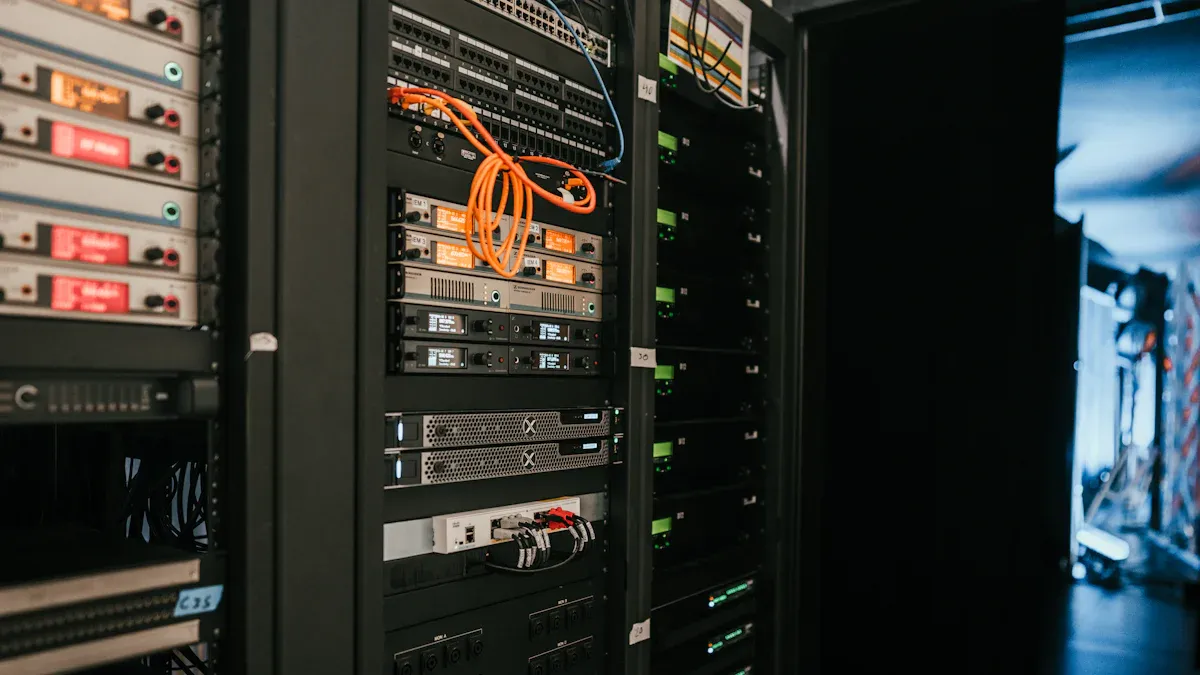
Vous avez besoin d'un bon matériel pour vos projets d'IA, mais vous devez d'abord comprendre ce qu'est un serveur d'IA. Les serveurs d'IA modernes ont des exigences différentes pour chaque tâche d'IA. Par exemple, la mise au point des modèles nécessite GPU ou TPU puissants avec beaucoup de mémoire et un réseau rapide. Les charges de travail d'inférence consomment moins d'énergie et ont besoin d'une faible latence et d'un débit élevé, en s'appuyant souvent sur des GPU plus petits. Chaque tâche d'IA nécessite un matériel spécifique pour fonctionner correctement, et le fait de savoir ce qu'est un serveur d'IA vous aide à choisir la bonne configuration. Lorsque vous choisissez du matériel pour l'IA, pensez à vos tâches actuelles et planifiez également la croissance future de l'IA. Pour bien comprendre ce qu'est un serveur d'IA, il faut voir comment le matériel d'IA influe sur les performances.
Principaux enseignements
Les serveurs d'IA ont besoin d'un matériel spécial pour différentes tâches. La formation nécessite des GPU puissants et beaucoup de mémoire. L'inférence peut utiliser des GPU plus petits.
Choisissez le matériel qui répond à vos besoins en matière d'IA, aujourd'hui et plus tard. L'évolutivité vous permet de mettre à niveau les pièces au fur et à mesure que vos projets prennent de l'ampleur.
Le stockage rapide, comme les disques SSD NVMe, est très important pour les travaux d'IA. Il permet de charger rapidement les données et d'assurer le bon fonctionnement des modèles.
La vitesse du réseau est importante pour les performances de l'IA. Une large bande passante est nécessaire pour déplacer les données entre les serveurs et les GPU. Cet aspect est d'autant plus important dans le cadre d'une formation distribuée.
Essayez de ne pas faire Les erreurs courantes dans le choix du matériel d'IA. Assurez-vous d'avoir suffisamment de mémoire, un bon refroidissement et les bons GPU pour vos travaux.
Qu'est-ce qu'un serveur d'IA ?
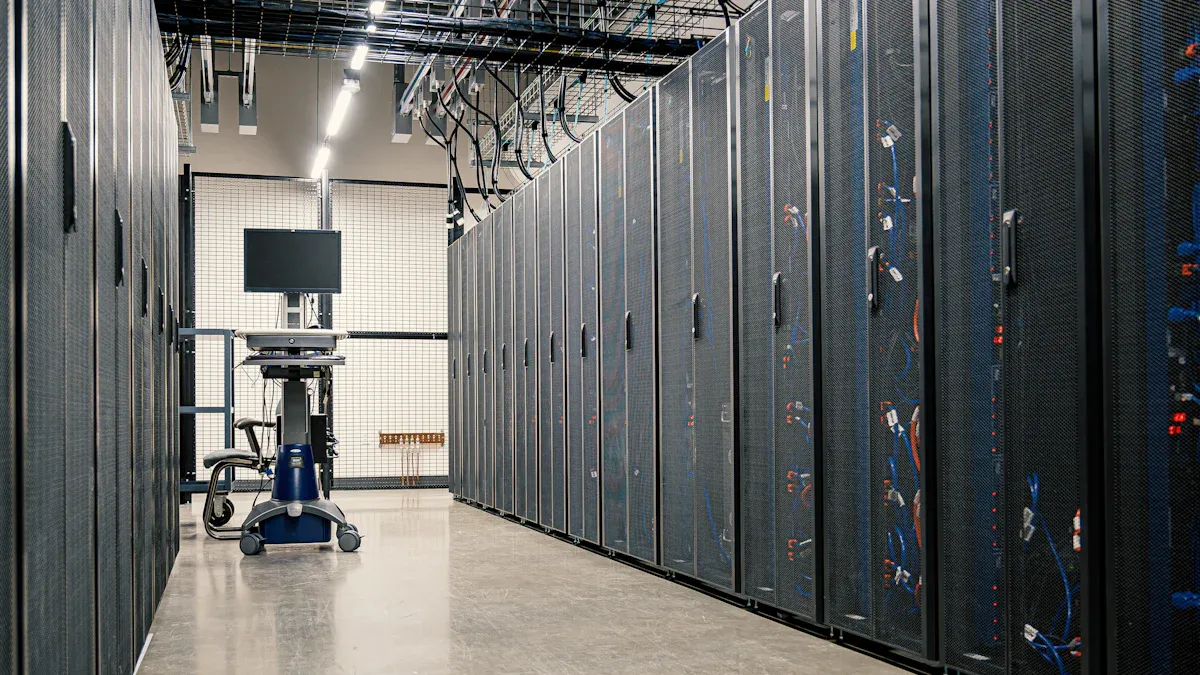
On peut se demander Qu'est-ce qu'un serveur IA ? et en quoi il est différent des serveurs ordinaires. Un serveur IA est un ordinateur conçu pour les tâches IA difficiles. Il s'agit notamment d'entraîner des modèles, d'exécuter des inférences et de travailler avec un grand nombre de données. L'utilisation d'un serveur IA permet de disposer d'un matériel capable d'effectuer des calculs rapides et doté d'une mémoire importante. De nombreuses entreprises utilisent un serveur IA spécial pour leurs projets les plus difficiles.
Serveur IA vs. serveur traditionnel
Vous vous demandez peut-être ce qu'est un serveur IA par rapport à un serveur normal. Un serveur normal fait des choses simples comme enregistrer des fichiers ou héberger des sites web. Il utilise des unités centrales ordinaires et une mémoire de base. Un serveur IA dispose d'un meilleur matériel. On y trouve souvent des GPU puissants, plus de mémoire vive et un stockage plus rapide. Ces éléments vous permettent d'exécuter les tâches de l'IA beaucoup plus rapidement.
Voici un tableau simple qui montre les différences :
Fonctionnalité | Serveur traditionnel | Serveur AI |
|---|---|---|
UNITÉ CENTRALE | Standard | Haute performance |
GPU | Aucun ou basique | Avancé, multiple |
RAM | Modéré | Grande capacité |
Stockage | HDD/SSD | SSD NVMe |
Cas d'utilisation | Général | Charges de travail liées à l'IA |
Principales caractéristiques des serveurs AI
Lorsque vous regardez ce qu'est un serveur IA, vous voyez des choses spéciales. Il prend en charge de nombreux GPU, qui contribuent à l'apprentissage en profondeur et à d'autres tâches liées à l'intelligence artificielle. Vous trouverez également une mise en réseau rapide, qui permet de déplacer rapidement les données entre les ordinateurs. Une grande mémoire vous permet d'entraîner des modèles plus importants. Le stockage rapide, comme les disques SSD NVMe, vous aide à charger rapidement les données.
Conseil : si vous souhaitez développer vos projets informatiques, choisissez un serveur informatique que vous pouvez mettre à niveau. Cela vous permet de vous tenir au courant des nouveaux outils de l'informatique décisionnelle.
Vous savez maintenant ce qu'est un serveur IA et pourquoi il est important pour les emplois modernes. Vous pouvez choisir le meilleur matériel pour vos besoins et obtenir de meilleurs résultats dans vos projets IA.
La charge de travail de l'IA
Tâches de formation, d'inférence et en temps réel
Vous constaterez que différentes charges de travail informatiques nécessitent du matériel différent. La formation est le processus par lequel vous apprenez à un modèle IA à utiliser un grand nombre de données. C'est l'étape qui utilise le plus de ressources. Vous avez besoin de GPU et de CPU puissants pour gérer la formation. L'inférence consiste à utiliser le modèle IA formé pour faire des prédictions. Cette tâche consomme moins d'énergie que la formation, mais nécessite des temps de réponse rapides. Les charges de travail IA en temps réel, telles que commande vocale ou la navigation des drones, nécessitent à la fois rapidité et précision. Ces tâches doivent traiter les données rapidement pour donner des résultats instantanés.
Parmi les charges de travail les plus exigeantes en matière d'informatique, on peut citer
Repérage des mots-clés
Commande vocale
Traitement de l'audio et de l'image
Concentrateurs de capteurs
Navigation et contrôle des drones
Réalité augmentée
Réalité virtuelle
Équipements de communication
Vous avez besoin matériel efficace pour gérer ces charges de travail. Le calcul à haute performance et le traitement SIMD vous aident à exécuter ces tâches en douceur. Avec le développement de l'IA, vous verrez de plus en plus d'applications nécessitant du matériel avancé.
Note : Jack Dongarra, lauréat du prix Turing, déclare L'informatique façonne désormais la plupart des applications. Vous aurez de plus en plus recours à du matériel avancé au fur et à mesure que les charges de travail automatisées deviendront plus courantes.
Traitement des données et besoins en énergie
Les charges de travail informatiques modernes déplacent d'énormes quantités de données. Vous avez besoin d'un stockage rapide et d'un réseau solide pour suivre le rythme. La formation et l'inférence utilisent toutes deux de grands ensembles de données. Les charges de travail IA en temps réel doivent traiter les données sans délai. Cela signifie que votre serveur doit gérer un débit de données élevé.
Les besoins en énergie des charges de travail informatiques augmentent également. Certains serveurs informatiques utilisent désormais près d'un mégawatt de puissance par rack. Les nouveaux systèmes d'alimentation 800V DC peuvent supporter jusqu'à 1,2 MW par rack. Les anciens systèmes de 54V ne peuvent pas répondre à cette demande. Vous devez prévoir des besoins plus importants en matière de puissance et de refroidissement lors de la mise en place des serveurs ai.
Si vous voulez que vos charges de travail informatiques fonctionnent correctement, vous devez adapter votre matériel à vos besoins en matière de données et d'énergie. Vous obtiendrez ainsi les meilleurs résultats pour vos projets IA.
Exigences matérielles en matière d'IA
Lorsque vous créez ou modifiez votre serveur d'IA, vous devez connaître les principaux besoins matériels. Ces besoins vous permettent d'exécuter des modèles d'apprentissage en profondeur et de travailler avec des données volumineuses. Un bon matériel garantit le bon fonctionnement et la rapidité de vos tâches d'IA. Examinons les principales pièces dont vous avez besoin pour les tâches d'IA d'aujourd'hui.
Exigences en matière de CPU
L'unité centrale est en quelque sorte le cerveau de votre serveur d'IA. Vous avez besoin d'un processeur puissant pour préparer les données, gérer la mémoire et aider les GPU à travailler ensemble. Pour l'IA, choisissez des unités centrales dotées d'un grand nombre de cœurs et d'une vitesse élevée. Intel Xeon et AMD EPYC sont des choix populaires. Ces processeurs facilitent l'apprentissage en profondeur et les tâches liées aux données volumineuses (big data).
De nombreux serveurs ont besoin de 12 CPU ou plus pour le travail d'IA. Les CPU effectuent des tâches difficiles que les GPU ne peuvent pas réaliser seuls. Par exemple, les CPU chargent des données, exécutent d'anciens modèles d'apprentissage automatique et déplacent des informations entre les différentes parties. Lorsque vous choisissez des unités centrales, assurez-vous qu'elles correspondent à vos besoins en matière de mémoire et de GPU.
Conseil : Pour l'apprentissage en profondeur, choisissez des unités centrales dotées d'au moins 16 cœurs et d'une mémoire rapide. Cela permet d'éviter les ralentissements lorsque vous entraînez ou utilisez des modèles d'IA.
Type de matériel | Description | Performance pour les tâches d'intelligence artificielle |
|---|---|---|
UNITÉ CENTRALE | 4-16 travailleurs très intelligents et polyvalents | Traite les tâches complexes de manière séquentielle |
GPU | 1 000 à 10 000 travailleurs spécialisés | Peut être 10 à 100 fois plus rapide grâce au traitement parallèle des opérations mathématiques simples. |
Exigences en matière de GPU
Les GPU sont l'élément le plus important de l'IA. Vous avez besoin de GPU puissants pour former des modèles d'apprentissage profond et exécuter des tâches rapidement. Les GPU modernes possèdent des milliers de cœurs qui fonctionnent en même temps. Ils sont donc beaucoup plus rapides que les CPU pour les tâches d'IA.
Lorsque vous choisissez des GPU, recherchez des modèles tels que NVIDIA A100, H100, V100 et L4. Ces GPU disposent de beaucoup de mémoire, d'une vitesse rapide et d'excellentes performances pour l'IA. Le tableau ci-dessous présente les meilleurs GPU pour l'entraînement et l'utilisation de l'IA :
Modèle de GPU | Cœurs CUDA | Cœurs de tenseur | Mémoire GPU | Débit de la mémoire | FP32 (TFlops) | Tenseur TF32 (TFlops) | Tenseur FP16 (TFlops) | Tenseur INT8 (TOPS) |
|---|---|---|---|---|---|---|---|---|
L4 | 7,680 | 240 | 24 GB | 300 GB/s | 30.3 | 120* | 242* | 485* |
A16 | 4x 1,280 | 4x 40 | 4x 16 GB | 4x 200 GB/s | 4x 4.5 | 4x 18* | 4x 35.9* | 4x 71.8* |
A40 | 10,752 | 336 | 48 GO | 696 GB/s | 37.4 | 150* | 299* | 599* |
A100 SXM4 | 19,500 | 432 | 80 GO | 1 935 Go/s | 19.5 | 312* | 624* | 1,248* |
H100 PCIe | 60,000 | 528 | 80 GO | 2 TB/s | 60 | 756* | 1,513* | 3,026* |
H200 SXM5 | 72,000 | 528 | 141 GB | 3,3 To/s | 67 | 989* | 1,979* | 3,958* |
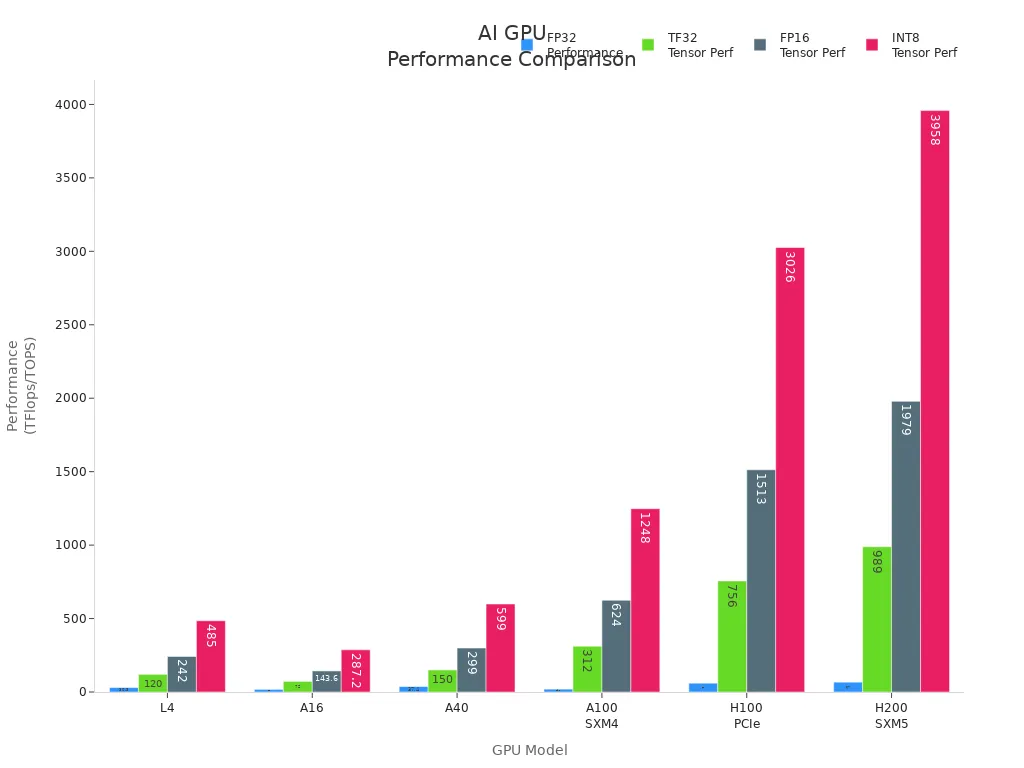
Vous avez besoin de plus d'un GPU pour les grands modèles d'IA et l'apprentissage en profondeur. Certains serveurs peuvent utiliser jusqu'à huit GPU. Cela vous permet d'entraîner des modèles plus importants et de travailler avec plus de données à la fois. Les GPU sont également utiles pour les tâches d'IA en temps réel, telles que les tâches liées à l'image et à la parole.
Remarque : les GPU peuvent être 10 à 100 fois plus rapides que les CPU pour l'apprentissage profond. Choisissez toujours des GPU adaptés à vos besoins en matière d'IA et à la taille de votre modèle.
RAM et mémoire
La mémoire vive est un élément clé du matériel d'IA. Vous avez besoin de suffisamment de mémoire pour charger des données volumineuses et exécuter des modèles d'apprentissage profond. Si vous ne disposez pas de suffisamment de RAM, vos tâches d'IA seront lentes ou ne fonctionneront pas.
Pour l'apprentissage profond, commencez avec au moins 768 Go de RAM DDR4 à 2667 MHz. Cette quantité est utile pour les grands modèles et le travail rapide sur les données. Plus de RAM vous permet d'entraîner des modèles plus importants et d'effectuer des tâches d'IA plus difficiles. Au fur et à mesure que vos modèles et vos données augmentent, vous avez besoin de plus de mémoire.
L'apprentissage en profondeur nécessite beaucoup de mémoire.
Une plus grande quantité de RAM permet d'éviter les ralentissements pendant la formation.
Les mémoires rapides améliorent le travail de l'IA.
Conseil : Vérifiez toujours les besoins en mémoire de votre modèle d'IA avant l'entraînement. Ajoutez de la RAM si vous utilisez des modèles plus importants ou davantage de données.
Solutions de stockage
Les travaux d'IA nécessitent un stockage rapide et solide. Choisissez un stockage capable de contenir des données volumineuses et d'offrir un accès rapide pour l'apprentissage en profondeur. Les disques SSD NVMe sont les mieux adaptés à la plupart des besoins de l'IA. Ils sont rapides et réagissent rapidement.
Voici un tableau des choix d'entreposage supérieurs pour l'IA :
Solution de stockage | IOPS (opérations d'entrée/sortie par seconde) | Temps de réponse | Disponibilité des données | Capacité de stockage |
|---|---|---|---|---|
HPE 3PAR StoreServ Storage 8450 | Jusqu'à 3 millions | < 1 ms | 99.9999% | Jusqu'à 80 PB |
30TB NVMe SSD | Performances à grande vitesse | N/A | N/A | N/A |
Vous avez besoin d'un espace de stockage adapté à la vitesse de votre GPU et de votre CPU. Un stockage rapide vous permet de charger les données rapidement et d'assurer le bon fonctionnement de vos modèles d'IA. Pour les gros travaux d'IA, utilisez un stockage avec un nombre élevé d'IOPS et un faible temps d'attente.
Besoins en matière de mise en réseau
La mise en réseau est très importante pour le matériel d'IA. Vous avez besoin d'une large bande passante pour déplacer les données entre les serveurs, les GPU et le stockage. La formation à l'IA distribuée nécessite une mise en réseau rapide et solide pour que tout fonctionne ensemble.
Les serveurs GPU offrent une large bande passante et une grande flexibilité pour l'apprentissage distribué de l'IA.
Il faut un réseau d'au moins 100 Gb pour les gros travaux d'IA.
Les clusters proches de votre équipe facilitent l'obtention de données et de performances.
Fonctionnalité | Description |
|---|---|
Type de serveur | Les serveurs GPU offrent une large bande passante et la flexibilité pour l'apprentissage distribué de l'IA. |
Accélération de la charge de travail | Idéal pour l'entraînement de modèles linguistiques de grande taille et la gestion d'analyses de données volumineuses. |
Performance | Garantit des performances optimales et une grande fiabilité pour diverses applications. |
Remarque : adaptez toujours la vitesse de votre réseau aux besoins de votre matériel d'IA. Une mise en réseau lente peut allonger la durée des modèles d'apprentissage profond et des tâches d'IA.
Matériel d'IA polyvalent et matériel d'IA spécialisé
Vous pouvez choisir des unités centrales générales ou du matériel spécial pour l'IA comme les TPU et les FPGA. Les CPU effectuent de nombreuses tâches, mais les GPU, TPU et FPGA sont beaucoup plus rapides pour l'apprentissage en profondeur.
Processeurs : Bon pour préparer les données et les anciens modèles.
GPU : Les meilleurs pour l'apprentissage en profondeur et le travail sur plusieurs choses à la fois.
TPU : Conçues pour les tâches d'IA, en particulier l'apprentissage en profondeur.
Les FPGA : Flexibles et adaptés aux tâches d'IA personnalisées.
Le matériel d'IA spécial, comme les TPU et les FPGA, peut accélérer les tâches et consommer moins d'énergie. Vous devriez y penser si vos tâches d'IA ont besoin d'une plus grande vitesse ou d'une meilleure efficacité.
Conseil : Vérifiez toujours vos besoins en matériel d'IA avant de choisir du matériel général ou spécial. Le meilleur choix dépend de vos modèles, de vos données et de la vitesse à laquelle vous devez travailler.
En connaissant ces principaux besoins en matériel d'IA, vous pouvez construire un serveur adapté à vos tâches d'apprentissage profond et d'IA. Un bon matériel vous permet d'entraîner des modèles plus importants, d'utiliser plus de données et d'obtenir de meilleurs résultats pour toutes vos tâches d'IA.
Spécifications matérielles minimales et recommandées
Choisir le matériel adéquat aide vos modèles d'intelligence artificielle à bien fonctionner. Vous devez adapter votre matériel à vos tâches informatiques. Chaque tâche nécessite un processeur, un processeur graphique, une mémoire, une mémoire vive et un espace de stockage différents. Voici des règles simples pour la formation, l'inférence et l'IA en temps réel.
Pour la formation à l'IA
La formation de modèles IA utilise beaucoup de ressources. Vous avez besoin d'un matériel solide pour les grands ensembles de données et les modèles complexes. La bonne configuration vous permet de vous entraîner plus rapidement et d'effectuer de plus gros travaux d'IA.
Exigences minimales pour la formation à l'ai :
processeur : 16 cœurs (Intel Xeon ou AMD EPYC)
gpu : 1 NVIDIA A100 ou V100
ram : 256 GO DDR4
mémoire : 256 Go ou plus
stockage : 2TB NVMe SSD
Mise en réseau : 25Gbps
Exigences recommandées pour la formation à l'ai :
processeur : 32+ cœurs (dernier Intel Xeon ou AMD EPYC)
gpu : 4-8 NVIDIA H100 ou A100
ram : 768 Go DDR4 ou plus
mémoire : 768 Go ou plus
stockage : 8TB+ NVMe SSD
Mise en réseau : 100 Gbps ou plus
Conseil : plus de puissance gpu et de mémoire vive vous permettent de former des modèles plus importants. Vous terminez plus rapidement les travaux d'IA. Vérifiez toujours la taille de votre modèle avant de l'entraîner.
Vous avez besoin de cartes graphiques puissantes parce qu'elles effectuent plusieurs tâches à la fois. Une plus grande quantité de mémoire vive vous permet de charger rapidement des ensembles de données volumineux. Un stockage rapide permet de conserver vos données pendant l'entraînement.
Pour l'inférence en IA
L'inférence utilise des modèles formés pour faire des prédictions. Vous avez besoin d'un matériel qui donne des résultats rapides et traite de nombreuses demandes. La bonne configuration vous permet d'obtenir de bonnes performances et des délais réduits pour vos travaux d'inférence.
Exigences minimales pour l'inférence de l'ai :
processeur : 8 cœurs (Intel Xeon ou AMD EPYC)
gpu : 1 NVIDIA L4 ou A16
ram : 64GB DDR4
mémoire : 64 Go ou plus
stockage : 1TB NVMe SSD
Mise en réseau : 10Gbps
Exigences recommandées pour l'inférence de l'ai :
Mémoire | Cas d'utilisation | |
|---|---|---|
NVIDIA B200 | 180 GO | Charges de travail à mémoire élevée |
NVIDIA DGX B200 | 1440 GB | Grands LLM à source ouverte |
Nœud multi-GPU | N/A | Inférence distribuée |
processeur : 16+ cœurs (dernier Intel Xeon ou AMD EPYC)
gpu : NVIDIA B200 ou DGX B200 (pour les grands modèles)
ram : 256 Go DDR4 ou plus
mémoire : 256 Go ou plus
stockage : 4TB NVMe SSD
Mise en réseau : 25 Gbps ou plus
Note : L'inférence sur le processeur est lente. Vous n'obtiendrez que quelques caractères toutes les quelques secondes. Les cartes graphiques modernes peuvent fournir plus de 100 caractères par seconde. Pour obtenir les meilleurs résultats, conservez l'ensemble des poids de votre modèle dans la mémoire du processeur.
Vous obtiendrez de meilleurs résultats avec un nœud multi-gpu pour l'inférence. Cette configuration permet de réduire les délais et de simplifier les tâches d'inférence. L'utilisation de plusieurs nœuds pour l'inférence peut vous ralentir et vous coûter plus cher.
Pour une IA en temps réel
Les tâches informatiques en temps réel nécessitent des réponses instantanées. Vous devez utiliser du matériel qui offre une vitesse élevée et un faible délai. Ces règles vous aident à exécuter des modèles IA pour la commande vocale, la navigation par drone et la réalité augmentée.
Exigences minimales pour l'IA en temps réel :
processeur : 8 cœurs (Intel Xeon ou AMD EPYC)
gpu : 1 NVIDIA L4 ou A16
ram : 64GB DDR4
mémoire : 64 Go ou plus
stockage : 1TB NVMe SSD
Mise en réseau : 10Gbps
Exigences recommandées pour l'IA en temps réel :
processeur : 16+ cœurs (dernier Intel Xeon ou AMD EPYC)
gpu : 2-4 NVIDIA A100 ou H100
ram : 256 Go DDR4 ou plus
mémoire : 256 Go ou plus
stockage : 2TB NVMe SSD
Mise en réseau : 25 Gbps ou plus
Conseil : L'IA en temps réel nécessite des cartes graphiques rapides et suffisamment de mémoire vive. Testez toujours votre matériel avec vos tâches IA réelles avant de mettre en ligne.
Vous devez équilibrer le processeur, le processeur graphique, la mémoire et le stockage pour obtenir les meilleurs résultats. Une mise en réseau rapide permet à vos travaux aériens de se dérouler sans problème, en particulier avec plusieurs cartes graphiques.
Si vous suivez ces règles, vous pouvez construire un serveur IA pour la formation, l'inférence et l'IA en temps réel. Le bon matériel vous permet d'obtenir une meilleure vitesse, des résultats plus rapides et des modèles IA plus fiables.
Comparaison des besoins en matériel d'IA par tâche
Formation et inférence
Vous devez comprendre comment modifications du matériel lorsque vous passez de la formation à l'inférence pour les modèles IA. La formation pousse votre serveur dans ses derniers retranchements. Vous utilisez de nombreuses cartes graphiques, souvent huit ou plus, comme la NVIDIA H100, pour traiter d'énormes quantités de données. Le processeur doit disposer de nombreux cœurs pour suivre le rythme du processeur graphique et traiter rapidement les données. La formation a également besoin de beaucoup de mémoire. Vous devez disposer d'une large bande passante pour que vos modèles ne ralentissent pas.
L'inférence fonctionne différemment. Vous utilisez moins de cartes graphiques, parfois seulement une ou deux. L'inférence peut être exécutée sur un processeur, mais les performances sont bien meilleures avec un processeur graphique. Le processeur n'a pas besoin d'autant de cœurs pour l'inférence. Vous avez toujours besoin de bonnes performances, mais le matériel ne travaille pas aussi dur que pendant l'entraînement. La mémoire est importante, mais vous n'en avez pas besoin d'autant que pour la formation.
Voici une comparaison rapide :
Tâche | GPU nécessaire | CPU nécessaire | Mémoire nécessaire | L'accent sur la performance |
|---|---|---|---|---|
Formation | Nombre de cœurs | Très élevé | Vitesse maximale | |
Inférence | 1-4 cartes ou CPU | Moins de cœurs | Modéré | Réponse rapide |
Conseil : si vous souhaitez entraîner de grands modèles d'intelligence artificielle, investissez dans des cartes gpu plus nombreuses et dans des systèmes d'entraînement plus performants. mémoire élevée. Pour l'inférence, privilégiez les performances rapides avec moins de cartes graphiques.
Traitement en temps réel ou par lots
Les tâches informatiques en temps réel nécessitent des réponses instantanées. Vous utilisez du matériel qui offre des performances rapides et un faible délai. L'unité centrale doit traiter les données rapidement. Le processeur central permet de déplacer les données sans attendre. Vous avez besoin de suffisamment de mémoire pour que vos modèles fonctionnent sans problème. Les tâches en temps réel comprennent la commande vocale et la navigation des drones.
Le traitement par lots permet de traiter simultanément de grands groupes de données. Vous n'avez pas besoin de résultats instantanés. Vous pouvez utiliser plus de cœurs de processeur et de cartes graphiques pour terminer les gros travaux au fil du temps. Les performances sont importantes, mais vous pouvez attendre les résultats plus longtemps. Vous avez besoin de suffisamment de mémoire pour gérer tous vos modèles et toutes vos données.
Temps réel : Gpu rapide, cpu rapide, faible délai, performances régulières.
Lot : Plus de cartes graphiques, plus de cœurs de processeur, plus de mémoire, plus de temps de traitement.
Remarque : choisissez votre matériel en fonction de votre tâche aérienne. Les tâches en temps réel nécessitent de la vitesse. Les tâches par lots nécessitent de la puissance et de la mémoire.
Optimiser et pérenniser le matériel des serveurs d'IA
Évolutivité et mises à jour
Vous souhaitez que votre serveur informatique puisse évoluer en fonction de vos besoins. L'évolutivité signifie que vous pouvez ajouter plus de puissance ultérieurement. Vous pouvez commencer avec quelques GPU et en ajouter d'autres lorsque vos modèles prennent de l'ampleur. De nombreux serveurs vous permettent de mettre à niveau les unités centrales, la mémoire et le stockage. Votre matériel est ainsi prêt pour de nouvelles tâches informatiques. Lorsque vous planifiez des mises à niveau, vérifiez si vous pouvez ajouter facilement des TPU ou des GPU supplémentaires. Certains serveurs IA peuvent utiliser jusqu'à huit GPU ou TPU. Cela vous permet de former des modèles plus rapidement. Vous devez vérifier si votre serveur peut gérer plus de mémoire et un réseau plus rapide. L'évolutivité signifie que vous n'avez pas besoin d'un nouveau serveur à chaque fois que votre travail informatique augmente.
Énergie et refroidissement
Les serveurs informatiques performants consomment beaucoup d'énergie. Vous devez bon refroidissement pour préserver la sécurité de votre matériel. Il existe différentes manières de refroidir les serveurs informatiques. Le refroidissement direct de la puce place des plaques froides sur les CPU et les GPU. Cela permet de mieux contrôler la chaleur. Les systèmes liquide-air conviennent aux serveurs IA de taille moyenne, mais ne sont pas toujours adaptés aux configurations encombrées. Le refroidissement par immersion consiste à plonger les serveurs dans des fluides spéciaux pour évacuer la chaleur. Le refroidissement par immersion en deux phases utilise des fluides en ébullition et en condensation pour obtenir les meilleurs résultats. Chaque méthode de refroidissement présente des avantages et des inconvénients. Vous pouvez voir les différences dans le tableau ci-dessous :
Méthode de refroidissement | Description | Avantages | Limites |
|---|---|---|---|
Systèmes liquide-air | Boucle de refroidissement fermée à l'intérieur du rack, qui transfère la chaleur dans l'air. | Facile à installer, bon pour les travaux moyens. | Ne convient pas aux serveurs très occupés, n'est pas facile à cultiver. |
Refroidissement direct de la puce | Les plaques froides touchent les CPU/GPU pour un meilleur contrôle de la chaleur. | Fonctionne bien, idéal pour les serveurs puissants. | Nécessite plus de tuyaux et d'installation. |
Refroidissement par immersion monophasé | Les serveurs sont placés dans un liquide spécial pour un transfert de chaleur uniforme. | Excellent contrôle de la chaleur, silencieux, aucun ventilateur de serveur n'est nécessaire. | Nécessite un matériel spécial, prend plus de place. |
Refroidissement par immersion en deux phases | Utilise des fluides en ébullition et en condensation pour déplacer la chaleur. | Très bon pour le refroidissement, fonctionne le plus souvent seul. | Les fluides coûtent cher, sont difficiles à mettre en place et à entretenir. |
Choisissez une méthode de refroidissement adaptée à la taille et à l'activité de votre serveur IA. Un bon refroidissement permet à vos TPU et GPU de fonctionner rapidement.
Se préparer aux futurs besoins en matière d'IA
Vous devez être prévoyant lorsque vous construisez votre serveur IA. Les TPU et les FPGA sont désormais davantage utilisés pour l'apprentissage profond. Les TPU fonctionnent rapidement et consomment moins d'énergie pour la formation. Les FPGA vous permettent de modifier votre matériel pour des tâches IA spécifiques. Vous pouvez utiliser les TPU, les GPU et les CPU ensemble pour obtenir les meilleurs résultats. Les nouveaux modèles IA ont besoin de plus de mémoire et d'un réseau plus rapide. Choisissez des serveurs qui vous permettent d'effectuer des mises à niveau ultérieures. Ainsi, vous pourrez ajouter des TPU ou de la mémoire au fur et à mesure que vos projets d'IA se développeront. En planifiant l'avenir, vous restez prêt à utiliser de nouveaux outils et à accomplir des tâches plus importantes.
Conseil : Avant de procéder à une mise à niveau, testez toujours votre matériel informatique avec des tâches réelles. Cela vous aidera à trouver la meilleure combinaison de TPU, GPU et CPU pour votre travail.
Conseils pratiques pour le choix du matériel de serveur d'IA
Évaluer vos besoins
Vous devez commencer par examiner votre charge de travail en matière d'IA. Pensez à la taille de vos données et à la vitesse que vous souhaitez. Si vous entraînez de grands modèles, vous avez besoin de GPU puissants et de beaucoup de mémoire. Pour les tâches simples, vous pouvez utiliser moins de ressources. Notez vos objectifs et les types de projets IA que vous envisagez d'exécuter. Cela vous aidera à choisir le matériel qui correspond à vos besoins.
Dressez la liste de vos principales tâches aériennes.
Vérifiez si vous avez besoin de résultats en temps réel ou d'un traitement par lots.
Estimez la quantité de données que vous utiliserez chaque mois.
Décidez si vous souhaitez mettre votre serveur à niveau à l'avenir.
Conseil : Testez d'abord vos modèles ai sur du petit matériel. Vous verrez ainsi ce qui fonctionne le mieux avant d'acheter de plus gros serveurs.
Éviter les erreurs courantes
De nombreuses personnes commettent des erreurs lorsqu'elles choisissent le matériel d'un serveur d'IA. Il se peut que vous achetiez trop peu de mémoire ou que vous choisissiez un GPU qui ne correspond pas à votre charge de travail. Certains oublient les besoins en refroidissement et en alimentation. D'autres ne planifient pas la croissance future de l'informatique.
Voici les erreurs à éviter :
Ignorer le besoin de stockage rapide comme les disques SSD NVMe.
Sélection d'unités centrales avec trop peu de cœurs pour la formation à l'IA.
Ne pas vérifier si votre serveur supporte plusieurs GPU.
Oublier les réseaux à grande vitesse pour les travaux d'informatique distribuée.
Négliger les exigences en matière de refroidissement et d'alimentation.
Remarque : vérifiez toujours les spécifications de chaque élément de votre serveur aérien. Assurez-vous que tout fonctionne ensemble.
Ressources pour une recherche plus approfondie
Vous pouvez rester informé sur Matériel de serveur IA en suivant l'actualité des grandes entreprises. De nouvelles puces sortent souvent. Début 2024, Nvidia a lancé la puce H200, Intel a lancé Gaudi3 et AMD a présenté MI300X. Etched a également partagé une nouvelle architecture pour une inférence plus rapide de l'IA.
Entreprise | Nom de la puce | Description | Calendrier de diffusion |
|---|---|---|---|
Nvidia | H200 | Présentation d'une nouvelle puce d'IA | Q1 2024 |
Intel | Gaudi3 | Puce d'IA concurrente | Q1 2024 |
AMD | MI300X | Puce d'IA avancée | Q1 2024 |
Gravé | N/A | Nouvelle architecture pour une inférence plus rapide | N/A |
Vous pouvez participer à des forums en ligne et lire des blogs pour en savoir plus sur le matériel informatique. De nombreux experts partagent leurs conseils et leurs avis. Cela vous aidera à faire des choix judicieux pour votre prochain projet IA.
Vous savez maintenant comment choisir le bon matériel serveur pour vos travaux informatiques. Les NVIDIA DGX Station A100 à l'université d'Ostrava est très solide. Il est utile à la recherche et à des travaux concrets tels que la recherche de défauts et la réalisation de graphiques en 3D. Lorsque vous choisissez du matériel, vérifiez le processeur, la mémoire, le stockage et le réseau. Voici un tableau simple :
Composant | Spécifications |
|---|---|
Processeur | 1x AMD EPYC Genoa 9654 (96c/192t, 2.4GHz) |
Mémoire | 1152 GB DDR5 |
Stockage | 2x 960GB NVMe + 2x 3.84TB NVMe |
Réseau | 1x 10Gbit SFP+ Intel X710-DA2 (double port) |
Pour améliorer votre serveur ai, essayez de suivre les étapes suivantes :
Choisissez des systèmes qui peuvent s'adapter à l'évolution de votre travail.
Faites en sorte que votre installation fonctionne avec de nombreuses plateformes et de nombreux types.
Économisez de l'énergie et de l'argent lorsque vous construisez votre serveur.
Utiliser des pipelines faciles à modifier pour les nouveaux modèles.
Continuez à apprendre au fur et à mesure que le matériel s'améliore. Essayez d'utiliser l'IA conversationnelle pour la formation. Utilisez des chatbots pour apprendre de nouvelles choses. Répondez à des questionnaires pour tester vos compétences. Cela vous aidera à vous préparer à l'avenir de l'IA.
FAQ
Quel est le matériel le plus important pour les serveurs d'IA ?
La plupart des tâches d'IA nécessitent des GPU puissants. Les GPU vous permettent de former et d'exécuter des modèles beaucoup plus rapidement que les CPU. Pour l'apprentissage profond, vérifiez toujours si votre serveur prend en charge les derniers GPU NVIDIA ou AMD.
De quelle quantité de mémoire vive avez-vous besoin pour les charges de travail d'IA ?
Il est conseillé de commencer avec au moins 256 Go de RAM pour les tâches d'IA de base. Pour les grands modèles ou les tâches de formation, utilisez 768 Go ou plus. Une plus grande quantité de RAM vous permet de travailler avec des données plus volumineuses et d'éviter les ralentissements.
Peut-on utiliser des serveurs ordinaires pour des projets d'IA ?
Vous pouvez utiliser des serveurs ordinaires pour de petits travaux d'intelligence artificielle. Pour l'apprentissage profond ou les grands modèles, vous avez besoin de Des serveurs d'IA avec de meilleurs GPU, Les serveurs ordinaires peuvent ne pas être à la hauteur des charges de travail lourdes de l'IA. Les serveurs ordinaires risquent de ne pas être à la hauteur des charges de travail lourdes de l'IA.
Pourquoi le refroidissement des serveurs AI est-il important ?
Les serveurs d'IA chauffent lorsque vous exécutez de gros travaux. Un bon refroidissement permet de conserver votre matériel sûr et rapide. Vous pouvez utiliser un refroidissement liquide ou des ventilateurs spéciaux pour abaisser la température et protéger votre investissement.
Quelle est la différence entre le matériel de formation et le matériel d'inférence ?
La formation nécessite plus de GPU, de cœurs de CPU et de mémoire. Vous utilisez ce matériel pour enseigner votre modèle. L'inférence utilise moins de ressources. Vous l'utilisez pour faire des prédictions avec votre modèle formé. Adaptez toujours votre matériel à votre tâche.