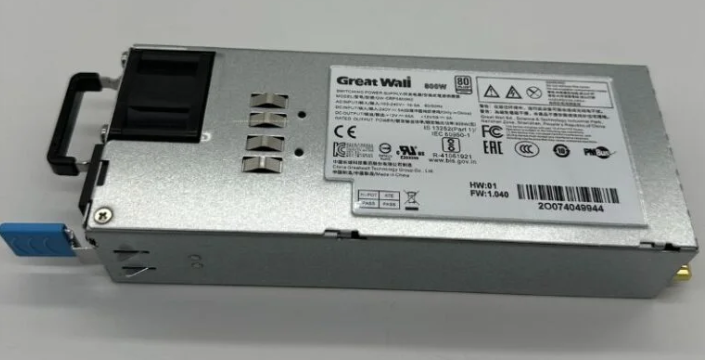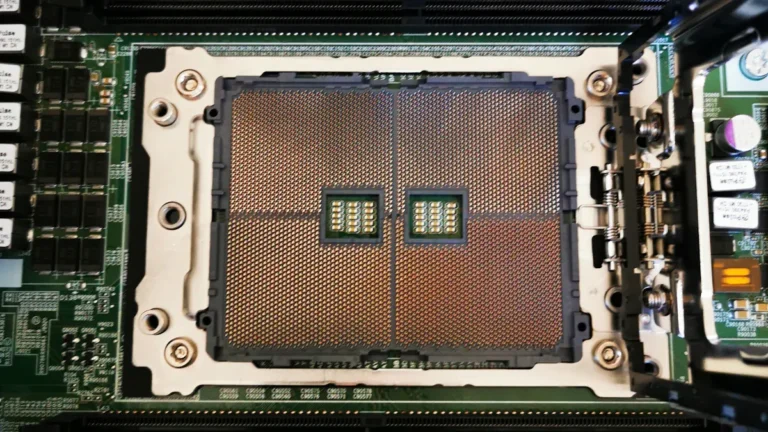
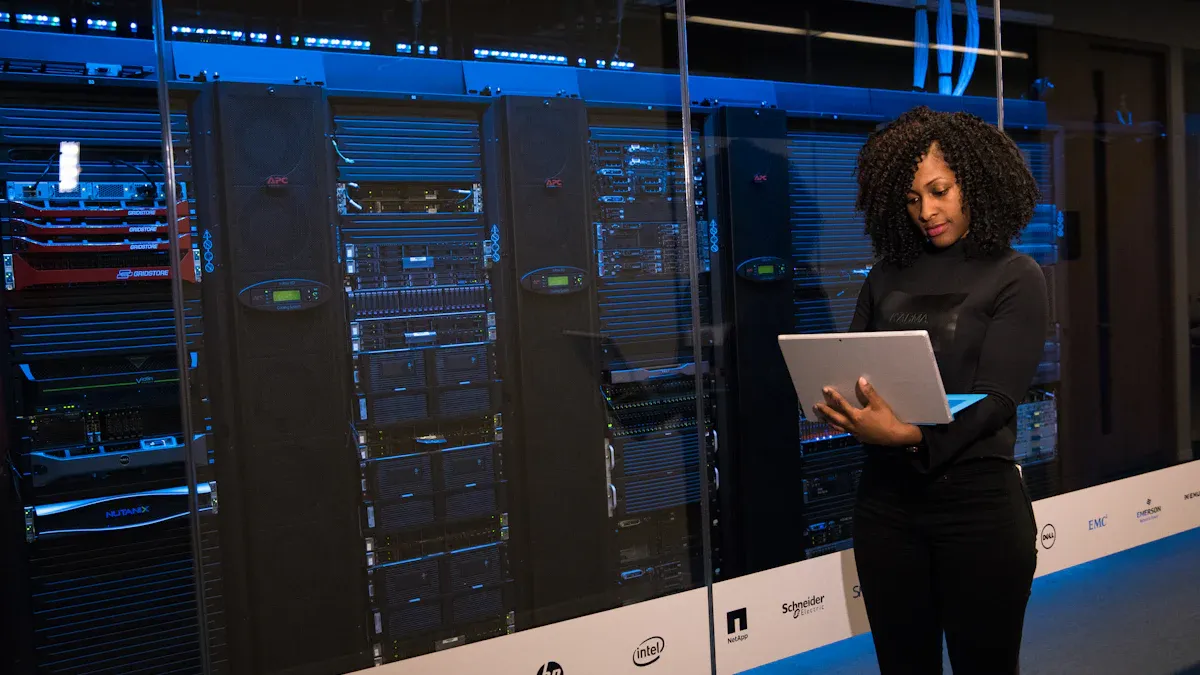
Wondering which server storage stands out this year for small businesses? If you’re asking, “Which server storage stands out this year?” you want a solution that keeps your data safe, helps your business grow, and runs efficiently. Today’s smart storage choices cut data loss by nearly a third and boost ROI by 25%, thanks to better capacity planning. With cyberattacks rising fast, you need storage that stays reliable, secure, and easy to scale. The best part? You do not need to be a tech expert to make the right call.
Principaux enseignements
Choisir server storage that keeps your data safe from mistakes, broken parts, or hackers. Good storage has backup plans and can fix problems by itself.
Choose storage that can get bigger as your business grows. You can start with a small amount and add more space later. This helps when you get more customers or projects.
Make sure your storage is safe and follows the rules. Use storage with things like encryption and multi-factor authentication. These features help keep customer data safe and follow the law.
Think about using both on-premises servers and cloud services together. This mix gives you more choices, control, and can save money. It also keeps your data safe.
Look at what your business needs now and in the future. Pick storage that works well with your current tools. Make sure you can upgrade it easily as your business changes.
Why Server Storage Matters
Protection des données
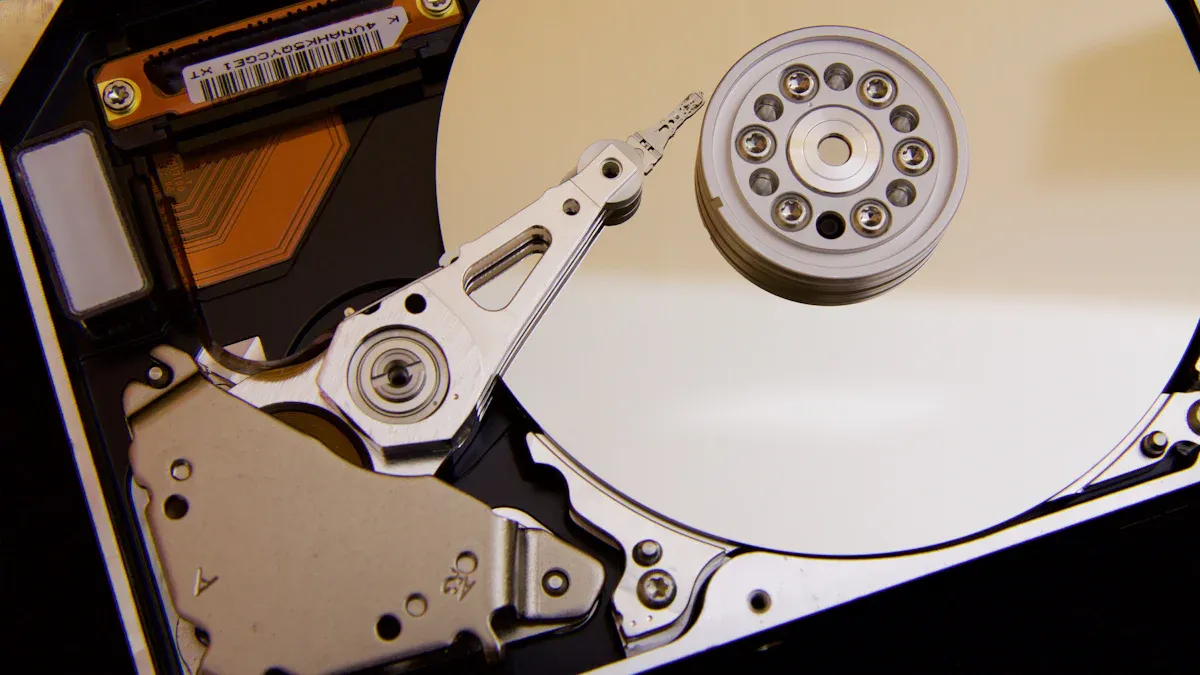
It is important to keep your business running well. Server storage helps protect your files and customer records. It also keeps your project data safe. Losing even a little bit of data can cause big trouble. A small agency might make a terabyte of data each year. If you lose that much data, it can be a huge problem. Things like floods, fires, or simple mistakes can erase your files. Good server storage gives you backup plans and automatic recovery. Here are the most common reasons people lose data:
Cause of Data Loss | Description | Impact |
|---|---|---|
Human Error | Accidental deletion, formatting errors | |
Hardware/System Failure | Hard drive crashes, power outages | Major contributor to data loss |
Malware/Cyberattacks | Viruses, ransomware, phishing | 59% faced ransomware last year |
Theft/Loss of Devices | Stolen devices, unauthorized access | 86% of breaches involve stolen credentials |
Natural Disasters | Fires, floods | Catastrophic loss, need for off-site backups |
Server storage helps you avoid these problems and keeps your data safe.
Business Growth
Your business needs space to grow. Server storage lets you add more space as you get more customers. You can also add space when you start new projects. E-commerce startups often get lots of visitors during sales. Flexible storage helps you handle busy times without slowing down. Cloud storage makes it easy for your team to work together. You can share files and focus on your clients. You do not have to worry about running out of space or losing data. Good server storage means less downtime, so your customers stay happy.
Tip: Scalable server storage grows with your business. You can start with a small amount and add more as you need it. This keeps your data safe as your business gets bigger.
Security and Compliance
Keeping data safe is not just about stopping hackers. You also have to follow rules to protect your customers and business. Laws like GDPR, IRS rules, and HIPAA have strict rules for storing data. If you take credit card payments, PCI DSS rules say you need strong security and encryption. Server storage helps you follow these rules with features like multi-factor authentication. It also gives you regular scans for problems. Ongoing checks and automatic threat detection keep your data safe. This helps you find problems quickly. You can focus on your business and know your data is protected.
Which Server Storage Stands Out This Year
Choisir le best server storage can seem hard. You want to know which server storage is best this year for your small business. Let’s look at the top choices so you can find what works for you.
On-Premises Small Business Server
Some people want to keep their data close by. On-premises servers let you control everything. The Dell PowerEdge T30 and T40 are good for simple jobs like saving files and email. If you need more power, the HPE ProLiant ML350 Gen10 is stronger and can grow with your business. This server uses Intel Xeon processors and lots of memory. It is great for big jobs like databases and virtualization. You can start with a small setup and add more later.
Here’s a quick look at costs:
Expenses | On-Premise Servers | Nuage |
|---|---|---|
Server Maintenance | $5,500 | Included |
User Support + Anti-Virus | $735 | Included |
Offsite Backup | $100 | Included |
Remote Access | $450 | N/A |
Cloud Storage | N/A | Included |
Total Monthly Costs | $6,785 | $2,085 |
On-premises servers cost more at the start. You pay for the hardware, setup, and care. You get steady performance, but it takes time and money to grow.
Tip: If you want control and have IT help, on-premises servers are a good pick.
Cloud Storage for Business
Many small businesses want to know which server storage is best this year because they want easy access and flexibility. Cloud storage for business lets you save files online and get them anywhere. Top companies like AWS, Microsoft Azure, Google Workspace, and Dropbox Business keep your data safe and always available. You get things like encryption, multi-factor authentication, and help with rules.
Service | |
|---|---|
AWS | Strong encryption, compliance certifications |
Microsoft Azure | Multi-factor authentication, encryption |
Google Workspace | Robust security controls, compliance certifications |
Dropbox Business | Strong encryption, compliance support |
Cloud storage for business is easy to grow. You can add more space fast. You pay each month for support and updates. This is good if you do not want to worry about hardware and want your team to work from anywhere.
Remarque : By 2025, most IT spending will be on cloud storage. You can join this trend and get reliable service and global access.
Hybrid Storage Options
Sometimes, you want both on-premises and cloud. Hybrid storage mixes on-premises servers with cloud services. You keep important data at your business and use the cloud for extra space and backup. This gives you flexibility, safety, and control.
Hybrid systems help you save money and grow fast. You can choose where your data goes and change it as you need. You get strong protection by using both private and public cloud security.
Modèle | Fiabilité | Évolutivité |
|---|---|---|
Sur place | Predictable for steady operations | Slower and resource-intensive |
Nuage | High uptime SLAs, global redundancy | Highly scalable and agile |
Hybride | Flexible but complex management | Combines benefits of both models |
Hybrid storage gives you flexibility and helps control costs. You can pick services and use them as needed. But, managing both can be hard and may need special skills.
Alert: Hybrid storage can be tricky. Make sure you have a plan to connect and manage both systems.
NAS Devices
Network Attached Storage (NAS) devices are liked by small businesses. You may ask which server storage is best this year if you want something simple and cheap. The Asustor Lockerstor 2 Gen2 is a top choice. It is fast, has upgradable memory, and is easy to use. NAS devices cost less than regular servers and come with built-in software. You do not need extra licenses, and people without tech skills can use them.
NAS devices give you:
Lower starting cost
Easy-to-use tools
Safe data storage
Fast speeds (up to 590MB/s)
Simple upgrades for more memory
NAS systems are good for sharing files, backups, and small teams. You get strong performance without spending too much.
Tip: If you want easy setup and simple use, NAS devices are a smart pick.
So, which server storage is best this year? You have good choices in on-premises servers, cloud storage for business, hybrid setups, and NAS devices. Each one fits different needs. You can choose what matches your business and budget.
Top On-Premises Small Business Server Choices
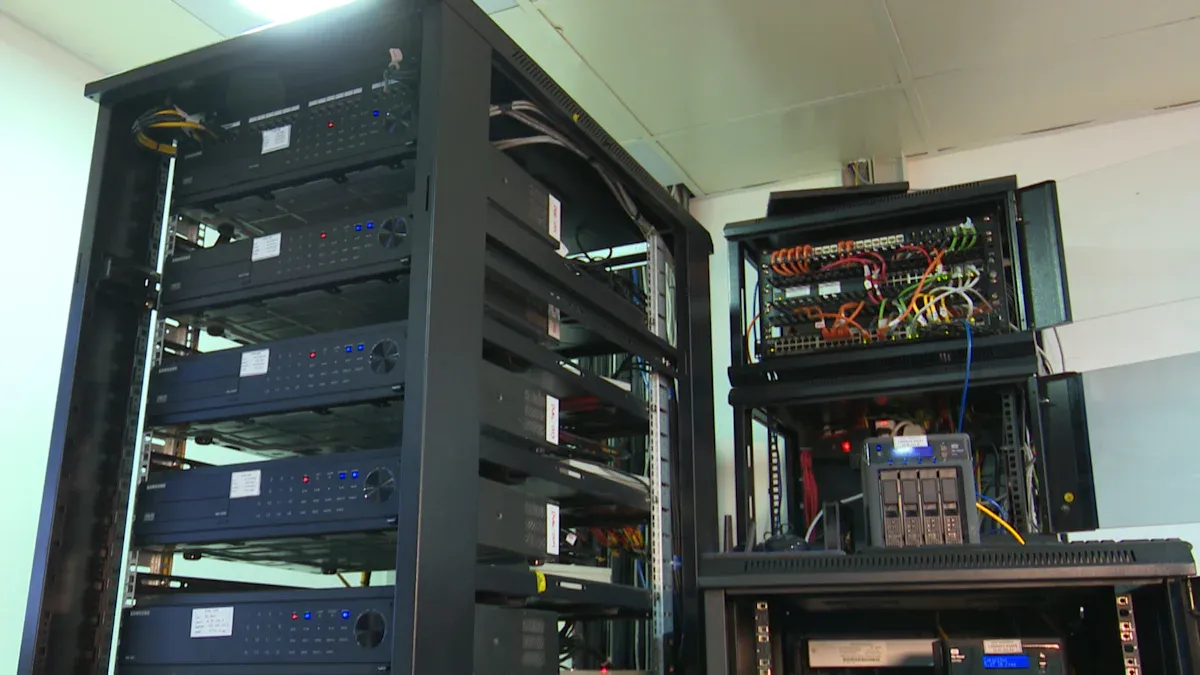
Choosing the right small business server can make your work easier and safer. You want a server that fits your needs and budget. Let’s look at the best options for small businesses this year.
Entry-Level Servers
If you run a small business, you might want a simple small business server that does not cost much. Entry-level servers help you store files, run email, and keep your data safe. You can start with a basic setup and upgrade later.
Here are some top entry-level small business server models:
Dell PowerEdge T40: This small business server uses an Intel Xeon E-2224 processor, has 8GB RAM, and comes with a 1TB hard drive. You can use it for file storage, email hosting, and small databases. It is compact and affordable, so it works well for startups.
Dell PowerEdge T30: Another popular small business server for beginners. It is easy to set up and does not take up much space.
Supermicro, HP, and Lenovo: These brands offer reliable small business server options for entry-level needs.
You can buy these small business server models from trusted sellers. Many business owners use eBay to find good deals on hardware.
Tip: You can expand your entry-level small business server by adding more memory, drives, or network cards. This helps your server grow with your business.
Keeping your small business server running is important. Even a short downtime can cost you money. A survey shows that 37% of small businesses lose between $1,000 and $5,000 for just one hour of downtime. Reliable small business server choices help you avoid these problems.
Scalable Server Options
As your business grows, you need a small business server that can handle more work. Scalable small business server models let you add more power and storage when you need it.
Here’s a table showing some top scalable small business server options and their features:
Server Model | Caractéristiques principales |
|---|---|
Dell PowerEdge T40 | Intel Xeon E-2224 processor, 8GB RAM, 1TB hard drive, good for basic workloads like file storage. |
HPE ProLiant ML350 | Supports up to 24 cores, 3TB RAM, hot-swappable drives, multiple power supplies for scalability. |
Intel Xeon E-2224 | Advanced CPU, supports up to 128GB RAM, great for high-performance workloads. |
You can also look at small business server models from Supermicro, HP, and Lenovo. These brands offer strong and flexible small business server choices for growing companies.
If you want more details or help picking a small business server, visit our official website for guides and support.
Note: Scalable small business server options help you plan for the future. You can start small and add more as your business gets bigger.
A good small business server keeps your data safe, helps your team work faster, and saves you money in the long run. Pick a small business server that matches your needs today and can grow with you tomorrow.
Cloud Services for Small Businesses
Leading Cloud Storage Providers
There are many cloud storage choices for small businesses. In 2024, some top cloud services sont :
Cyfuture Cloud
Google Workspace (Google Drive)
Microsoft OneDrive for Business
Dropbox Business
Box Business
Amazon S3
Each provider has something special. Some are good for sharing files. Others give you strong security or lots of space. You can choose the one that fits your needs and budget.
Here is a quick way to see how some popular options compare:
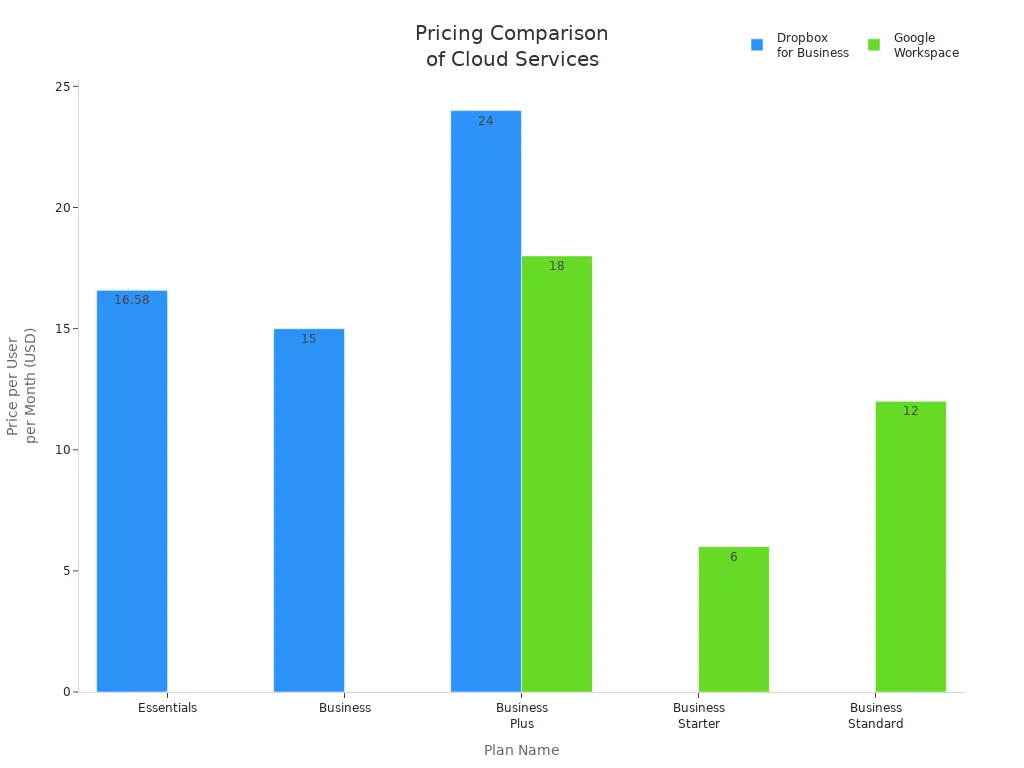
Service | Plan | Price (per user/month) | Stockage | Caractéristiques |
|---|---|---|---|---|
AWS | N/A | N/A | Scalable options | Flexible hosting, free tier for startups, managed hosting services. |
Dropbox for Business | Essentials | $16.58 | 3TB | Auto syncing, unlimited signature requests, restore deleted files for 180 days. |
Business | $15 | 9TB | Admin setup, oversee shared content. | |
Business Plus | $24 | 15TB | Suspicious activity alerts, compliance tracking. | |
Enterprise | Custom pricing | N/A | Enterprise security, integrations, live support. | |
Google Workspace | Démarrage de l'entreprise | $6 | 30GB | Secure email, video meetings for up to 100 people. |
Business Standard | $12 | 2TB | Video meetings for up to 150, AI-powered video tools. | |
Business Plus | $18 | 5TB | Video meetings for up to 500, advanced admin controls. | |
Enterprise | Custom pricing | N/A | Video meetings for up to 1,000, priority support. |
Tip: Visit our site officiel to learn more about cloud services for small businesses. You can also get help picking the right provider.
Benefits of Cloud Storage
Cloud storage gives your business many good things. You save money because you do not need to buy hardware. You can add more users or space as your business grows. Here are some main benefits:
You and your team can work together from anywhere.
Cloud storage lets you set up automatic backups. This keeps your data safe if something bad happens.
You get strong security features to protect your files.
You can change your IT resources fast, so your business stays flexible.
Cloud services for small businesses help you get ready for anything. You can add more space when you are busy. You can use less when things slow down. Providers use advanced security, like encryption and intrusion detection, to keep your data safe.
“Businesses can benefit from cloud computing because it enables scalability, resource flexibility, centralized data security, and data accessibility from anywhere.”
Cloud storage helps you keep up with changes and protect your business. You do not have to worry about losing files or running out of space. With cloud services for small businesses, you get peace of mind and more time to help your customers.
Hybrid and NAS Storage Solutions
Hybrid Storage Explained
You might wonder how you can get the best of both worlds. Hybrid storage gives you a mix of on-premises servers and cloud services. With a hybrid cloud setup, you keep important files close and use the cloud for backup or extra space. This way, you control your data and still get flexibility. Many small businesses use hybrid cloud because it helps them save money and grow fast.
Hybrid cloud lets you pick where your data lives. You can store sensitive files on your own server and use the cloud for sharing or remote work. If you want to learn more about hybrid cloud solutions, check out our site officiel for guides and tips.
Tip: Hybrid cloud works well if you want strong security and easy access. You can change your setup as your business grows.
Here’s a quick table to show how hybrid cloud compares to other options:
Storage Type | Control | Flexibilité | Coût | Sécurité |
|---|---|---|---|---|
Sur place | Haut | Faible | Haut | Strong |
Nuage | Faible | Haut | Moyen | Strong |
Hybrid Cloud | Moyen | Haut | Moyen | Very Strong |
Best NAS Devices
NAS devices make storage simple for small teams. You plug them into your network and start saving files right away. The Asustor Lockerstor 2 Gen2 stands out this year. It gives you fast speeds, easy upgrades, and strong security. You do not need special skills to set it up.
Other top NAS brands include Synology, QNAP, and Western Digital. These devices help you share files, back up data, and keep everything safe. You can add more drives if you need extra space. NAS devices cost less than big servers and work well for small offices.
Note: NAS devices are great for backups and sharing. You get peace of mind without spending too much.
If you want to see more NAS options or compare hybrid cloud setups, visit our site officiel for reviews and advice.
Key Factors When Choosing Storage
Budget and Costs
You want to spend your money wisely. When picking server storage, think about all the costs. On-premises servers cost more at first. You pay for hardware, setup, and upgrades. These costs can add up over time. But you get full control over your system. Cloud storage has monthly fees instead. You do not pay for hardware, but you pay for service each month. Here is a table that shows how costs compare over five years:
Cost Type | On-Premise Server (5 Years) | Cloud Server (5 Years) |
|---|---|---|
Initial Hardware/Setup | $10,000 | $0 |
Licensing | $2,500 | Included |
Maintenance/Upgrades | $5,000 | Included |
Power/Cooling | $3,000 | $0 |
Monthly Service Fees | $0 | $18,000 |
Total | $20,500 | $18,000 |
You also need to plan for things like repairs and upgrades. These costs include fixing hardware, paying for electricity, and replacing old parts. Reliable server solutions help you avoid surprise costs. They give you steady performance and fewer problems.
Tip: Think about what your business needs now and later. Costs can change as your business grows. You can find more details on our site officiel.
Caractéristiques de sécurité
Keeping your data safe is very important. You need strong security features to protect your business. Reliable server solutions use encryption to keep your files safe. Encryption protects your files when you send or store them.
Azure Storage uses encryption like client-side encryption and storage service encryption. These help keep your data safe when it is stored or sent.
You should set up access controls. Only trusted people should see or change your data. Audit trails help you see who does what. Firewalls, anti-virus software, and secure WiFi add more protection. Training your team on security helps everyone stay careful.
Encryption in transit and at rest is very important for privacy and following rules. Azure Storage has Transport-level encryption and Storage Service Encryption. These keep your data safe when moving and when stored.
Évolutivité
Your business will grow and change. You need storage that can grow with you. Scalability means you can add more space or power when needed. Cloud storage makes this easy. You can upgrade your plan in just a few minutes. On-premises servers need new hardware, which takes more time and money. Hybrid setups let you use both options. You can keep important files close and use the cloud for extra space. Backup solutions that grow with your business help you stay ready for anything.
Integration and Backup
You want your storage to work with your other tools. Good integration means your server connects with your email, apps, and backup solutions. This saves you time and keeps your data in sync. Backup solutions are important for every business. They protect you from losing data and help you recover fast after a problem. Look for storage that offers automatic backups and easy recovery. This helps your business run smoothly and gives you peace of mind.
Note: Always test your backup solutions to make sure they work when you need them.
Matching Storage to Business Needs
Assessing Data Requirements
You need to know how much data your business uses. Start by looking at your daily tasks. Do you save lots of photos, videos, or documents? Maybe you run a shop and keep customer records. Write down what you store and how often you add new files.
Here’s a simple way to check your needs:
List your main business activities.
Count the number of files you create each week.
Check the size of your files. Photos and videos use more space than text documents.
Ask your team if they need to share files or work from different places.
Type of Data | Space Needed | How Often Added |
|---|---|---|
Documents | Faible | Daily |
Photos/Videos | Haut | Weekly |
Customer Records | Moyen | Monthly |
Sauvegardes | Moyen | Weekly |
Tip: If you’re not sure, start with a small plan. You can always upgrade later. For more help, visit our site officiel.
Planning for Growth
Your business will change over time. You might hire more people or start new projects. You need storage that grows with you. Think about what you want to do next year. Will you add new products? Will your team get bigger?
Here are some ways to plan for growth:
Choose storage that lets you add more space easily.
Pick solutions with simple upgrades, like cloud or NAS devices.
Look for automatic backup options. These keep your data safe as you grow.
Make sure your storage works with your other tools, like email and apps.
🚀 Planning ahead helps you avoid problems. You stay ready for busy times and keep your data safe.
If you want advice on picking the right storage for your future plans, check out our site officiel. You’ll find guides and tips for every stage of your business.
There are lots of server storage options this year. You can pick on-premises servers, cloud solutions, hybrid setups, or NAS devices. These choices help your business work better. You can choose storage that fits your needs and helps you grow. Disaster recovery protects your files and helps you recover quickly. For more tips about working better or disaster recovery, visit our site officiel. Look at your current setup and think about disaster recovery. Pick the storage that helps your business work best. You can choose what is right for your business.
FAQ
What is the best server storage for small businesses?
You need storage that matches what your business does. Many companies use a mix of on-premises servers, cloud platform solutions, and NAS devices. You can learn more by visiting our site officiel.
How does cloud platform storage help businesses?
Cloud platform storage lets you get to your files from any place. You can add more space quickly and keep your data safe. Many companies use cloud platform services for backup and sharing files.
Can businesses use both on-premises and cloud platform storage?
Yes, you can use both types together. Many companies set up hybrid systems. You keep important files nearby and use the cloud platform for extra space or working from far away.
How do businesses keep data safe on a server?
You should use strong passwords, encryption, and do backups often. Many companies teach workers how to spot dangers. You can set up alerts to warn you about strange activity.
Where can businesses get help choosing storage?
You can go to our site officiel for help and guides. Many companies find answers there. You can also look at choices and read reviews.