
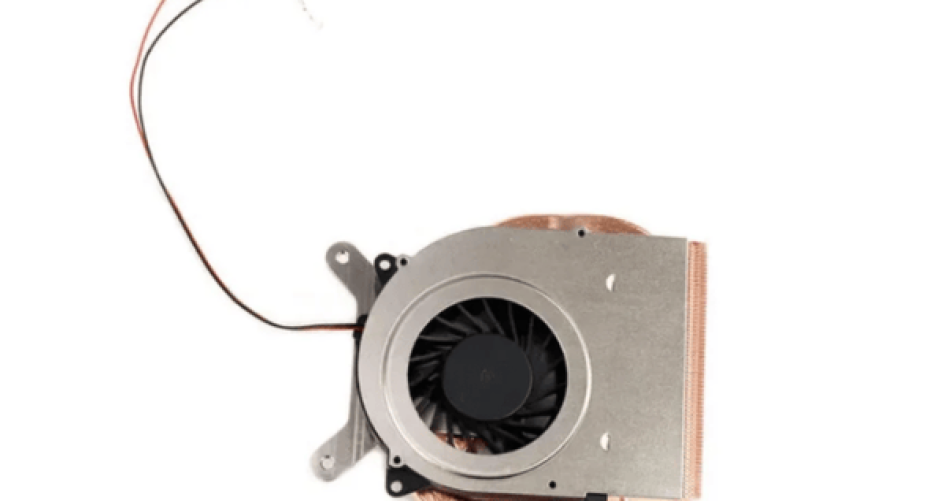
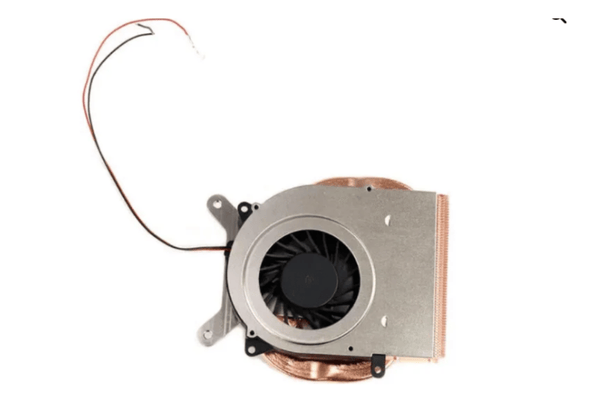
The best small form factor cpu cooler is quiet and cools well. It is also easy to install. Small computers need a cpu cooler that works well and is not loud. People want their computers to stay cool and work well for a long time. Good cooling helps move heat away and keeps things running right. Users should make sure the cooler fits and pick air or liquid types. The XTT series has many cpu cooler choices for strong computers. It is easy to find the best cpu cooler for any computer setup.
Hal-hal Penting yang Dapat Dipetik
Pick a CPU cooler that fits in your small case. Most coolers should be less than 60mm tall so they fit well.
Think about how loud the cooler is before you buy it. Choose coolers with PWM fans for less noise when doing easy tasks.
Check how well the cooler works for your CPU. Liquid coolers usually cool better for strong CPUs.
The cooler should be simple to install. Pick coolers with easy steps and tool-free mounting to make setup easier.
You need to take care of your cooler often. Clean it every few months to stop dust and keep it working well.
Cooling and Noise in Small Form Factor PCs
Challenges in Compact Builds
Small form factor PCs bring unique challenges for cooling and noise. These computers use less space, so every part sits close together. This tight layout makes it hard for air to move and for heat to escape. People often choose low-profile or compact coolers because large ones do not fit. Many premium coolers stay under 65mm tall to work in these cases.
Here is a table that shows some features that help with thermal performance and noise in small form factor designs:
Fitur | Deskripsi |
|---|---|
2.5-slot Design | Gives better airflow and heat dissipation in a small space. |
Axial-tech Upgrades | Uses special fans for lower noise and better cooling. |
0dB Technology | Stops fans when the system is cool, making the PC silent during light tasks. |
Vented Backplate | Lets hot air out, which helps with thermal management and keeps the system stable. |
Phase-Change GPU Thermal Pad | Moves heat away fast, which helps high-performance parts last longer. |
Small form factor cases need cooling solutions that fit tight spaces but still keep everything cool. The design of these coolers also matters for airflow and noise. Some coolers use fans that spin in reverse to cut down on noise and move air better.
Impact on Performance and User Experience
Cooling affects more than just temperature. It changes how well a small form factor PC works and how quiet it stays. If a cooler cannot handle the heat, the CPU slows down to protect itself. This is called thermal throttling. When this happens, the computer runs slower and may even crash. Good heat dissipation keeps the CPU running at top speed and helps with system stability.
People who use compact systems for gaming or work want both quiet and strong performance. They look for cooling solutions that do not get loud but still keep the system cool. Good thermal management means the PC stays fast, quiet, and safe. A small form factor build with the right cooler gives a better user experience every day.
Top 10 Small Form Factor CPU Coolers
Gambaran Umum Seri XTT
The XTT series is a great choice for small computers. It has many models, like the XTT-01 for daily use and the XTT-16 for strong CPUs. Each cpu cooler uses special materials and smart design to help air move and heat leave. People find it easy to put these coolers in tight cases. The coolers fit many sockets, so they work in lots of systems. People who want quiet and good cooling often pick XTT. The coolers look nice and match modern computers. Many like them for both performance and style.
Tip: The XTT series has a cpu cooler for every job, from quiet work computers to gaming computers that need lots of power.
Noctua NH-L9i & NH-L9x65
Noctua’s NH-L9i and NH-L9x65 are popular in small computers. The NH-L9i is only 37mm tall, so it fits tiny cases. It uses a copper base and heatpipes with the NF-A9x14 PWM fan for quiet cooling. The NH-L9x65 is 65mm tall and fits ITX and slim builds. It has a thick fin stack and four heatpipes for better heat movement. Both coolers do not block RAM or PCIe slots, so users do not worry about fitting.
Fitur | NH-L9i | NH-L9x65 |
|---|---|---|
Height (with fan) | 37 mm | 65 mm |
Kompatibilitas | 100% RAM, PCIe cards | Zero RAM/PCIe interference |
Penggunaan Ideal | HTPCs, SFF cases | ITX, HTPC, slim builds |
Fan | NF-A9x14 PWM | NF-A9x14 PWM |
People like these coolers because they are easy to install and stay quiet. They work best in small computers that do not need heavy overclocking. Many say they are the pendingin cpu terbaik for small builds that want quiet and steady work.
GameMax Ice Surface BK
The GameMax Ice Surface BK gives good cooling and low noise in small computers. This cpu cooler has a small tower shape and a good fan that keeps things quiet. People find it easy to install, even in tight spaces. The cooler fits most new sockets, so it works in many systems. People who want style, good cooling, and quiet often pick this cooler.
Peerless Assassin 120 & NH D12L
The Peerless Assassin 120 and NH D12L are strong coolers for small computers. The Peerless Assassin 120 has two towers and fits in many small builds. It moves heat well and keeps noise low. The NH D12L is slim and uses advanced fan tech. People find it easy to install and trust its cooling. Both coolers help keep systems steady during hard work and games.
NH-D15 G2
The NH-D15 G2 is a powerful cpu cooler for small computers. Noctua made it with a smaller heatsink depth than before, so it fits better in tight spots. The cooler uses eight heatpipes and advanced fans for great cooling. Users get 59mm of RAM space in single fan mode, which helps with fitting. The offset design also gives more room for PCIe slots.
Fitur | Deskripsi |
|---|---|
Ukuran | 9mm less heatsink depth than previous model |
Kapasitas Pendinginan | Eight heatpipes, advanced fan technology |
RAM Clearance | 59mm in single fan mode |
PCIe Slot Clearance | Offset design for better fit |
People who want strong cooling in small computers often pick the NH-D15 G2. It keeps systems steady and noise low, even when working hard.
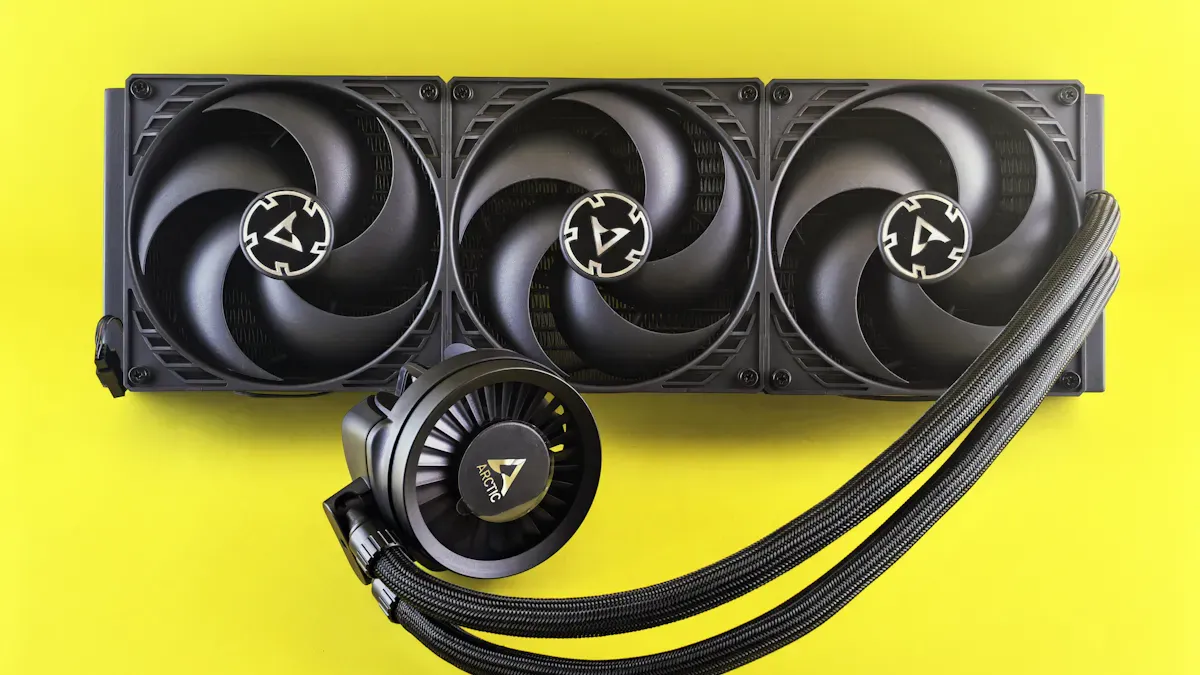
Freezer III 360 A-RGB
The Freezer III 360 A-RGB brings liquid cooling to small computers. This all-in-one cooler has a slim radiator and three quiet fans for good cooling. The A-RGB lights add style but do not make more noise. People find it easy to install, even in small cases. The cooler fits many sockets, so it works in lots of builds. People who want good cooling and quiet often choose this model.
SK700V
The SK700V is known for being small and cooling well. This cpu cooler uses a special fin shape and a good fan to move heat fast. People enjoy quiet use, even when the computer works hard. The cooler fits most small cases and is easy to install. People who want a reliable and stylish cooler often pick the SK700V.
Peerless 90 & NH D9L
The Peerless 90 and NH D9L are for people who need a small cpu cooler with a low profile. The Peerless 90 is compact and uses a quiet fan to keep things cool. The NH D9L is slim and moves heat well. Both coolers fit tight spaces and are easy to install. People who want steady and quiet computers in small builds often pick these models.
Note: Picking the best cpu cooler depends on your case size, CPU needs, and how much noise you want. Each model above gives a mix of good cooling, quiet use, and easy install for small computers.
Best Compact Liquid CPU Cooler Options
Freezer III 360 A-RGB
The Freezer III 360 A-RGB is a top liquid cpu cooler for small builds. It has a thin radiator and three quiet fans. This makes it great for people who want strong cooling and little noise. The Freezer III 360 A-RGB keeps the computer cool, even when working hard. The A-RGB lights look nice but do not make it louder.
When you compare cooling and noise, this cooler does better than most air coolers of the same size. Check out this table:
Fitur | Freezer III 360 A-RGB | Typical Air Cooler |
|---|---|---|
Thermal Performance | Excellent (over 200 W) | Sedang |
Tingkat Kebisingan | Rendah | Sedang hingga Tinggi |
Overclocking Capability | Tinggi | Terbatas |
People say it is easy to put in because the tubes bend and the guide is clear. The cooler fits many sockets, so it works in most small cases. People who want strong cooling and good heat control often pick this cooler for its steady work and heat moving power.
Note: If you like air cooling, the XTT series has good coolers for small computers.
Corsair H5 SF
The Corsair H5 SF is also a great liquid cpu cooler for small builds. It is short and has a small pump, so it fits tight spots. The H5 SF cools well and stays quiet, even when the cpu is busy.
People like that it is simple to install and holds tight. The H5 SF fits many small cases and works with lots of cpus. People say it keeps the computer steady and cool, which helps the system run well. Its shape lets it move heat away without needing much space.
Tip: Both the Freezer III 360 A-RGB and Corsair H5 SF cool well and stay quiet. They help small computers stay cool and work right, even when doing hard jobs.
Air vs Liquid Cooling for Small Form Factor
Kelebihan dan Kekurangan Pendingin Udara
Air coolers are still a top pick for small computers. Many people like them because they work well for the price. They last longer than most liquid coolers and do not cost as much. Air coolers are simple to put in, so beginners can use them. Some air coolers look big and may not fit in every case. Sometimes, air coolers make more noise unless you buy a quiet one. Air coolers are good for most small builds, but they may not cool the best for very strong CPUs.
Keuntungan | Kekurangan |
|---|---|
Great performance-to-price ratio | Not always the best for extremely powerful cooling |
Longer lifespan compared to liquid coolers | Can be bulky |
More affordable than liquid coolers | Noticeable noise levels unless investing in silent options |
Easier to install, beginner-friendly | May not fit well in compact setups compared to liquid coolers |
Liquid Cooler Pros and Cons
Liquid coolers have special benefits for small computers. They use thin radiators, so they save space and help air move better. Many people notice they are quieter because the fans spin slower. Liquid coolers also help air flow inside the case. Some people worry about leaks or having to take care of them. These coolers can make the case hotter if air does not move well. Still, liquid coolers often cool better for strong CPUs.
Kelebihan | Kekurangan |
|---|---|
Space efficiency due to slim radiator installation options | Maintenance requirements for liquid coolers |
Quieter operation with larger, slower fans | Risk of failure due to potential leaks |
Improved airflow within compact cases | Higher ambient temperatures in confined spaces |
Noise and Performance Comparison
People want to know which cpu cooler is best for noise and cooling. Liquid coolers are usually quieter because their fans do not spin fast. They also cool better in small spaces. Air coolers can handle hot CPUs if the case has good airflow. Some air coolers get loud because their fans spin faster to keep up. Both types can keep your computer cool and steady, but liquid coolers are better for quiet and strong computers.
Jenis Pendingin | Noise Output | Thermal Performance |
|---|---|---|
Liquid Cooler | Quieter operation due to larger fans at lower RPMs | Superior thermal management in compact spaces |
Pendingin Udara | Higher noise levels due to faster-spinning fans | Capable of handling moderate to high TDPs with good airflow management |
Tip: Check your case size, cpu cooler height, and airflow before you choose. Picking the right cooler helps your small computer stay fast and stable.
Choosing the Right Small Form Factor CPU Cooler
Fitur Utama yang Perlu Dipertimbangkan
When you pick a cpu cooler for a small computer, you need to look at a few important things. Height is very important. Most coolers are under 60mm tall so they fit in small spaces. The cooler must keep the CPU from getting too hot. This helps your computer stay stable and not crash. Noise is also important. Quiet coolers use PWM fans to make less sound. You want a cooler that fits your motherboard and socket. It should be easy to put in. Good airflow helps push hot air out of the case.
Fitur | Deskripsi |
|---|---|
Low Profile Design | Fits compact dimensions, usually under 60mm tall. |
Efficient Thermal Performance | Handles heat well, matches CPU TDP. |
Tingkat Kebisingan | Quiet operation, low dB rating, PWM fan support. |
Kompatibilitas | Works with many sockets, fits Mini-ITX and Micro-ATX boards. |
Installation Ease | Tool-less mounting, clear instructions. |
Aliran Udara yang Dioptimalkan | Moves hot air toward exhaust vents for stability. |
Low Profile Design Importance
Low profile design lets cpu coolers fit in small cases. These coolers are small so they do not block other parts. Sometimes, big GPUs will not fit if the cooler is too large. Small cases can have less airflow. This can make the computer get hot if cooling is not good. Some cases do not have many places for fans. This makes it harder to move air. A good low-profile cooler keeps your computer cool and working well.
Installation and Maintenance
Easy installation is great for small computers. Clear steps and tool-free mounting help you set up fast. Taking care of the cooler is simple. You just clean dust from the fans and heatsinks. This keeps the cooler working well. Cleaning often helps your computer stay cool and stable. Most good coolers do not need much work to keep them running.
Tip: Always read the manual before you install a cpu cooler. This helps you avoid mistakes and keeps your computer safe.
Brand Recommendations
Many brands make good coolers for small computers. XTT is a top brand with many strong models. The XTT series fits lots of sockets and cools well without being loud. Other brands like ID-COOLING and Antec also make nice coolers. The ID-COOLING SE-914-XT ARGB Cooler has four heat pipes and a 92mm PWM fan. The Antec Solutions Plus CPU Cooler works with Intel and AMD and uses strong materials.
Merek | Model | Fitur Utama |
|---|---|---|
XTT | XTT-01 to XTT-16 | High performance, easy installation, wide compatibility, quiet operation |
ID-COOLING | SE-914-XT ARGB Cooler | Efficient cooling, customizable RGB, compact design |
Antec | Solutions Plus CPU Cooler | Durable, compatible with many sockets, strong heat dissipation |
If you want the best low-profile cooler, XTT is a good choice for small computers and strong cooling.
Installation Tips for Compact Builds
Preparing Your Case
He always starts by checking the space inside the case. Small cases need careful planning. They measure the cooler’s height to make sure it fits. Some coolers, like all-in-one liquid models, need extra room for radiators. She looks at the case to see if it supports 120mm or 240mm radiators. They double-check the radiator’s thickness so it does not block other parts. When mounting a radiator, they place it at the top with fans blowing air out. This setup helps the system last longer, even if the CPU runs a little warmer. If the radiator goes in the front, they keep the tubes at the bottom. This stops air from getting into the pump.
Tip: Lay out all the parts before starting. This makes the build smoother and helps avoid mistakes.
Optimizing Fan Curves
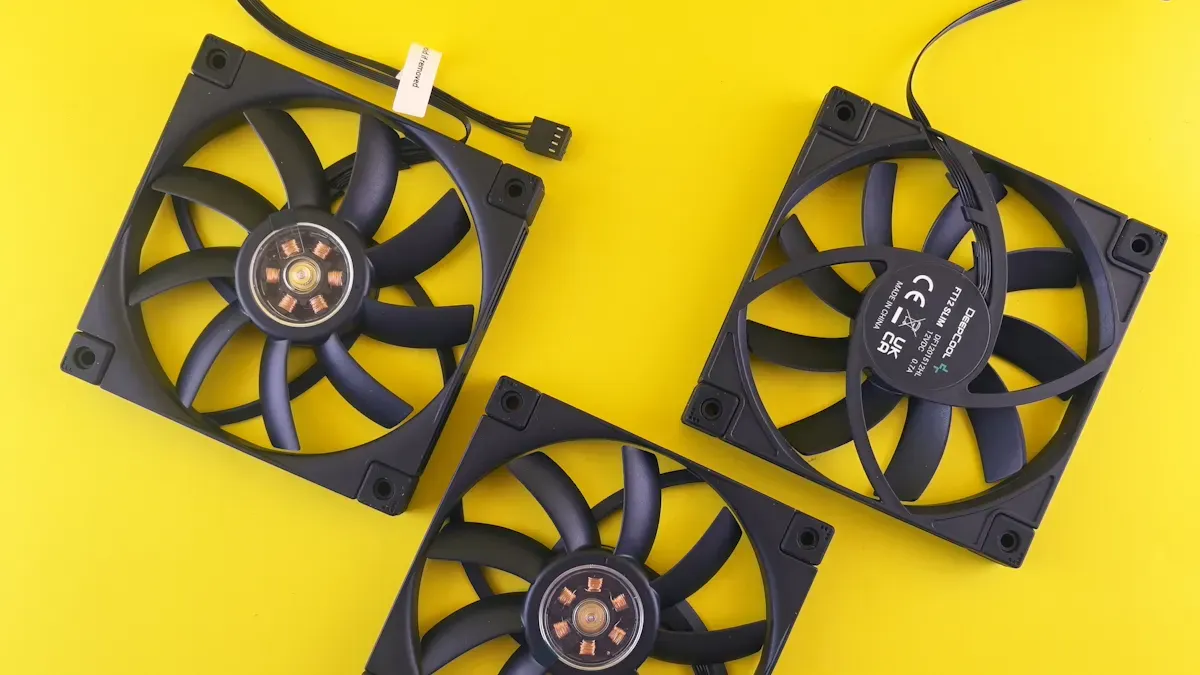
He knows that fan speed matters for both noise and cooling. She adjusts the fan curve in the BIOS or with software. This lets the fans spin faster when the CPU gets hot and slow down when it is cool. A small change in the fan’s pitch angle can boost airflow by up to 20%. If the pitch angle is wrong, the system can waste energy and get noisy. Adjustable fans help match airflow to the heat inside the case. This keeps the system quiet and cool during heavy use.
Set a gentle fan curve for daily tasks.
Use a steeper curve for gaming or video editing.
Test different settings to find the best balance.
Cleaning and Maintenance
They clean the fans and heatsinks every few months. Dust can block airflow and make the cooler work harder. A soft brush or a can of air works well for cleaning. He checks that all screws stay tight and that the cooler sits flat on the CPU. Regular cleaning helps keep compact builds running at top performance. She also checks for any loose wires or cables that might block airflow.
Note: Clean parts last longer and keep the computer quiet.
Choosing the right cpu cooler makes a big difference in any small form factor build. He should look for a cpu cooler that fits the case and matches the CPU’s needs. She can pick from air or liquid cpu cooler options, but each small form factor setup works best with a cooler designed for quiet use. They should use a small form factor cpu cooler with silent fans and noise-dampening cases for the best results. The XTT series stands out as a top pick for small form factor builds, giving strong cooling and easy installation. Smart choices lead to better performance and a quiet system.
PERTANYAAN YANG SERING DIAJUKAN
What makes a cpu cooler important in a small form factor PC?
A cpu cooler keeps the processor from overheating. It helps the computer run smoothly and quietly. Without a good cpu cooler, the system can slow down or even shut off during heavy use.
How does someone choose the right cpu cooler for a compact build?
They should check the case size and cpu socket. Low-profile designs fit best in tight spaces. The XTT series offers many options for different needs. Users can find more details in the main blog section.
Can a cpu cooler be both quiet and powerful?
Yes, many coolers balance noise and cooling. Models like the XTT-16 use advanced fans and smart design. These coolers keep the system cool without making much noise.
Is it hard to install a cpu cooler in a small case?
Most modern coolers come with clear instructions. Many, like those in the XTT series, use tool-free mounting. This makes installation simple, even for beginners.
How often should someone clean their cpu cooler?
They should clean the cpu cooler every few months. Dust can build up and block airflow. Regular cleaning helps the cooler work better and keeps the computer quiet.


