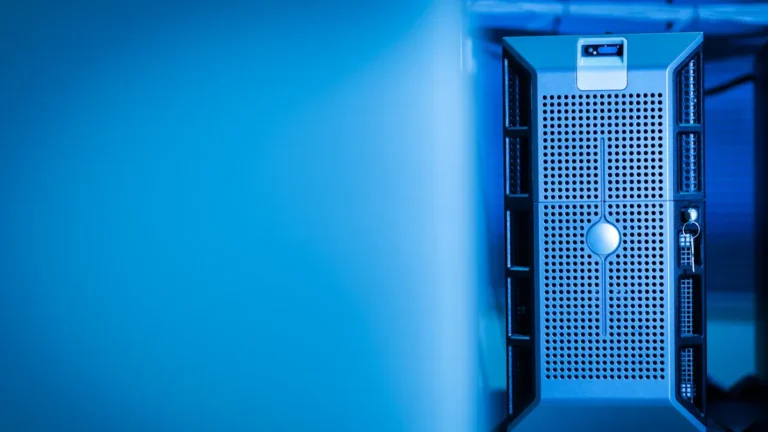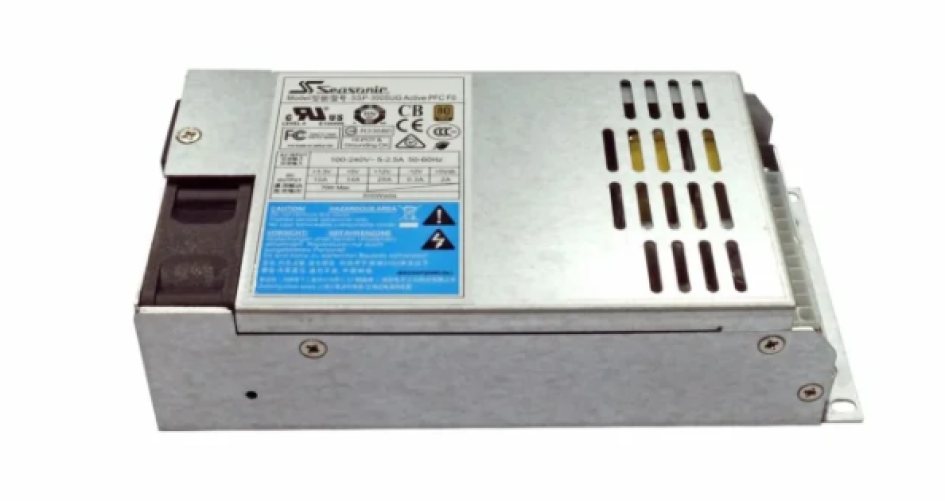
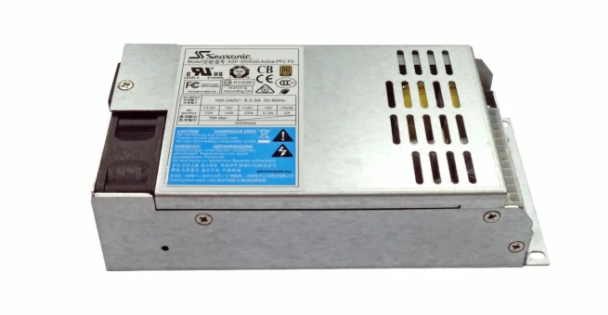
Proven methods help keep computer server power supply systems working well. Regular care in the server room makes things run better and stops downtime. Many groups get good results like servers lasting longer, less surprise downtime, and saving more energy. They also see servers use energy better and data center items stay safer.
Regular care in the server room helps keep things running and keeps data safe.
Checking servers often finds problems before they cause downtime.
Good care makes servers last longer and helps save energy.
A server room has problems like keeping hardware working, fixing security, and changing with new needs. Energy saving steps and care tips help servers stay strong in any server room. Using the right power supply and energy plans makes sure the computer server power supply in the server room works well.
Hal-hal Penting yang Dapat Dipetik
Checking and cleaning catu daya server often stops breakdowns and saves energy. Watching power loads and voltage keeps things working well and stops overloads. Changing old parts makes servers work better and saves energy. Using power management features helps control energy use and lowers costs. Making a plan for regular maintenance finds problems early and keeps downtime low.
Regular Inspection and Cleaning
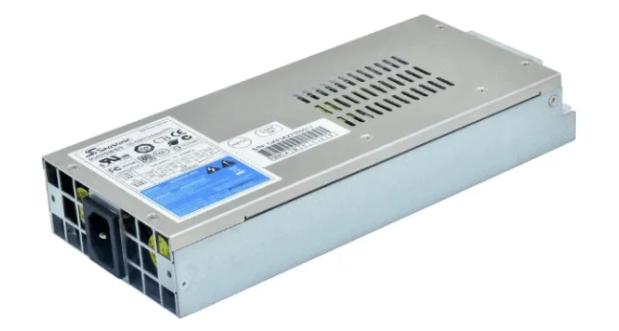
Checking and cleaning server power supplies often is very important. It helps them work well and not break down. Many reports say that regular care saves energy and keeps things cool. It also stops downtime and makes hardware last longer. These steps are the base for saving energy in any data center.
Visual Checks for Damage
Technicians need to look for damage every time they check. Some signs are:
Bulging or leaking capacitors
Scorch marks or melted plastic
Blown solder joints
Corroded connector pins
Loose wires
Damaged fan blades or bearings
Strange noises can mean something is wrong. These sounds include high-pitched coil whine, grinding from fan bearings, or clicking. If you smell burning plastic or metal, it could mean overheating or an electrical problem. Finding these problems early stops energy waste and keeps servers working well.
Cleaning Dust and Debris
Dust and dirt can block air from moving in power supply units. This can make them too hot and waste energy. Cleaning filters and vents often helps air flow and stops heat from building up. Taking dust off heat sinks and fans also helps cooling. Doing these easy things keeps energy use right and protects the server.
Inspecting Cable Connections
Cable connections need to be checked carefully during maintenance. Workers should look for heat marks or signs of too much electricity. These can hurt the insulation and connectors. Using a checklist helps make sure nothing is missed. Changing bad connectors right away stops downtime. Labeling and writing down all connections makes future checks faster and easier.
Tip: Adding voltage monitoring and surge protection to your checks can keep equipment safer and save more energy.
Many groups use brands like sz-xtt for good server power supply solutions and tools for monitoring.
Monitoring Power Loads and Voltage
Watching power loads helps data centers work better. It also stops overloads from happening. Technicians use many ways to keep catu daya server working. They check how much energy each server uses. They make sure the load is balanced. This helps use less energy and keeps things steady.
Power Load Balancing
Power load balancing is important for saving energy. Data centers use new technology to guess power needs. They also manage energy better. These steps help stop wasting energy and save money.
Power load balancing helps manage energy in data centers.
Digital twins and energy software help guess power needs.
Good cooling and load balancing save energy and lower costs.
These steps help data centers stay strong and work well.
Technicians use tools from brands like sz-xtt for load balancing. These tools help control energy use and make care easier.
Voltage Monitoring Tools
Voltage monitoring tools help technicians watch power supply conditions. Power quality analyzers check voltage, current, and harmonics right away. Fluke makes good analyzers for single and three-phase systems. These tools help find problems with energy use and efficiency. They work for short checks and for always watching. Using these tools keeps server power supplies safe and energy efficient.
Many data centers pick sz-xtt products for voltage monitoring. Their tools help save energy and make care easier.
Surge Protection Measures
Surge protection devices keep server power supplies safe from sudden spikes. Technicians put in surge protectors and use the right fuses to stop damage. These steps protect equipment and help keep power use good. Checking and updating surge protection often helps save energy for a long time.
Tip: Always test surge protection devices during care to make sure they work.
Watching power loads and voltage helps data centers use less energy and work better. Using the right tools, like those from sz-xtt, helps keep servers safe and running well.
Upgrading and Replacing Components
It is important to know when to upgrade or change server power supply parts. This helps stop problems and keeps energy use low. Technicians look for signs that show a part is not working right.
Identifying Outdated Parts
Many server rooms use lights to find bad parts. The table below lists signs that a server power supply needs help:
Indicator Type | Deskripsi |
|---|---|
Blinking Amber Light | The server works, but a part is not okay and should be changed. |
Solid Amber Light | One part has stopped working all the way. |
Power Supply Unit (PSU) | There are power problems like PSU failure or not enough voltage. |
Technicians use these signs to know when to change server hardware. Acting fast keeps the server working and helps with good care.
Choosing Efficient Replacements
Picking energy-saving parts lowers energy use and costs. New power supplies use less energy and make less heat. This keeps the server room safer and more steady. Many teams pick energy-saving models to help with good care and better server work. Brands like sz-xtt have new, energy-saving power supplies and tools for watching them. These tools help data centers save energy and keep things steady. For more info, go to the sz-xtt website or look at their product pages.
Tip: Always pick new parts that fit the server’s needs for best results.
Updating Power Distribution
Getting new power distribution gear gives many good things. Power Distribution Units (PDUs) let managers watch and control energy from one spot. This setup helps servers stay on and lowers downtime risk. New smart PDUs give better control, more backup, and stronger watching. These things help teams find wasted energy and make better choices for server care. Using new PDUs helps with good care and keeps the server room using less energy.
Changing and upgrading parts often keeps server power supplies working well. These steps help save energy, stop downtime, and help with long-term server care.
Using Power Management Features
Power management features help data centers use less energy. They also help servers work well. These tools let technicians control how much energy servers use. They make it easier to find problems early and fix them.
Configuring Power Settings
Technicians set up power management features for each server. They use built-in tools to lower energy use when servers are not busy. Some servers can sleep or slow down to save energy. These changes help save energy and make care easier. New low-power hardware and smart software also help use less energy but keep servers fast.
The table below lists some top power management features and their benefits:
Fitur | Manfaat |
|---|---|
Remote Monitoring and Control | Lets people manage power from anywhere, making things work better. |
Real-Time Power Usage Data | Shows energy use right away, so changes can be made fast. |
Environmental Sensors | Watches things like heat and helps use cooling and power better. |
Energy Management and Alerts | Warns about problems, stops downtime, and helps use less energy. |
Remote Monitoring Solutions
Remote monitoring lets technicians check server power supplies from anywhere. They see real-time data and fix problems quickly. This helps with server care and saves money. Remote monitoring also makes it easy to manage energy in many places. Fast action keeps servers safe and working well.
Note: Remote monitoring helps teams fix problems before they get worse. It also helps keep energy use steady.
Many data centers use advanced monitoring from sz-xtt. These tools help with server care and give better control over energy use.
Integrating sz-xtt Tools
Teams use sz-xtt tools to make power management better. These solutions give advanced monitoring and control for server power supplies. Sz-xtt products help track energy use, send alerts, and manage cooling. They also support remote monitoring for better server care. For more details, visit the situs web resmi sz-xtt or check their power management solutions.
Tip: Using sz-xtt tools helps data centers save energy and keep servers working their best.
Technicians can group servers that are not used much, use good storage, and manage airflow to save more energy. Built-in power management features and sz-xtt solutions make server care easier and better.
Maintaining Environmental Conditions
Keeping the server room cool and clean helps power supplies work well. Good cooling and airflow protect equipment and save energy. These steps are important for strong server care.
Cooling and Ventilation
Cooling is a big part of taking care of servers. Data centers use CRAH units with special dampers to move air. This setup sends cold air to server racks and takes hot air away. It keeps the room at the right temperature and helps servers run well. Cooling systems stop overheating, which can break networks and cost more money. Many data centers use cold aisle and hot aisle setups, improve airflow, and pick cooling systems that use less energy. Cleaning heat sinks and fans often keeps air moving and stops dust from building up. These steps help save energy and keep server parts safe.
Tip: Clean heat sinks and fans every time you check the system to keep cooling working well.
Managing Temperature and Humidity
Watching the temperature is important for server care. The best temperature for server rooms is between 18°C and 24°C. Humidity should stay between 40% and 60%. This stops static electricity and rust, which can hurt power supplies.
Temperature Range | Humidity Range |
|---|---|
40% to 60% RH |
Keeping the right temperature and humidity helps servers use energy better and last longer.
Preventing Interference
Electromagnetic interference can change voltage and cause power problems. Bad power quality makes systems work worse and can cause downtime. Servers need steady power to work right. Using shielded cables and keeping power and data lines apart helps stop interference. Checking for interference should be part of every maintenance plan.
Many data centers use sz-xtt solutions for advanced monitoring and power management. Their environmental monitoring products help track temperature, humidity, and energy use. This makes server care easier and more reliable.
Preventive Maintenance Scheduling
A good preventive maintenance schedule keeps server power supplies working well. This plan makes sure each server gets the care it needs. It helps servers stay reliable and use less energy. Teams that follow a plan can find problems early. This helps them stop expensive downtime.
Creating a Maintenance Calendar
A maintenance calendar helps teams know what to do and when. Teams plan jobs like cleaning, checking, and updating firmware. They also plan security checks and watch the network.
Cleaning and checking keep hardware working well
Firmware updates and security checks protect data
Planning and checking databases help save energy
Watching the network finds problems early
Teams should do preventive maintenance often. Many data centers check their calendar every month or every few months. This helps make sure nothing is missed. Checking the calendar often helps teams change the plan if needed.
Tip: Use digital tools or software to remember maintenance dates.
Documenting Activities
Writing down what you do makes server care easier. Teams keep notes about rack layouts and hardware setups. They also write down cable paths and any changes.
Write down where racks and hardware are
Record cable paths and rack sizes
List all upgrades and new parts
Good records help teams fix problems fast. This stops downtime and keeps energy use steady.
Staff Training
Training staff is important for safe server care. Teams learn how to spot trouble early and use the right tools. Training also teaches how to save energy and follow the plan.
Teach staff to look for damage and overheating
Show how to use monitoring tools
Review tips to save energy and stay safe
Training often keeps everyone ready for new problems. Many teams use help from brands like sz-xtt to learn about new tools and best ways to work.
Backup Power and Redundancy
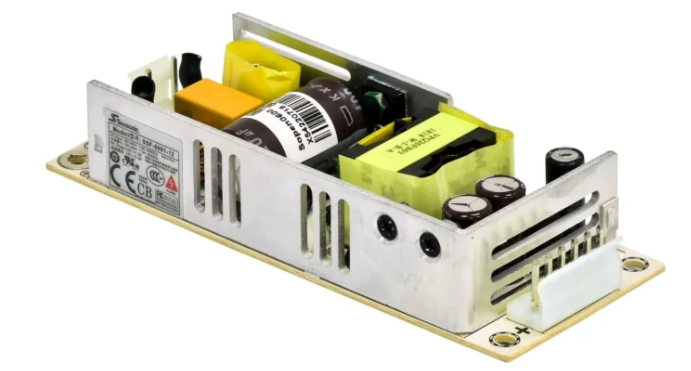
Backup power and redundancy are very important for server care. These systems help stop downtime and keep data safe. If the power goes out, backup power keeps servers on and stops data loss. Good backup power also helps save energy and keeps things running.
Uninterruptible Power Supplies
Uninterruptible power supplies (UPS) give servers power when the main power fails. They protect equipment from sudden voltage changes and power surges. The table below lists some UPS features that help servers:
Fitur | Deskripsi |
|---|---|
Continuous Power Supply | Online UPS gives pure power all the time, even during outages. |
Voltage Regulation | Keeps voltage steady and protects sensitive equipment from changes. |
Surge Protection | Stops power surges and keeps devices safe. |
Remote Monitoring | Lets people check and manage power from far away. |
Many data centers pick UPS units from brands like sz-xtt. Their UPS products let you watch power use and manage it from anywhere.
Redundant Power Systems
Redundant power systems give extra safety for server care. These systems use more than one power source to keep servers on if one stops working. Some main benefits are:
Data centers use backup power, like UPS units, to keep working when the main power fails.
A strong backup system, like a UPS with generators, keeps servers up and protects data.
Fast switch systems make sure there is no downtime for important work.
Redundant systems help save energy and keep servers safe from sudden power loss.
Testing Backup Solutions
Testing backup power often is a smart way to care for servers. Testing helps teams find problems before they cause downtime or waste energy. The best steps for testing backup power are:
Look for good airflow, no leaks, and no odd smells or sounds.
Check the UPS panel and alarms to see if voltage is steady and the load is safe.
Look at the battery bank for damage and check the voltage.
Clean dust off and make sure nothing blocks the air.
Do a backup test, check how the system switches, and write down what you find.
Teams that do these steps can stop downtime and keep energy use steady. Many groups use sz-xtt tools to help test backup power and make server care better.
Taking care of servers helps them work well and not break. Teams that check servers often have fewer problems and spend less money. The table below shows how regular checks stop big problems:
Practice | Manfaat |
|---|---|
Regular upkeep | Saves money over time and keeps servers working well |
Unplanned outages | Costs more money and can cause data to be lost |
Checking servers all the time helps use less energy and stops waste. It also makes equipment last longer. Using sz-xtt solutions helps data centers watch energy, check server health, and keep everything working its best.
PERTANYAAN YANG SERING DIAJUKAN
What is the best way to clean a server power supply?
Technicians use soft brushes and compressed air to get rid of dust. They do not use water or strong cleaners. Cleaning often helps stop overheating and keeps servers working.
How often should teams check server power supplies?
Teams need to check server power supplies once a month. Checking often helps find problems early. This helps stop downtime and makes equipment last longer.
Why is surge protection important for servers?
Surge protection stops sudden voltage spikes from hurting equipment. It keeps servers safe and stops data from being lost. Many data centers use surge protectors from brands like sz-xtt.
What features do sz-xtt power management tools offer?
Sz-xtt tools give real-time monitoring, remote control, and energy alerts. These features help teams manage power and keep servers working well. You can learn more on the sz-xtt power management page.
How does backup power help in a server room?
Backup power, like UPS units, keeps servers on during power outages. It protects data and stops downtime. Sz-xtt has UPS solutions for strong backup power.