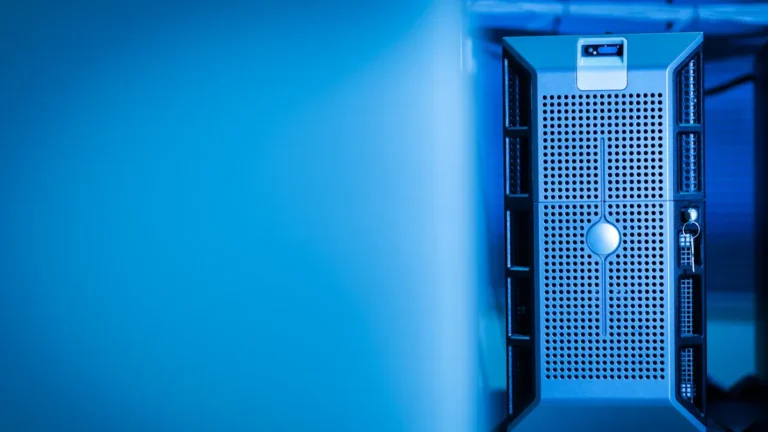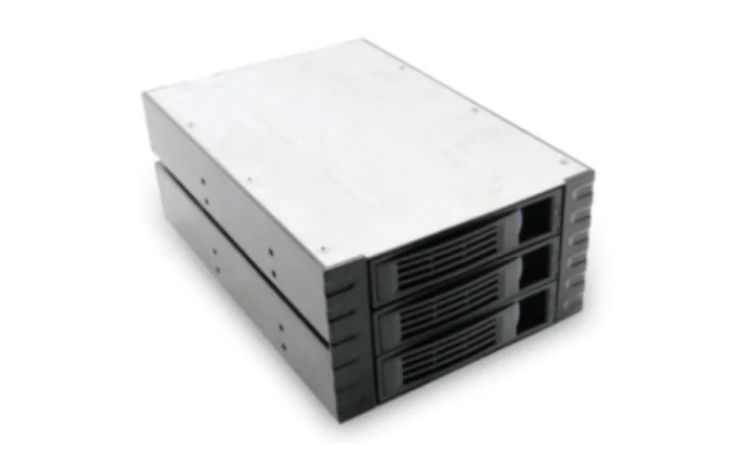
Rackmount Server Chassis are very important in data centers today. These chassis save space because they fit into racks. Cooling solutions like fans and liquid cooling help equipment work well. Many data centers use hot aisle and cold aisle layouts. This helps air move better and makes fixing things easier. Good cooling uses less energy and helps devices last longer.
Feature | Description |
|---|---|
Cooling Solutions | Cooling tools like fans and liquid cooling help air move well. |
Layout Planning | Hot aisle and cold aisle setups help cool things and make fixing easier. |
Energy Cost Reduction | Good cooling saves energy and helps equipment last longer. |
Key Takeaways
Rackmount server chassis help save space in data centers. They fit into racks that are a standard size. This means you can add more servers without needing bigger rooms. Good cooling solutions, like fans and liquid cooling, keep servers working well. They also lower energy bills and help equipment last longer. Modular designs in rackmount chassis make upgrades simple. Teams can change parts without buying a whole new unit. Good cable management keeps data centers neat and tidy. This makes it easier to fix problems and take care of equipment. Picking the right chassis means looking at space, power, and if it works with your systems. This helps everything run smoothly.
Rackmount Server Chassis in Data Centers

Space Optimization
Rackmount Server Chassis help save space in data centers. They fit into racks that are all the same size. This helps workers keep equipment neat and tidy. Each chassis stacks servers on top of each other. This means the data center does not need as much floor space. Teams can add more servers without making the room bigger. Many companies pick rackmount chassis to use every bit of space in the server area.
Tip: Using rackmount chassis keeps walkways open and makes it simple to reach equipment for repairs.
High-Density Support
Modern data centers must run many programs at the same time. Rackmount Server Chassis let you put more servers in each rack. Models like the 316H-T3 and 316H-T3E handle big jobs and keep things working well. These chassis are good for places with little space but high needs. High-density support lets businesses grow their computer power without needing more rooms.
Here is a table that shows how different chassis models and setups help with different jobs:
Model | Form Factor | Socket | Memory Capacity | Key Features |
|---|---|---|---|---|
HPE ProLiant DL320 Gen12 | 1U | Single | Up to 4 TB | Uses rack space well, lowers virtualization risks |
HPE ProLiant DL340 Gen12 | 2U | Single | N/A | Works with SFF, LFF, GPU setups, saves energy |
HPE ProLiant DL360 Gen12 | 1U | Dual | Up to 8 TB | Small size, works with hybrid cloud jobs |
HPE ProLiant DL380 Gen12 | 2U | Dual | Up to 8 TB | Can grow, runs data analytics, works with hybrid cloud |
Versatility for Configurations
Rackmount Server Chassis give many choices for different setups. Teams can pick models like the 415, 420, 4508E, or 465 for what they need. Some chassis are good for small businesses. Others work for big companies. The design makes it easy to upgrade or change parts. Companies can add new pieces or switch to faster hardware. This helps data centers keep up with new tech and changing jobs.
Businesses can pick chassis with more bays for storage.
Some models have better cooling for strong servers.
Many chassis make it easy to fix or upgrade parts.
Rackmount Server Chassis help data centers build systems that match their needs. They work with many server types and make it easy to change as needs grow.
Key Features of Rackmount Server Chassis
Size and Rack Units (U)
Data centers pick different chassis sizes for their needs. The size is called rack units, or “U.” One rack unit is 1.75 inches tall. Common sizes are 1U, 2U, and 4U. A 1U chassis is small and saves space. It lets you fit more servers in a rack. Bigger chassis, like 2U or 4U, have more room inside. They can hold extra drives, memory, or cooling parts. Picking the right size helps use space well and plan for more servers later.
Cooling and Airflow
Servers need to stay cool to work well and be safe. Rackmount server chassis have many ways to cool servers. Some have big air filters to catch dust and dirt. This keeps servers running longer and better. Some chassis use hybrid liquid cooling. This mixes liquid cooling with air-to-water heat exchangers. It cools servers faster and keeps them from getting too hot, even when they work hard.
Feature | Description |
|---|---|
Form Factor | 2U form factor for improved cooling operation and airflow. |
Air Filter | Large air filter that removes harmful airborne materials, enhancing operational efficiency. |
Hybrid liquid cooling uses both liquid and air to cool.
These systems save energy and protect equipment.
Cable Management
Good cable management keeps things neat and easy to fix. Many rackmount server chassis have rear brackets. These brackets help keep cables and power cords in place. Some chassis have special cable systems. These stop cables from getting tangled or broken. Neat cables help workers fix problems fast and keep downtime low.
Feature | Description |
|---|---|
Rear Bracket | Eases installation and management of cable and power distribution |
Innovative Cable Management | Offers organized routing to prevent tangling and damage, facilitating quick maintenance |
Tip: Neat cables help teams find and fix problems faster.
Security Options
Security is important in every data center. Many rackmount server chassis have locks on the front or sides. These locks stop people from getting to the servers. Some chassis have sensors that warn staff if someone opens them. Security features keep data safe and stop tampering.
Power Distribution
Servers need steady power to keep running. Rackmount server chassis often use two PDUs in each rack. This gives main and backup power. If one power source stops, the other keeps servers on. Some systems let staff restart servers from far away. Advanced PDUs can control power by themselves and keep servers online during problems.
PDU Configuration | Description | Impact on Redundancy |
|---|---|---|
Minimum of Two PDUs | Allows for both primary and redundant power feeds | Reduces unplanned outages at the rack level |
Remote power cycling lets staff restart servers from anywhere.
Backup power keeps servers running if one source fails.
Modularity and Upgrades
Data centers need to change and grow over time. Rackmount server chassis have modular designs. Teams can add or take out parts, like drives or fans, without changing the whole chassis. Modularity makes upgrades simple and saves money. Many chassis let you swap hard drives, memory, or power supplies fast. This helps data centers keep up with new tech and handle more work as they grow.
Note: Modularity lets data centers upgrade without long downtime.
Rackmount server chassis have many features to help data centers. These features support strong performance, easy fixes, and future growth.
Benefits for Data Centers
Performance and Reliability
Data centers need systems that are strong and work well. Good server chassis help servers run without trouble. These chassis are made from tough materials. Their smart design keeps dust and heat away. Air moves well inside to keep things cool. This stops servers from getting too hot. Reliable systems mean less time fixing things. Teams trust these chassis for important jobs every day.
Tough build keeps servers safe from harm.
Good airflow keeps equipment from getting hot.
Reliable systems help stop outages.
Note: When systems work well, businesses do not lose money from problems.
Maintenance Efficiency
Easy maintenance saves both time and money. Many server chassis have parts you can swap out fast. Teams can change drives, fans, or power supplies quickly. Some designs use immersion cooling systems. These systems do not have moving parts, so they break less. Workers spend less time fixing things and more time on other jobs.
Benefit | Description |
|---|---|
Immersion cooling systems have no moving parts, so they need less fixing. | |
Lower Energy Consumption | These systems use less energy, which means lower bills for data centers. |
Reduced Operational Costs | Without big fans and loud machines, companies save money at the start and later on. |
It is easy to get to parts and upgrade them. Teams keep everything working well with less work.
Energy and Cost Savings
Saving energy helps data centers spend less money. Cooling systems that work well use less power. Some chassis do not need big fans. This makes less noise and uses less energy. Using less energy means smaller bills each month. Companies also save on repairs and upgrades. Smart designs help businesses spend less and keep servers safe.
Good cooling means lower energy bills.
Fewer moving parts mean less money spent on repairs.
Smart designs help companies save money over time.
Tip: Saving energy helps data centers be green and spend less.
Choosing a Rackmount Server Chassis
Assessing Needs
Picking the right chassis starts with knowing what you need. Teams look at how much room they have in the data center. They count how many servers they want to use. They check if the chassis can hold all the equipment’s weight. The size and if the rails can move are important too. Power is also a big deal for data centers. Every server needs safe and steady power. Cooling matters because servers get hot when they work hard. Security features, like panels that lock, help keep data safe.
Factor | Description |
|---|---|
Mechanical Characteristics | Size, how much weight it holds, if rails move, and custom sizes are important. |
Power Distribution | Bus bar systems, two power paths, PDUs, and good grounding keep things safe. |
Thermal Management | Cooling plans help with lots of heat from many computers. |
Security Considerations | Locking panels and special security rules protect the data center. |
Tip: Teams should write down their needs first. This helps them pick the best chassis for their data center.
Compatibility
Compatibility means the chassis works with your servers and other gear. Teams check if the chassis fits the right size and kind of server. They see how many drives and memory sticks will fit. The chassis must work with the power and cooling systems already there. Checking this helps stop problems when setting things up. It also makes it easier to upgrade later.
Teams look at what the servers need.
They make sure the chassis fits in the racks they have.
They check if the chassis will work for future upgrades.
Vendor Support
Vendor support helps teams fix problems fast. Good vendors help with setting up and fixing the chassis. They give clear instructions and answer questions quickly. Some vendors give warranties and extra parts. Good support keeps the data center working well. Teams trust vendors who help fast and know a lot.
Note: Good vendor support saves time and helps stop long breaks in busy data centers.
Deployment and Maintenance Best Practices

Installation Steps
Putting server chassis in a data center needs good planning. Teams first check the rack space to make sure the chassis will fit. They get all the tools and safety gear ready before starting. Workers lift the chassis into the rack and use screws to hold it in place. They plug in power and network cables, following the guide for each model. The table below has links to guides for popular server models. These guides help teams do each step right and not make mistakes.
Server Model | Installation Guide Link |
|---|---|
Cisco UCS C245 M6 Rack Server | Installation Guide |
Cisco UCS C4200 Server Chassis | Installation Guide |
Cisco UCS C480 ML M5 Server | Installation Guide |
Cisco UCS C125 M5 Rack Server Node | Service Note |
Cisco UCS C-Series Servers Upgrade Guide | Upgrade Guide |
Tip: Teams should always use the right guide for each server model to keep equipment safe.
Monitoring and Management
After the servers are set up, teams watch them to make sure they work well. They use software tools to check things like temperature, power, and network use. Alerts tell staff if something is wrong. Workers look at the dashboard every day. They check for signs of overheating or power trouble. Fast action helps stop downtime and keeps data safe.
Staff set alerts for heat and power problems.
Teams look at logs to find issues early.
Managers use dashboards to watch server health.
Preventive Maintenance
Doing regular maintenance helps servers last longer. Teams clean air filters and look at cables for damage. They change old parts before they break. Workers test backup power every month. Staff update software to fix bugs and make things safer. These steps help stop big problems and save money.
Note: Cleaning and checking equipment often helps stop outages and keeps the data center working well.
Trends in Rackmount Server Chassis
Smart Racks
Data centers use smart racks to make server management better. These racks have new designs and technology. They help with power, cooling, and saving space. FatTwin architecture is a smart rack solution. It gives more computing and storage power but uses less energy. This design works well in hot places. It also saves money because servers can share parts. Battery Backup Power (BBP®) solutions add extra safety. Teams can change backup batteries without turning off servers. This keeps important work going during power problems.
Advancement Type | Description |
|---|---|
FatTwin Architecture | Increases compute and storage, uses less power, works in high temperatures, and shares components for cost savings. |
Battery Backup Power (BBP®) Solutions | Hot-swappable backup power for critical operations, fits many chassis sizes, and offers high output power. |
Tip: Smart racks help data centers work better and keep services online.
Sustainability
Sustainability is more important in data centers now. Companies want to use less energy and make less waste. New server chassis use energy-saving parts and better cooling. These changes lower power use and help the planet. Many designs support recycling and easy upgrades. This means less old equipment goes to landfills. Teams pick materials that last longer and can be used again.
Energy-saving cooling lowers costs.
Recyclable materials cut down on waste.
Easy upgrades keep equipment useful longer.
Edge Integration
Edge computing is growing quickly. Data centers need to handle data close to where it is made. Modern server chassis help edge deployments with small, strong designs. Many use a 1U form factor to save space. These servers use the newest Intel processors and lots of memory. They have flexible storage, fast networking, and strong security. Tool-free designs make setup and fixing easy. Advanced cooling keeps things running, even in hard places.
Feature | Description |
|---|---|
Form Factor | 1U rack server, fits in small spaces |
Performance | Uses Intel Core or Xeon processors, supports up to 4TB DDR5 memory |
Storage Options | Multiple NVMe SSDs, hot-swappable drive bays |
Networking | Dual 10GbE networking, flexible options |
Security | Silicon Root of Trust, strong protection |
Management | Remote management, intelligent provisioning |
Deployment | Tool-free chassis design for fast setup |
Cooling | Advanced thermal management for tough environments |
Note: Edge-ready chassis help data centers give fast, reliable services in many places.
Modern data centers get lots of good things from strong server chassis. The table below lists the main benefits:
Benefit | Description |
|---|---|
Reliability | Extra power keeps systems working all the time. |
Cooling Efficiency | Good airflow and cooling help servers last longer. |
Scalability | It is simple to add more servers when needed. |
Security | Special features keep important data and equipment safe. |
Managers should look at what they need and make sure everything fits together. They should also pay attention to new ideas like quieter systems and designs you can change easily. Learning about these things helps teams build data centers that work well now and later.
FAQ
What is a rackmount server chassis?
A rackmount server chassis is a metal frame that holds servers in a rack. It helps organize equipment and saves space in data centers. Teams use these chassis to keep servers safe and cool.
How do rack units (U) affect server setup?
Rack units measure the height of a chassis. One rack unit equals 1.75 inches. Data centers choose chassis sizes like 1U, 2U, or 4U to fit more servers or add extra parts.
Why is cooling important for rackmount server chassis?
Cooling keeps servers from overheating. Good airflow and cooling systems help equipment last longer. Teams use fans, air filters, or liquid cooling to protect servers and lower energy use.
Can teams upgrade rackmount server chassis easily?
Yes. Many chassis have modular designs. Teams can add drives, memory, or power supplies without replacing the whole chassis. This makes upgrades simple and helps data centers grow.