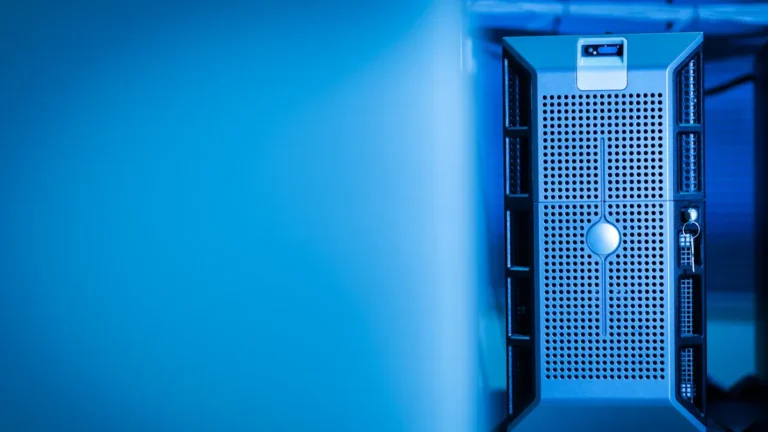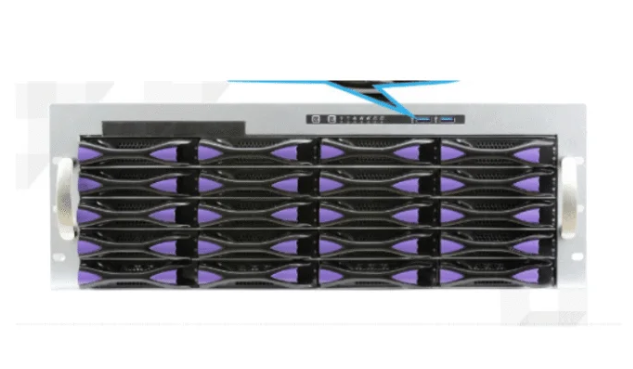
A rackmount server chassis is a metal box. It holds many server parts in a standard frame. Data centers use this to keep things neat and easy to reach. Many companies pick these chassis because they save space. They also make server rooms work better.
They give a simple way to set up hardware.
This setup lets you fit more gear in small spaces.
Good space use is important for busy IT teams.
Makers have many models and ways to change them. These choices help different businesses and make setup and care easier.
Key Takeaways
Rackmount server chassis help save space in data centers. They also make things more organized. This helps IT teams manage hardware more easily.
Hot-swappable drive bays let you change drives fast. You do not need to turn off the server. This keeps service running and stops big problems.
Modular designs make upgrades simple. Businesses can change parts as needed. They do not have to buy a new chassis.
Good cooling systems keep servers at the right temperature. This helps servers last longer and work better.
Built-in security features keep hardware and data safe. Only people with permission can get to important equipment.
What is a rackmount server chassis

Definition and purpose
A rackmount server chassis is a strong metal box. It holds all the main server parts together. People use this chassis to keep servers safe and neat. Data centers and server rooms use it a lot. The size is standard, so it fits with other gear in racks. This makes it easy for IT teams to build and fix servers.
The main job of a rackmount server chassis is to give server parts a solid home. It keeps everything in one spot, so adding or taking out parts is simple. The chassis protects the gear from dust, dirt, and water. Air moves well inside, so the servers stay cool. This stops them from getting too hot. Many models also make fan noise quieter. The clean look helps keep the server room neat.
Tip: Picking a rackmount server chassis with the right size and features can make handling servers much easier.
Role in server infrastructure
A rackmount server chassis helps keep server systems working well. It has features that help data centers avoid problems and keep things running. For example, some chassis have hot-swappable drive bays. This lets IT staff change a hard drive without shutting down the server. Tool-less front access means they can fix or upgrade parts fast. This saves time when doing maintenance. Redundant power supplies help the server keep working if one power source stops.
Feature | Description |
|---|---|
Hot-Swappable Drive Bays | Lets you swap up to 24 drives without stopping the server. |
Fast Access for Maintenance | Tool-less front access helps fix or change parts quickly, so servers stay available and downtime is less. |
Redundant Power Supply | Extra power supplies keep the server running if one fails. |
The rackmount server chassis helps IT teams keep servers working, protect data, and make sure users can always get to services.
Main features

Scalability and modularity
A rackmount server chassis can grow with your needs. Many models use modular designs. This means you can add or take out parts. For example, the 636H-T3 and 648H-T3E let you start small. You can make them bigger later. This helps companies upgrade hardware without buying a new chassis. The RECT™ 2U rack servers show how easy upgrades can be. You can change setups to fit new tech or business needs. The RECT™ RS-8591N4 has a hybrid backplane and hot-swap trays. Teams can swap drives fast. These features help cut downtime and make growing easier.
Tip: Modular designs help IT teams keep up with new technology.
Cooling and airflow
Cooling is very important for rackmount server chassis. Good airflow stops servers from getting too hot. This helps them last longer. Models like the 660H-T3E use advanced cooling systems. They keep temperatures safe. Some chassis use in-row cooling units with fans that change speed. Others use liquid-to-air or liquid-to-liquid cooling. These work well for racks with lots of power. Immersion cooling is another way. It removes heat by putting electronics in special liquid.
Cooling Technology | Description |
|---|---|
Immersion Cooling | Takes away heat by putting electronics in cooling liquid. |
Liquid-to-Air Cooling | Uses cold plates to remove heat, good for upgrading air-cooled systems. |
Liquid-to-Liquid Cooling | Handles high-wattage cooling, ideal for racks over 100kW. |
Good airflow also keeps dust away. This means less cleaning and better server health. Heat pipes and heatsinks spread heat out. This keeps all parts at safe temperatures.
Cable management
Cable management keeps server racks neat and easy to use. A rackmount server chassis often has cable guides and trays built in. These help organize power and data cables. It makes finding and fixing problems easier. Patchbox.one gives retractable cables to keep racks tidy. Sliding patch panels let you reach fiber optic cables fast. Good cable management saves time during repairs. It also lowers the chance of unplugging the wrong cable.
Organized cables help air move better.
Neat racks make fixing problems faster.
Built-in trays and guides stop cables from tangling.
Security options
Security is important in every data center. Many rackmount server chassis have lockable front doors and side panels. These locks stop people who should not touch the hardware. Some chassis have intrusion detection. This alerts staff if someone opens the case. Security screws and tamper-proof designs add more protection. These features help keep data safe and protect equipment.
Note: Physical security works with software security to keep servers safe.
Expansion and upgrades
A rackmount server chassis makes adding new parts easy. Models like the 636H-T3 and 7184 have up to six PCIe 5.0 slots. They also support up to 24 hot-swappable drive bays. This means you can add more storage or cards without turning off the server. Different rack unit sizes, like 1U, 2U, and 4U, change how much a chassis can hold.
Rack Unit Size | Expansion Capability | Price-Performance Ratio |
|---|---|---|
1U | Limited | Varies |
2U | Good | Excellent |
4U | High | Varies |
A 2U chassis gives a good mix of space and cost. A 4U chassis has more room for drives and cards. These choices let businesses pick the right size. They can plan for future growth.
Callout: Hot-swappable parts help IT teams change drives or cards without turning off the system. This keeps services running.
Rackmount server chassis vs. other types
Key differences
Rackmount server chassis are easy to spot because they use the same size. Most are 19 inches wide. This lets them fit into 4-post racks. These racks hold the servers and keep them safe. Other server types, like tower servers, are not always the same size. They come in many shapes and sizes. Some need special shelves or cabinets. This can make setting them up harder.
Rackmount chassis have different ways to mount them. IT teams can put many rackmount servers in one rack. This saves space on the floor. Tower servers usually stand alone on the floor or a desk. Blade servers use a blade enclosure. The enclosure has its own power and cooling. Each type fits into the server room in its own way.
Server Type | Standard Size | Mounting Method | Space Use |
|---|---|---|---|
Rackmount | 19-inch width | 4-post rack | High density |
Tower | Varies | Floor/desk | Low density |
Blade | Custom | Blade enclosure | Very high |
Unique benefits
Rackmount server chassis give special benefits to data centers and IT teams:
Modular designs let teams add or take out parts. This helps them handle new power needs or tech changes.
Power modules can be changed without turning off the whole system. This keeps backup power ready and stops downtime.
Cooling can be made stronger or weaker. Teams can match cooling to what their servers need.
Standard racks help keep cables and hardware neat. This makes the server room tidy and safe.
High-density stacking lets you fit more servers in less space. This saves money and makes things easier to manage.
Tip: Modular rackmount chassis help companies change their IT setup fast. This makes it easy to grow or shrink as needed.
Real-world impact
Data center efficiency
Rackmount server chassis help data centers use space well. IT teams can stack lots of servers in small spots. This keeps the server room neat and simple to manage. Standard sizes like 1U and 2U fit racks easily. High-density models, like the 660H-T3E, fit more servers in less space. Teams can add more power without needing a bigger room. Shared cooling and power systems save energy. Good airflow helps servers stay cool and last longer.
Maintenance and upgrades
Rackmount server chassis make fixing servers quick and easy. Many have hot-swappable drive bays. IT staff can change a bad disk without turning off the server. Teams can swap drives anytime, so services keep running. Hot swap trays help move hard drives fast with little trouble. Tool-less panels let teams upgrade or fix parts quickly. This means less downtime and better service for users.
Hot-swappable drives let you change drives without stopping the server.
Hot swap trays help move hard drives fast.
Bad disks can be replaced anytime with no downtime.
Tip: Quick fixes keep data safe and users happy.
Cost and space savings
Rackmount server chassis save money and space for companies. A 10U chassis can hold up to 16 blades. This uses 50-60% less space than regular rack servers. Blade systems share resources and can cut power use by 30%. Lower energy bills and less floor space mean big savings. Companies can grow their IT without building new rooms. These savings help businesses spend on other important things.
Feature | Benefit |
|---|---|
High-density stacking | More servers in less space |
Shared resources | Lower power use |
Modular design | Easy upgrades, less downtime |
Note: Smart designs help save money and make servers work better.
Rackmount server chassis have good airflow, easy fixes, and strong security. These things help IT teams set up servers fast and keep them working. The table below shows how these chassis help with space, cooling, and growing bigger:
Key Feature | Practical Benefit |
|---|---|
Airflow and Cooling | Stops servers from getting too hot |
Tool-Less Design | Makes upgrades and repairs faster |
Security Features | Keeps data and gear safe |
Lets you add more parts later |
To pick the best chassis, teams should look at their space, how much cooling they need, and if they want to grow in the future.
FAQ
What is a rackmount server chassis?
A rackmount server chassis is a metal case that holds server parts. It fits into a standard rack. Data centers use it to keep servers organized and safe.
How does a rackmount chassis help with cooling?
The chassis uses fans and vents to move air. This keeps server parts cool. Good airflow helps servers last longer and work better.
Can someone add more drives or cards later?
Yes. Many rackmount chassis have extra slots. IT teams can add drives or cards when needed. This helps the system grow with the business.
What does “hot-swappable” mean?
Hot-swappable means someone can remove or replace parts, like drives, while the server stays on. This keeps services running without stopping the system.
Why do data centers choose rackmount chassis?
Data centers choose rackmount chassis for space savings, easy upgrades, and better cable management. These features help teams keep servers working and organized.