
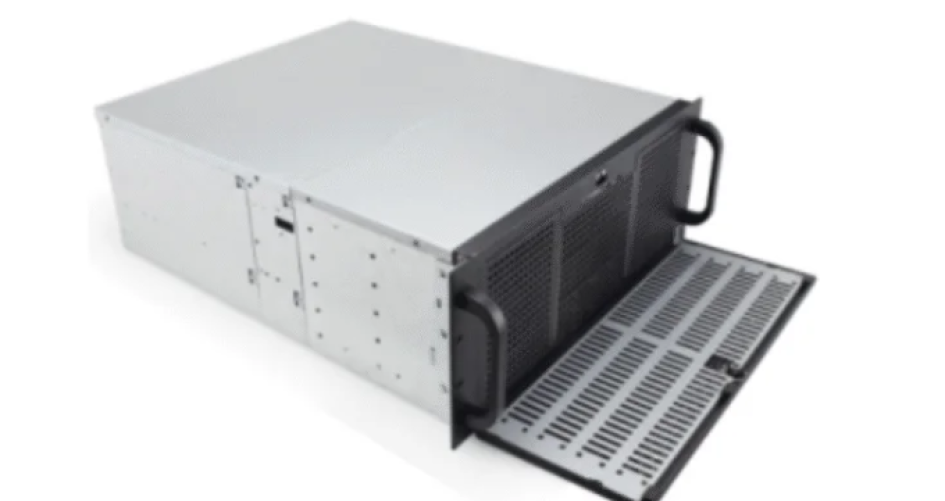
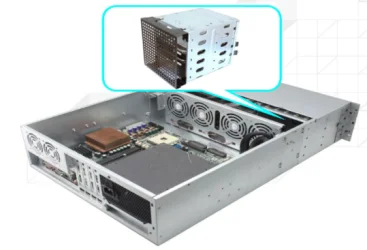
Choosing the right chassis is very important for rack space. IT professionals select from a different level of server chassis to fit more servers and keep them cool. Small 1U models let you put more units in a rack, while bigger 4U chassis offer better airflow and can accommodate advanced components. Brands like sz-xtt provide many choices across a different level of server chassis, including the 101S25, 104 series, and 208 series. These options are designed for safety and scalability to grow with your needs. Good planning and rack management help companies maximize space efficiency.
Основные выводы
Pick the best server chassis to fit more servers. This helps keep them cool. 1U, 2U, and 4U chassis have different space and cooling benefits. Blade and modular chassis save rack space. They also make upgrades easy. Plan rack space by looking at power and cooling needs now and later. Good cable management helps airflow. This keeps racks cool and working well.
Understanding Different Level of Server Chassis
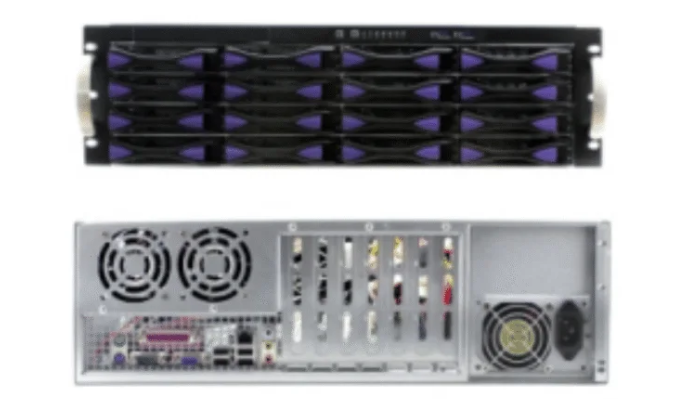
1U, 2U, 4U Chassis Overview
Data centers pick a different level of server chassis for their needs. The most popular sizes are 1U, 2U, and 4U chassis. Each size has its own benefits for space, cooling, and upgrades. The table below lists the usual sizes for these chassis:
Тип сервера | Height (U) | Approximate Height (cm) |
|---|---|---|
1U | 1 | 3.5 |
2U | 2 | 7.0 |
4U | 4 | 12.0 |
A 1U chassis lets you fit many servers in one rack. A 2U chassis gives more room for cooling and adding parts. A 4U chassis can hold bigger hardware and cools better. IT teams use a different level of server chassis to get the right mix of power and space.
Blade and Modular Chassis Types
Blade and modular chassis use a special way to save rack space. Blade servers are built together to take up less room. Modular chassis make it easy to add or swap parts. The table below shows how blade servers and regular rack servers compare:
Характеристика | Блейд-серверы | Traditional Rack Servers |
|---|---|---|
Rack Space Efficiency | Высокий | Умеренный |
Масштабируемость | Превосходно | Хорошо |
Идеальный вариант использования | Limited data center space | Flexible environments |
A different level of server chassis like blade or modular helps companies grow fast and use racks well.
Use Cases for Each Chassis Level
The right chassis depends on what the server will do. The table below shows common jobs for each type:
Тип сервера | Примеры использования | Описание |
|---|---|---|
1U Rack Servers | Web hosting, network management | Small systems for lots of servers and saving energy |
2U Rack Servers | Database operations, AI model training | Good power with space for storage and GPUs |
4U Rack Servers | AI simulation, HPC, cloud infrastructure | Very strong for big data jobs |
A different level of server chassis works for many tasks, from web hosting to AI. IT workers pick the best chassis to save rack space and plan for the future. Picking a different level of server chassis keeps data centers ready and efficient.
Assessing Rack Space and Management Needs
Evaluating Current and Future Rack Requirements
Good planning starts with checking пространство в стойке. Teams look at what they need now and what they might need later. They check the room, power, cooling, and server spots. Use this checklist to help:
Check how much power, cooling, and space you need now and later.
Figure out how much room racks and gear will take.
Guess how much electricity new hardware will need.
Make sure cooling systems can handle more servers in the future.
Выберите racks that fit today’s gear and can hold more later.
Leave extra space so you don’t have to change things later.
Think about saving money by planning for future needs.
Tip: Planning early helps save money and stops problems.
Density, Power, and Cooling Considerations
Rack density changes how much cooling and power you need. If racks are packed, cooling can be hard if heat builds up fast. Teams use smart layouts like hot aisle and cold aisle to move air well. Special cooling tools, like rack mount AC units and liquid immersion cooling, help cool things down. These tools use sensors and airflow controls to keep safe temperatures and lower energy use. New ways, like two-phase immersion and microchannel liquid cooling, cool hot spots and help servers last longer. Planning for density, power, and cooling keeps servers working and protects them.
Planning for Server Virtualization and Scalability
Server virtualization lets data centers give flexible services without adding more servers. Teams use management tools to connect cooling, power, and asset tracking. This helps plan for space and makes work easier. The table below shows good ways to plan for virtualization and growth:
Лучшая практика | Описание |
|---|---|
Server Virtualization | Gives better services and makes it easy to add new ones. |
Data Center Infrastructure Management (DCIM) | Connects cooling, power, and asset tracking for better planning. |
Knowing what you need for compute, storage, and network helps teams build and upgrade systems. When customers want more, planning for new needs keeps systems ready and able to grow.
Selecting Different Level of Server Chassis
Comparing Chassis for Rack Optimization
Picking the right server chassis helps you fit more equipment in a rack. Each chassis type has its own good points for saving space and different jobs. The table below shows how common server chassis types compare:
Server Chassis Type | Эффективность использования пространства | Идеальный вариант использования |
|---|---|---|
Rack-Mountable Chassis | Высокий | Data centers with multiple servers |
Blade Server Chassis | Очень высокий | High-density applications needing minimal footprint |
Башенный корпус | Низкий | Small businesses without dedicated server racks |
Modular Server Chassis | Гибкий | Businesses needing scalable configurations |
Rack-mountable chassis, like the sz-xtt 101S25, help IT teams use rack space well and make upgrades easy. Blade server chassis are best for places where you need to fit a lot of servers in a small area. Modular chassis, such as the sz-xtt 104 series, let companies add more servers when they need to. Tower chassis work well for small offices that do not need big racks.
Tip: Most data centers get the best mix of space and performance from rack-mountable and blade chassis.
Mixing Chassis Types in Racks
Lots of data centers put different chassis types in one rack to meet many needs. This makes things more flexible and helps teams use space better. But, mixing chassis types means you have to plan carefully.
You can mix structural and roll-formed racks.
Teams should think about how much weight each rack can hold.
Different chassis types are built in different ways.
When you mix chassis, IT workers should check how much weight the rack can handle. They also need to think about how air moves and how cables are set up. For example, putting a high-density sz-xtt 208 series chassis next to a regular 2U chassis can change cooling and make it harder to reach things. Setting up racks the right way makes sure every server gets enough air and power.
Note: Always check rack details before mixing chassis types so you do not block airflow or put too much weight on the rack.
High-Density and Custom Solutions (e.g., sz-xtt Models)
High-density chassis help data centers fit more computer power in less space. The sz-xtt brand has many models for these jobs. The 208H-T3 and 208S55 chassis have lots of room for drives and cards, so they are great for companies that want to be ready for the future. The 101S25 model has a lock door to keep hardware safe from people who should not get in. The 104 series, like the 104H-T3, 104L65, 104S48, and 104S55, are made to keep air moving and parts cool.
When picking a chassis, IT teams should look at a few things:
Size and Capacity: Check the U height, width, depth, and how much weight it can hold.
Cooling and Ventilation: Find models with doors that let air in or fans that move air out.
Особенности безопасности: Pick chassis with lockable doors, side panels, and strong locks.
Expansion Needs: Choose chassis that let you add more drives, GPUs, or network cards later.
The table below shows how high-density and regular chassis are different:
Фактор | High-Density Chassis | Traditional Chassis |
|---|---|---|
Мощность | Higher power consumption due to dense workloads | Lower power consumption |
Space | More compute power in a smaller footprint | Requires more floor space |
Охлаждение | Needs advanced cooling solutions | Standard cooling solutions |
High-density chassis, like the sz-xtt 208 series, give you more power in less space but need better cooling and power plans. Regular chassis use more floor space but do not need as much cooling.
Reminder: Always pick a chassis that fits your security, airflow, and growth needs. Racks with lockable doors keep things safe, while open racks let air move better for places that do not need as much security.
By picking the right mix of chassis, IT teams can use rack space well, keep things safe, and get ready for the future.
Rack Management Best Practices
Step-by-Step Rack Arrangement
Data center workers use a simple process to set up racks. They pick racks that fit industry rules, like 19-inch racks. This makes sure all devices work together. They use space carefully so every device is easy to reach. Teams put equipment in spots that help air move and keep things cool. They add shelves that can change and blanking panels for upgrades and saving energy. They keep cables neat to stop overheating and make fixing things easier.
A normal rack setup includes:
Pick racks with doors that have holes for airflow.
Put heavy equipment at the bottom so racks stay steady.
Use blanking panels to fill empty spots and guide air.
Leave space so workers can get to devices easily.
Plan for hot and cold aisles to help cooling.
Tip: Doing these steps helps teams avoid mistakes and keeps racks working well for a long time.
Cable Management and Labeling
Cable management helps keep racks neat and working well. Good cable management stops overheating and helps the network run better. It also makes fixing problems easier and keeps walkways safe. Teams use trays and organizers to keep cables off the floor. They plan cable paths to avoid things in the way and let air move.
Good cable management and labeling includes:
Use Velcro straps instead of zip ties to protect cables.
Put in trays or ducts to keep cables neat.
Keep power and data cables apart to stop problems.
Label both ends of cables so you can find them fast.
Make a clear system for labeling all connections.
Use ties, trays, and organizers for cable management.
Check and update labels often when doing maintenance.
Plan cable paths before putting them in to stop future issues.
Note: Good cable management saves time when upgrading or fixing things and helps data centers run better.
Airflow and Cooling Optimization
Keeping air moving and cooling racks is very important. Teams use different ways to keep equipment cool. They set up racks in hot and cold aisles to separate warm and cool air. Cold aisle systems send cool air where it is needed most. Sealing the room helps cooling work better and saves energy.
Common ways to help airflow and cooling are:
Use fans and doors with holes for air cooling.
Use liquid cooling for strong systems.
Use direct-to-chip cooling to remove heat from certain parts.
Put blanking panels in empty rack spots.
Install systems to watch temperatures and find hot spots.
Change rack layouts to help heat move away.
Callout: Check and clean airflow paths often to keep cooling working well and stop equipment from breaking.
Weight Distribution and Stability
Spreading weight right keeps racks safe and stops damage. Teams always follow the maker’s weight rules for each shelf. They put the heaviest things at the bottom and lighter ones on top. They make sure weight is spread out so racks do not bend or tip.
Important points for weight and stability:
Put pallets in the middle over front and back beams.
Stack equipment evenly to stop uneven pressure.
Never go over the max load for any rack or shelf.
Use rails and shelves for extra support.
Check racks often for bending or damage.
Tip: Using these best practices keeps equipment and people safe.
Practical Rack Layouts and Examples
Mixed Chassis Rack Scenarios
Big data centers use different chassis types for many jobs. They put mid-density racks and ultra-high-density racks in the same place. This helps them save space and run many kinds of servers. For example, a top IC design company in Taiwan did this in their data center. They used mid-density racks that go up to 8kW and ultra-high-density racks that go up to 25kW. The team made zones for each rack type in the room. This setup lets them use high-performance servers and regular servers together. Mid-density racks do normal computer work. Ultra-high-density racks run strong servers for AI or big data. Cooling units like Delta’s RowCool keep hot racks cool and safe.
Mid-density racks are for everyday computing.
Ultra-high-density racks are for powerful jobs like AI.
Cooling units help keep everything at the right temperature.
Tip: Making rack zones by density makes power and cooling easier to handle.
High-Density Layouts with sz-xtt Chassis
High-density layouts use special chassis to fit more servers in less space. The sz-xtt brand has models like the 208H-T3 and 208S55. These can hold lots of drives and expansion cards. These chassis are great for high-density racks where space and cooling are important. Teams pick sz-xtt chassis because they are strong, have good airflow, and keep things safe.
sz-xtt Model | Ключевая особенность | Наилучший вариант применения |
|---|---|---|
208H-T3 | High drive capacity | Аналитика данных, искусственный интеллект |
208S55 | Expansion card support | Virtualization, HPC |
101S25 | Lockable front door | Secure environments |
Note: High-density racks with sz-xtt chassis help data centers grow without needing more floor space.
Upgrading Racks for Virtualization
Virtualization lets companies do more with fewer servers. Upgrading racks for virtualization means picking chassis that can hold more memory, storage, and network cards. The sz-xtt 104 series, like the 104H-T3 and 104S48, gives teams good choices for upgrades. IT staff add blanking panels and cable organizers to keep air moving and make fixing things easy.
Pick chassis with extra space for upgrades later.
Use cable tools to stop overheating.
Plan for more power and cooling as you add more virtual jobs.
Callout: Upgrading racks with the right chassis gets data centers ready for new tech and business changes.
Common Mistakes in Rack and Chassis Management
Overlooking Power and Cooling
Many data centers make mistakes by not planning for power and cooling in racks. They sometimes fill racks with servers without checking if the power supply can handle the load. This can cause outages and damage equipment. When teams ignore cooling needs, racks get too hot. Overheated racks can slow down or even stop working. Network racks need enough airflow to keep all devices safe. Placing too many servers in racks without thinking about power and cooling leads to higher costs and more downtime. Teams should always check the power and cooling limits before adding more servers to racks.
Poor Chassis Selection
Choosing the wrong chassis for racks creates problems. Some teams pick chassis that do not fit well in network racks. This wastes space and makes it hard to add more servers later. A poor fit can block airflow and make racks overheat. The sz-xtt brand offers many chassis models that fit different racks and network racks. For example, the 101S25 and 208H-T3 work well in high-density racks. Picking the right chassis for racks helps teams use space better and keep network racks organized. Good chassis selection also makes it easier to upgrade racks in the future.
Ignoring Cable and Airflow Best Practices
Ignoring cable management and airflow best practices causes many issues in racks. Teams sometimes let cables pile up in network racks. This blocks airflow and makes racks run hotter. Poor cable management in racks also makes it hard to find and fix problems. Using cable organizers and color-coding in racks helps reduce clutter. This keeps airflow strong and cooling efficient in network racks. Teams should always plan cable paths in racks and use trays to keep cables neat. Good airflow in racks protects equipment and keeps network racks running smoothly.
Cluttered cables in racks block airflow.
Poor cable paths in racks make repairs harder.
Organized cables in racks improve cooling in network racks.
Tip: Clean and organized racks last longer and keep network racks safe.
Maximizing rack space starts with using a simple guide. Teams use this guide to plan how racks are set up. The guide helps pick server chassis that fit their needs. IT workers use the guide to compare 1U, 2U, and 4U chassis. It shows which chassis save space and keep things cool. The guide explains how blade and modular chassis help racks grow. It suggests mixing chassis types for more choices. The guide points out high-density options like sz-xtt for the future. It gives steps for arranging racks and managing cables and airflow. The guide lists strong builds, rails you can adjust, and doors that lock. It talks about smart cable paths and doors you can change. The guide covers seals that keep out dust and water. It tells teams to check racks now and plan upgrades. The guide gets data centers ready for new tech and business changes.
Use a guide to check if racks are safe and work well.
Follow the guide for cooling, airflow, and cable setup.
Trust the guide to help racks grow and upgrade later.
ЧАСТО ЗАДАВАЕМЫЕ ВОПРОСЫ
What are the best installation techniques for maximizing airflow in server racks?
Teams put heavy high-density servers at the bottom of racks. Lighter equipment goes on top. They use blanking panels to fill empty spaces. Cables are kept neat and organized. This setup helps air move better in the rack. Good airflow keeps network devices cool and safe. It also helps equipment work well and last longer.
How does airflow affect network performance and server reliability?
Airflow takes heat away from network equipment. Strong airflow stops things from getting too hot. This keeps network performance steady and reliable. Teams check airflow paths often to find problems. They use smart tools to watch for hot spots. Good airflow protects high-density servers and energy-efficient servers during hard jobs.
Why should data centers consider containerization and virtualization?
Containerization and virtualization let teams run more services on fewer servers. These methods save space and use less power. They also make it easier to set up new things. Teams use containerization to quickly add network apps. Virtualization helps gpu-accelerated servers do advanced network work.
What role does sz-xtt play in network installation and airflow management?
sz-xtt makes server chassis for network installation. Their products help with airflow and cooling. Teams pick sz-xtt for high-density servers and energy-efficient servers. The company gives solutions for network upgrades and airflow. You can visit the sz-xtt website to learn more about their products.
How can teams improve network installation for containerization and high-density servers?
Teams plan network installation by mapping out airflow paths. They use good installation steps to keep air moving. They pick chassis that work with containerization and high-density servers. Good installation keeps airflow strong and steady. Teams check network connections and use cable trays to keep things neat.


