
When evaluating computer rugged brands for challenging environments, you should focus on several key factors. Durability and reliability are crucial because a computer rugged device must withstand drops and harsh weather conditions. Performance and compatibility are also essential, ensuring that your computer rugged system can handle demanding applications and connect seamlessly with other equipment. Look for a robust design and ergonomic features to make carrying and using your computer rugged device comfortable and convenient. Security features, such as data encryption, are important to protect your information. Customization and scalability allow you to tailor your computer rugged solution to your specific needs. Consider the price and total cost of ownership to make an informed purchasing decision. Customer support and the reputation of the vendor will impact your overall experience. Rely on technical specifications and real-world feedback to conduct a thorough review. By considering these factors, you can effectively compare vendors and select the best computer rugged option for your requirements.
Основные выводы
Pay attention to how tough the laptop is. Check for MIL-STD-810H and IP ratings. These show if the laptop can handle rough places.
Think about how well the laptop works and how long the battery lasts. Pick laptops with fast processors and batteries that last a long time. This helps you do hard work for many hours.
Make sure security is important. Your rugged laptop should have encryption and secure boot. These features help keep your data safe in hard situations.
Look at ways to change the laptop for your needs. You can make your rugged laptop fit your job and industry rules.
Think about price and what you get for it. Rugged laptops may cost more at first. But they last longer and need less fixing, so you save money later.
Key Criteria for Computer Rugged Evaluation
When you pick rugged laptops for tough places, you need to know what to look for. Each thing you check helps you compare brands and find the right device for your job.
Durability and Environmental Ratings
Durability is the most important part of any ruggedized device. You should look for durability standards like MIL-STD-810H and IP ratings. MIL-STD-810H is a rule from the U.S. Department of Defense. It tests rugged laptops for drops, shaking, hot and cold, wet air, dust, and sand. The 810H version uses better tests and more real-life situations. IP ratings, made by IEC 60529, show how well a device keeps out dust and water. For example:
IP65 means no dust gets in and it can handle water jets.
IP67 means no dust gets in and it can be in water for a short time.
Independent labs check these ratings. Rugged laptops with IP67 are needed for field workers in energy and utilities. Police and military need devices that work in very hard places. Construction and factory teams need ruggedized laptops that can handle dust and wetness.
Характеристика | Надежные ноутбуки | Consumer Laptops |
|---|---|---|
Устойчивость к падениям | 1.22 m drops on multiple faces | Fragile, not designed for drops |
Vibration Resistance | Simulates transport or vehicle use | Not tested for vibration |
Water Resistance | IP53–IP65 rating for dust and water | Almost no sealing |
Service Life | Longer lifespan, lower TCO | Shorter lifespan |
Reliability under Load | Designed for high-load operation | Prone to throttling or crashing |
Durability means your computer rugged device can handle daily problems and keep working in the field.
Performance and Battery Life
Performance is important if you use hard programs or do many things at once. Rugged laptops usually have strong processors and different memory choices. For example, Dell Latitude Rugged Series has 8–32 GB RAM with set upgrades. Sinsmart Industrial Rugged Laptops have 8–64 GB RAM for more choices. You should also think about battery life. Batteries you can swap in the field help you work longer and stop heat problems. Ruggedized laptops are made for heavy use and last a long time. This means you can trust them for long work days or when you are far from help.
Parameter | Серия Dell Latitude Rugged | Sinsmart Industrial Rugged Laptops |
|---|---|---|
Memory (RAM) | 8–32 GB | 8–64 GB |
You need to make sure your software and hardware work with the laptop. Rugged laptops also have more ways to connect, like safe Ethernet, USB, and wireless for machines.
Security and Data Protection
Security features keep your data safe in risky places. Rugged laptops have strong cases, high ingress protection, shock and vibration tests, screens you can see in sunlight, touchscreens you can use with gloves, and batteries you can swap in the field. Security tools like encryption, secure boot, and ways to check who you are (like CAC readers and biometrics) stop people from getting in without permission. Devices follow the NIST rules for cybersecurity and meet tough military rules.
Функция безопасности | Описание |
|---|---|
Reinforced Chassis Construction | Protects against drops, impacts, and vibration with magnesium alloy or hardened polymer shells. |
High Ingress Protection Ratings | IP65–IP67 ratings for resistance to dust, water jets, and rain. |
Shock and Vibration Certification | Compliance with MIL-STD-810G/H ensures tolerance to shock loads and environmental changes. |
Sunlight-Readable and Glove-Friendly Display | High-brightness displays improve visibility outdoors; touchscreens support gloved operation. |
Field-Swappable, Intrinsically Safe Batteries | Batteries designed to prevent heat buildup and allow for hot-swapping to maximize uptime. |
Extended Connectivity | Includes safe versions of Ethernet, USB, and wireless interfaces for industrial equipment. |
Tip: Always look for strong encryption and secure boot when picking ruggedized laptops for field work.
Customization Options
Customization lets you change ruggedized laptops to fit your work. Makers offer ways to find out what you need, design and test, check durability, give long-term help, follow special rules, make custom reports, use tamper-proof cases, and connect with your current work. Hard tests like MIL-STD-810H show devices can handle real life.
Customization Aspect | Преимущества |
|---|---|
Operational needs discovery | Ensures devices meet specific operational needs in rugged environments. |
Design and prototyping | Tailors solutions to unique industry challenges. |
Durability testing | Validates that devices can withstand extreme conditions, enhancing reliability. |
Long-term support | Provides ongoing assistance to adapt to evolving business needs. |
Compliance with sector-specific standards | Ensures devices meet necessary safety regulations and standards for specific industries. |
Customized utility report formats | Aligns reporting with user requirements for better operational insights. |
Tamper-proof enclosures | Enhances data security for sensitive information. |
Integration with existing workflows | Facilitates seamless use of devices within current operational processes. |
Rigorous testing to MIL-STD-810H | Confirms devices can handle real-world conditions, boosting user confidence. |
Semi-rugged laptops can also be changed for less tough places. They mix rugged features with lighter weight and lower price.
Стоимость и ценность
Cost is a big deal in the ruggedized computer market. Rugged laptops cost more at first than regular laptops, but they last longer and break less. This means you spend less money over time. For example, a police group used rugged laptops for 12 years, which shows they last and are worth it. Ruggedized laptops need fewer repairs and replacements, so you save money.
Характеристика | Надежные ноутбуки | Стандартные ноутбуки |
|---|---|---|
Water Resistance | IP53 to IP66 ratings | Light splashes only |
Устойчивость к падениям | Survives falls from 0.75 to 1.8 m | Usually limited to <0.5 m |
Допустимая температура | -20°C to +60°C or higher | 5°C to 35°C |
Rugged laptops help people in far or tough places keep working.
Semi-rugged laptops give you a mix of price and rugged features for easier jobs.
Support and Warranty
Support and warranty help protect your money and make sure your device works. Top brands like Panasonic and Getac have good warranty plans. Panasonic covers TOUGHBOOK mobile computers very well. Getac’s bumper-to-bumper warranty lasts 36 months and covers accidents and real parts. Both brands have support centers and ways to check repair status.
Бренд | Тип гарантии | Продолжительность | Coverage Details |
|---|---|---|---|
Panasonic | Стандартная гарантия | Н/Д | Excellent coverage for TOUGHBOOK mobile computers. |
Getac | Bumper-to-Bumper Warranty | 36 Months | Includes accidental damage and genuine parts repair. |
Бренд | Support Service | Подробности |
|---|---|---|
Panasonic | TOUGHBOOK Support Center | Access to support documentation for devices. |
Getac | Getac Service System (GSS) | Track device repair status at every stage. |
You can also get extra service packs like more warranty, local accident protection, next day service, keeping your drive, and longer battery warranty. These choices make your device last longer and help you keep your ruggedized laptops working for years.
Note: Always check the brand’s reputation and support quality before you buy.
If you focus on these things, you can pick rugged laptops, semi-rugged laptops, or computer rugged devices that give you durability, performance, security, customization, value, and good support in the ruggedized computer market.
Best Rugged Laptops and Brands Overview
When you look at rugged laptops, each brand is different. Some brands are better at certain things. You need to know what features are important for your job. Here are some of the best rugged laptops from top companies.
Panasonic Toughbook Strengths
Panasonic Toughbook laptops are known for being very tough. They also have batteries that last a long time. You can use the Toughbook 40 in rain, sand, mud, and places that shake a lot. These laptops meet MIL-STD-810H and IP66 rules. The Toughbook 40 can work for up to 36 hours if you swap the battery. The G1 tablet has an IP65 rating and works for 11 hours. Panasonic says their rugged laptops last five times longer than normal ones. People trust them for fieldwork and long trips.
Характеристика | Toughbook 40 |
|---|---|
Стандарты долговечности | MIL-STD-810H, MIL-STD-461G, IP66 |
Срок службы батареи | До 36 часов |
Яркость дисплея | 1,200-nit touchscreen |
Настройка | Modular xPAK design |
Dell Rugged Series Highlights
Dell makes rugged laptops for hard jobs. The Dell Pro Rugged 13 uses strong parts and is not heavy. Dell checks its laptops with SGS and UL to make sure they are tough. These laptops have new tech like AI and IoT. Dell gives good customer help and has many service places. Their rugged laptops do well in tests.
Benchmark Type | Score |
|---|---|
Geekbench AI NPU Score | 46,500 |
Peak TOPS (GPU) | 66 |
Dell rugged laptops are good for building sites, police, and other tough jobs.
Прочные ноутбуки Getac
Getac makes laptops for very hard places. They have MIL-STD-810H and IP53 ratings. The S410 model can last more than 16 hours. Getac laptops have screens you can see in sunlight and use with gloves. They have security like TPM 2.0 and fingerprint tools. Getac laptops are strong and not too expensive.
Модель | Срок службы батареи | Environmental Rating | Рейтинг IP |
|---|---|---|---|
S510 | 13h 24m | MIL-STD-810H | IP53 |
S410 | 16h 12m | MIL-STD-810H | IP53 |
Durabook and Emerging Brands
Durabook S15 is light and strong. It meets MIL-STD-810H and IP53 rules. Durabook and other brands use AI, 5G, and care about the planet. They test their laptops for hot, cold, dust, sand, and drops.
Innovation Type | Описание |
|---|---|
AI Integration | Preventive maintenance and diagnostics |
Enhanced Connectivity | 5G technologies improve options |
Sustainability | Eco-friendly design and manufacturing |
Lenovo, ASUS, DT Research, Winmate, and sz-xtt
Lenovo, ASUS, DT Research, and Winmate make rugged laptops for schools, shipping, and field work. Lenovo ThinkPad X1 Carbon has some rugged features. Winmate and DT Research have bright screens and long battery life. sz-xtt makes computer rugged devices with strong cases and ways to change them. You can learn more about sz-xtt rugged laptops on their official website.
Pick fully rugged laptops for the hardest jobs. Semi-rugged laptops are good for easier work.
Matching Rugged Laptops to Use Cases

Industrial and Manufacturing Needs
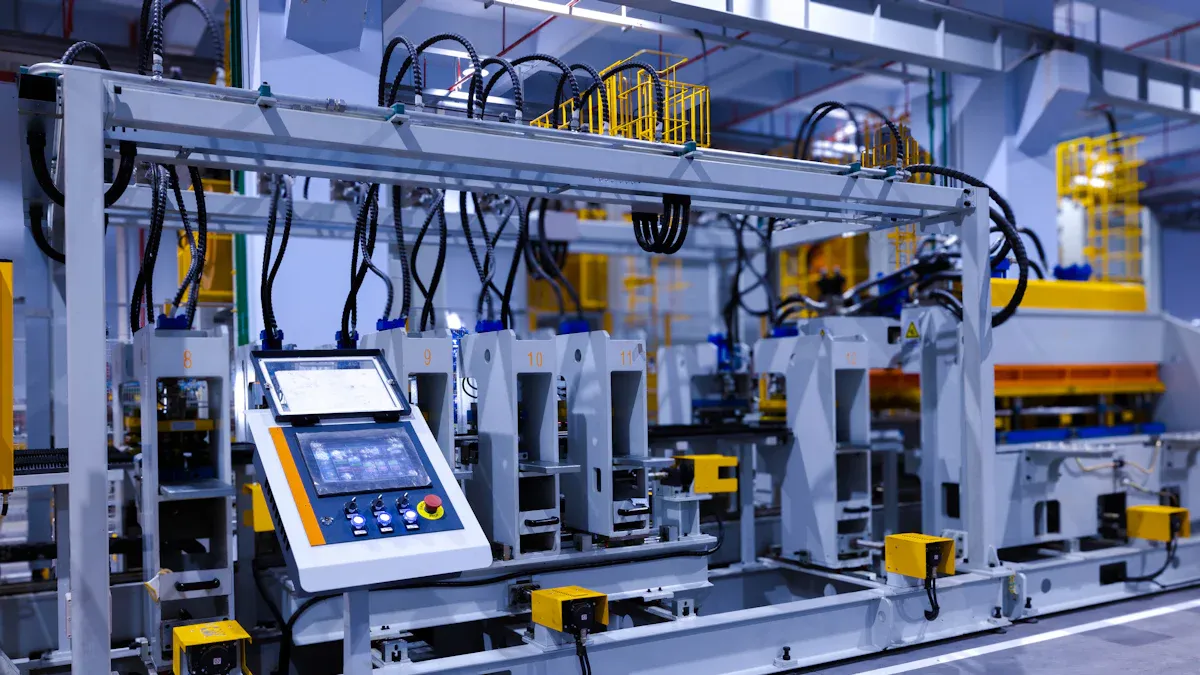
Factories are dusty and noisy. Rugged laptops must handle dust and shaking. They also need to work in hot and cold places. These laptops connect with MES and WMS systems. Make sure the laptop fits your daily work. It should be able to grow as your business grows. Training helps workers use new tools outside the office. The table below shows what you should check:
Factor | Описание |
|---|---|
System Compatibility | Works with MES, SCM, WMS for smooth data flow. |
Масштабируемость | Ready for future upgrades and new functions. |
Workflow Integration | Improves efficiency and removes bottlenecks. |
Employee Training | Helps workers adapt and use rugged laptops well. |
Environmental Conditions | Meets certifications for dust, heat, and vibration. |
Field Service and Utilities
Utility workers need laptops that survive drops and bad weather. Strong connections like LTE, 5G, and Wi-Fi 6 are important. These laptops link to SCADA and GIS for fast data. Security keeps important information safe. GIS mapping helps find things quickly and manage jobs. Rugged laptops let you send reports from far away. This is very helpful during emergencies.
Military and Defense Applications
Military jobs need laptops that resist shock, dust, and water. Magnesium-alloy cases and sealed ports keep them safe. Cooling systems help them work in hot or cold places. You can add special features for command centers or vehicles. Security is very important for defense work. Check if the laptop meets military rules and fits your budget.
Ruggedized housing protects against impacts.
Sealed I/O ports keep dust and water out.
Advanced cooling systems maintain performance.
Custom interfaces support tactical needs.
Emergency and Public Safety
Emergency teams need laptops that work in rain and mud. Devices must handle rough use. Fast connections help teams share information quickly. Security keeps data safe. Rugged laptops support mapping and communication for police, fire, and rescue teams.
Transportation and Logistics
Rugged laptops help track shipments and manage routes. Devices must survive shaking and drops in trucks or warehouses. They connect with logistics software and have long battery life. Rugged laptops make work faster and help avoid delays.
Education and Student Use
Students use rugged laptops for outdoor learning and field work. Devices must survive drops and spills. Brands like sz-xtt make strong laptops with flexible options. You can learn more about sz-xtt rugged laptops on their official website. These laptops help students learn anywhere and keep working in tough places.
Совет: Pick a rugged laptop that matches your industry needs for the best results.
Rugged Validation and Real-World Testing
Case Studies and Success Stories
You can learn about rugged devices by reading real stories. HydroChem Industrial Services used rugged tablets in very hard places. These tablets kept working in dust, rain, sleet, and mud. The iX104 tablet had a sealed design for strong protection. It worked safely even where there were flammable things. The device could handle very hot and cold temperatures, from -4 to 140 degrees Fahrenheit. Workers could see the screen in dark and bright places. These stories show that rugged laptops protect you when you work outside.
User Reviews and Certifications
You should read user reviews before picking a rugged device. Reviews tell you how well the device works for real people. Many users say rugged laptops protect them from drops, water, and dust. You also need to check for rugged certifications. These are things like MIL-STD-810H and IP ratings. These certifications show the device passed tough tests for shock, vibration, and weather. Brands like sz-xtt have rugged laptops that meet these rules. You can learn more about their products on the sz-xtt rugged laptop page.
Field Testing and Benchmarks
You should look at field testing and benchmarks. These tests show how rugged laptops work in real life. Field tests check if the device can handle drops, water, and dust. Benchmarks test how well the device works when it is busy. You want a device that keeps working after many drops and in bad weather. Rugged laptops with high scores last longer and save you money. Always pick devices with strong rugged certifications. This helps you trust your device will work when you need it.
Tip: Devices that pass real-world tests and have strong protection help you avoid problems and keep your work safe.
You can find the right rugged computer by using some easy steps. Start by looking at how tough, fast, and helpful each brand is. Then, see if the rugged device fits your job and where you will use it. Always read what real users say and check how the device works in real life. Try to ask for a demo or speak with the company before buying. You can look at rugged laptops from sz-xtt on their official website to see more choices.
ЧАСТО ЗАДАВАЕМЫЕ ВОПРОСЫ
Что делает ноутбук “прочным”?
A rugged laptop uses strong materials and special designs. It can survive drops, dust, water, and extreme temperatures. You can use it outdoors or in tough places without worrying about damage.
How do I know if a rugged laptop fits my job?
You should check the laptop’s certifications like MIL-STD-810H and IP ratings. Look at battery life, screen brightness, and security features. Match these to your work needs for the best results.
Which brands offer reliable rugged laptops?
You can trust brands like Panasonic, Dell, Getac, Durabook, and sz-xtt. sz-xtt makes rugged laptops with tough cases and flexible options. Learn more on the sz-xtt rugged laptop page.
Can I customize a rugged laptop for my industry?
Many brands let you add features like extra ports, special software, or stronger batteries. You can ask for custom designs to fit your industry, such as field service or education.
Do rugged laptops cost more than regular laptops?
Rugged laptops usually cost more at first. They last longer and need fewer repairs. You save money over time because you do not replace them as often.