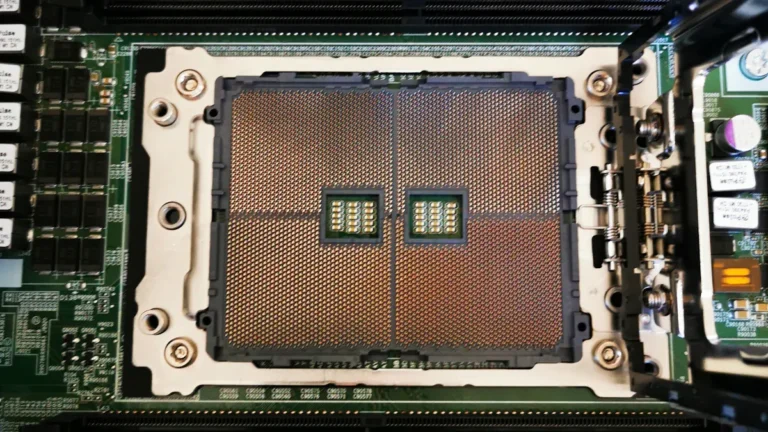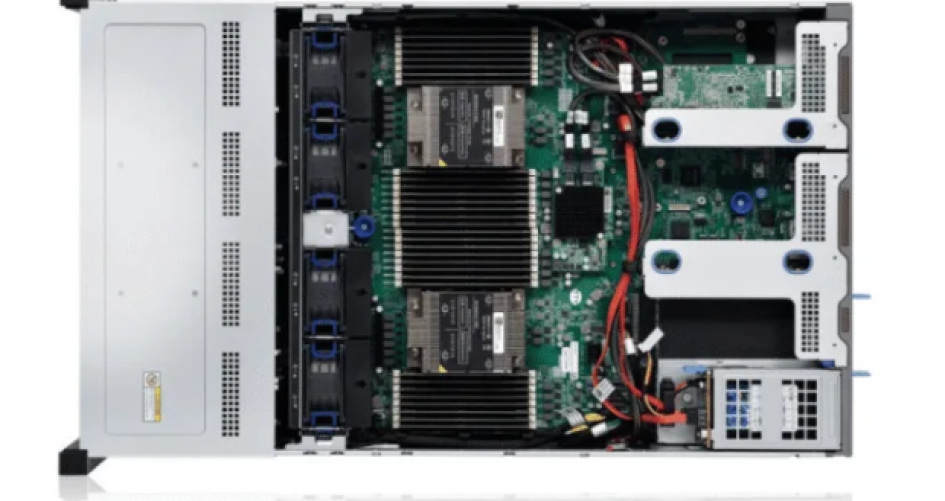
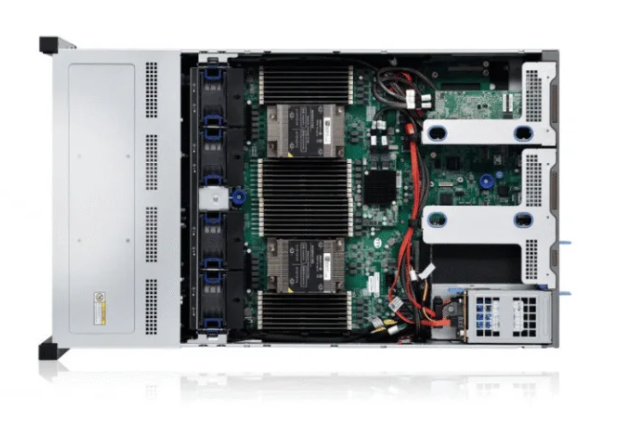
Лучшие серверы хранения данных 48 решений обеспечивают высокий рост, надежность и скорость для современных предприятий. Эти системы хранения данных помогают поддерживать работу, предотвращая дорогостоящие перерывы и помогая в аварийном восстановлении. Компаниям нужны мощные системы хранения, чтобы управлять быстрым ростом данных и предотвращать проблемы со старыми системами. Хорошие планы хранения данных требуют тщательного планирования пространства, думая о настоящем и будущем. Большие хранилища позволяют группам сохранять важные данные, снижать риски и быть впереди. Технологии хранения данных постоянно меняются, поэтому ИТ-лидеры выбирают системы, которые могут меняться вместе с потребностями бизнеса.
Основные выводы
Выберите сервер хранения данных, который соответствует что нужно вашему бизнесу. Подумайте о таких вещах, как поддержка процессора, объем памяти, который вы можете добавить, а также о том, насколько хорошо работает система хранения данных.
Будьте готовы к будущему, выбирая серверы, которые могут расти вместе с вами. Модульные системы и облачные опции позволяют легко обрабатывать больше данных.
Внимательно изучите поддержку производителя. Хорошая поддержка означает, что проблемы устраняются быстро и система работает хорошо. Это очень важно для поддержания вашего бизнеса.
Используйте диски большой емкости чтобы сэкономить деньги и место. Большие диски позволяют снизить стоимость каждого терабайта и повысить эффективность работы.
Часто тестируйте и обновляйте системы резервного копирования. Это обеспечит безопасность ваших данных и поможет быстро восстановиться, если что-то пойдет не так или произойдет кибератака.
Сравнительный обзор сервера хранения 48
Таблица лучших серверов хранения данных
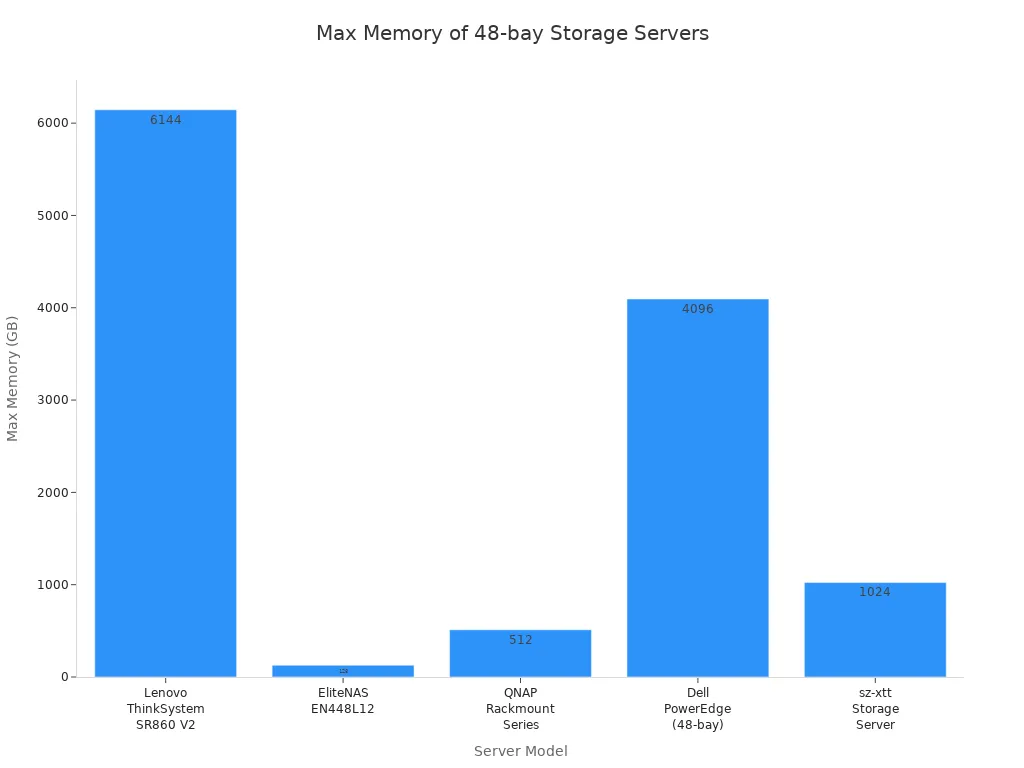
Существует множество Сервер хранения данных 48 вариантов для бизнеса. Каждый из них обладает особыми функциями для различных нужд. В таблице ниже приведено сравнение лучших серверов хранения данных с 48 отсеками. В ней указаны важные технические характеристики, типы процессоров, память, функции и наилучшие варианты использования.
Модель | Максимальные отсеки | Параметры процессора | Максимальная память | Основные характеристики | Лучшее для | Поддержка/гарантия |
|---|---|---|---|---|---|---|
Lenovo ThinkSystem SR860 V2 | 48 | До 4x Intel Xeon | 6 ТБ DDR4 | Отсеки с горячей заменой, расширенный RAID, энергосбережение | Центры обработки данных, аналитика | Премьер-поддержка Lenovo |
EliteNAS EN448L12 | 48 | Двойной Intel Xeon Silver | 128 ГБ DDR4 | Аппаратный RAID-массив, верхняя загрузка, кластерное зеркалирование | Резервное копирование, виртуализация | 3 года, возможна пролонгация |
Серия QNAP Rackmount | 48 | 8-ядерный процессор Intel | 512 ГБ DDR4 | Автоуровень Qtier, расширение VJBOD | Обмен файлами, резервное копирование | 3 года, расширенная замена |
Dell PowerEdge (48 отсеков) | 48 | Intel Xeon Scalable | 4 ТБ DDR4 | Двойной блок питания, усовершенствованный RAID, простое управление | Виртуализация, база данных | ProSupport, до 5 лет |
Сервер хранения данных sz-xtt | 48 | Intel Xeon/AMD EPYC | 1 ТБ+ DDR4 | Высокая плотность, энергоэффективность, гибкость | Корпоративное хранилище | Посетите Официальная страница продукта sz-xtt |
Ключевые особенности и характеристики
Сервер хранения данных 48 модели имеет много отсеков и прочные детали. Lenovo ThinkSystem SR860 V2 может использовать до 6 ТБ памяти DDR4. Это делает его отличным решением для аналитики. Dell PowerEdge имеет расширенный RAID и прост в управлении. QNAP Rackmount Series имеет автоуровень и расширение VJBOD для увеличения возможностей хранения. EliteNAS EN448L12 хорошо подходит для резервного копирования и виртуализации с кластерным зеркалированием. Сервер хранения sz-xtt отличается высокой плотностью и экономией энергии для больших компаний.
Лучшие примеры использования
Серверы хранения данных с 48 отсеками помогают многим крупным компаниям. Lenovo ThinkSystem хорош для центров обработки данных и аналитики. EliteNAS EN448L12 хорошо подходит для резервного копирования и виртуализации. QNAP Rackmount Series полезен для совместного использования файлов и резервного копирования. Dell PowerEdge лучше всего подходит для виртуализации и баз данных. Сервер хранения sz-xtt предназначен для хранения данных в крупных предприятиях. Каждая модель сервера хранения 48 имеет свои особенности. ИТ-специалисты должны выбрать ту модель, которая соответствует потребностям их бизнеса.
Сервер хранения 48 подробных обзоров
Обзор sz-xtt Storage Server 48
Бренд sz-xtt хорошо известен в сфере корпоративных систем хранения данных. Они предоставляют решения высокой плотности для организаций. Эти решения отличаются масштабируемостью и надежностью. Сервер хранения sz-xtt Storage Server 48 работает с большими данными, аналитикой, видеонаблюдением и резервным копированием. Он позволяет компаниям увеличивать объем хранилища по мере роста. Расширенные функции защиты данных помогают предотвратить их потерю. Эти функции обеспечивают бесперебойную работу. ИТ-команды используют эффективные инструменты управления в режиме онлайн. Эти инструменты помогают настраивать и контролировать систему.
Характеристика | Описание |
|---|---|
Экстремальная производительность | Работа с большими данными, аналитикой, видеонаблюдением, резервным копированием и восстановлением. |
Гибкая масштабируемость | Работает с большим количеством дисков и может увеличиваться в размерах |
Расширенная защита данных | Предотвращает потерю данных и поддерживает работу как вблизи, так и на расстоянии. |
Эффективное управление | Позволяет легко настраивать и контролировать его в режиме онлайн |
Высокая надежность | Работает почти все время |
Сервер хранения sz-xtt 48 может использовать не менее 6 дисков. Он может масштабироваться до 1024 дисков на массив. Максимальная необработанная емкость составляет 6 ПБ на массив. Он подключается к 500 узлам SAN. Имеется 1000 портов инициаторов. Максимальный размер LUN - 500 ТБ. Вы можете иметь до 2000 LUN и 32 000 моментальных снимков. Производительность сервера достигает 2 220 000 IOPS. Скорость чтения составляет 33 000 МБ/с. Скорость записи - 19 000 МБ/с.
Характеристика | Подробности |
|---|---|
Min/Max Приводы | 6/1024 на массив |
Максимальная сырьевая емкость | 6 ПБ на массив |
Максимальное количество хостов SAN | 500 |
Максимальное количество портов инициатора | 1000 |
Максимальный размер LUN | 500 ТБ |
Максимальное количество LUN | 2000 |
Максимальное количество снимков | 32,000 |
Максимальное количество операций ввода-вывода в секунду | 2,220,000 |
Максимальная пропускная способность (чтение) | 33 000 МБ/с |
Максимальная пропускная способность (записи) | 19 000 МБ/с |
Сервер хранения данных sz-xtt Storage Server 48 обеспечивает высокую надежность и экстремальную производительность. Он подходит для крупных компаний. Таким компаниям нужна гибкая масштабируемость и усовершенствованная защита данных. ИТ-специалисты могут узнать больше о Серверы хранения данных sz-xtt, Серверы NAS sz-xtt, и sz-xtt SAN Storage для индивидуальных решений.
Обзор DELL PowerEdge R750xs
DELL PowerEdge R750xs - это сбалансированный выбор для предприятий. Он обеспечивает надежное хранение данных. Этот сервер поддерживает меньшее количество ядер и 16 слотов DIMM. Он обладает меньшей масштабируемостью и меньшими возможностями хранения данных, чем модель R750. Модель R750xs подходит для организаций, которым нужны надежные серверы. Он хорошо подходит для виртуализации и работы с базами данных.
Характеристика | R750xs | R750 |
|---|---|---|
Поддержка процессора | Более низкое количество сердечников | Более высокое количество ядер |
Слоты DIMM | 16 | 32 |
Масштабируемость | Меньшая масштабируемость | Большая масштабируемость |
Варианты хранения | Меньше вариантов | Другие варианты |
DELL PowerEdge R750xs обеспечивает высокую производительность для компаний среднего размера. Он надежен благодаря усовершенствованному RAID-массиву и двойному блоку питания. ИТ-команды используют простые инструменты управления. Они также получают мощную поддержку. Этот сервер подойдет компаниям, которым нужна стабильная производительность и надежность.
Обзор Hitachi VSP E Series
Серия Hitachi VSP E - это полностью флэш-накопители NVMe. Они предназначены для требовательных корпоративных приложений. В модели VSP E790 используются быстрые процессоры и масштабируемая кэш-память. Объем хранилища может увеличиваться до многих петабайт. Сервер имеет низкую задержку и высокую пропускную способность. Это делает его подходящим для важных рабочих нагрузок.
Технические характеристики | Описание |
|---|---|
Модель | Hitachi VSP E790 |
Тип хранения | Система хранения данных All-flash NVMe |
Процессор | Высокопроизводительные процессоры |
Память | Масштабируемая кэш-память |
Вместимость хранилища | Масштабируемость до нескольких петабайт |
Производительность | Низкая задержка и высокая пропускная способность |
Возможность подключения | Fibre Channel, iSCSI |
Защита данных | Снимки, репликация, шифрование |
Виртуализация | Расширенный уровень виртуального хранилища |
Потребляемая мощность | Энергосберегающие технологии |
Инструменты управления | Мониторинг, аналитика, автоматизация в режиме реального времени |
Масштабируемость | Бесшовное масштабирование производительности и емкости |
Поддержка и услуги | Комплексная поддержка и техническое обслуживание |
Серия Hitachi VSP E отличается высокой производительностью и надежностью. Они подходят компаниям, которым нужна передовая виртуализация и надежная защита данных. Они также помогают легко масштабироваться. Мониторинг и аналитика в реальном времени помогают ИТ-командам эффективно управлять хранилищем.
Обзор HPE D6020
HPE D6020 обеспечивает гибкие возможности хранения данных для предприятий. Этим предприятиям нужны решения большой емкости. Этот сервер поддерживает до 48 дисков. Он работает с серверами HPE ProLiant и BladeSystem. Он оснащен аппаратным RAID и отсеками с возможностью горячей замены. D6020 хорошо подходит для резервного копирования, архивирования и виртуализации. ИТ-специалистам нравится его надежность и простота расширения. Сервер обеспечивает стабильную производительность и поддерживает будущий рост.
Обзор Supermicro SuperStorage 6049P-E1CR45L
Supermicro SuperStorage 6049P-E1CR45L может меняться в зависимости от потребностей бизнеса. ИТ-команды могут добавлять дополнительные диски или масштабировать узлы. Такая конструкция способствует масштабируемости и будущему расширению. Сервер хорошо подходит для компаний, которые ожидают роста объема данных. Он обеспечивает надежную инфраструктуру хранения данных. Supermicro обеспечивает высокую производительность и надежность для корпоративных рабочих нагрузок. ИТ-команды могут эффективно управлять системой хранения и планировать долгосрочный рост.
Совет: Supermicro SuperStorage 6049P-E1CR45L позволяет легко расширяться. Это разумный выбор для предприятий с меняющимися потребностями в хранении данных.
Обзор NetApp E5760
NetApp E5760 обеспечивает высочайшую надежность для корпоративных систем. В нем используется надежная операционная система, обеспечивающая сохранность данных. NetApp предоставляет техническую поддержку, поддержку Keystone Support и помощь сообщества. Профессиональные и управляемые услуги помогают ИТ-командам лучше использовать системы хранения данных. Программы обучения и сертификации повышают квалификацию команды.
Категория | Подробности |
|---|---|
Надежность | Лучшая в своем классе надежность благодаря надежной, проверенной на производстве ОС, признанной за целостность данных. |
Поддержка | Техническая поддержка, поддержка Keystone, сообщества, разработчики, загрузки. |
Услуги | Портфель поддержки и успеха, профессиональные и управляемые услуги. |
Обучение и сертификация | Тренинги для команд, обучение и пути развития навыков, сертификация, каталог курсов. |
NetApp E5760 подходит для компаний, которым важна надежность и сильная поддержка. ИТ-команды получают множество услуг и обучение. Сервер обеспечивает стабильную производительность и защиту важных данных.
Как выбрать серверы хранения данных для предприятия

Основные критерии отбора
Выбор правильный сервер хранения данных важна для крупных компаний. Прежде чем принять решение, ответственные лица смотрят на многие вещи. Они проверяют процессор и поддержку виртуализации. Они также обращают внимание на объем памяти, скорость работы хранилища, сетевые возможности, гарантию, цену и способы модернизации. В таблице ниже перечислены основные моменты, о которых следует подумать.
Критерии отбора | Описание |
|---|---|
Процессор и виртуализация | Двухсокетные системы с AMD EPYC или Intel Xeon для запуска нескольких виртуальных машин. |
Масштабируемость памяти | Большой объем памяти (до 4 ТБ DDR4) и память ECC обеспечивают стабильность и производительность. |
Производительность хранилища | Такие быстрые опции, как твердотельные накопители NVMe и отсеки для дисков с горячей заменой, обеспечивают эффективную работу с данными. |
Расширение сети | Несколько быстрых портов LAN (10GbE/40GbE) и слоты PCIe для сетевых адаптеров. |
Гарантия и поддержка | Комплексные пакеты для решения проблем с оборудованием и быстрая помощь. |
Ценообразование и стоимость | Сравните характеристики и стоимость, чтобы получить наилучшее предложение. |
Пути обновления | Легкая модернизация памяти, хранилища и сети по мере роста потребностей. |
Диски большой емкости и эффективность
Большие диски очень важны для хранения данных в компании. Если вы переходите с диска емкостью 12 ТБ на диск емкостью 22 ТБ, вы экономите деньги. Стоимость одного терабайта снижается на 36%. Кроме того, вы получаете на 600 ТБ больше места. Использование дисков, прошедших заводскую сертификацию, позволяет сэкономить еще больше денег. Стоимость одного терабайта снижается еще на 13%. Таким образом, вы экономите в общей сложности 49%. Энергопотребление остается прежним, поэтому расходы на электричество снижаются вдвое. Все это помогает компаниям увеличить объем хранилища и потратить меньше денег.
Использование дисков емкостью 22 ТБ позволяет увеличить пространство, не потребляя при этом больше энергии.
Более низкая стоимость терабайта помогает компаниям экономить.
Сертифицированные диски стоят еще дешевле.
NAS по сравнению с хранилищами с прямым подключением
Компаниям приходится выбирать между NAS и системой хранения с прямым подключением. В таблице ниже показано, чем они отличаются.
Характеристика | Система хранения данных с прямым подключением (DAS) | Сетевое хранилище данных (NAS) |
|---|---|---|
Производительность | Лучшая производительность, низкая задержка | Зависит от скорости сети |
Возможность подключения | Ограничено одним хостом | Поддержка большого количества пользователей |
Расширяемость | Ограничено соединениями и приводами | Легко масштабируется за счет увеличения количества корпусов |
Избыточность данных | Обычно не хватает избыточности | Поддержка RAID для резервирования |
Техническое обслуживание | Может потребоваться дополнительное обслуживание | Удобство в использовании, минимальное техническое обслуживание |
Сопоставление характеристик с потребностями
ИТ-специалисты выбирают серверы хранения, соответствующие их задачам. Для виртуализации им нужны средние или высокие показатели IOPS, низкое время ожидания и многоуровневые системы хранения. Для баз данных OLTP нужны высокие показатели IOPS, очень низкое время ожидания и диски NVMe. Хранилища данных лучше работают с многоуровневым хранением, кодированием стирания и скоростью NVMe. Такие компании, как WECENT, помогают подобрать оборудование в соответствии с бизнес-целями и правилами. Замена комплектующих и планирование помогают поддерживать работу.
Бюджет и поддержка поставщиков
Планирование бюджета важно для каждой компании. Самая низкая цена за Сервер хранения данных на 48 отсеков составляет $2 570. NVMe-хранилища начинаются от $4 996. Серверы резервного копирования начинаются с $6 009. CyberStore WSS начинается с $6 607. CyberStore ZFS начинается с $7 215.

Поддержка поставщика может помочь с настройкой и управлением. Эти услуги меняют общую стоимость и обеспечивают эффективную работу хранилища для компании.
Лучшие практики развертывания сервера хранения 48
Планирование роста
ИТ-команды должны думать о будущем. Они смотрят на то, сколько данных у компании есть сейчас. Они предполагают, сколько их будет в будущем. Команды проверяют, смогут ли электропитание, компьютеры и охлаждение выдержать большее количество хранилищ. Они ищут слабые места в контроллерах хранения и скорости сети. Они тестируют систему, чтобы найти слабые места. Команды следят за IOPS, задержкой и глубиной очереди, чтобы выявить проблемы на ранней стадии. Они выбирают системы хранения, которые могут расти вместе с компанией. Модульные системы позволяют легко увеличивать пространство. Облачные хранилища могут расти настолько, насколько это необходимо. Команды часто проверяют свои планы по хранению данных, чтобы не отставать от изменений.
Интеграция инфраструктуры
Для хранения важно хорошо работать с другими частями ИТ-системы. Системы COMPASS JBOD помогают центрам обработки данных хранить большие объемы данных. Эти системы могут быть настроены по-разному. Они работают как с гибридными носителями, так и со всеми флеш-памятями. Это помогает системам работать быстрее. Конструкция проста и легко расширяема. Это облегчает управление.
Характеристика | Описание |
|---|---|
Комплексные решения для хранения | Системы COMPASS JBOD работают с тем, что у вас уже есть. |
Гибкость | Множество способов настройки для различных нужд. |
Оптимизация производительности | Работает с гибридными носителями и флэш-памятью для повышения скорости и экономичности. |
Простота и расширяемость | Легко управлять и добавлять дополнительные хранилища. |
Безопасность данных и резервирование
Хранить данные в безопасности очень важно. RAID помогает сохранить копии данных на многих дисках. Это облегчает доступ к данным и ускоряет их использование. Контроллеры RAID защищают данные при поломке одного из дисков. Дополнительные копии позволяют не потерять данные при одном сбое. Команды разрабатывают планы резервного копирования, чтобы противостоять вредоносным программам и программам-вымогателям. Системы резервного копирования должны быть такими же безопасными, как и основные системы. Команды часто тестируют резервные копии, чтобы убедиться в их работоспособности. Эти шаги помогут компаниям быстро восстановиться, если что-то пойдет не так.
Стратегия | Описание |
|---|---|
Избыточное хранилище | RAID-массив сохраняет данные на многих дисках, обеспечивая их сохранность и высокую скорость работы. |
Планы резервного копирования и восстановления | Резервные копии должны быть надежными и безопасными, как и основная система. |
Регулярное тестирование резервных копий | Команды тестируют резервные копии, чтобы убедиться в их работоспособности. |
Дополнительные экземпляры обеспечивают лучшую защиту.
Тестирование резервных копий позволяет избежать проблем с плохими копиями.
Обслуживание и управление
Команды должны постоянно заботиться о серверах хранения данных. Они ежедневно проверяют оперативную память, RAID-массивы и резервные копии. Они обновляют программное обеспечение и микропрограммы, чтобы обеспечить безопасность данных. Команды планируют регулярные проверки оперативной памяти, RAID и резервных копий. Они записывают все изменения и просматривают журналы на предмет странностей. Сотрудники учатся управлять оперативной памятью, RAID и резервными копиями. Эти шаги помогают поддерживать центры обработки данных в рабочем состоянии. В руководстве говорится о необходимости часто пересматривать систему, чтобы убедиться, что она соответствует потребностям компании.
Сервер хранения 48 моделей предоставляет высокая производительность и надежность. Они могут меняться в соответствии с различными потребностями. Каждый сервер помогает в виртуализации, резервном копировании и быстрой передаче данных. В таблице ниже приведены основные характеристики и наилучшие варианты использования:
Модель сервера | Основные характеристики | Целевой сценарий использования |
|---|---|---|
Broadberry CyberStore WSS | Передовые технологии для высокой производительности Windows | Среды на базе Windows |
Lenovo ThinkSystem SR630 V2 | Очень хорошо адаптируется к различным рабочим нагрузкам | Универсальные корпоративные приложения |
Open-E DSS v7 | Полные возможности управления хранилищем | Решения для управления данными |
Bacula Enterprise | Основное внимание уделяется резервному копированию и восстановлению | Защита и восстановление данных |
Серверы хранения данных Fibre Channel | Известен быстрой передачей данных | Требования к высокоскоростной передаче данных |
ИТ-менеджеры должны выбирать серверы, соответствующие целям компании. Они должны думать о росте и будущих потребностях. Планирование виртуализации помогает рационально использовать ресурсы. В таблице ниже приведены советы по составлению долгосрочных планов:
Аспект | Рекомендация |
|---|---|
Масштабируемость | Проверьте, может ли увеличиться объем памяти и производительность. |
Оценка стоимости | Посмотрите на начальные и текущие расходы. |
Потребности в данных | Планируйте рост: Подумайте о своих потребностях в данных сейчас и в будущем. |
Понимание данных | Знайте, сколько у вас данных и где они находятся. Это важно при выборе решений для хранения данных. |
Выбирая сервер хранения, компании должны обратить внимание на технические характеристики и поддержку производителя. В приведенном ниже списке указаны ключевые моменты:
Проверка поддержки производителя очень важна, поскольку поддержка оборудования может быть сложной, и для быстрого устранения неполадок может потребоваться помощь местных жителей.
Компании часто используют средства поддержки для приобретения запасных частей, чтобы быстро устранить неполадки, вместо того чтобы использовать только чеки поставщиков.
ИТ-менеджеры советуют спрашивать о поддержке поставщиков у других пользователей в аналогичных компаниях, чтобы получить честное мнение.
Знакомство с сотрудниками службы поддержки поставщика помогает понять, насколько они квалифицированны и оперативны, что важно для качественной поддержки.
Сравнивать уровни обслуживания поставщиков сложно, поскольку рейтинги клиентов различны, но использование баз данных онлайн-поддержки показывает, насколько хорош сервис.
Виртуализация очень важна для корпоративных систем хранения данных. ИТ-команды используют виртуализацию для повышения эффективности рабочих нагрузок, улучшения резервного копирования и быстрой передачи данных. Виртуализация позволяет компаниям меняться по мере необходимости. Виртуализация также помогает эффективно использовать ресурсы. Виртуализация способствует росту. Виртуализация упрощает управление. Виртуализация защищает данные. Виртуализация позволяет компаниям быть готовыми к будущему.
ИТ-менеджеры должны соблюдать баланс между техническими характеристиками и поддержкой поставщиков. Они должны планировать виртуализацию и будущий рост. Правильный выбор 48-й модели сервера хранения помогает компаниям быть впереди.
ЧАСТО ЗАДАВАЕМЫЕ ВОПРОСЫ
Что такое сетевое хранилище и зачем оно нужно предприятиям?
Nas - это устройство для хранения файлов в сети. Оно позволяет людям сохранять и получать файлы из одного места. Предприятия используют nas для удобного обмена файлами и резервного копирования. Nas помогает командам работать вместе и обеспечивает безопасность данных.
Чем NAS отличается от хранилища с прямым подключением?
nas подключается к сети, чтобы им могли пользоваться многие люди. Хранилище с прямым подключением подключается только к одному компьютеру. Nas позволяет командам получать доступ к файлам на расстоянии. Хранилище с прямым подключением лучше всего подходит для одного человека или небольших групп.
Каковы основные преимущества использования операционных систем NAS?
Операционные системы Nas имеют простой способ управления хранилищем. Они позволяют определять, кто может использовать файлы, и делать моментальные снимки. Операционные системы Nas помогают ИТ-командам настраивать резервное копирование и проверять состояние хранилища. Эти системы делают nas простыми и безопасными в использовании.
Можно ли в сетевом хранилище использовать твердотельные накопители для повышения производительности?
nas может использовать ssd-накопители для ускорения доступа к файлам. Ssd-накопители в nas ускоряют перемещение файлов и сокращают время ожидания. Многие операционные системы nas позволяют использовать ssd-кэширование. Это ускоряет работу с загруженными командами и большими файлами.
Как предприятию выбрать сетевое хранилище, соответствующее его потребностям?
Предприятию следует подумать о том, какой объем памяти ему нужен сейчас и в будущем. Следует обратить внимание на операционные системы nas, скорость сети, и выбор резервного копирования. Команда должна выбрать nas, которая работает с ssd, имеет хорошую поддержку и вписывается в бюджет.
Совет: тестируйте операционные системы nas перед покупкой. Это поможет ИТ-отделам понять, подходит ли им данная система.
Nas хорошо подходит для обмена файлами, резервного копирования и удаленного доступа.
Операционные системы Nas упрощают управление хранилищем.
Ssd-накопители в nas ускоряют работу занятых команд.
Характеристика | Почему это важно для NAS |
|---|---|
Операционные системы Nas | Простая настройка и управление |
Поддержка жесткого диска | Более быстрая передача файлов |
Параметры резервного копирования | Обеспечивает сохранность данных и способствует их восстановлению |