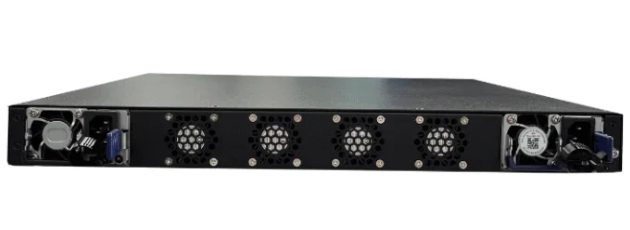
In 2026, most people will recognize that a network switch is the optimal choice for adding and controlling devices. A switch operates more quickly and enhances the network’s strength. Understanding the differences between a network splitter vs switch is crucial for creating a setup that is effective both now and in the future. Factors such as price and technical requirements are significant, particularly when utilizing advanced tools like the XTT UT200-48X6C.
Основные выводы
Pick a network switch if you want fast and steady internet. It links many devices and makes things work better.
Use a splitter only if you have two devices. It saves money but slows things down and is not flexible.
Buy advanced switches like the XTT UT200-48X6C for busy places. They let you connect lots of devices and have cool features.
Think about what you will need later when you choose. Switches are good for networks that will get bigger and use new tech.
Always make sure your devices can work together. Switches fit with new gear, but splitters only work with old stuff.
Quick Answer: Network Splitter vs Switch
Which Is Better for 2026?
Most people in 2026 will pick an ethernet switch. It is the best way to grow and manage a network. A switch gives faster speeds and is more reliable. It makes controlling many devices easier. Switches support new ethernet standards. They work well in homes, offices, and gaming rooms. If you want to connect many devices and keep good performance, use a switch. Advanced switches like the XTT UT200-48X6C are very fast. They have lots of ports. These switches are great for busy places.
A splitter can help in some cases. If you have few cables or old ethernet gear, you might use a splitter. It works best for only two devices. It is good if you want to save money. But a splitter is not as fast or flexible as a switch. Most networks today need more than two connections. They also need more bandwidth. So, a switch is usually better.
Key Differences at a Glance
Характеристика | Splitter | Switch |
|---|---|---|
Number of Devices | 2 | Multiple (often 4, 8, 24, or more) |
Скорость | Up to 100 Mbps | Up to 10 Gbps or more |
Стоимость | Very low | Varies (affordable to advanced) |
Setup Complexity | Простой | Easy to moderate |
Примеры использования | Limited cabling, older equipment | Home, office, gaming, business |
Management | None | Advanced options available |
Tip: Pick a splitter only if you need two devices and want the lowest price. Use a switch for most ethernet setups. Speed and reliability are important.
People use a splitter when:
There are not enough cables in the wall
Only two devices need to connect
They want a cheap option
They use old 10/100 Mbps equipment
A switch connects more devices and is faster. It works in homes, offices, and gaming rooms. Switches also have better management and security. If you want your network to last, choose a switch.
The network splitter vs switch choice is about flexibility and speed. A splitter is fine for simple needs. A switch is better for modern networks. Switches connect more devices and are faster. They also have advanced features. Switches like the XTT UT200-48X6C are strong solutions for small or big places.
Splitter vs Switch: Definitions
What Is a Network Splitter?
A network splitter lets two devices use one Ethernet cable. This device looks like the letter “Y.” It does not make new network connections. It splits one cable into two paths. People use a splitter when they have only one cable but need to connect two devices. This works best if there are not many cables or if the equipment is old. The ethernet splitter does not make the network faster or add more ports. It just lets two devices share the same cable. Many people at home or in small offices pick this device for easy setups.
Note: An ethernet splitter is different from a switch. It cannot control traffic or let you connect more than two devices.
What Is a Network Switch?
A network switch links many devices in a computer network. It uses MAC addresses to send data to the right device. This makes the network faster and safer. A switch is not the same as a hub. It knows each device and sends data the right way. Switches are grouped by what they do and which OSI model layer they use.
Switches can connect many devices at the same time.
They have smart features like traffic control.
Switches work in homes, offices, and big businesses.
Switches help people grow their networks and keep them steady. They give more options than splitters. In the splitter vs switch choice, switches are better because they handle more devices and work faster.
Technical Comparison: Splitter vs Switch
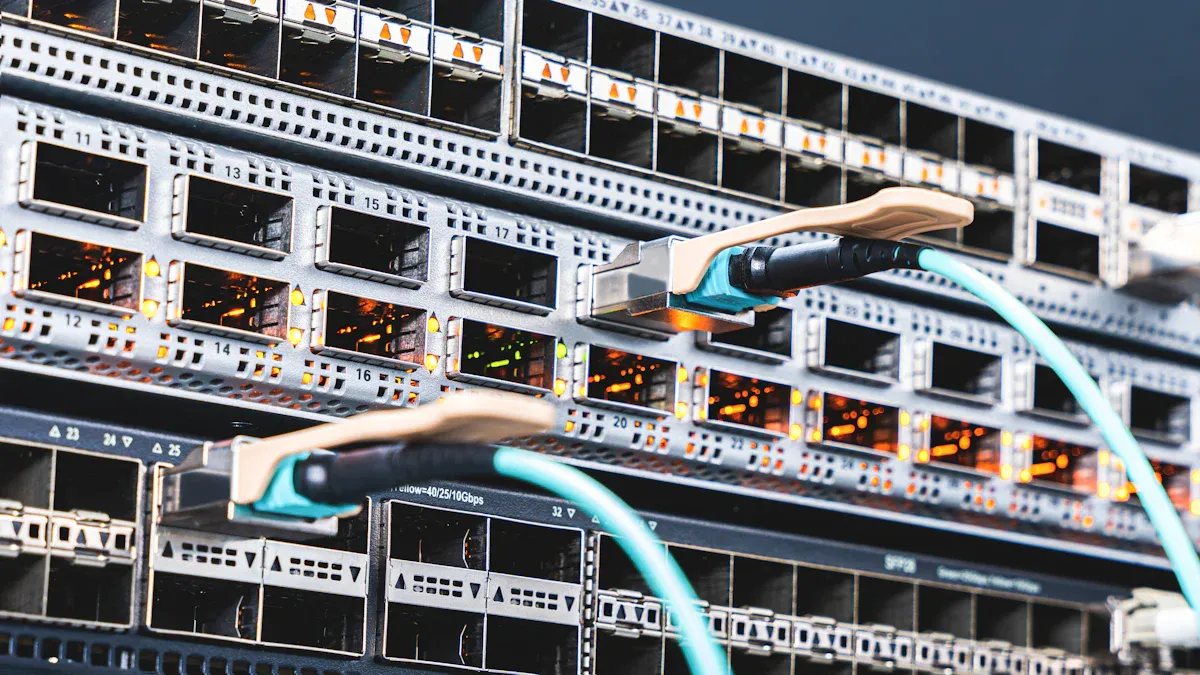
Functionality and Performance
A technical comparison shows how a splitter and a switch work. A splitter uses one ethernet cable for two devices. It does not make new network connections. It just lets two devices share one cable. If both devices use the network, it can get slower. A splitter does not control traffic or make the network faster. It is best for simple setups with low data use.
A switch does more than a splitter. It connects many devices and sends data to the right spot. Each port gives full speed to each device. This means every device gets the best performance. Switches use smart technology to control traffic. They help keep wired connections steady in homes and offices. People use switches for gaming, streaming, and work. A switch helps data move well and keeps the network smooth.
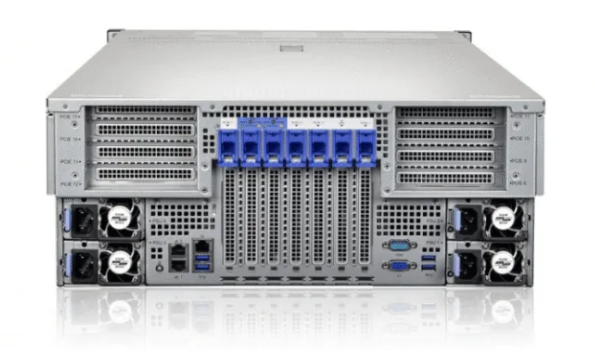
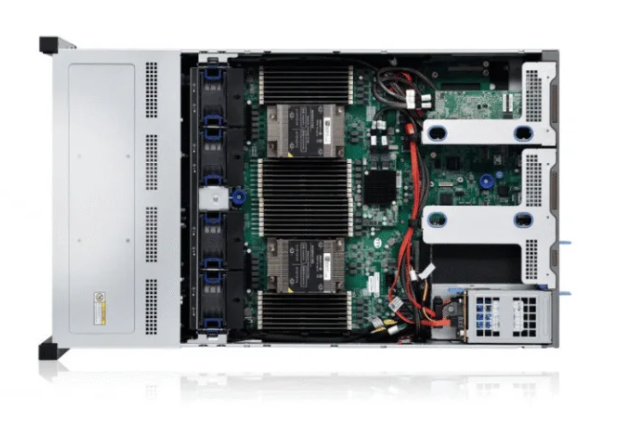
The XTT UT200-48X6C is a special network splitter. It has 48 10GE/GE ports and 6 100GE/40GE ports. It can handle lots of connections in big networks. It also has traffic mirroring and advanced filtering. These features help check network performance and keep things safe. The UT200-48X6C shows how splitters can help big networks with special needs.
Capacity and Bandwidth
Capacity and bandwidth are important for connecting many devices. A splitter only works for two devices on one cable. This limits how many devices you can use. If both devices use the network, they share bandwidth. This can make things slower.
A switch can connect many devices. Home switches have 4 or 8 ports. Business switches can have 24 or more. Each port gives full bandwidth to each device. This means many devices can work without slowing down. Switches can go up to 10 Gbps or more. They help with fast internet, gaming, and streaming.
The XTT UT200-48X6C can do even more. It supports up to 1080Gbps throughput. This is great for big offices or data centers. It can handle lots of connections at once. It also supports VLAN, MPLS, GRE, and VXLAN. These help with complex network setups.
Характеристика | Splitter | Switch (Home/Business) | XTT UT200-48X6C |
|---|---|---|---|
Ports | 2 | 4, 8, 24, or more | 48 + 6 high-speed |
Max Speed | 100 Mbps | Up to 10 Gbps | Up to 100 Gbps per port |
Bandwidth Sharing | Да | Нет | Нет |
Дополнительные возможности | Нет | Some | Many |
Лучшее применение | Simple setups | Home/office/business | Large networks |
Стоимость и ценность
People think about pros and cons before buying. A splitter costs less than a switch. It is good for simple needs and old equipment. People use splitters to save money and connect two devices.
A switch costs more but gives better value. It connects more devices and is faster. It helps with network management and security. Switches last longer and work with new technology. This makes them a smart pick for most people.
The XTT UT200-48X6C costs more than basic devices. It has advanced features for big networks. It helps check network performance and keep things safe. This device is good for companies that need strong networks and fast connections.
Note: Pick a splitter for simple setups. Use a switch for most networks. Advanced splitters like the XTT UT200-48X6C help big networks with special needs.
Switches are better for most people. They give better performance, more ports, and help with future needs. Splitters work for basic setups. Advanced devices like the XTT UT200-48X6C show how technology helps with lots of connections and fast data.
Use Cases: Home, Office, Business
Home Networking
Lots of families use a switch at home. It lets many devices connect to the internet. Computers, smart TVs, and game consoles can all use one ethernet line. A switch makes the network faster and more stable. It sends data to each device using MAC addresses. This helps the network work well.
A splitter is good if you only have two devices. It also helps when you cannot add more cables. Some people use a splitter to make one cable reach farther. Others use a LAN switch to get more ports from one cable. These ideas help when adding new wires is hard.
Tip: For smart homes, a switch gives every device full speed. This is important for streaming and gaming.
Office and Small Business
Small offices use switches for many computers and printers. Phones can also connect with a switch. Workers need switches to keep the network working well. The switch moves data fast and keeps things running. This helps teams share files and work together.
A splitter can help if the office has old gear or not enough wires. It lets two devices use one ethernet line. But most offices need more than two devices. A switch is better for offices that want to grow.
Характеристика | Network Switches | Splitters |
|---|---|---|
Bandwidth | Up to 2.5 Gbps | Ограниченный |
Speed Management | Auto-negotiation for maximum performance | Not available |
Device Connectivity | Connect multiple devices efficiently | Only two devices |
Надежность | Durable, fanless design | Basic |
Ideal for | Streaming, large file transfers | Simple setups |
Gaming and Streaming
Gamers and streamers need fast and steady ethernet. A switch helps connect game consoles, PCs, and streaming boxes. Players get less lag and smoother games. Streaming works better with a switch because it handles big files and videos.
A splitter is okay for simple gaming with two devices. Most gaming rooms need more connections. Switches help gamers and streamers get the best network. They keep things fast and let many devices connect.
Note: Switches are best for gaming and streaming. They let you connect more devices and enjoy fast ethernet.
Common Misconceptions
Myths About Splitters and Switches
Some people think things about network splitters and switches that are not true. These wrong ideas can make people pick the wrong device for their network.
Myth 1: Splitters double the number of network ports.
A splitter does not add new network connections. It just lets two devices use one cable together. Both devices must share the same bandwidth, so the network can get slower.Myth 2: Switches slow down the network.
Some people believe a switch will make the network slower. But a switch helps manage traffic and sends data to the right device. This makes the network faster and more stable.Myth 3: All splitters and switches work the same way.
Not every device is the same. Basic splitters have only a few features. Advanced switches, like the XTT UT200-48X6C, have high speeds and many ports for big networks.
Remember: A switch gives each device its own connection. A splitter only lets two devices share one connection.
Compatibility Issues
People sometimes get confused about compatibility. They may worry if their devices will work with splitters or switches.
Device Type | Works with Splitter | Works with Switch |
|---|---|---|
Old 10/100 Mbps | ✅ | ✅ |
Modern Gigabit | ❌ | ✅ |
Smart TVs | ❌ | ✅ |
Game Consoles | ❌ | ✅ |
Splitters only work with old 10/100 Mbps networks. They do not work well with gigabit or faster devices.
Switches work with almost all new devices. They support smart TVs, game consoles, and computers.
Advanced switches, like the XTT UT200-48X6C, support many protocols and high speeds. They are good for big and complex networks.
Tip: Always check your device’s speed and network needs before you pick a splitter or switch.
Setup Guide: Ethernet Switch and Splitter
How to Set Up a Network Splitter
It is easy to set up a network splitter. People use splitters to connect two devices with one Ethernet cable. First, plug the splitter into the wall jack or router. Then, use two short Ethernet cables to connect each device to the splitter. Both devices must support 10/100 Mbps speeds. Splitters do not work with gigabit devices. Check your cable type before you start. If both devices connect and show a signal, you are done.
Tip: Test both devices after you connect them. If one device does not work, look for damage in the cable or splitter.
How to Set Up a Network Switch
A network switch lets you connect many devices. Here is a simple guide to help you set it up:
Pick a spot close to your router and devices.
Use good Ethernet cables like Cat6 or Cat6a for fast speeds.
Plug one cable from the router into the switch’s uplink port.
Connect each device to the switch with its own cable.
Keep cables neat to stop tangling and signal loss.
Protect your network with a strong password and turn on encryption like WPA3.
Update your router’s firmware and device software often.
Get new equipment if your network needs more power.
Switches work great in homes and offices. They let many devices connect and keep the network strong.
Ошибки, которых следует избегать
People sometimes make mistakes when setting up a network. Try not to do these things:
Old or broken cables can make the connection slow.
Putting the switch in a tight spot can make it too hot.
Not securing the network can let bad people in.
Using splitters with gigabit and non-gigabit devices causes problems.
Not updating software can make your network unsafe.
Note: Always use a step-by-step guide and check every connection before you finish setting up.
Future-Proofing Your Network

Trends for 2026
Network technology changes fast. In 2026, new standards will appear. Internet speeds will get even faster. Many homes and offices will use 10 Gigabit Ethernet. Smart devices will need more bandwidth to work well. Cloud gaming and streaming will become more popular. Offices will use more tools for remote work. Security will matter more than ever. Devices like the XTT UT200-48X6C will help big networks handle lots of traffic. They also help with advanced monitoring.
People will want networks that connect many devices. Switches will have more ports and faster speeds. Advanced switches will support VLAN, MPLS, GRE, and VXLAN. These features help control traffic and keep data safe. Managing networks will get easier with web tools and SNMP support.
Tip: Pick devices that use the newest standards. Try to find switches with fast ports and strong security.
Trend | What It Means for You |
|---|---|
Faster Ethernet | Better streaming and gaming |
More Smart Devices | Need for more ports |
Advanced Security | Safer network connections |
Cloud Services | Higher bandwidth required |
Device Longevity
People want devices that last a long time. A good switch or advanced splitter can work for years. Devices like the XTT UT200-48X6C use strong parts and support many protocols. This helps them stay useful as networks change. Switches with metal cases and no fans last longer. They work well in homes, offices, and data centers.
Network devices should get updates. Firmware upgrades keep devices safe and working right. Devices with easy management, like CLI and web tools, make changing settings simple. People should check if their switch or splitter supports IPv6 and new security rules.
Note: Buy devices from brands you trust. Look for support and a good warranty. This helps your network stay strong for a long time.
A future-proof network uses devices that grow with your needs. Switches and advanced splitters help people add more devices and keep speeds high. Smart choices now will save money and problems later.
Picking a network splitter or switch depends on how many devices you have, how fast you want your network, and what you might need later. A switch lets you connect lots of ethernet devices. It helps stop slowdowns and works with all kinds of ethernet. A splitter only lets you connect two devices. It also makes ethernet slower. The table below shows the main differences:
Характеристика | Switch | Splitter |
|---|---|---|
Devices Supported | Many | Two |
Скорость | Full-speed ethernet | Ограниченный |
Setup | Легко | Needs two splitters |
Most people should use an ethernet switch for a fast and steady network. Some advanced splitters, like the XTT UT200-48X6C, are good for special networks. Think about your network and if you want to add more devices later.
ЧАСТО ЗАДАВАЕМЫЕ ВОПРОСЫ
What is the main difference between a network splitter and a switch?
A network splitter lets two devices share one cable. A switch connects many devices and gives each one full speed. Switches also manage traffic better than splitters.
Can a network splitter work with gigabit internet?
No, a network splitter does not support gigabit speeds. It only works with 10/100 Mbps networks. For gigabit internet, a switch is the best choice.
When should someone use an advanced splitter like the XTT UT200-48X6C?
Large businesses or data centers use advanced splitters like the XTT UT200-48X6C. This device supports high speeds, many ports, and advanced monitoring for complex networks.
Do switches need special setup or software?
Most switches work right out of the box. Some advanced switches offer web or CLI management for extra features. Basic home switches need no special software.
Can a switch improve gaming or streaming quality?
Yes. A switch gives each device a strong, steady connection. This helps reduce lag in games and keeps streaming smooth.