Are rugged industrial computers good for your hard work place? You need devices that can handle rough conditions. They should keep working when you need them most. When picking rugged technology, look at the design. Think about the environment and how much space you have. Check the performance and how it fits with other tools. Make sure it will last a long time. The market for rugged solutions is getting bigger. New features like AI and better connections are coming out. Think about your daily problems. Decide which features are most important for your job.
Основные выводы
Rugged industrial computers are made for hard places. They keep out dust, water, and hits. This makes them good for factories and building sites.
These computers last longer than normal ones. They work in very hot or cold places. They can take shaking and bumps. This means less time fixing them and lower repair costs.
When picking a rugged computer, think about your work place. Check for things like IP protection ratings and strong materials. These help make sure the computer works well.
Rugged computers have good ways to connect. They use wireless communication. They can link to many devices. This helps people get more work done.
Buying rugged industrial computers can save money over time. They are strong, so you do not need to replace or fix them often. This gives better value in the long run.
What are rugged industrial computers?
Definition and purpose
You might wonder how rugged industrial computers are different. These computers are made for hard jobs. They work in places with dust, water, or strong hits. Regular computers can break in these places. Rugged industrial computers keep working when things get tough. You can use them in factories or outside. They are good for construction sites too.
Industry experts say rugged industrial computers have special traits. The table below shows what makes them unique:
Characteristic | Описание |
|---|---|
Robustness | Built to handle tough places, so they last longer. |
Надежность | They are dependable, so your work does not stop. |
Versatility | You can use them for many jobs, like running machines or checking data. |
Environmental Protection | Some need special proof against dust or water, depending on the job. |
These computers focus on being reliable and safe. They help you keep working without breaks. You can use them for many things, like controlling machines or watching data.
How they differ from standard computers
You may wonder how rugged industrial computers are not like normal computers. The differences are easy to see. Rugged computers use strong parts and seals to keep out dust and water. They last longer and can handle power changes better.
Here is a table to show the main differences:
Характеристика | Rugged Industrial Computers | Standard Commercial Computers |
|---|---|---|
Надежность | Made for tough places, tested to last. | Regular parts, can break in hard places. |
Долговечность | Lasts longer, works without fans. | Does not last as long, can get too hot. |
Long-term Support | Works for 15 years, supports old devices. | Gets old fast, usually in 1-2 years. |
Power Range | Can use many power types (9 VDC to 48 VDC). | Needs certain power, may need extra parts. |
Configuration Flexibility | Many ways to connect and use. | Not many ways to change or add parts. |
Rugged computers give you more ways to use them and last longer. They work with old and new equipment. You can trust them to keep going when things get hard. If you work in tough places, these computers help you stay safe and get your job done.
Key features of rugged computers
Durability and protection
You need computers that can handle hard work. Rugged industrial computers use strong materials to keep working. They do not stop when other computers break. These devices are made to take shock, vibration, and hits. You can find them at construction sites, factories, and military areas.
Stainless steel does not rust and is simple to clean. This is good for cleanrooms and food plants.
Aluminum cases are light and tough. They are great for rough places where you need easy use and safety.
Fully sealed designs block dust, dirt, and water. Many models have IP65 to IP69K ratings, so you can use them in wet or dirty spots.
Material | Properties |
|---|---|
Stainless Steel | Does not rust, easy to clean, meets health rules |
Aluminum Enclosures | Light, strong, does not rust |
Rugged computers often pass strict industry tests. Certifications like CE, FCC, UL, and EMC show they are ready for tough jobs. You can count on them to work well and stop downtime. For example, a robotics company had 90% less downtime after using fanless industrial PCs. This means less fixing and more work done.
Environmental resistance
Industrial computers must work in very hard places. You may need a device for cold, heat, or lots of water. Rugged design adds features to protect against these problems.
Характеристика | Технические характеристики |
|---|---|
Temperature Range | -40°C to +70°C |
Vibration Resistance | Handles shock and shaking |
Protection Level | IP69K (keeps out dust and water) |
Cooling Technologies | Uses air, liquid, or immersion cooling |
Many rugged computers meet military rules like MIL-STD-810H. This means they can take drops, shocks, rain, dust, and salt spray. Devices with IP66 or higher ratings keep out dust and water. You can use them outside, on oil rigs, or in mines.
Примечание: Rugged industrial computers are important for real-time monitoring in factories. They help you use sensor and machine data right at the site. This helps with automation and IoT, making your work smarter and faster.
Performance and connectivity
You need more than a strong case. Rugged industrial computers have powerful CPUs and more RAM. This helps with real-time control, data work, and running hard programs.
Fanless designs keep the computer cool without fans. This means fewer breakdowns and less fixing.
Sunlight-readable screens let you see outside with no glare. You can read your data even in bright sun.
Long battery life keeps your device on for long hours. This is important for fieldwork and faraway places.
Connectivity Feature | Описание |
|---|---|
Wireless Communication | WLAN, Bluetooth, GPS/GLONASS, and sometimes 5G LTE |
Wired Communication | Easy docking, connects to many other devices |
Peripheral Sharing | Connect and share devices to help you work better |
Industrial PCs give you advanced ways to connect. You can use wireless like Wi-Fi, Bluetooth, and 5G LTE for fast talk. Wired links let you connect to sensors, machines, and other tools. This is important for jobs like factory work, moving goods, and transport.
Rugged industrial computers also have new features. You will see things like AI, machine learning, and edge computing. These help with fixing problems before they happen and checking data fast. Modular designs let you upgrade or change your device easily. Energy-saving systems help the planet and support green goals.
Tip: Picking rugged computers with the right features helps you do better at work. You get высокие показатели, good connections, and the toughness you need for any job.
Who needs rugged industrial computers?
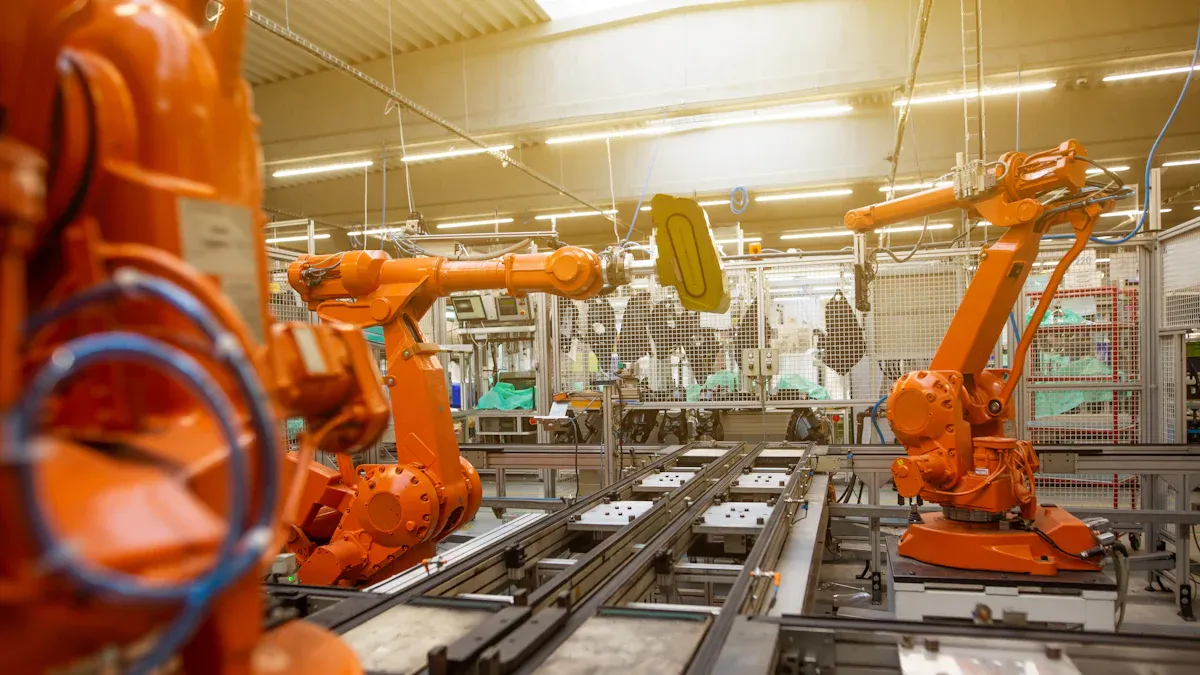
Industries and environments
Rugged industrial computers are used in many jobs. These computers work well where dust, water, or strong hits happen often. The table below shows where you see these computers and what they do:
Промышленность | Application Description |
|---|---|
Производство | Used for process automation, robotics, and assembly operations. |
Energy and Utilities | Help control power plants, monitor renewable energy, and manage grids. |
Transportation and Logistics | Support fleet management, rail systems, and warehouse automation. |
Здравоохранение | Power diagnostic machines, imaging equipment, and laboratory automation. |
Oil & Gas | Manage operations in remote and hazardous environments. |
Telecommunication | Process data at the network edge and monitor infrastructure. |
You can find these computers in deserts and mountains. They are also on ships, planes, and in cold places. They work in very hot or cold weather. They handle shaking, dust, wetness, and strong electric waves. These places need tough and dependable computers.
Typical job roles
Many workers use industrial computers every day. You might have one of these jobs:
Manufacturing: You control CNC machines, robots, and assembly lines.
Robotics: You run robots in car factories or big warehouses.
Energy Management: You check how much energy is used in factories.
Machine Monitoring: You watch temperature, pressure, or humidity in real time.
These jobs need industrial pcs that work well and help with automation in hard places.
Signs you need rugged devices
You may ask if your job needs rugged computers instead of regular ones. The table below shows signs you might need them:
Indicator | Описание |
|---|---|
Challenging Environments | Your devices must survive harsh conditions that standard computers cannot. |
User Carelessness | You need protection from frequent drops or rough handling. |
Specialized Features | You require tools like thermal imaging or barcode scanning. |
Industry Mobility | Your work involves moving devices between locations or vehicles. |
Rugged industrial computers help keep workers safe. They let you talk safely and get data right away, even in risky places. This helps you work better and lowers danger. If you want computers that last and work well in tough jobs, these are a good pick. Companies like sz-xtt have many industrial pcs for different jobs. They help you stay safe and get more work done.
Choosing the right industrial computers
Decision checklist
You need to pick the best computer for your job. First, check your work area for dangers. Look for things like dust, water, chemicals, or very hot or cold air. Decide if you want a computer that moves or one that stays in one spot. Think about how much safety you need from theft or people who should not use it. Pick the right IP protection class, like IP54 or IP55, for your space. Choose the best material, such as powder-coated steel if you want to save money, or stainless steel if you need it clean. Plan for things like cable holders and extra parts to keep your space neat. Make sure the design is easy to use, with screens that tilt and keyboards you can reach. If you have lots of machines, you might need EMC shielding or cooling without fans.
Dangers in your work area
Moving or staying in one spot
Safety from theft or wrong use
IP protection class
Material you need
Cable holders and extra parts
Easy-to-use design
EMC shielding or fanless cooling
Budget and value
Rugged industrial computers cost more at first. They use strong materials and good parts. This helps them last longer and work better in tough places. You get steady work and less time fixing problems. Regular office computers break faster and need more repairs. Over time, rugged computers save money because you do not replace them often. You also spend less time fixing things. When you pick industrial pcs, you choose steady work and good value for a long time.
Tip: Pick models that last a long time and work with your software. This helps you avoid changing programs often and keeps your work easy.
Embedded industrial PC options
Embedded industrial pc choices give you many ways to use them for special jobs. These computers are good for automation, AI, and hard tasks. You can find fanless industrial pcs that are quiet and need little fixing. Rugged embedded pcs work in tough places and keep going when things get hard. Automotive pcs can take shaking and bumps, so they are good for moving jobs. AI and GPU computers show strong graphics for video work. Low power pcs save energy and fit in small spots. Extendable industrial pcs let you add cards for more jobs.
Тип | Характеристики |
|---|---|
Fanless Industrial PCs | Quiet, keep out dust, good for automation and AI |
Rugged Embedded PCs | Made for tough places, steady for hard jobs |
Automotive PCs | Can take bumps and shaking, safe for moving use |
AI & GPU Computing | Strong graphics, good for hard jobs |
Low Power PCs | Save energy, small, work well |
Extendable Industrial PCs | Add cards for more jobs |
NVIDIA Jetson | Edge AI computers with camera hubs for video work |
You can look at sz-xtt’s website for more industrial pcs and embedded industrial pc choices that fit your needs.
You need rugged industrial computers if your job is very hard. These computers are strong and work well in tough places. They have stainless steel cases, high protection, and smart touch screens. Look at the table below to see what features you might need:
Характеристика | Описание |
|---|---|
Stainless Steel Housing | Needed for clean work in food and medicine factories |
Protection Class | Stays safe in rough and dirty places |
Управление кабелями | Helps you save money on setup and repairs |
Touch Screen Technology | Makes it easier for workers to use |
Производительность | Works with Industry 4.0 and IoT tools |
Hygiene Requirements | Uses safe materials for food and medicine |
Rugged laptops go through hard tests and keep working in bad weather. You can change batteries without turning them off. They have strong safety and many ways to connect. Pick the features that help you most at work. Go to sz-xtt to learn more and find what you need.
Tip: Make sure your computer has the right features for your job before you buy it.
ЧАСТО ЗАДАВАЕМЫЕ ВОПРОСЫ
What makes a computer “rugged”?
A rugged computer uses strong materials and sealed designs. You get protection from dust, water, and drops. These features help your device work in tough places. You can learn more about rugged models на sz-xtt’s product page.
Can I use rugged computers outdoors?
Yes, you can use rugged computers outside. Sunlight-readable screens and weatherproof cases let you work in rain or bright sun. Many models from sz-xtt work well in outdoor jobs like construction or field research.
How long does a rugged computer last?
You can expect a rugged computer to last many years. Strong parts and tested designs help your device keep working. Some models run for over 10 years with regular use.
Do rugged computers support wireless connections?
Yes, rugged computers offer Wi-Fi, Bluetooth, and sometimes 5G. You stay connected in factories, vehicles, or remote sites. Check sz-xtt’s connectivity guide for more details.
Where can I buy rugged computers for my business?
You can contact sz-xtt for a quote or visit their website. They offer many rugged computers for different industries. Explore options and get support at sz-xtt’s contact page.