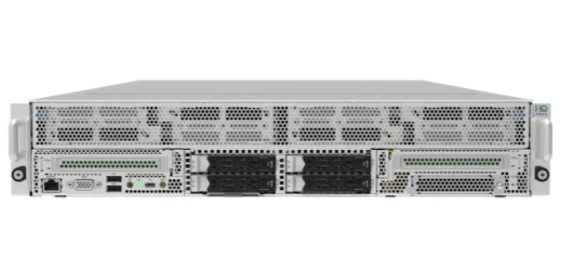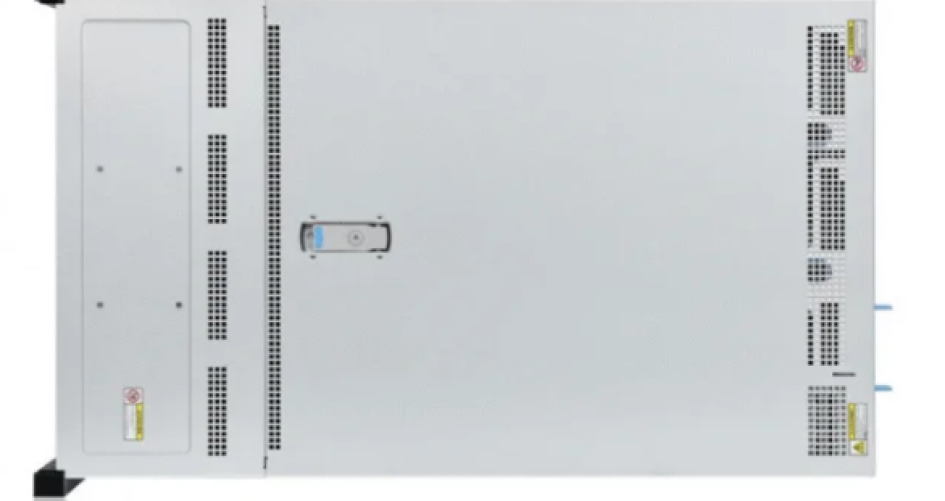
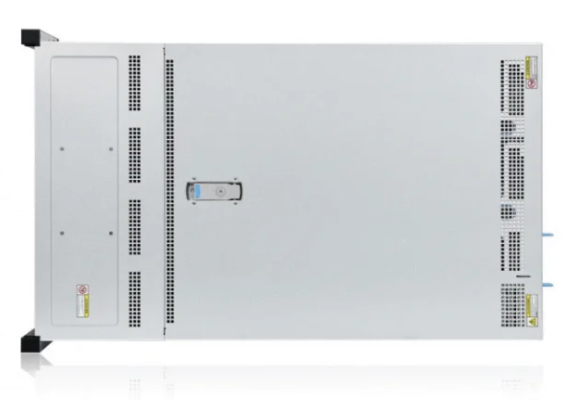
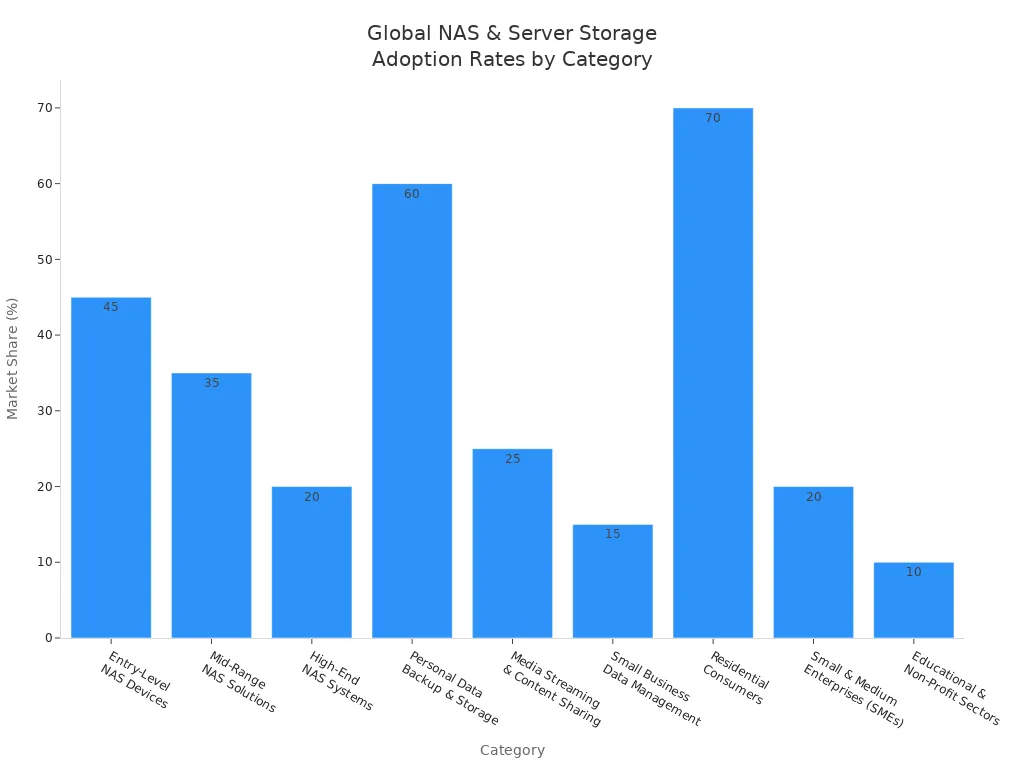
Many people and companies have a hard time picking between server vs NAS storage. When comparing server and NAS storage, performance, reliability, and cost are all important factors to consider. New market data shows entry-level NAS devices make up 45% of the market. Personal data backup is utilized by 60% of individuals, indicating that both businesses and homes are seeking these storage options.
Trusted brands like sz-xtt provide advanced choices for every need, helping users find reliable and scalable options without confusion.
Key Takeaways
NAS works well for easy jobs like sharing files and making backups. It is simple to use and does not cost a lot. This makes it good for homes and small businesses.
Storage servers are strong and made for hard jobs. They work better with apps and databases. This makes them good for bigger companies.
Think about what you need for storage. Look at how much data you have now. Also, think about how much you may need later.
Check for security tools like encryption and firewalls. These help keep your data safe. Both NAS and server storage need this.
Always look at the full cost, like fixing and power costs. This helps you pick the best choice for your money.
Server vs NAS Storage Overview

What Is Network-Attached Storage (NAS)?
Network-attached storage, or NAS, is a special device for saving and sharing files. It connects to your home or office network using Ethernet or WiFi. Many people pick NAS because it is easy to use and set up. NAS devices have built-in software that can do backups, stream media, and share files without a computer. Some NAS devices use fast SSDs and flexible operating systems like TrueNAS Core or Unraid. These features make NAS good for storing media, making a personal cloud, and using with smart homes.
What Is a Storage Server?
A storage server is a strong computer made to hold lots of data for companies. Storage servers are different from NAS because they use powerful CPUs and special operating systems for tough jobs. They can use block-level storage, so they can run apps, host databases, and handle big IT tasks. New storage servers, like ones from sz-xtt, have features like copying data, making backups at certain times, and working together in groups. These things are important for businesses that need fast, safe, and big storage. For example, the sz-xtt TS357 is good for small and medium companies, and the TS655 series is for bigger jobs.
Key Differences
The main differences between server and NAS storage are how they are built, what they are used for, and how they are managed. The table below shows the main differences:
Category | NAS | Storage Server |
|---|---|---|
Use Case | File sharing, backups, media streaming | Application hosting, database management |
Data Handling | File-level storage, easy integration | Block-level storage, complex configurations |
Hardware | Low-power processors, simple setup | High-performance CPUs, advanced features |
Scalability | Best for small to mid-sized organizations | Ideal for large enterprises and heavy workloads |
Cost | Lower initial and maintenance costs | Higher investment, greater long-term value |
NAS is best for simple file sharing and backup jobs. Storage servers are better when you need fast apps and safe data storage. Both are important in today’s tech world, but knowing these differences helps you pick the right one. To learn more about sz-xtt’s storage products, you can visit their website.
Performance Comparison
Speed & Throughput
Speed and throughput are very important when picking storage. NAS devices usually connect with a Gigabit Ethernet network. Tests with the Iozone tool show how NAS works with different files. These tests use a 64 KB record size and files up to 4 GB. This is about the same as the RAM in many NAS devices. The results show NAS can give good speeds for sharing files and backups, especially if it has SSDs. But the network can limit how fast NAS can go.
Storage servers, like those from sz-xtt, have strong CPUs and advanced storage controllers. These servers support faster connections and bigger memory, which helps move data faster. Direct connections let storage servers work better, especially for hard jobs. Many companies pick storage servers when they need to move big files fast or run apps that need quick access.
NAS devices: Good speeds for daily file sharing and backup.
Storage servers: Faster for big files, databases, and virtual machines.
Network speed: Gigabit Ethernet can slow down NAS, but storage servers can use faster links.
Application Workloads
Different jobs need different things from storage. NAS is good for storing files, streaming media, and simple backups. It works well with file-level jobs, so it is popular for homes and small offices.
Storage servers are best for jobs that need low latency and lots of input/output operations per second (IOPS). These jobs include hosting databases, virtualization, and big business apps. The table below shows latency and IOPS for different storage types:
Storage Type | Latency | IOPS | Notes |
|---|---|---|---|
SAN | Lower | Higher | Better for databases and virtualization workloads |
NAS | Varies | Lower | Performance depends on file operations and metadata handling; modern NAS with SSDs can be fast for many workloads |
Storage servers, like the sz-xtt TS555V2 and TS558V3, give better performance for tough jobs. They have advanced features and can do many things at once. This makes them great for businesses that need fast and steady data access.
Tip: For database and virtualization jobs, storage servers have lower latency and higher IOPS, so apps run better.
Network vs Direct Access
How people get to storage changes how well it works. NAS uses the network, which can slow things down. High latency and limits on bandwidth can make data move slower, especially when many people use it. The table below shows common problems:
Access Type | Performance Bottlenecks |
|---|---|
Network-based Access (NAS) | High latency and bandwidth limits can slow down data and cause delays. |
Direct Access (DAS) | Fewer problems because it does not use the network. |
Common Issues | Too many I/O jobs can slow both systems. |
Storage servers often use direct access, which lowers latency and makes things faster. This setup gives steady and reliable performance, especially for businesses. Models like the sz-xtt TS655 and TS655V2 have direct access, so they are good for groups that need fast data work.
Reliability & Data Protection
Uptime & Redundancy
People and businesses need storage that works all the time. Uptime means the system is ready when you need it. Redundancy helps keep data safe if something breaks. Downtime can happen for many reasons. Sometimes, the network has problems. Bad Ethernet cables or broken hardware can also cause trouble. NAS systems can get too hot or shake too much, which can break parts. Storage servers use extra power supplies and RAID to stay reliable. These things help stop data loss and keep work going.
Network problems can block NAS access.
Bad cables or ports can make devices disconnect.
Broken hard drives or RAID problems can stop the system.
Too much heat or shaking can break hardware faster.
Backup & Recovery
Protecting data starts with good backups. Both NAS and server storage have ways to back up and get data back. NAS devices can send data to the cloud, another NAS, or a faraway place. This is good for groups that want easy access without hard setups. Storage servers use network backups, like agents that send data to a backup server. NDMP lets NAS send data right to tape or backup servers. Some NAS systems can copy data for better app use.
Tip: Use the 3-2-1 rule to keep data safe. Make three copies of your important data. Store them on two types of media. Keep one copy in a different place. This helps keep data safe if something goes wrong.
Hardware Durability
Good hardware helps protect data for a long time. Strong parts stop things from breaking and make storage last longer. Dust, power spikes, and bad airflow can hurt drives. Drives without cooling can break after a while. Brands like sz-xtt make storage servers with tough and energy-saving parts. These things help keep data safe and support all kinds of groups.
Cost Analysis

Initial Cost
The starting price for storage can be very different. Entry-level NAS devices are popular with small businesses and homes. They cost less money at first. A basic NAS might cost $500. A 4-bay NAS with disks can cost $600. Bigger NAS systems, like an 8TB one, can cost up to $8,000. Server storage systems usually cost more at the start. Enterprise-grade hardware is more expensive. The table below shows prices for common NAS and server storage models:
Model | Price Range |
|---|---|
Aberdeen AberNAS 128 | $1,299 |
HP ProLiant ML310 G3 | $4,995 |
PrimeArray FlexNAS 6800E XT | $1,299 – $4,995 |
Adaptec Snap Server 520 | $4,595 |
Infrant ReadyNAS NV | $1,299 – $4,995 |
Small businesses must think about costs when picking storage. NAS hardware is cheaper to start with. Server storage gives better performance and can grow bigger for large companies. The starting price includes hardware, space, and features needed.
Note: sz-xtt has storage servers that save energy and can grow. The TS357 is good for small businesses. The TS655 series works well for bigger jobs. These models help companies spend wisely and get good performance.
Maintenance Cost
Keeping storage running costs money over time. Data centers use about 11% of their power for storage devices. They use 43% for cooling systems. High energy use makes server storage more expensive. Server storage needs strong cooling and power management. NAS devices that save power can lower electric bills. They make less heat, so they are good for small setups.
Data centers spend a lot on energy and cooling.
Power-saving NAS devices cut monthly costs and heat.
Server storage may need more care and use more energy.
sz-xtt builds storage servers to use less power. Models like TS555V2 and TS558V3 have smart parts to save energy and cooling. This helps companies keep costs down and still get good performance.
Total Cost of Ownership
Total cost of ownership means all costs over time. Important costs are electricity, cooling, maintenance, and software licenses. The table below shows these costs:
Cost Driver | Description |
|---|---|
Electricity | One of the biggest ongoing costs, affects operations. |
Cooling Systems | Can be up to 45% of a data center’s energy use. |
Maintenance Costs | Regular care adds to total cost. |
Software Licensing | Fees for software needed to manage storage. |
Companies must look at all costs when picking storage. NAS devices use less electricity and cooling, so they are cheaper for small places. Server storage can grow bigger and work faster but costs more over time. sz-xtt’s energy-saving servers help lower total costs by using less power and cooling.
Tip: Think about all costs, not just the first price, when planning storage for the future. Energy-saving and scalable options, like sz-xtt’s, can save money in the long run.
Cost Comparison Table
This table shows the main cost differences between NAS and server storage:
Aspect | NAS Storage | Server Storage |
|---|---|---|
Initial Cost | Lower for entry-level models | Higher for enterprise-grade systems |
Maintenance Cost | Lower energy and cooling expenses | Higher due to advanced hardware |
Total Cost of Ownership | Cost-effective for small setups | Greater value for large organizations |
Scalability | Limited expansion options | Extensive scalability |
Companies should think about cost, performance, and reliability. sz-xtt’s storage servers, like TS357, TS555V2, TS558V3, and TS655 series, are good for all sizes of businesses. These models save energy, can grow, and work well to help users get the most for their money.
Use Cases
Business Solutions
Many companies use local data storage to help their work. Research, finance, and healthcare need reliable systems for important jobs. The table below shows how groups use NAS and server storage in real life:
Use Case | Description |
|---|---|
Raw data processing | A research library uses a fast NAS to store lots of raw data for analytics. |
Business analytics | A business unit uses NAS to gather KPI data for reports. |
Companies pick storage servers for jobs needing speed and safety. The sz-xtt TS357 model is good for small and medium businesses. The TS555V2 and TS558V3 models help teams that are growing. Big companies use the TS655 and TS655V2 for tough jobs and advanced storage.
Home & Personal Use
Home users want easy and safe ways to keep their files. NAS devices give many benefits for local data storage:
Centralized storage makes files easy to organize and find.
Works as a media server for sharing photos, videos, and music.
Supports different backup methods like local, offsite, and cloud.
Offers data redundancy and fault tolerance with RAID.
Lets you share files over the network without USB drives.
Gives a private and secure place compared to public cloud storage.
Makes it simple to add more storage when needed.
Has extra protection like firewalls and data encryption.
Families and people can use local storage to keep memories safe and share them.
Hybrid & Remote Work
Hybrid and remote work need flexible and secure storage. The table below shows features that help these setups:
Feature | Benefit |
|---|---|
Automatic backups | Makes sure remote team members always have their data, lowering the risk of loss. |
Cloud backup and synchronization | Lets people get data from different places, making remote work easier. |
Virtualization | Helps recover virtual machines quickly, so downtime is less during data loss or breaches. |
Access via VPN | Gives safe access to LAN resources from far away, making things more secure. |
Access encryption with SSL | Keeps data safe while it moves, protecting privacy and security for remote workers. |
Remote management capabilities | Cuts down on visits and makes managing NAS devices easier, saving time. |
Consolidation of physical servers | Saves money on hardware and makes storage space better, helping remote work. |
Purpose-built for productivity | Makes remote work more effective by giving stable and secure storage. |
Teams can count on local storage to keep files safe and easy to reach, wherever they work.
sz-xtt Storage Server Models
sz-xtt is a trusted brand for local storage solutions. The company has nine storage server models for different needs. The TS357 model is for small and medium businesses. The TS555V2 and TS558V3 models help teams that are getting bigger. The TS655 and TS655V2 models are for large groups needing advanced features. The TS657V2 and TS658 series have new technology for complex storage needs. The TS658V2 and TS658V3 models are fast and efficient for big data jobs. Each model gives reliable local storage for business and personal use.
Scalability & Security
Expansion Options
Scalability is very important for groups with more data. NAS devices let you add more storage easily. You can put in new disks or add units when you need more space. This means you do not have to buy a whole new system. Storage servers, like the ones from sz-xtt, can grow even more. You can add drives, make controllers better, or use clusters. These things help groups change fast when they need more space. They also keep everything working well. The TS655 and TS655V2 from sz-xtt are good for big companies that need lots of storage.
Security Features
Security is very important for both NAS and server storage. New systems have strong security tools to keep data safe. The table below shows some common security features:
Security Feature | Description |
|---|---|
Encryption | Keeps data safe by changing it so only the right people can read it. |
Firewalls | Watches and controls network traffic using rules. |
Virus Scanning | Finds and removes bad software that can hurt data. |
Admins need to fix problems like weak networks, old software, and bad settings. They also need to watch out for internet dangers, mistakes, and wrong setups. Good security, like detailed access control and ransomware protection, helps keep data safe. File-level data access lets users see only what they need. This keeps other files private. sz-xtt storage servers, like TS658V2 and TS658V3, have strong security and protect against ransomware for big companies.
Encryption and firewalls keep data safe from people who should not see it.
Detailed access control lets admins pick what each user can do.
Ransomware protection stops bad attacks.
File-level data access keeps files private.
Security tools must get better as new threats appear. Admins should update systems often and check who can get in.
Ease of Management
Easy management helps groups handle storage and security better. NAS devices are simple to set up and watch. Storage servers have special tools for big jobs and hard setups. sz-xtt models have easy dashboards and remote controls. Admins can check how things are working, set up security, and change access rules without much trouble. Good management means less downtime and helps work keep going.
Choosing the Right Solution
Decision Checklist
Picking between NAS and server storage takes some thinking. Everyone has different needs for their data. This checklist can help you make a good choice:
Storage capacity: Think about how much data you have now. Also, think about how much you might have later.
Performance: Decide how fast you need things to work each day.
Data redundancy (RAID configurations): Ask if you want your data safe and easy to get back.
Network connectivity: Make sure the device can join your home or work network.
User-friendliness: See if you want something simple to set up and use.
Security features: Look for things like encryption, firewalls, and who can get in.
A single-bay NAS drive works well for one person. If you need more space or want RAID, pick a multi-bay NAS drive.
How many drive bays you need is important. You should also think about storage size and RAID support. Some better NAS models have encryption for hard disk drive data. This is good if your area is not very safe. But turning on encryption can make writing data slower. It will not slow down as much if the device has special hardware for encryption.
NAS is simple to set up and costs less money. It works well for sharing files at home or in small offices. Server storage is faster and can grow bigger for harder jobs. It is better for companies that need to do a lot of work. Features like RAID and redundancy make storage more reliable and safe. Everyone should look at the checklist before picking a storage type. sz-xtt has trusted NAS and server storage for all kinds of users. If you want help, you can ask sz-xtt or check their products online.
FAQ
What is the main difference between NAS and server storage?
NAS lets you save and share files on a network. Server storage can do harder jobs, like running apps and handling databases. NAS is good for easy file sharing. Server storage is better for businesses that need fast speed and special features.
Can NAS devices support business use?
Yes. Many small businesses use NAS for sharing files, making backups, and streaming media. For bigger jobs or stronger security, companies pick storage servers like the sz-xtt TS357 or TS655 series.
How does sz-xtt ensure data security in its storage servers?
sz-xtt storage servers use encryption, firewalls, and access controls. These tools keep data safe from people who should not see it. Models like TS658V2 and TS658V3 have strong security for business needs.
Is it easy to expand storage with sz-xtt products?
Yes. sz-xtt makes its storage servers easy to grow. Users can add more drives or upgrade parts when they need more space. The TS655 and TS655V2 models let you add a lot more storage.
Where can users learn more about sz-xtt storage solutions?
Users can go to the sz-xtt website to see all the storage server models and get more information.