
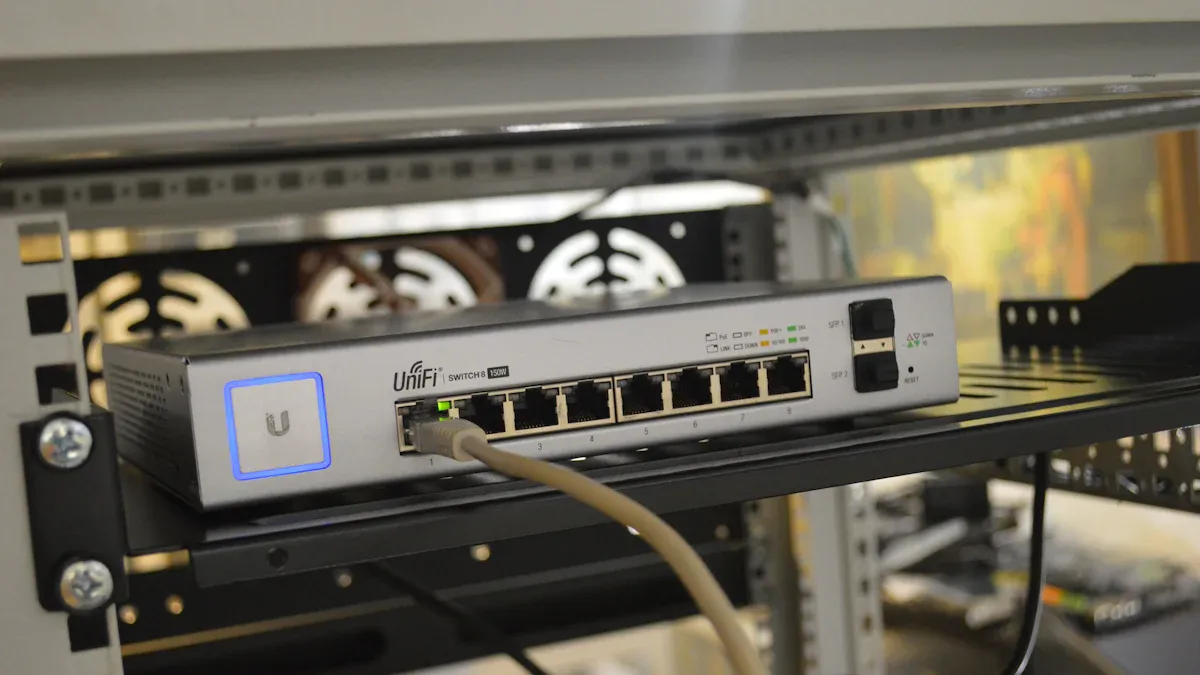
You need good hardware to keep your network working well and fast. The Cisco CBS350-8MGP-2X is a great network switch. It gives fast speeds and special features for tough jobs. The XTT UT200-48X6C is a top network splitter. It has 48 10GE/GE ports and 6 100GE/40GE ports. These devices are great for speed, number of ports, and trusted brands. Picking the best hardware depends on what you need. For a quick look at network switch vs splitter, see the table below:
Özellik | Ethernet Bölücü | Ağ Anahtarı |
|---|---|---|
Data Packet Routing | Sends data to all devices | Sends data to specific devices |
Multiple Connections | Limited to two devices | Birçok cihazı birbirine bağlar |
Network Performance | Can slow down | Improves speed and performance |
Kullanım Senaryosu | Small, simple networks | Large, complex networks |
Önemli Çıkarımlar
Pick a network switch if you want faster speed. Switches link many devices and handle traffic well.
Find switches with strong features like special data paths and traffic control. These features stop slowdowns and make things work better.
Buy devices from brands people trust and that offer help. This makes sure you get good products and support if you have problems.
Think about what you need now and later. A switch is best if your network will grow. A splitter is fine for two devices in a simple setup.
Use good cables and follow the right steps when setting up. This keeps your network fast and steady.
What Makes a Device Reliable
Key Features for Reliability
You want your network to always work. Reliable devices have features that help them do this. They use dedicated data paths. This means each device has its own way to send information. It helps stop traffic jams on your network. Good devices also manage traffic well. They can make important data move first. This helps it go faster when many people use the network. High bandwidth handling is another important feature. It lets your device move lots of data without slowing down.
Here is a table that shows important features for reliability:
Özellik | Açıklama |
|---|---|
Dedicated Data Paths | Each device has its own path for data, reducing congestion. |
Traffic Management Capabilities | Prioritizes important data, improving performance during busy times. |
High Bandwidth Handling | Manages large amounts of data, keeping your network reliable. |
You should also look for error correction features. These help your device find and fix mistakes in data. Some devices use special technology like ECC or LDPC ECC. This keeps your network safe from losing data.
Speed, Ports, and Compatibility
Speed and the number of ports are important. You need enough ports for all your devices. Fast speeds keep your network working well. Some top switches have 48 ports and support speeds up to 10G or even 100G. Here is a quick look at popular models:
Marka | Model | Limanlar | Speed Ratings |
|---|---|---|---|
Cisco | 350 Series 48-Ports | 48 x 10/100/1000 | Uplinks up to 4 x 10G (SFP+) |
Dell | N3024EP-ON | 24 x 1 Gigabit, 2 SFP+ | 1 Gigabit |
Netgear | Various | Up to 48 Gigabit, 2 SFP | Gigabit |
Compatibility matters too. Devices that work with many network standards help your network stay stable. They let you connect equipment from different brands without trouble. Regular updates and testing help everything work well.
Brand Reputation and Support
You should pick a brand you trust. Brands like TP-Link and TRENDnet have won awards for quality. They offer many different products. Good brands give strong support and warranties. Some service providers give 24/7 support, fast fixes, and easy replacement. This means you get help when you need it. It keeps your network reliable.
Marka | Reputation for Quality | Awards Won | Ürün Yelpazesi | Fiyatlandırma |
|---|---|---|---|---|
TP-Link | Well-established | Birçok | Wide range | Uygun fiyatlı |
TRENDnet | Readers’ Choice | Evet | Multi-gigabit switches | Rekabetçi |
Tip: Pick a device from a trusted brand with good support. This helps you avoid problems and keeps your network working well.
Network Switch vs Splitter
Main Differences Explained
You may wonder about the real differences between a network switch and a splitter. These devices look similar, but they work in very different ways. A splitter lets you connect two devices using one Ethernet cable. Both devices share the same connection, which can slow things down if both are active. A switch connects many devices and sends data to the right place. Each device gets its own full-speed connection.
Here is a table to help you see the main differences:
Özellik | Ayırıcı | Anahtar |
|---|---|---|
Limanlar | 2 | 4, 8, 24 veya daha fazla |
Maksimum Hız | 100 Mbps | 10 Gbps'ye kadar |
Bant Genişliği Paylaşımı | Evet | Hayır |
Gelişmiş Özellikler | Hayır | Some (VLAN, QoS, traffic control) |
En Uygun Kullanım | Simple setups | Home, office, or business |
A network switch vs splitter comparison shows that switches keep your network fast and reliable. Switches can manage traffic and support advanced features. Splitters do not have these abilities.
Tip: If you want to stream videos or play games online, a switch will give you better speed and performance.
When to Use Each Device
Yapmalısın use a splitter when you need to connect two devices in the same spot and do not want to run extra cables. This works well for simple setups, like connecting a printer and a computer in one room. Remember, both devices will share the same bandwidth.
A switch is the best choice when you need to connect many devices or want high speeds. If your router does not have enough ports, a switch helps you add more. Switches work well in homes, offices, and busy networks. They make sure each device gets the speed it needs.
Here is a quick guide:
Cihaz Tipi | Senaryo |
|---|---|
Ethernet Bölücü | Connect two devices in one location without extra cables |
Ethernet Anahtarı | Add more devices or handle high-traffic situations |
When you compare network switch vs splitter, think about your needs. For most modern networks, a switch gives you better performance and more options.
Best Network Switches
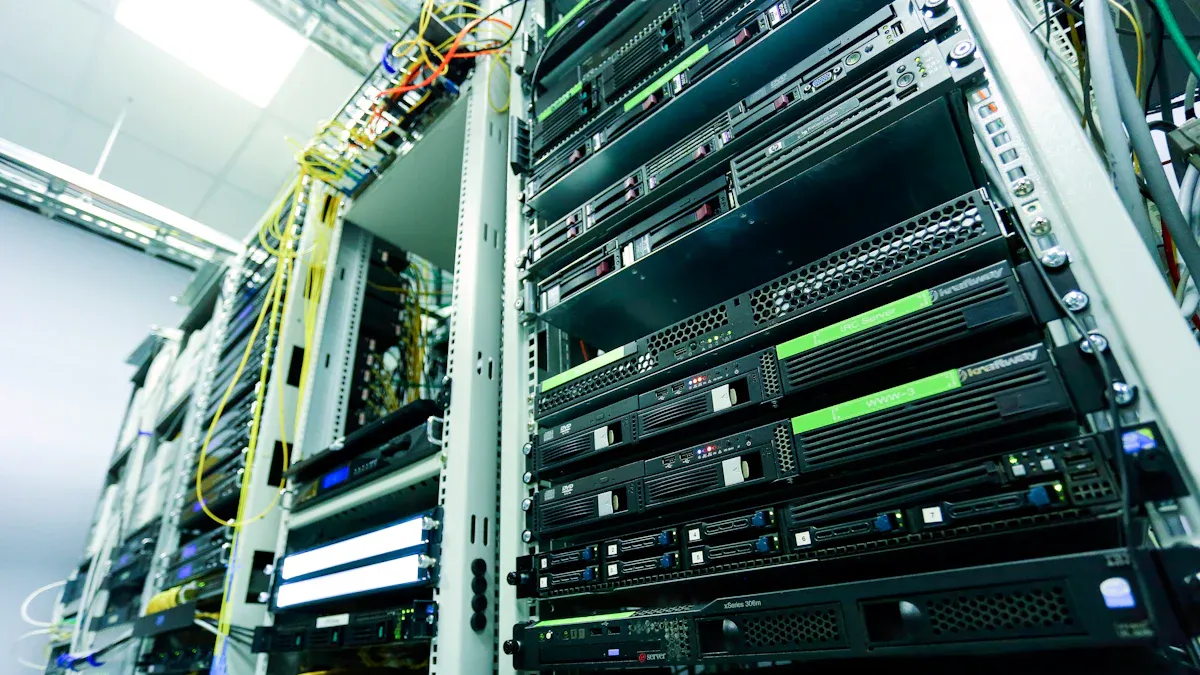
Top Overall Pick – Cisco CBS350-8MGP-2X
If you want a powerful and reliable network switch, the Cisco CBS350-8MGP-2X stands out. You get advanced features and strong performance. This switch supports high speeds and handles heavy traffic well. It works best in offices, schools, or any place where you need stable connections for many devices.
You can see how the CBS350-8MGP-2X compares to other Cisco switches in the table below:
Switch Model | Forwarding Rate (mpps) | Switching Capacity (Gbps) |
|---|---|---|
CBS350-8MGP-2X | 46.13 | 62.0 |
CBS350-8MP-2X | 29.76 | 80.0 |
CBS350-24MGP-4X | 104.16 | 140.0 |
CBS350-12NP-4X | 148.80 | 200.0 |
CBS350-24NGP-4X | 142.85 | 192.0 |
CBS350-48NGP-4X | 178.56 | 240.0 |
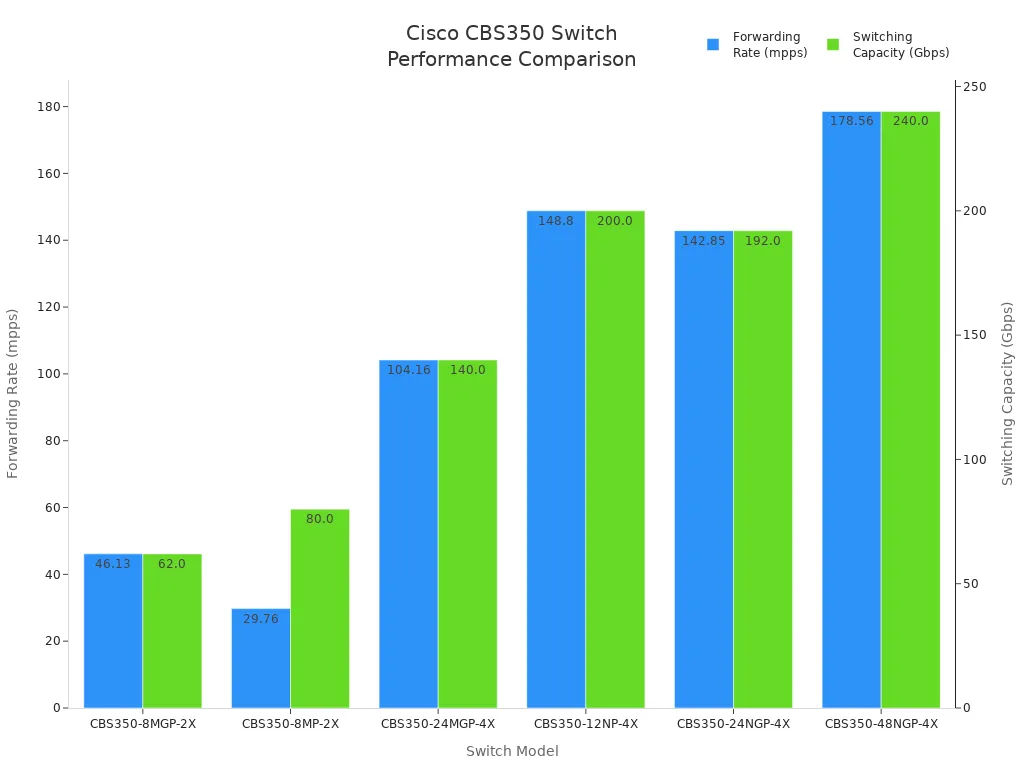
You can trust Cisco for quality and support. The CBS350-8MGP-2X gives you advanced management tools, strong security, and fast speeds. If you compare a network switch vs splitter, you will see that a switch like this gives you more control and better performance.
Best for Home – NETGEAR GS305
For your home, you want something easy to use and fast. The NETGEAR GS305 is a great choice. You do not need to set up anything complicated. You just plug it in and it works. This switch gives you gigabit speeds on all ports, so you can stream, play games, and work without slowdowns.
Here is what makes the GS305 perfect for home use:
Özellik | Açıklama |
|---|---|
Hız | Consistent gigabit speeds across all ports at the same time. |
File Transfer Speed | Users report over 950 Mbps when moving large files. |
Gecikme | Very low latency, which helps with gaming and video calls. |
Güç Verimliliği | Uses less power, saving up to 40% with special technology. |
Auto-MDI/MDIX Technology | Lets you use any standard ethernet cable. |
Jumbo Frame Support | Handles large data packets for faster transfers. |
Heat Dissipation | Metal case stays cool, even after long use. |
Traffic Prioritization | Makes sure important data, like video or voice, goes first. |
You get a simple, reliable device that does not need any management. Home users like you want switches that are:
Plug-and-play, so you do not need to change settings.
Affordable, so you can connect more devices without spending a lot.
Fast, so you can enjoy streaming and gaming.
Best for Small Office – Netgear ProSafe GS105GE
If you run a small office, you need a switch that works hard and lasts long. The Netgear ProSafe GS105GE is a top pick for this. You get a strong metal case and a fanless design, so it stays quiet. This switch gives you full gigabit speeds on all ports.
Check out the reliability and features:
Özellik | Açıklama |
|---|---|
MTBF (Mean Time Between Failures) | 3,197,945 hours |
Garanti | NETGEAR Limited Lifetime Hardware Warranty |
Tasarım | Durable metal case, fanless for quiet operation |
Enerji Verimliliği | Saves power with IEEE 802.3az standard |
Performans | Non-blocking, so all ports run at full speed |
You will find that most small office switches use similar parts. This means you get steady performance and value. The GS105GE can handle busy days and keeps your network running smoothly.
Many small switches, including the GS105GE, use the same chips as other brands.
You get full gigabit speed on every port.
The differences between models are small, so you can choose based on price and warranty.
En Uygun Fiyatlı Seçenek
You may want a switch that does not cost much but still works well. Many brands offer budget switches that give you good speed and enough ports for a small setup. Look for these features when picking a budget switch:
Plug-and-play setup, so you do not need to be an expert.
At least 5 ports, so you can connect your computer, printer, and other devices.
Gigabit speed, so you do not slow down your network.
Some popular budget models include the TP-Link TL-SG105 and D-Link DGS-105. These switches give you reliable connections for less money. You can use them for home or small office setups.
Tip: Even budget switches can handle streaming, gaming, and file sharing if you pick a gigabit model.
Best Managed Switch
If you need more control over your network, a managed switch is the best choice. Managed switches let you set up VLANs, control traffic, and keep your network safe. You can use them in businesses, schools, or any place where you need advanced features.
Here is why managed switches stand out:
Fayda | Detaylar |
|---|---|
VLANs | Reduce broadcast traffic by up to 50%. |
QoS | Fewer service interruptions during busy times. |
Güvenlik | Stop over 60% of breaches with network segmentation and traffic control. |
Packet Loss Reduction | Lower packet loss by 40% in busy networks. |
You can also:
Create VLANs to separate traffic and improve security.
Use SNMP to monitor your network in real time.
Set up Quality of Service (QoS) to make sure important data gets through first.
Protect your network with port authentication and access control lists.
Managed switches give you more reliability and security than unmanaged ones. They help you spot problems and fix them fast. If you compare a network switch vs splitter, you will see that managed switches offer much more control and safety.
Note: Choose a managed switch if you want to grow your network or need advanced security.
Best Network Splitters
Top Overall Pick – XTT UT200-48X6C
You need a network splitter for big jobs. The XTT UT200-48X6C is the best for tough tasks. Sz-xtt made this splitter for large offices and data centers. It has 48 10GE/GE ports and 6 100GE/40GE ports. You can connect lots of devices and keep your network fast.
The UT200-48X6C can handle up to 1080Gbps. You can use it for checking traffic, looking at data, and keeping things safe. It has advanced features like VLAN, MPLS, GRE, and VXLAN. These help you manage and filter traffic easily. You also get flexible traffic mirroring and duplication. This keeps your data safe and correct.
Here is a quick look at how it performs:
Ürün Adı | Maksimum Hız | Bağlantı Noktaları/Bağlantılar | PoE Desteği | Yönetim Özellikleri | İçin En İyisi | Özel Özellikler |
|---|---|---|---|---|---|---|
200-48X | 10 Gbps | 48 | Evet | CLI, SNMP, Web | Büyük ofisler | VLAN, trafik yansıtma |
200-48X6C | 10 Gbps | 48+6 Combo | Evet | Gelişmiş kontroller | Karmaşık ağlar | Esnek kurallar, kolay kurulum |
You can manage the UT200-48X6C with CLI, SNMP, or web tools. This makes setup and checking easy for network admins. The device can filter by VLAN ID, MAC address, and IP address. Sz-xtt is a trusted brand and delivers fast.
Tip: Pick the XTT UT200-48X6C if you need a splitter for hard jobs or want your network ready for the future.
Best for Simple Setups
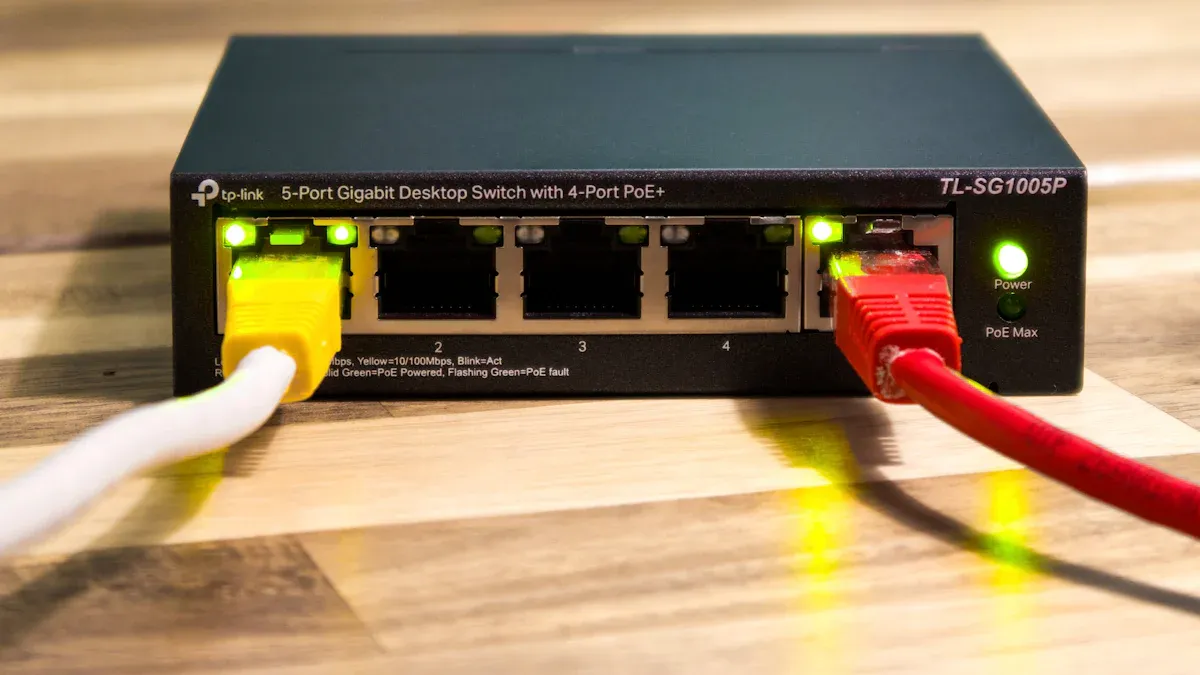
If you need a splitter for a small home or office, you do not need fancy features. You want something simple and reliable. The TP-Link TL-SG105 Gigabit Ethernet Splitter is a good choice. It gives speeds up to 1 Gbps and is easy to set up. The build is strong, so it lasts.
Another good splitter is the TP-Link Litewave LS1005G. It is cheap and supports link aggregation. You do not have to set anything up. Just plug in your devices and use your network.
Here are the best picks for simple setups:
TP-Link TL-SG105 Gigabit Ethernet Splitter: Fast, easy, strong.
TP-Link Litewave LS1005G: Cheap, supports more devices, no setup.
Note: For basic needs, a simple splitter works well. You do not need fancy management or filtering.
Best for Expanding Ports
You may want to connect more devices to your network. Some splitters help you add more ports. You should know the difference between a splitter and a switch. A splitter shares bandwidth between devices. A switch gives each device its own connection.
Here is a table to compare:
Özellik | Ethernet Bölücü | Anahtar |
|---|---|---|
Tip | Pasif | Intelligent |
Bandwidth Management | Shared among devices | Dedicated to each device |
Performans | Possible slowdowns | Efficient traffic management |
Gelişmiş Özellikler | Hiçbiri | VLAN, port management |
Güç Gereksinimi | Güç gerekmez | Needs power |
Uygun Olduğu Yerler | Basic setups | Karmaşık ağlar |
If you want to add ports for a simple network, a splitter is enough. If you need more speed and control, a switch is better. The network switch vs splitter question matters when you plan to grow.
Tip: Use a splitter for quick port expansion in small setups. Choose a switch for better performance in busy networks.
Best Value Option
You may want a splitter that gives you the most for your money. Some models are reliable and cost less. The TP-Link ET1004 (5-Port) is a top value pick. It costs about $15 and has a high rating. The Monoprice Ethernet Splitter (5-Port) is another good choice. It is popular for DIY projects and costs even less.
Here is a quick comparison:
Ürün Adı | Fiyat | Rating | Açıklama |
|---|---|---|---|
TP-Link ET1004 (5-Port) | $15 | 4.5/5 | Best buy for value and reliability |
Monoprice Ethernet Splitter (5-Port) | $12 | 4.6/5 | Best budget option, great for DIY |
Look for these features in a value splitter:
Enough ports for your devices
Support for gigabit speeds
Easy setup and good reviews
Note: A value splitter helps you save money and still get reliable connections for your devices.
What to Look for in a Network Splitter
When you pick a network splitter, think about these features:
Özellik | Açıklama |
|---|---|
Bağlantı Sayısı | Make sure the splitter supports all your devices now and later. |
Device Requirements | Match the splitter to your devices, like streaming boxes or gaming consoles. |
Hız ve Bant Genişliği | Pick a splitter that can handle high data rates for fast networks. |
Distance Between Devices | Use an active splitter for long distances to avoid signal loss. |
Compatibility with Cable Standards | Check that the splitter works with your cables (Cat5e, Cat6, Cat6a). |
Use this guide to find the right splitter for your needs. Always compare network switch vs splitter when you want to grow your network. This helps you pick the best device for speed, reliability, and value.
Doğru Cihazı Seçmek
Matching to User Needs (Gaming, Streaming, Business)
You should always match your network device to your main activities. If you play games online, you need a switch that gives each device its own fast connection. This helps reduce lag and keeps your games smooth. For streaming movies or music, you want a device that can handle high data rates without slowing down. In a business, you may need to connect many computers, printers, or cameras. A switch works best for offices because it manages traffic and keeps each connection strong.
Think about how many devices you want to connect. A splitter works for two devices in a simple setup. If you have more devices or need better performance, a switch is the better choice. You should also consider your budget and the size of your network.
Tip: For a few devices, a splitter is enough. For many devices or high-speed needs, choose a switch.
Ensuring Compatibility
You need to make sure your new device works with your current equipment. Check the type of cables you use, such as Cat5e, Cat6, or Cat6a. The device should support the same cable standard to avoid slow speeds or connection problems. Look at the speed ratings on your devices. If your network runs at gigabit speeds, pick a switch or splitter that supports gigabit rates.
Here is a quick checklist for compatibility:
Check your cable type and length.
Match the device speed to your network speed.
Make sure the device supports your equipment, like cameras or computers.
A compatible device keeps your network stable and fast.
Planning for Future Growth
You should plan for more devices in the future. If you think your network will grow, pick a switch with extra ports. This lets you add new devices without changing your setup. Switches make it easy to expand your network. Splitters have a fixed number of connections and do not allow much growth.
Faktör | Ayırıcı | Anahtar |
|---|---|---|
Max Connections | 2 | 4, 8, 24 veya daha fazla |
Easy Expansion | Hayır | Evet |
Performans | Shared | Full bandwidth |
Choose a device that fits your needs today and lets you grow tomorrow.
Setup and Troubleshooting Tips
Installation Best Practices
You want your network devices to work well from the start. Place your switch or splitter in a cool, dry spot. Keep it away from water and heat. Use short, high-quality Ethernet cables for the best signal. Label each cable so you know which device it connects to. Plug in your devices one at a time. This helps you spot problems early.
Tip: Always check the power supply before turning on your device. A stable power source keeps your network safe.
Common Issues and Solutions
You may face some problems when setting up your network. Here are common issues and how you can fix them:
Sorun | Çözüm |
|---|---|
No connection | Check cables and make sure they click in. |
Slow speeds | Use Cat6 or better cables. Avoid long runs. |
Devices not detected | Restart the switch or splitter. |
Blinking or no lights | Check the power and replace faulty cables. |
If you still have trouble, try moving your device to another port. You can also reset the device to factory settings.
Optimizing Network Performance
You can make your network faster and more stable. Use gigabit or higher-rated cables. Turn off devices you do not use. Update your switch or splitter firmware if updates are available. For managed switches, set up VLANs to separate traffic. This keeps your network organized.
Note: Place your network devices in open spaces. Good airflow helps prevent overheating and keeps your network running smoothly.
You can test your network speed with online tools. If you see slow speeds, check for old cables or too many devices on one switch. Replace old parts to keep your network strong.
You now know the best network switches and splitters for reliable connectivity. The Cisco CBS350-8MGP-2X works well for most networks. The XTT UT200-48X6C stands out for advanced jobs. You should think about your needs before you choose. Pick a device that matches your setup. Informed choices help you keep your network fast and safe.
Tip: Follow the setup and troubleshooting tips above to get the best results from your new device.
SSS
What is the main difference between a network switch and a splitter?
A network switch sends data to the right device. A splitter shares one connection between two devices. You get better speed and control with a switch.
Can I use a splitter to connect more than two devices?
No, a splitter only supports two devices. If you need to connect more, you should use a network switch. Switches offer more ports and better performance.
Do I need special cables for a gigabit switch?
Yes, you should use Cat5e or Cat6 cables for gigabit speeds. These cables help your network run faster and avoid slowdowns.
How do I know if my device is compatible with a switch or splitter?
Check your device’s network port and speed. Most modern computers, printers, and cameras work with standard switches and splitters. Always match the cable type and speed for best results.