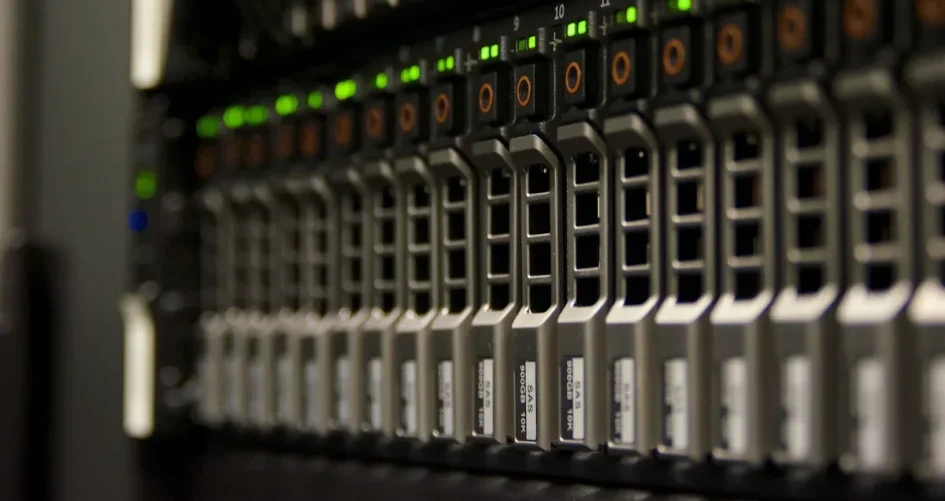
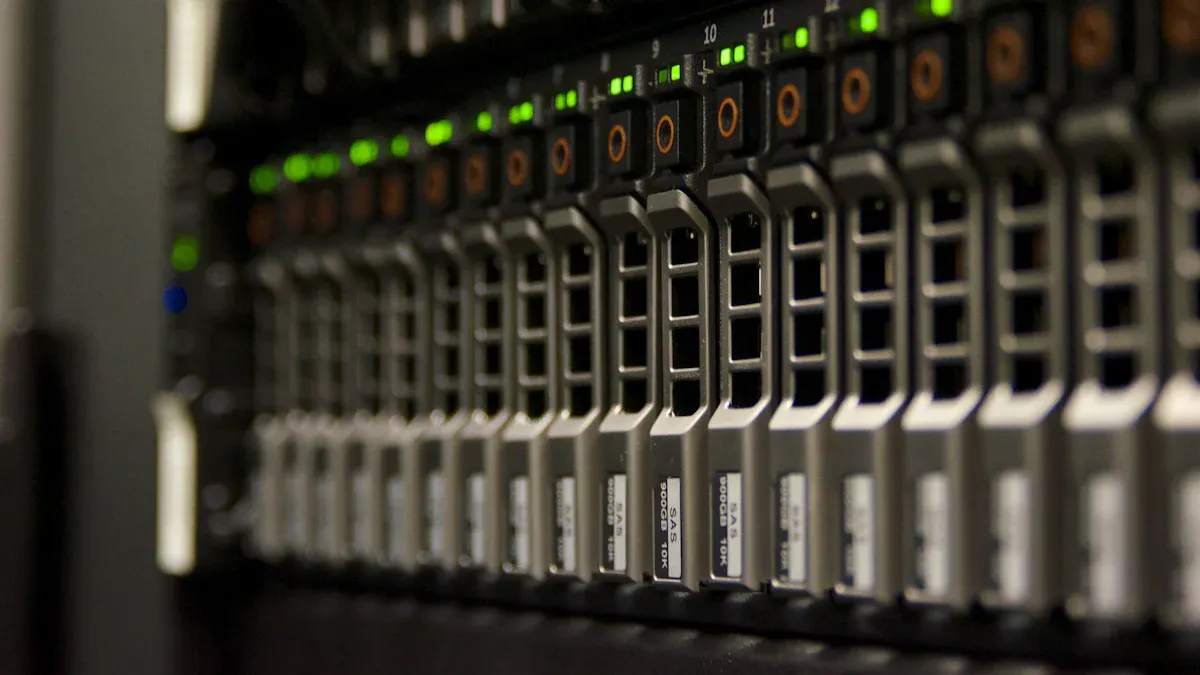
Sanallaştırma iş yükleri için en iyi 48 çekirdekli depolama sunucuları bu modellerdir:
XTT TS658 hızlı çalışır ve çok fazla veri tutar.
Dell PowerEdge R640 orta ölçekli işler için büyüyebilir.
Dell PowerEdge R750, zorlu yerler için özel özelliklere sahiptir.
Cavium ThunderX, sanallaştırmanın ARM mimarisiyle iyi çalışmasına yardımcı olur.
Özel tahsis edilmiş sunucular ihtiyaçlarınıza göre değişiklik yapmanızı sağlar.
Bu sunucular hızlı, yükseltmesi kolay ve güvenilir olmalarıyla bilinir.
Önemli Çıkarımlar
XTT TS658 çok hızlıdır ve büyüyebilir. Bu da onu zorlu sanallaştırma işleri için harika kılıyor. Dell PowerEdge R640 ve R750, sanallaştırma ile daha fazlasını yapmak isteyen şirketler için iyidir. Güçlü bellek ve depolama seçeneklerine sahiptirler. Cavium ThunderX özel bir ARM mimarisi kullanır. Çok sayıda çekirdeğe ihtiyaç duyan bazı işler için iyi çalışır. Özelleştirilebilir özel sunucular şirketlerin ihtiyaç duydukları donanımı seçmelerine izin verir. Bu, kendi sanallaştırma ihtiyaçları konusunda onlara yardımcı olur. 48 çekirdekli depolama sunucuları satın almak işlerin daha iyi ve daha sorunsuz yürümesini sağlar. Ayrıca BT ekiplerinin sanal makineleri şimdi ve gelecekte idare etmelerine yardımcı olur.
En İyi 48 Çekirdekli Depolama Sunucuları
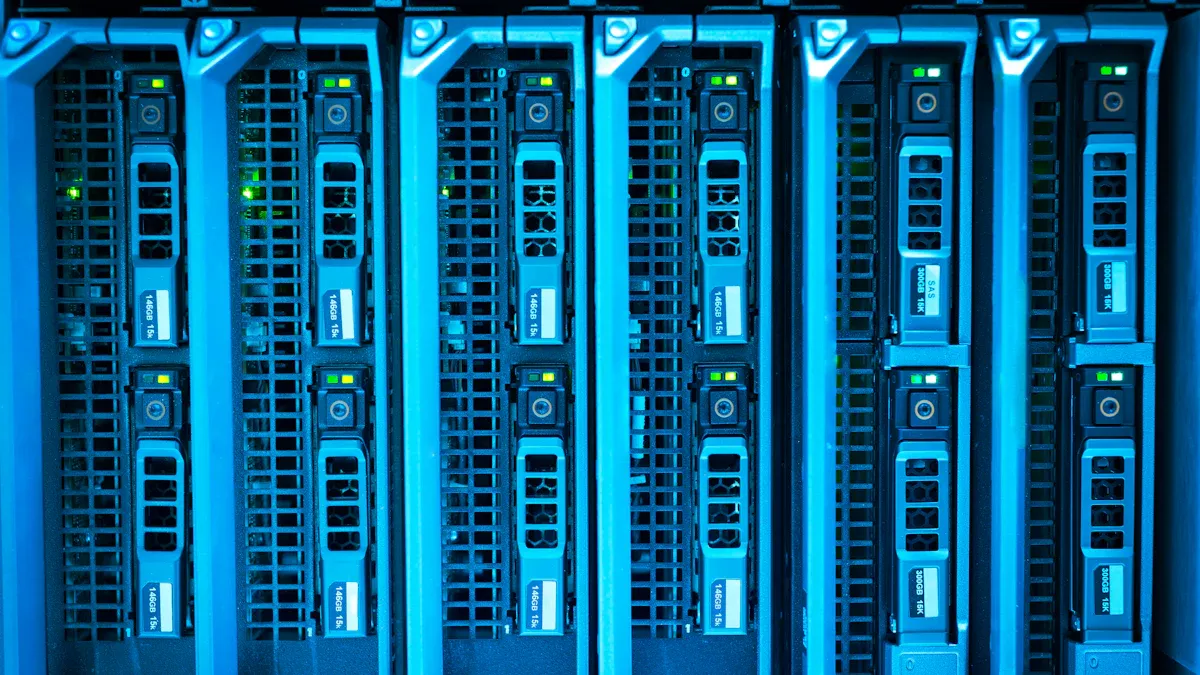
XTT TS658
XTT TS658 bir en iyi 48 çekirdekli depolama sunucusu. İki Intel Xeon işlemci kullanır. Bu tutabilir 1 TB'a kadar DDR4 bellek. Bu sunucu sanallaştırma iş yükleri için mükemmeldir. Kendi SAS denetleyicilerine sahiptir. Grafik kartları için PCIe Gen.3 yuvaları vardır. Dahili 10GbE ağ bağlantı noktaları ile birlikte gelir. İşletmeler 12Gb/s SAS HBA desteği ile daha fazla depolama alanı ekleyebilir. SSD tepsileri önbelleğe almaya yardımcı olur. TS658, IPMI gibi uzaktan yönetim araçlarına sahiptir. Bu araçlar BT ekiplerinin sistemi kolayca izlemesine ve kontrol etmesine yardımcı olur.
Şartname | Detaylar |
|---|---|
İşlemciler | Yüksek performanslı bilgi işlem için çift Intel® Xeon® E5-2600 v3 işlemci. |
Hafıza | 1 TB'a kadar DDR4 belleği destekleyen 16 RDIMM/LRDIMM yuvası. |
I/O Performansı | Gelişmiş G/Ç için üç LSI 12Gb/s SAS denetleyicisine sahip bağımsız SAS 12Gb/s denetleyici. |
GPU Desteği | Sanallaştırma için AMD Radeon™ R7 ve R9 Serisi Grafik Kartları için PCIe Gen.3 x 16 yuvası. |
Ağ Genişlemesi | Gelişmiş ağ performansı için 10 / 40GbE kart desteği. |
Önbellek Hızlandırma | 10 kata kadar daha hızlı IOPS performansı için PCIe SSD NVMe desteği. |
Depolama Ölçeklenebilirliği | Geleceğe dönük depolama genişletmesi için 12Gb/s SAS HBA desteği. |
SSD Önbelleğe Alma | HDD alanı kullanmadan önbellekleme için 4 x 2,5” SSD tepsisi. |
Sunucu Yönetimi | Uzaktan yönetim ve sistem durumunun izlenmesi için IPMI. |
Ağ Bağlantı Noktaları | Optimize edilmiş sanallaştırma ve veri iletimi için dahili 4 x 10GbE SFP+ bağlantı noktası. |
İpucu: TS658 çok fazla depolama alanı sunar ve daha da büyüyebilir. Zorlu sanallaştırma işleri için iyi bir seçimdir.
Dell PowerEdge R640
Dell PowerEdge R640, orta ve büyük sanallaştırma işleri için iyi çalışır. Çok sayıda çekirdeği ve çok sayıda belleği var. R640 aşağıdakilerle iyidir VMware vSAN gibi yazılım tanımlı depolama ve Microsoft Storage Spaces Direct. BT ekipleri şunları kullanır çalışırken değiştirilebilir sürücüler ve işleri çalışır durumda tutmak için ekstra soğutma. Dell OpenManage araçları uzaktan izleme ve yönetime yardımcı olur. Bu, daha az kesinti süresi anlamına gelir.
Özellik | Açıklama |
|---|---|
Çalışırken Değiştirilebilir Sürücüler | Arıza süresini en aza indirir ve kritik uygulamalar için kesintisiz hizmet sağlar. |
Yedekli Soğutma Sistemleri | Baskı altında tutarlı performansı sürdürür ve güvenilirliği artırır. |
Dell OpenManage Araçları | Uzaktan izleme ve yönetime olanak sağlayarak arıza süresini azaltır ve operasyonları optimize eder. |
NVMe Önbelleğe Alma | Veri erişimini hızlandırarak gecikmeye duyarlı uygulamalar için performansı optimize eder. |
Geniş Yazılım Desteği | VMware, Hyper-V ve Linux ile uyumludur ve sorunsuz entegrasyon sağlar. |
Çift Güç Kaynağı | Güvenilir çalışma sağlar ve genel sistem güvenilirliğini artırır. |
Özellik | Açıklama |
|---|---|
Sanallaştırma ve Özel Bulut | Yüksek çekirdek sayısı, birden fazla sanal makinenin ve konteyner iş yüklerinin verimli bir şekilde işlenmesi için geniş bellek kapasitesi ve hızlı depolama seçenekleri. |
Yazılım Tanımlı Depolama (SDS) | Depolama seçenekleri ve modern CPU özelliklerinin karışımı nedeniyle VMware vSAN, Ceph veya Microsoft Storage Spaces Direct gibi SDS yığınları için iyi çalışır. |
Dell PowerEdge R750
Dell PowerEdge R750, zor sanallaştırma işleri için gelişmiş özelliklere sahiptir. 3. Nesil Xeon Ölçeklenebilir işlemciler kullanır. 32 adede kadar DDR4 DIMM tutabilir. R750, PCIe Gen 4 ile yüksek I/O bant genişliği sağlar. 10 adede kadar NVMe sürücüyü destekler. Sanal masaüstleri, yapay zeka ve normal BT çalışmaları için iyidir. Stabil tutmak için doğrudan sıvı soğutma ekleyebilirsiniz. R750 şunlara sahiptir uzaktan yönetim ve güvenlik araçları büyük şirketler için.
Özellik | Dell PowerEdge R750 |
|---|---|
İşlemci | 3. Nesil Xeon Ölçeklenebilir, 40 çekirdeğe kadar |
Bellek Desteği | 3200 MT/s hızında 32 DDR4 DIMM |
I/O Bant Genişliği | PCIe Gen 4, 10 adede kadar NVMe sürücü |
İş Yükü Optimizasyonu | VDI, AI/ML ve geleneksel BT için ideal |
Soğutma Seçenekleri | Opsiyonel Doğrudan Sıvı Soğutma |
Performans Kazancı | Önceki nesle göre 1,50 kata kadar daha fazla |
Not: R750 sanallaştırma, bulut bilişim ve veri analitiği için iyidir. Verileri güvende tutmak için güçlü bir yönetim ve güvenliğe sahiptir.
Cavium ThunderX
Cavium ThunderX, 48 çekirdekli depolama sunucularında ARM mimarisini kullanır. Çok sayıda çekirdeğe sahiptir ve aynı anda birçok iş yapabilir. ThunderX, iki soket arasında önbellek tutarlılığı kullanır. Bu, verileri aynı tutar ve performansa yardımcı olur. Hızlı veri aktarımı için yerleşik I/O'ya sahiptir. Sunucu çok fazla bellek tutabilir. CPU'ya yardımcı olmak için donanım hızlandırıcıları vardır. virtSoC™ ile tam sistem sanallaştırması, yönetimi ve kaynak kullanımını kolaylaştırır.
Özellik | Sanallaştırma İş Yükleri için Fayda |
|---|---|
Yüksek çekirdek sayısı | Paralel işlemeyi ve verimli iş yükü yönetimini destekler |
Çift soket arasında önbellek tutarlılığı | Çoklu soket kurulumlarında veri tutarlılığı ve performans sağlar |
Entegre I/O kapasitesi | Veri aktarımı için yüksek bant genişliği sağlayarak performansı artırır |
Kapsamlı bellek desteği | Büyük bellek yapılandırmalarına izin vererek VM performansını artırır |
Çok sayıda donanım hızlandırıcı | Görevleri CPU'dan boşaltarak sanallaştırma için verimliliği artırır |
virtSoC™ ile tam sistem sanallaştırma | Sanallaştırma yönetimini basitleştirir ve kaynak tahsisini iyileştirir |
Özelleştirilebilir Adanmış Sunucular
Özelleştirilebilir özel sunucular şirketlerin ihtiyaçları için donanım seçmelerine izin verir. BT ekipleri işlemcileri, belleği, depolamayı ve ağ seçeneklerini seçer. Bu sunucular esnektir ve işletmeyle birlikte büyüyebilir. Özel kurulumlar paradan tasarruf etmeye ve özel sanallaştırma işleri için performansı artırmaya yardımcı olur.
İpucu: Özelleştirilebilir tahsis edilmiş sunucular, ihtiyacınız olanı oluşturmanıza olanak tanır. Özel ihtiyaçları olan şirketler için iyi bir seçimdir.
48 çekirdekli depolama sunucuları güçlü performans sağlar, büyüyebilir ve sanallaştırma işleri için güvenilirdir. Her model, işletmelerin sanal makineleri iyi çalıştırmasına ve gerektiğinde büyümesine yardımcı olacak özel özelliklere sahiptir.
Karşılaştırma Tablosu
Teknik Özelliklere Genel Bakış
Aşağıdaki tabloda ana özellikler listelenmiştir her sunucu için. CPU, RAM, depolama ve ağ seçeneklerini hızlı bir şekilde görebilirsiniz. Bu, onları kolayca karşılaştırmanıza yardımcı olur.
Sunucu Modeli | CPU Options | Max RAM | Depolama Seçenekleri | Network Options |
|---|---|---|---|---|
XTT TS658 | Dual Intel Xeon Scalable | Up to 1TB | Up to 44 x 3.5″ HDD, 2 x 2.5″ SSD, 12G SAS | 4 x 10GbE SFP+, NIC MEZZ slot |
Dell PowerEdge R640 | Dual Intel Xeon Scalable | Up to 3TB | Up to 10 x 2.5″ drives, NVMe support | 2 x 10GbE, expansion slots |
Dell PowerEdge R750 | 3rd Gen Intel Xeon Scalable | Up to 8TB | Up to 16 x 2.5″ drives, 10 NVMe | 4 x 10GbE, PCIe Gen 4 slots |
Cavium ThunderX | Dual ARM ThunderX | Up to 2TB | Multiple SSD/HDD options | 10/25/40/100GbE options |
Custom Dedicated Server | Varies (Intel/AMD/ARM) | Up to 2TB+ | Customizable: NVMe, SAS, SATA | Custom: 10/25/40/100GbE |
Note: Each server is good at different things. Some have more storage. Others have more memory or faster network speeds.
Virtualization Features
These servers have many features for virtualization. The table below shows what each server can do for virtual machines.
Sunucu Modeli | Virtualization Support | Yönetim Araçları | Expansion Capabilities | Özel Özellikler |
|---|---|---|---|---|
XTT TS658 | VMware, Hyper-V, KVM | IPMI 2.0, Redfish | 11 PCIe 3.0 slots, NIC MEZZ | 12G SAS, SSD caching, remote management |
Dell PowerEdge R640 | VMware, Hyper-V, Linux KVM | Dell OpenManage | PCIe slots, hot-swap drives | NVMe caching, redundant cooling |
Dell PowerEdge R750 | VMware, Hyper-V, Linux KVM | iDRAC9, OpenManage | PCIe Gen 4, liquid cooling | VDI/AI ready, high memory support |
Cavium ThunderX | KVM, virtSoC | ARM management tools | Multiple PCIe, high memory | Hardware accelerators, ARM architecture |
Custom Dedicated Server | Varies by configuration | Değişir | Fully customizable | Tailored to specific virtualization needs |
These 48-core storage servers help IT teams run lots of virtual machines. They have strong management tools. You can upgrade them in the future.
Server Reviews
XTT TS658 Features
The XTT TS658 is a strong 48-core storage server. It uses two Intel Xeon Scalable processors for lots of power. You can add up to 1TB of DDR4 memory. This helps run many virtual machines at the same time. The server has space for 44 hard drives and 2 SSDs. The 12G SAS technology moves data quickly. There are eleven PCIe 3.0 slots for upgrades. The NIC MEZZ card slot lets you grow your network. IT teams can manage the server from far away with IPMI 2.0 and Redfish. These features make the TS658 easy to use and reliable.
Tip: The TS658 can grow and has smart management tools. It is a great pick for businesses that want to get bigger.
Dell PowerEdge R640 Highlights
Dell PowerEdge R640 uses two Intel Xeon Scalable processors. It can hold up to 3TB of memory. The server supports 10 drives, including NVMe for fast storage. Hot-swappable drives and extra cooling keep it working well. Dell OpenManage tools help IT teams watch and control the server from anywhere. The R640 works with VMware, Hyper-V, and Linux KVM. This server is a good choice for medium and big virtualization jobs.
Dell PowerEdge R750 Highlights
Dell PowerEdge R750 is made for big virtualization jobs. It uses new Intel Xeon processors with lots of cores and speed. The server has flexible storage with SAS, SATA, and NVMe drives. Security features help keep important data safe. Many network interfaces move data fast. The design makes upgrades and fixes easy. Hot-plug parts help stop downtime. The R750 is strong and reliable for tough virtualization work.
Cavium ThunderX Overview
Cavium ThunderX uses ARM architecture and has up to 48 cores. It can hold a lot of memory and does many jobs at once. Hardware accelerators help the server work faster. Built-in I/O options move data quickly. Full system virtualization with virtSoC makes managing resources easy. ThunderX is good for groups that want ARM-based servers for virtualization.
Customizable Server Options
Customizable dedicated servers let companies pick the hardware they need. IT teams can choose processors, memory, storage, and network parts. This helps build servers for special virtualization jobs. Custom servers can grow as the business gets bigger. They give good performance, value, and room to expand.
Selection Criteria for 48-core Storage Servers
Picking the best 48-core storage server is important. IT teams need to think about a few things. These things help virtual machines work well and keep systems safe.
CPU and Virtualization
The CPU is the main part of a virtualization server. Dual-socket systems use processors like AMD EPYC or Intel Xeon Scalable. These processors have lots of cores and fast threads. They can run many virtual machines at the same time. The table below shows a common CPU setup for virtualization:
Özellik | Detaylar |
|---|---|
İşlemci | |
Cores per Processor | 24 cores |
Threads per Processor | 48 threads |
Total Cores (2-socket) | Up to 128 cores |
Bellek Desteği | Up to 4TB DDR4, 32 DIMMs, 3200 MHz |
PCIe Capability | PCIe Gen4 |
Use Case | Ideal for virtualization workloads |
Tip: More cores and threads help run more virtual machines.
Memory Scalability
Memory size and speed are important for virtualization. Servers with big memory, like up to 4TB DDR4, let more virtual machines run fast. ECC memory keeps data safe and stable. IT teams should pick servers with lots of DIMM slots and fast memory.
Storage Performance
Fast storage helps virtual machines work smoothly. New servers use hot-swap SAS or SATA drive bays with 12G SAS expanders. NVMe SSDs make data-heavy jobs faster. The table below shows important storage features:
Özellik | Açıklama |
|---|---|
Depolama Kapasitesi | 48-bay 3.5” hot-swap SAS/SATA drive bays |
SAS Expander Support | 12G SAS for high bandwidth |
Performance Enhancement | VMware VAAI, Microsoft ODX support |
Note: Hot-swap drives and SSD caching keep servers fast and easy to fix.
Ağ Genişlemesi
Network speed and options matter for big virtualization jobs. Servers should have many fast LAN ports, like 10GbE or 40GbE. PCIe slots let you add more network adapters. The table below shows network choices from a top server:
Özellik | Açıklama |
|---|---|
Ağ Genişlemesi | PCIe Gen3 slots for network adapters |
LAN Ports | 4 x 1GbE, 2 x 10GbE, dedicated management LAN |
Kaynak Yönetimi | Dynamic allocation with Capacity on Demand |
Tip: More network ports and slots help servers handle lots of traffic and upgrades.
48-core storage servers with strong CPUs, big memory, fast storage, and flexible networking help IT teams do virtualization well.
Use Case Recommendations
Enterprise Virtualization
Big companies need servers for lots of virtual machines. The XTT TS658 is good for this job. It can use up to 1TB of memory. You can add more parts if needed. IT teams use remote tools to check the system. The TS658 has lots of storage and moves data fast. The Dell PowerEdge R750 is also good for big jobs. It has strong cooling and security. Both servers help businesses keep important apps running all the time.
Tip: Companies should pick servers with lots of memory, good management, and storage that can change.
SMB Solutions
Small and medium businesses want good value and easy upgrades. The Dell PowerEdge R640 is a smart choice. It has drives you can swap out and works well. SMBs use OpenManage tools to watch their servers. Custom dedicated servers help too. Teams can pick parts that fit their money and plans.
Dell PowerEdge R640: Good for businesses that want to grow.
Custom Dedicated Servers: Easy to change for special needs.
Cloud Hosting
Cloud hosting needs servers that can get bigger fast. The Dell PowerEdge R750 has lots of memory and quick NVMe storage. The XTT TS658 has fast data and remote control. Cavium ThunderX uses ARM for saving energy. These servers help run many virtual machines and give quick service.
Sunucu Modeli | Cloud Hosting Strengths |
|---|---|
XTT TS658 | Lots of storage, remote control |
PowerEdge R750 | Quick NVMe, lots of memory |
ThunderX | ARM saves energy, can grow |
HPC Workloads
High-performance computing needs lots of cores and fast data. Cavium ThunderX uses ARM for doing many jobs at once. The XTT TS658 has big storage and memory for heavy data work. Dell PowerEdge R750 uses PCIe Gen 4 for fast data. These servers help people do research and run tests.
Note: HPC teams should pick servers with lots of cores, quick storage, and strong network choices.
Buying Tips
Garanti ve Destek
Warranty and support play a big role when choosing a storage server. Buyers should look for packages that cover hardware problems and offer quick help. Many top servers come with strong warranty plans. For example:
Dell PowerEdge R440 includes a 3-year seller replacement warranty.
The seller replaces faulty parts right away during the warranty period.
Support teams help with setup and troubleshooting.
A good warranty gives peace of mind. Fast support means less downtime for important workloads.
Pricing and Value
Price and value matter for every business. Buyers compare server features and monthly costs to find the best deal. The table below shows how different configurations stack up:
İşlemci Tipi | Cores/Threads | Hafıza | Depolama | Bant Genişliği | Monthly Cost |
|---|---|---|---|---|---|
2x E5-2696 v3 @ 2.30 GHz | 36C/72T | 128 GB | 1 TB M.2 NVMe SSD | 10 TB / 1 Gbps | ₹ 43,000 |
2x Silver 4116 @ 2.10 GHz | 24C/48T | 64 GB | 1 TB M.2 NVMe SSD | 10 TB / 1 Gbps | ₹ 16,500 |
2x E5-2690 v4 @ 2.60 GHz | 28C/56T | 256 GB | 3.84 TB U.2 NVMe | 10 TB / 1 Gbps | ₹ 28,000 |
AMD EPYC 7352 @ 3.2Ghz | 24C/48T | 256 GB | 2 x 3.84 TB NVMe | 10 TB / 1 Gbps | ₹ 27,500 |
Alıcılar şunları yapmalıdır match server specs to their needs. Higher memory and storage often cost more but support bigger workloads. Monthly costs help companies plan budgets.
Tip: Always check what features come with the price. Some servers offer better value with more memory or faster storage.
Yükseltme Yolları
Upgrade paths help servers stay useful as needs change. Many 48-core servers allow easy upgrades for memory, storage, and network cards. IT teams can add more drives or swap out old parts for new ones. Expansion slots let users install faster network adapters or extra GPUs.
Choose servers with open PCIe slots for future upgrades.
Look for models that support more memory or storage than you need now.
Pick systems with modular designs for easy part replacement.
A flexible upgrade path keeps servers ready for new workloads. Companies save money by upgrading instead of buying new hardware.
Note: Planning for upgrades helps businesses grow without big upfront costs.
The best 48-core storage servers are good for virtualization.
XTT TS658 is easy to upgrade and control from far away.
Dell PowerEdge R640 and R750 work well for businesses that want to grow.
Cavium ThunderX is made for jobs that use ARM.
Custom servers let you pick what you need for special jobs.
IT teams should think about what they need, check the selection rules, and use buying advice. Picking the right server helps any business run virtual machines without problems.
SSS
What makes a 48-core storage server good for virtualization?
A 48-core server can run lots of virtual machines. Each VM gets enough CPU power. This helps companies use their resources well. It also helps save money.
Can these servers support both SSD and HDD storage?
Yes, most 48-core servers work with SSD and HDD. Teams use SSDs for fast speed. HDDs give lots of space for storing data.
How do remote management tools help IT teams?
Remote management tools let IT teams watch servers from anywhere. They can fix problems and update software. Teams check system health without being at the server.
Are these servers easy to upgrade in the future?
Most 48-core servers have open slots for upgrades. Teams can add more memory, storage, or network cards. This makes upgrades easy and saves money.