A rugged computer is a device made for tough places where normal computers cannot work. These machines are special because they can handle drops, dust, water, and very hot or cold weather. Many industries use rugged computers every day:
Outdoor jobs like forestry, mining, and construction
Science work in places like the Arctic and deep sea
Military, public safety, utilities, and transportation
The worldwide market for these devices was almost USD 4.85 billion in 2024 and is still growing. Rugged computers help teams stay safe and get work done in hard environments.
Key Takeaways
Rugged computers are built to handle tough places. They work well in construction, military, and outdoor jobs.
These devices use strong materials and sealed parts. This helps protect them from drops, dust, and water. They keep working well in hard situations.
Certifications like MIL-STD-810 and IP65/IP67 show how tough a rugged computer is. They prove it can work in very hard places.
Buying rugged computers can save money over time. They last longer and need fewer repairs than normal computers.
Picking the right rugged computer means thinking about what you need it to do. You should also think about where you will use it and how it connects to other things. This helps make sure it fits your job.
Rugged Computer Features
Durability
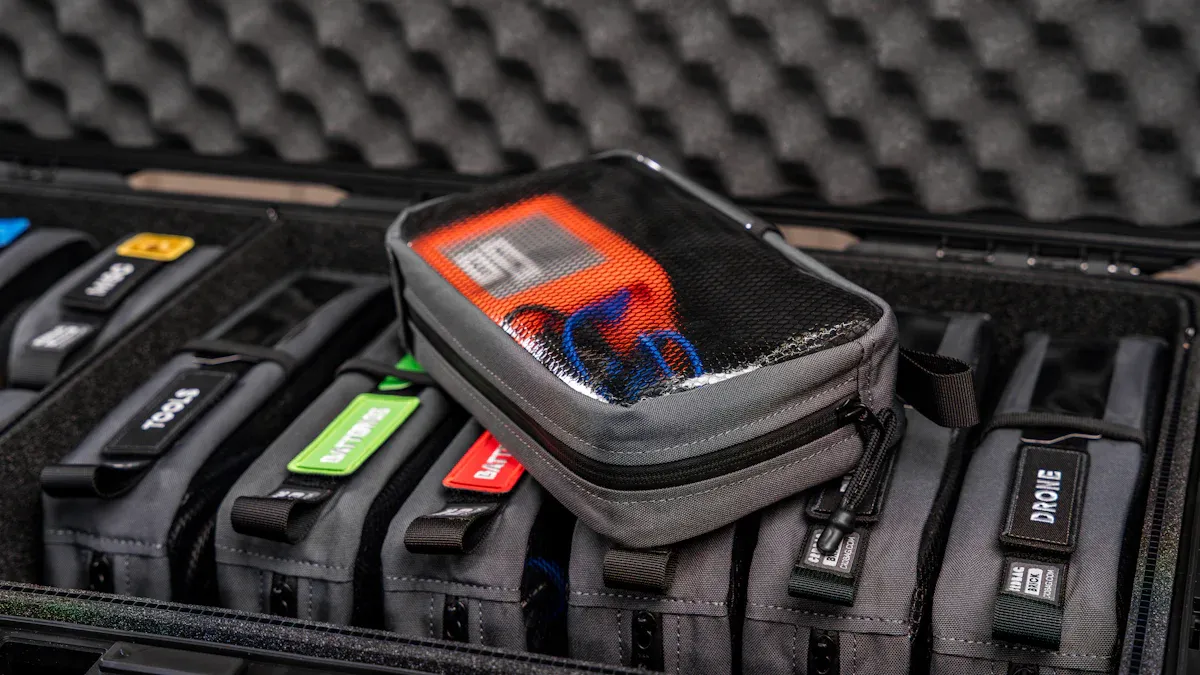
A rugged computer is made to last in rough places. It can take hard hits that would break a normal computer. The chassis is strong and made from magnesium alloy. This helps protect the inside parts from damage. Many rugged computers use solid-state drives. These drives do not have moving parts, so they are safer if dropped or shaken. The ports and keyboards are sealed. This keeps out dust and water. The screens use tough glass that does not scratch or break easily.
Durability Feature | Description |
|---|---|
Shock and Vibration Resistance | Built to handle shock and shaking, so they work in factories. |
Ingress Protection | Made to block dust and water, with IP ratings from IP65 to IP69K. |
Power Protection | Can deal with power changes, so they work in places with bad power. |
Fanless Design | Has no fans, so there are fewer things that can break. |
Industrial-Grade Materials | Uses strong materials like magnesium alloy to keep the chassis safe. |
Rugged computers go through tough drop and shake tests. Method 516.8 checks if the computer still works after being dropped. Method 514.8 tests if it can handle shaking at different speeds. These tests show that rugged computers keep working even after rough use.
The XTT TS658 storage server from sz-xtt is very strong. It has a tough chassis, good cooling, and uses solid-state storage. This helps it work well in busy data centers. The TS658 is not a rugged computer, but it shows why strong design is important for important jobs.
Environmental Resistance
Rugged computers work in places with dust, water, and very hot or cold weather. They can run in temperatures from -40°C to 85°C. They can also handle air that is almost all water, up to 95% humidity. These computers keep out dust, sand, oil, chemicals, and gases. They do not have fans or vents, so dirt cannot get inside. The cases are sealed to stop water from getting in.
Operating Temperature Range | Humidity Range |
|---|---|
Up to 95% RH | |
-40 to +85°C | Up to 95% RH |
0 to +55°C | Up to 95% RH |
-20 to +65°C | Up to 95% RH |
-40°C to 70°C | Up to 95% RH |
-15°C to +55°C | MIL-STD-810F, 48 Hour, 95% RH 40-65C (with conformal coat option) |
Rugged computers can handle:
Very hot or cold weather
Wet air
Dust
Shaking
Hard hits
Bad power
The XTT TS658 storage server is also good at handling tough places. Its cooling system and sealed case help it work well in hot and dusty data centers.
Certifications
Certifications show that a rugged computer is tough and reliable. The most common ones are MIL-STD-810 and IP65/IP67. MIL-STD-810 checks for drops, shaking, wet air, high places, and hot or cold weather. IP ratings show how well the computer keeps out dust and water.
Benefit | Description |
|---|---|
Enhanced Durability | Made to last in hard places, so it does not break easily. |
Reliable Performance | Keeps working in important jobs. |
Lower Total Cost of Ownership | Needs fewer repairs, so it saves money. |
Versatility Across Industries | Used in the military, factories, transport, and field work. |
Certifications check for:
Wet air protection
Drop and shake protection
Dust and sand protection
High place testing
Picking a rugged computer with these certifications means fewer problems and lower repair bills. It also means better work in hard places. The XTT TS658 storage server from sz-xtt is also made to be reliable. This makes it a good choice for groups that need strong and steady computers.
Types of Rugged Computers
Rugged computers come in different shapes and sizes. Each type is made for a special job or place. Companies like sz-xtt make sure these computers are strong and work well. People can pick from rugged laptops, tablets, or handhelds. The choice depends on what they need to do and where they work.
Laptops
Rugged laptops are very tough and powerful. They have hard cases, built-in keyboards, and many ports. These laptops are good for staying in one spot and doing big jobs. Many rugged laptops pass MIL STD-810G tests. This means they can handle drops, water, dust, and hot or cold weather. Users can change parts to fit what they need. The table below shows how rugged laptops and tablets are not the same:
Feature | Rugged Laptops | Rugged Tablets |
|---|---|---|
Design | Bulkier, durable | Lightweight, portable |
Specifications | High | Moderate |
Keyboard | Attached | Touchscreen only |
Connectivity Ports | Many | Fewer |
Use Case | Fixed, high-performance | Mobile, hand-held |
Rugged laptops are great for building sites, army trucks, and utility trucks. Their strong build helps them work well in rough places.
Tablets
Rugged tablets are easy to carry and use. They help workers talk, stay organized, and do their jobs faster. Technicians use rugged tablets to see live data, manage jobs, and check shipments. Many jobs like utilities, public safety, shipping, and factories use rugged tablets. These tablets work well and do not break easily. The table below shows how different jobs use rugged tablets:
Industry | Use Case Description |
|---|---|
Construction | Manage projects and communicate on-site |
Utilities | Access real-time data and streamline maintenance |
Logistics | Track inventory and shipments |
Field Service | Improve organization and communication |
Military |
Rugged tablets can handle tough places.
They help people get more work done.
They keep working even when things change.
Handhelds
Rugged handheld computers are small and easy to hold. They are made for quick data work. Workers use them in factories, warehouses, and far-away places. These devices can take heat, water, and dust. They help track things right away, like products and supplies. They can send data even if the signal is weak. Rugged handhelds work with IoT systems. This helps jobs go faster and stops delays.
Rugged handhelds let workers collect data all day.
Their batteries last a long time.
They work with other machines to help people do more.
A rugged computer, like a laptop, tablet, or handheld, helps teams work well in hard places. Companies like sz-xtt keep making better computers. These help businesses do well no matter where they are.
Rugged Computer vs. Standard Computer
Picking the right computer helps teams work better, especially in hard places. Rugged computers and standard computers might look alike, but they are not the same. They are different in how they are built, what they are made of, and how they work.
Design Differences
Rugged computers are easy to spot because they are built strong. They are made to work where there is dust, water, and lots of bumps. These computers have tough cases, sealed ports, and screens that are bright outside. Standard computers are lighter and easy to carry, but they do not protect as well.
Feature | Rugged Computers | Standard Computers |
|---|---|---|
Made for rough places, can take hits, shaking, dust, water, and hot or cold weather. | Not as tough and can break more easily. | |
Protection Rating | Usually have IP ratings and pass military tests like MIL-STD-810G. | Usually do not have these strong safety tests. |
Performance | Work about the same, but sometimes a little slower because of tough parts. | Work best in normal places. |
Design and Weight | Heavier and stronger because of thick cases and shock pads. | Lighter and not as strong. |
Rugged computers work well in tough places.
They can take heat, cold, dust, water, shaking, and bumps.
They have tough cases, solid-state drives, sealed ports, and bright screens for outside.
Makers use smart designs inside. They put parts right on the motherboard so they do not come loose. Fanless cooling keeps dust and water out, so they break less. No cables inside means less chance of wires breaking from shaking. These ideas help rugged computers last longer and work better outside.
Rugged computers let teams work anywhere. They know their computers will not stop working when they need them most.
Materials
What a computer is made of helps it last longer. Rugged computers use magnesium alloys, strong plastics, and aluminum for a hard shell. These materials keep them safe from drops, spills, and rough use. Fully rugged computers have thick cases and strong screens for the hardest jobs. Ultra rugged ones use even stronger materials to pass military tests for heat, cold, and hard hits.
Magnesium cases help stop damage from drops and spills.
Thick cases and strong screens give more safety.
Military materials help ultra rugged computers last in the hardest places.
The materials also change how heavy the computer is. Strong plastics and magnesium alloys keep rugged computers tough but not too heavy. Aluminum is strong and not too heavy, so it is a good choice.
Material Type | Impact on Weight and Portability |
|---|---|
Reinforced Plastics | Light and easy to carry but still strong |
Magnesium Alloys | Makes the computer lighter but still tough |
Aluminum | Good mix of not too heavy and strong |
These special materials help rugged computers stay easy to carry. They still protect better than other computers.
Performance
How a computer works is important, but the place it works in matters too. Rugged computers are made to keep working in hot, cold, or wet places. They might not be as fast as some standard computers, but they are more reliable. They use good batteries and smart cooling to last longer, even when the weather is bad.
Rugged computers keep working in hard places, even if they are not the fastest.
They have strong batteries and cooling to last longer outside.
They can take big changes in weather, bumps, and water, so teams can trust them.
When picking a rugged computer, teams should check the CPU and GPU to make sure they are strong enough. They also need enough memory and storage for fast work and many programs. It is important to have the right ports and ways to add more parts later.
Factor | Description |
|---|---|
Processing Power | Check the CPU and GPU to make sure they are strong enough for hard jobs. |
Memory and Storage | Make sure there is enough RAM and storage for fast work and many programs. |
Connectivity and Expansion | Look for the right ports and ways to add more parts later. |
Rugged computers keep working when standard computers might stop. This makes them the best choice for teams who need their computers to work all the time.
Uses and Benefits

Industrial Applications
Many jobs need rugged computers to keep things working. People in construction, factories, car shops, and oil fields use them every day. These devices help with jobs that need to be tough and reliable. The table below shows how different jobs use rugged computers:
Industrial Sector | Primary Tasks |
|---|---|
Construction | Checking sites, doing surveys, math on-site, managing projects. |
Military | Watching bases, helping teams in the field, finding places, fixing equipment. |
Manufacturing | Running machines, watching work, managing workers, checking safety. |
Automotive | Testing cars, making reports, checking problems, planning with smart tools. |
Oil and Gas | Helping get oil, working with materials, moving things in many ways. |
Rugged computers help people watch work as it happens. They help teams do more and see what is happening in the supply chain. These computers help keep work safe and follow rules, so they are important for today’s jobs.
Military and Defense
Military teams use rugged computers for important missions. These computers help with command, moving supplies, flying drones, and keeping data safe. The table below shows what they do:
Application Area | Description |
|---|---|
Command and Control | Needed for running missions and making choices. |
Logistics Support | Helps move supplies and manage things in the field. |
UAV Coordination | Makes it easier to fly and control drones. |
Cybersecurity | Keeps military data and systems safe from hackers. |
Environmental Resilience | Works in tough places, so they are always ready. |
Customization | Can be changed to fit special missions and help teams do better. |
Rugged computers keep working in very hard places, like battlefields and ships. They last a long time and do not need much fixing, so teams can focus and save money.
Edge and Data Center
Rugged computers are important for edge computing and data centers. They can take hits, shaking, and big changes in temperature. Some main benefits are:
One-piece builds make them more reliable.
No fans, so they work from -40⁰C to 85⁰C.
SSDs make them tough and fast.
Strong ports let many devices connect.
Fast networks with RJ45 LAN, Wi-Fi 6, and 5G.
The XTT TS658 storage server from sz-xtt is a good example of strong design. It helps data centers work well, even in hard places. Companies trust sz-xtt to give steady results in tough spots.
User Advantages
People get many good things from rugged computers in the field:
Laptops that change shape for different jobs.
Rugged tablets help finish work and stop delays.
Teams can share data and updates right away.
Devices keep working in heat, cold, dust, and water.
Batteries last a long time, so work does not stop.
Rugged computers help stop delays, save money, and make people feel sure. Workers can do their jobs well, knowing their computers will not break when they need them.
Choosing a Rugged Computer
Key Considerations
Picking the right rugged computer can really help teams. It makes work easier in hard places. Every business should think about the most important things before buying. The table below shows what to look for:
Factor | Description |
|---|---|
Performance | The compute performance required for the specific tasks the rugged computer will handle. |
Environment | The conditions (e.g., extreme temperatures, shocks, dust) in which the computer will be deployed. |
Application | The specific applications the computer needs to support, such as workstations or HMIs in various settings. |
Connectivity | The necessary connectivity options to configure the system effectively. |
Power | The ability to operate on a wide range of DC power, suitable for remote locations. |
Storage | The type of storage solution (HDDs or SSDs) required for the workload. |
A smart buyer looks at the work site first. They pick a computer that is tough enough for the job. They also check what software the team uses most. Good connectivity helps teams stay in touch, even far away. Power choices are important for field work. Storage should match how much data is needed.
Tip: Companies like sz-xtt make rugged computers for these needs. Their TS658 storage server is a good example of strong design that helps businesses grow.
Cost and Value
Rugged computers cost more at the start, but save money later. They last longer and do not break as much. Teams do not waste time fixing or swapping devices. The table below shows how rugged and non-rugged devices compare:
Metric | Rugged Device | Non-Rugged Device |
|---|---|---|
Average Annual TCO | Higher than rugged | |
Average Lifespan | 5+ years | ~2 years |
Productivity Loss Cost | Minimal | Nearly 50% of TCO |
A rugged device can last more than five years. Non-rugged ones often stop working after two years. Teams with rugged computers get more done. They do not lose time when devices break.
Picking a rugged computer from a trusted brand like sz-xtt means fewer repairs, longer life, and better results for every project.
Rugged computers are strong and work well in hard places. They do not break easily and keep data safe. Teams use them to stop work from being delayed. Many jobs trust these computers to help people do more and save money.
Benefit/Selection Criteria | Description |
|---|---|
Cost Efficiency | Saves money over time because they need fewer repairs. |
Ruggedness and Durability | Made for tough weather and rough places. |
Applications | Used in jobs like healthcare, field service, and moving things. |
Key Factors for Selection | Look at where you work, how long the battery lasts, and what software you need. |
Smart companies pick rugged computers so they can work better and not worry about problems.
FAQ
What makes a computer “rugged”?
A rugged computer is built with strong materials and sealed parts. It can handle drops, dust, and water. These things help teams work in hard places. Rugged computers from sz-xtt work well for tough jobs.
Where do people use rugged computers?
People use rugged computers in factories, on building sites, and at military bases. These computers work outside and in rough places. Rugged models from sz-xtt help many kinds of jobs.
How do rugged computers save money?
Rugged computers last a long time and do not break often. Teams do not lose time or money fixing or replacing them.
Buying rugged devices from sz-xtt helps companies spend less over time.
What certifications should buyers look for?
Buyers should look for MIL-STD-810 and IP65/IP67 ratings. These show the computer can take drops, dust, and water.
Certification | What It Means |
|---|---|
MIL-STD-810 | Military-grade |
IP65/IP67 | Water/Dust proof |
Where can buyers find rugged computers?
Buyers can go to the sz-xtt website to see rugged computers and storage servers.
Check out products like the TS658 storage server
Find more at sz-xtt official site