
The best 4U server chassis for cooling and expansion in 2026 are from sz-xtt, Supermicro, RackChoice, and Broadberry. These chassis are good because they support strong cooling, easy upgrades, and work in a green way. A 4U server chassis is flexible for many IT jobs. It is simple to add drives or upgrade hardware. When picking a chassis, IT workers should look at cooling, expansion, and if it fits their needs.
Advanced cooling, like water and modular systems, helps control heat.
Modular designs make it easy to upgrade and change parts.
Green features help save energy.
Основные выводы
Pick a 4U server chassis that cools well so your server works better.
Find models with lots of drive bays so you can add more storage later.
Make sure the chassis fits your motherboard and power supply for a good match.
Choose a chassis that is easy to open for upgrades and fixing, so you save time and keep your server working.
Check if the chassis uses less energy to help the environment and save money.
4U Server Chassis Quick Comparison
Обзор лучших моделей
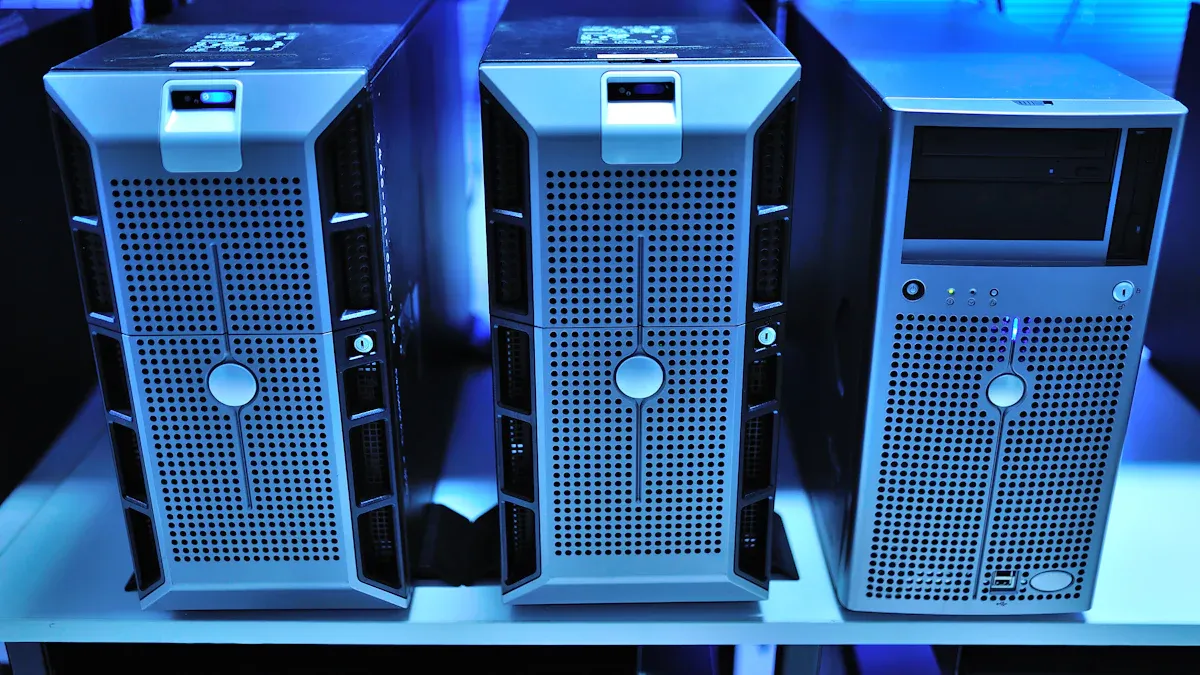
Выбор правильного серверное шасси is important. It helps your server work well and stay reliable. IT teams want a rackmount server chassis with good cooling. They also want lots of space for upgrades. Here are some top models from sz-xtt, Supermicro, RackChoice, Broadberry, Chenbro, and SilverStone.
Бренд | Диапазон цен | Эффективность охлаждения | Expansion Capacity |
|---|---|---|---|
sz-xtt | $150–$300 | Minimal cooling | 8–12 bays |
RackChoice | $300–$600 | Better airflow | 16–24 drive bays |
Broadberry | $600+ | Advanced thermal | 36+ bays |
Supermicro | $300–$600 | Высокий | 16–24 bays |
Chenbro | $300–$600 | Высокий | 16–24 bays |
SilverStone | $300–$600 | Высокий | 16–24 bays |
Tip: Check how many drive bays you need. Look at cooling features before you buy. This helps you pick the right server chassis.
Cooling and Expansion Ratings
Some server chassis are better at cooling and upgrades. Broadberry has advanced cooling and lots of space. It is great for big server setups. Supermicro, Chenbro, and SilverStone also cool well and have good expansion. RackChoice has better airflow than sz-xtt. But it is not as good as Broadberry.
IT teams pick rackmount server chassis with strong cooling for tough jobs. They choose models with more drive bays for extra storage. Good cooling keeps servers running well. It also helps them perform better. Expansion lets teams add drives or upgrade hardware as needed.
A server chassis with minimal cooling, like sz-xtt, is best for small setups. Teams who want high performance and upgrades should look at Broadberry or Supermicro. These models handle heat well and support more drives. They are good for busy server rooms.
Key Factors for Choosing a Server Chassis
Характеристики охлаждения
Every IT team wants a server that stays cool under pressure. When they look at a server chassis, they check how well it handles airflow. Good airflow means the server can keep running without overheating. Many 4U rackmount models use multiple fan zones and support high-CFM fans. This setup helps move hot air out fast. Some chassis even have spots for water cooling or modular cooling systems. These features boost performance, especially in busy server rooms. Teams also look for models with thermal testing results. They want to see how the chassis performs when the server works hard.
Tip: A server chassis with tool-less fan mounts makes upgrades and maintenance much easier.
Expansion Capabilities
A 4U server chassis gives teams lots of room for upgrades. They can add more drives, install extra PCIe cards, or even set up multi-GPU systems. The number of drive bays matters a lot. Some models offer up to 36 or more bays. This is perfect for storage-heavy jobs. PCIe slots let teams add network cards or RAID controllers. The right server chassis supports both hot-swappable drives and tool-less trays. These features save time and reduce downtime. Teams should always check the expansion options before they buy.
Критерии | Описание |
|---|---|
Отсеки для дисков | More bays mean more storage options. |
Слоты PCIe | Extra slots allow for network, storage, or GPU upgrades. |
Hot-Swap Support | Hot-swappable bays make replacing drives quick and easy. |
Compatibility and Build Quality
Not every server chassis fits every setup. Teams need to match the chassis with their motherboard, CPU, and power supply. Most 4U rackmount models support a wide range of motherboards, from ATX to E-ATX. They also check for 80 PLUS certified PSUs for better energy use. Build quality matters too. A sturdy chassis lasts longer and protects the server inside. Features like quick-access panels and acoustic dampening help with maintenance and noise control.
Here’s a quick look at why 4U rackmount server chassis stand out among the 13 types:
Тип шасси | Основные характеристики |
|---|---|
4U Rackmount | Maximum space, great for storage and multi-GPU setups |
1U/2U Rackmount | Compact, less room for expansion or cooling |
Tower Server | Quiet, easy access, but not for dense racks |
Blade Server | High density, shared cooling, higher cost |
A 4U server chassis gives teams the best mix of cooling, expansion, and flexibility. It works well in data centers, labs, and even small offices.
Best 4U Server Chassis Reviews
sz-xtt 4U Server Chassis
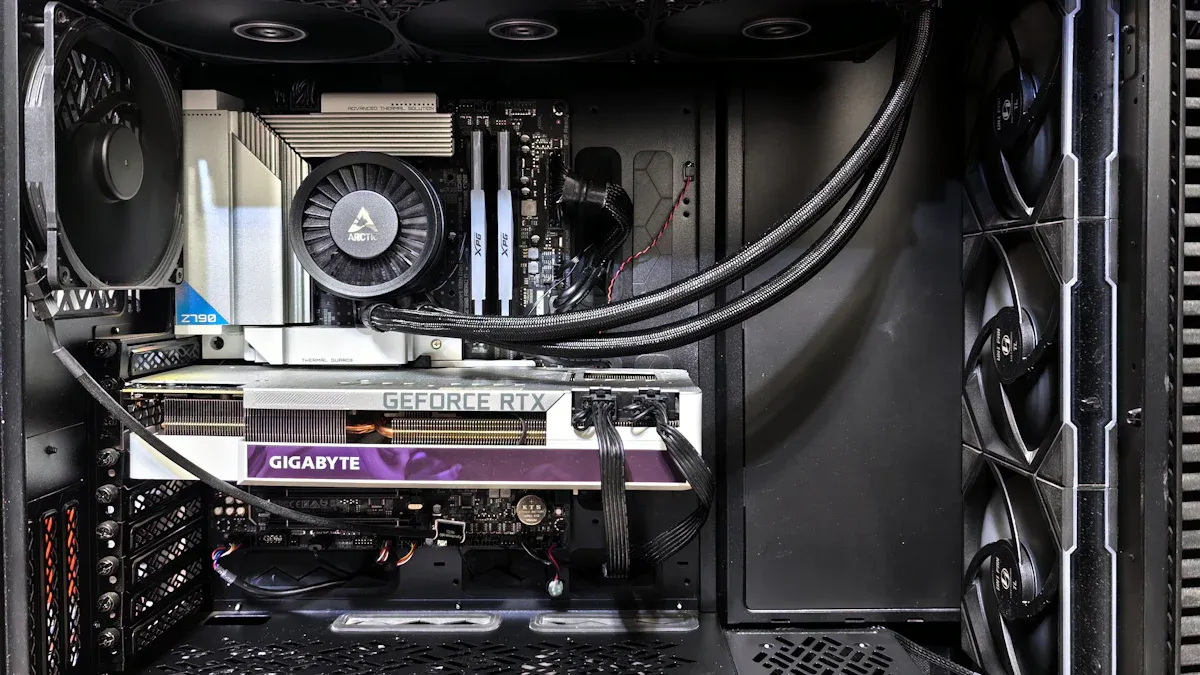
The sz-xtt brand is a top pick for IT teams who want a reliable Серверное шасси 4u. These models are made for easy upgrades and flexibility. The sz-xtt 4u rackmount chassis comes in two types: UB and LPB. Both can hold up to 36 drive bays. This means there is lots of space for data that keeps growing. The UB model has four full-height and three low-profile PCIe slots. The LPB version has seven low-profile slots. These choices help users find the right mix of expansion cards and storage.
Вариант | Отсеки для дисков | Слоты PCIe | Описание |
|---|---|---|---|
UB | 36 | 4 full-height, 3 low-profile | Supports SuperMicro’s proprietary UIO expansion cards. |
LPB | 36 | 7 low-profile | Supports maximum number of high-speed slots for low-profile cards. |
The cooling system in sz-xtt rackmount chassis is simple. It works best in small offices or home labs. These places do not need strong cooling. Users can add more fans if they want. The basic setup is good for light or medium jobs.
Плюсы:
Lots of drive bays for big storage jobs
Many PCIe slot choices
Low starting price
Конс:
Basic cooling at first
Not great for busy data centers
Идеальные варианты использования:
Small business servers, backup storage, and home labs are a good fit for sz-xtt’s Серверное шасси 4u. People who want to know more can visit the official website for details.
Supermicro 4U Rackmount
Supermicro is known for its strong cooling and expansion in the 4u rackmount market. This серверное шасси uses five hot-plug cooling fans. These fans give full cooling backup. It also has a powerful 1200W Titanium Level power supply. It can hold up to 24 hot-swap 3.5″ SAS3 drive bays. The design has an 8cm exhaust fan and four 92x38mm hot-swap fans. This keeps air moving and the server cool.
Характеристика | Описание |
|---|---|
Cooling Redundancy | 100% cooling redundancy with 5 hot-plug redundant cooling fans |
Отсеки для дисков | 24x 3.5″ Hot-swap SAS3 Drive Bays |
Источник питания | Redundant 1200W Titanium Level high efficiency power supply |
Fans | 1x 8cm hot-swap exhaust fan and 4x 92x38mm Hot-Swap Cooling Fans |
Backplane | Dual SAS3 (12Gbps) expander backplane |
Supermicro’s Серверное шасси 4u fits many motherboard sizes. It has seven low-profile expansion slots. This makes it a favorite for big companies and research labs.
Характеристика | Подробности |
|---|---|
Supported Motherboard Sizes | 12″ x 10″, 13.68″ x 13″, 9.6″ x 9.6″ |
Отсеки для дисков | 36 x 3.5″ hot-swap SAS/SATA, optional 2 x 2.5″ hot-swap |
Backplane Support | 12-port 2U SAS3 12Gbps, 24-port 4U SAS3 12Gbps |
Источник питания | 1U 1280W Redundant Platinum 95%+ |
Слоты расширения | 7 low-profile expansion slots |
Cooling Fans | 7 x 8cm (7000 RPM) hot-swap PWM cooling fans |
Плюсы:
Great cooling and keeps things cool
Can add lots of parts
Power supply is very reliable
Конс:
Costs more money
Too much for small jobs
Идеальные варианты использования:
Supermicro’s 4u rackmount chassis is best for data centers, research labs, and places where uptime and speed are important.
RackChoice 4U Server Chassis
RackChoice has a Серверное шасси 4u that is good for price and performance. It comes with a 12cm fan already inside. This fan cools the server well for most jobs. Users can add more fans if they need extra cooling. This helps keep the server cool as it works harder.
Технологии охлаждения | Описание |
|---|---|
Pre-installed 12cm fan | Provides efficient cooling for the server. |
Additional fan slots | Allows for enhanced airflow if needed. |
RackChoice models can hold up to 24 drive bays. This is good for adding more storage. The chassis also has PCIe slots for network or GPU upgrades.
Плюсы:
Good airflow and can add more fans
Many drive bays for storage
Fair price
Конс:
Not as fancy as top models
May need more fans for hard jobs
Идеальные варианты использования:
RackChoice Серверное шасси 4u is great for growing businesses, branch offices, and teams who want a good deal.
Broadberry 4U Rackmount
Broadberry’s 4u rackmount chassis is a leader for big jobs and strong cooling. It can hold up to 12 hot-swap 2.5″ drives. These drives can be SATA, SAS, or NVMe. The chassis also has eight GPU slots and can use up to 4.1TB of RAM. This is perfect for AI, big data, and virtualization.
Характеристика | Подробности |
|---|---|
Форм-фактор | 4U |
Отсеки для дисков | Hot-Swap Drives |
HDD Size | 2.5″ Drives |
Quantity Drives | 12 |
Drive Interface | SATA, 12Gb/s SAS, NVMe |
GPU Slots | 8x Double / Single Width GPU |
Max RAM Capacity | 4.1TB |

Broadberry’s rackmount chassis is made for NVIDIA GPUs. It also has backup power supplies for safety.
Плюсы:
Top expansion for storage, GPU, and RAM
Strong cooling for hard jobs
Works with NVMe and SAS drives
Конс:
Costs a lot
May be too big for small offices
Идеальные варианты использования:
Broadberry’s Серверное шасси 4u is best for data centers, AI research, and teams that need top speed and space.
Chenbro RM414 Series
Chenbro’s RM414 Series gives good cooling and expansion in the 4u rackmount market. The chassis can hold up to 24 drive bays and many PCIe slots. This makes it good for storage servers and virtualization. Chenbro uses strong fans and a tough frame. This keeps the server cool and safe.
Плюсы:
Good cooling with strong fans
Can add more storage and PCIe cards
Built to last
Конс:
Not as many GPU slots as others
Can be a bit noisy
Идеальные варианты использования:
Chenbro’s rackmount chassis is great for mid-sized businesses, storage groups, and teams who want a solid server for daily work.
SilverStone RM400 Series
SilverStone’s RM400 Series is a smart Серверное шасси 4u with good cooling and easy upgrades. The chassis has a 120mm front fan and two 80mm rear fans. There is also space for another 80mm fan in the front. This setup helps keep the server cool when it is busy.
Расположение | Fan Size | Quantity | В комплект входит |
|---|---|---|---|
Фронт | 120mm x 1 | 1 | Да |
Фронт | 80mm x 1 | 1 | Нет |
Rear | 80mm x 2 | 2 | Yes (1) |
SilverStone’s rackmount chassis can hold up to 24 drive bays and has PCIe slots. This makes it a good choice for many IT jobs.
Плюсы:
Good cooling with fans included
Easy to add more fans or drives
Good value for what you get
Конс:
Not as many features as top models
Not much GPU support
Идеальные варианты использования:
SilverStone’s Серверное шасси 4u is best for small to medium businesses, backup servers, and teams who want good performance for less money.
Каждый Серверное шасси 4u in this review has something special. sz-xtt is best for small jobs and saving money. Supermicro and Broadberry are great for data centers and big jobs. RackChoice, Chenbro, and SilverStone are good for growing businesses and teams who need options. Picking the right rackmount chassis helps IT teams get the best cooling, expansion, and performance for their servers.
Pros, Cons, and Use Cases
Model Strengths and Weaknesses
Выбор правильного серверное шасси is important for IT teams. Each model has good points and bad points. The table below shows what people like and dislike about these server chassis.
Тип модели | Сильные стороны | Слабые стороны |
|---|---|---|
4U Rackmount Server Case | Made for server motherboards | Uses more power and makes more heat |
Custom 4U Rackmount Case | Lets you pick size, materials, and layout | Takes longer to design and build |
Premium Material & Build Quality | Uses strong materials like steel or aluminum | Н/Д |
Advanced Cooling System | Has powerful cooling with efficient fans | Н/Д |
Many teams want a server chassis with strong cooling and lots of drive bays. These features help servers work better and last longer. Some models use tough materials, so they stay strong in busy rooms. Others focus on cooling, so the server does not get too hot. But some server chassis can be loud or use more power because of their cooling.
Note: Teams should check if the server chassis fits their hardware and cooling needs before buying.
Recommended Applications
Different server chassis models are best for different places. Here are some common uses:
Data centers use rackmount server chassis with strong cooling for lots of servers.
Small businesses pick models that are easy to upgrade and quiet for office servers.
Research labs need server chassis with lots of drive bays and good airflow for big data jobs.
Home labs often choose simple server chassis with basic cooling for learning and testing.
A server chassis with good cooling and room for upgrades helps teams get the best performance. Picking the right model keeps the server cool, fast, and ready for upgrades.
Buying Guide for 4U Server Chassis
Matching Chassis to Needs
IT teams want to pick the right серверное шасси. They check what their remote workstation needs now and later. Here are some things to think about:
GPU capacity is important. Teams count how many GPUs they need. They plan for more if their workstation grows.
Cooling solutions keep the cpu and server safe. Using many fans and good airflow helps a lot.
Power supply must match the cpu, GPUs, and storage. A strong power supply keeps the server working.
Future expansion lets teams add more drives or cards. A flexible server chassis supports upgrades for workstations and cloud storage.
Teams should keep cables neat. Messy cables block cooling and airflow. This can make the server overheat.
Maximizing Cooling
Cooling helps the cpu and server work well. Teams use water cooling systems to keep temperatures low. Cooler temperatures help the cpu and server perform better. Bigger server chassis fit larger cooling systems. These systems control heat more easily.
Dynamic airflow control changes fan speeds with sensors. This stops overheating in the rackmount server.
Dual path airflow sends air to different parts. This keeps heat from spreading.
Push-pull setups use intake and exhaust fans together. This boosts cooling and airflow for the cpu and server.
Upgrading often and keeping good records makes maintenance easier. It also helps cooling work better.
Planning for Expansion
Teams plan for expansion by picking a server chassis that fits their cpu and hardware needs. They check storage space and make sure the server can grow with their workstation.
Compatibility with hardware is important. Teams look for extra bays or slots for upgrades.
Easy upgrades matter. A server chassis that lets teams add drives or cards without trouble saves time.
Build quality affects how long the server lasts. Strong materials protect the cpu and server.
Balancing features and budget helps teams get the most from their workstation.
Not planning for future growth can cause problems. Teams should always plan ahead for expansion.
Picking the best 4U server chassis helps teams make a strong workstation. The best choices are good for cooling and expansion.
Find a chassis with airflow that keeps things cool.
Choose drive bays that are easy to use and change.
Make sure power is steady and has backup.
A workstation needs features that fit IT goals. Bigger chassis can handle special jobs and give more room to grow. Teams should check if the workstation fits what they need.
Steps for picking a workstation:
Decide how you will use the workstation.
Make sure the motherboard fits.
Check how many drives you need.
Look at cooling for the workstation.
Think about backup power.
Check how you can add more parts.
Make sure it fits in your space.
Stay away from specs that are not clear.
With the right chassis, a workstation stays cool, grows easily, and can be upgraded later.
ЧАСТО ЗАДАВАЕМЫЕ ВОПРОСЫ
What makes a 4U server chassis better for cooling?
A 4U server chassis gives more space for fans and airflow. They keep servers cool during heavy workloads. Teams can add extra cooling systems if needed.
How many drives can most 4U server chassis hold?
Most 4U server chassis support between 16 and 36 drive bays. Some models offer hot-swap bays for easy upgrades. Teams should check their storage needs before choosing.
Can a 4U server chassis fit any motherboard?
Many 4U server chassis fit ATX, E-ATX, and other common motherboard sizes. Teams must check the specs to make sure their motherboard matches the chassis.
Is it easy to upgrade parts in a 4U server chassis?
Yes! Most 4U server chassis have tool-less trays and quick-access panels. Teams can add drives, fans, or cards without much trouble.


